# Are there ways to display the auction goal progress?
> Source: https://support.associationsphere.com/are-there-ways-to-display-the-auction-goal-progress | Updated: 2025-03-30T14:51:17Z
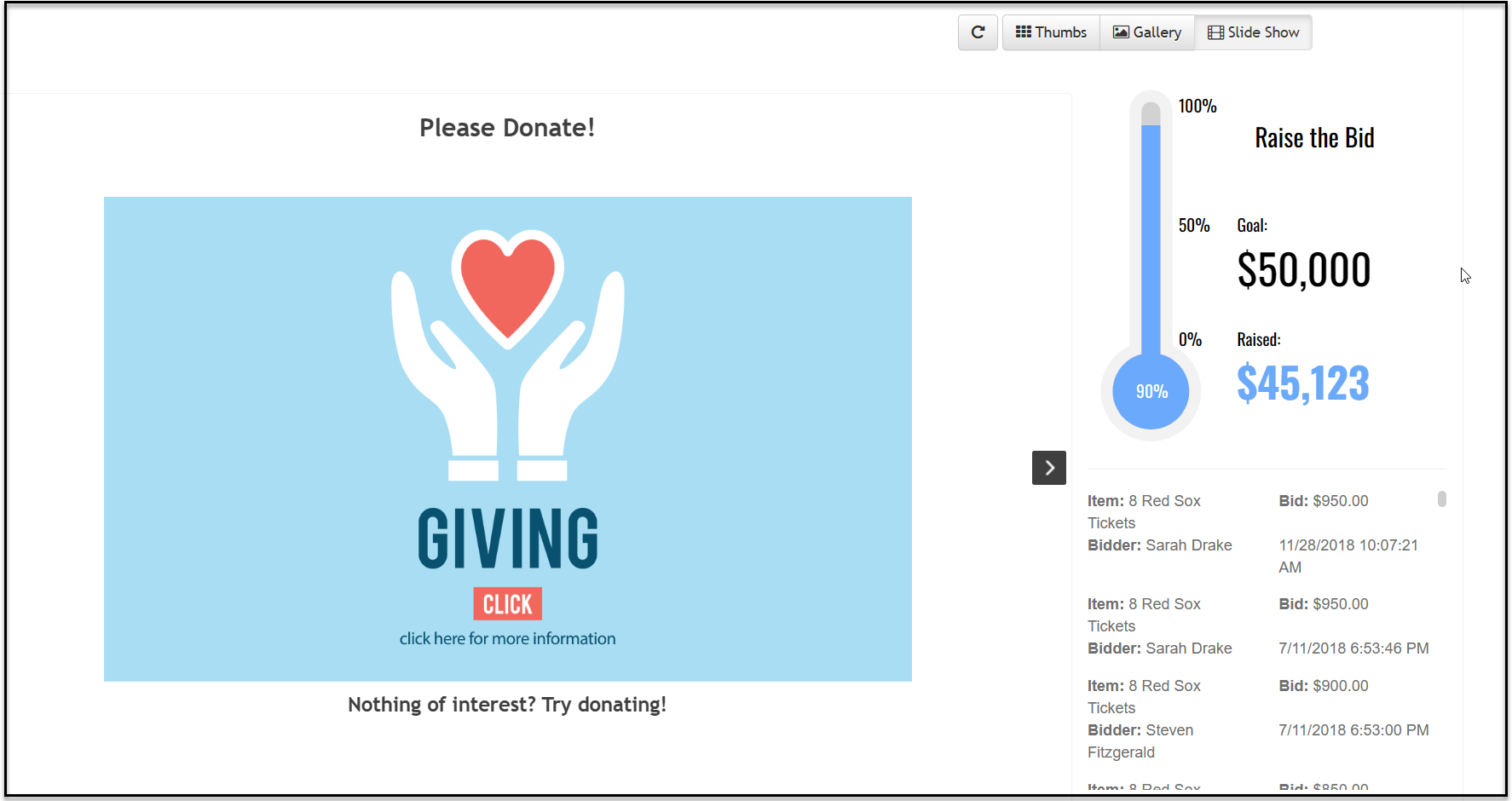
1. Yes, the auction page can be set up to include a thermometer or donut progress and live bidders scroll.
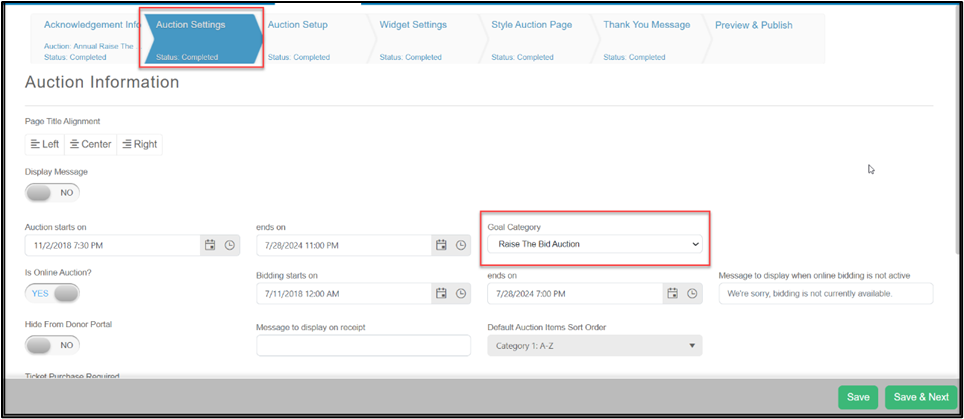
2. From the auction page editor, on the Auction Settings tab the **Goal Category** identifies all the revenue that will be included in the goal widget.
3. This **Goal Category** can also include sources like donation and event page revenue if desired.
4. Click **Save & Next** to save the changes.
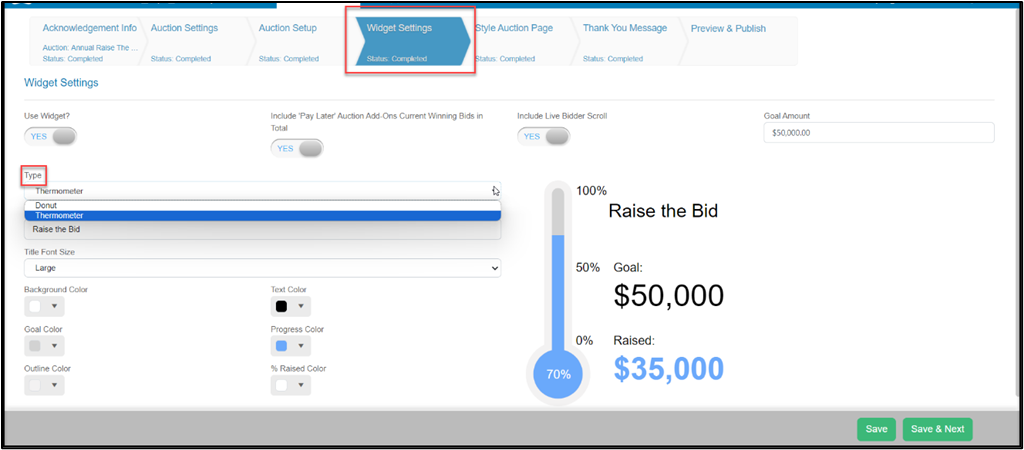
 5. Next, go to the Widget Settings tab to select the type of goal progress to display, enter the total goal amount, and customize the colors and labeling.
6. Determine if **Pay Later Add-ons** and the **Live Bidder Scroll** will be enabled.
7. Click **Save & Next** to save the changes.
5. Next, go to the Widget Settings tab to select the type of goal progress to display, enter the total goal amount, and customize the colors and labeling.
6. Determine if **Pay Later Add-ons** and the **Live Bidder Scroll** will be enabled.
7. Click **Save & Next** to save the changes.
 8. With the widget enabled, the widget can be best viewed (and projected) on the auction page from the **Gallery**or **Slide Show** views.
9. You can read more about the auction goal progress widget in this support article. [https://support.AssociationSphere.com/support/solutions/articles/9000230952-auction-widget-settings](https://support.donorview.com/support/solutions/articles/9000230952-auction-widget-settings)
10. There is also an option to create another goal progress widget to include on another website, for example the organization’s own website. See this video to learn more about the Goal Progress feature here AS Goal Progress - https://vimeo.com/773462639/f445523e28.
8. With the widget enabled, the widget can be best viewed (and projected) on the auction page from the **Gallery**or **Slide Show** views.
9. You can read more about the auction goal progress widget in this support article. [https://support.AssociationSphere.com/support/solutions/articles/9000230952-auction-widget-settings](https://support.donorview.com/support/solutions/articles/9000230952-auction-widget-settings)
10. There is also an option to create another goal progress widget to include on another website, for example the organization’s own website. See this video to learn more about the Goal Progress feature here AS Goal Progress - https://vimeo.com/773462639/f445523e28.