# Can I add an additional payment due to the pledge schedule?
> Source: https://support.associationsphere.com/can-i-add-an-additional-payment-due-to-the-pledge-schedule | Updated: 2026-09-03T14:30:41Z
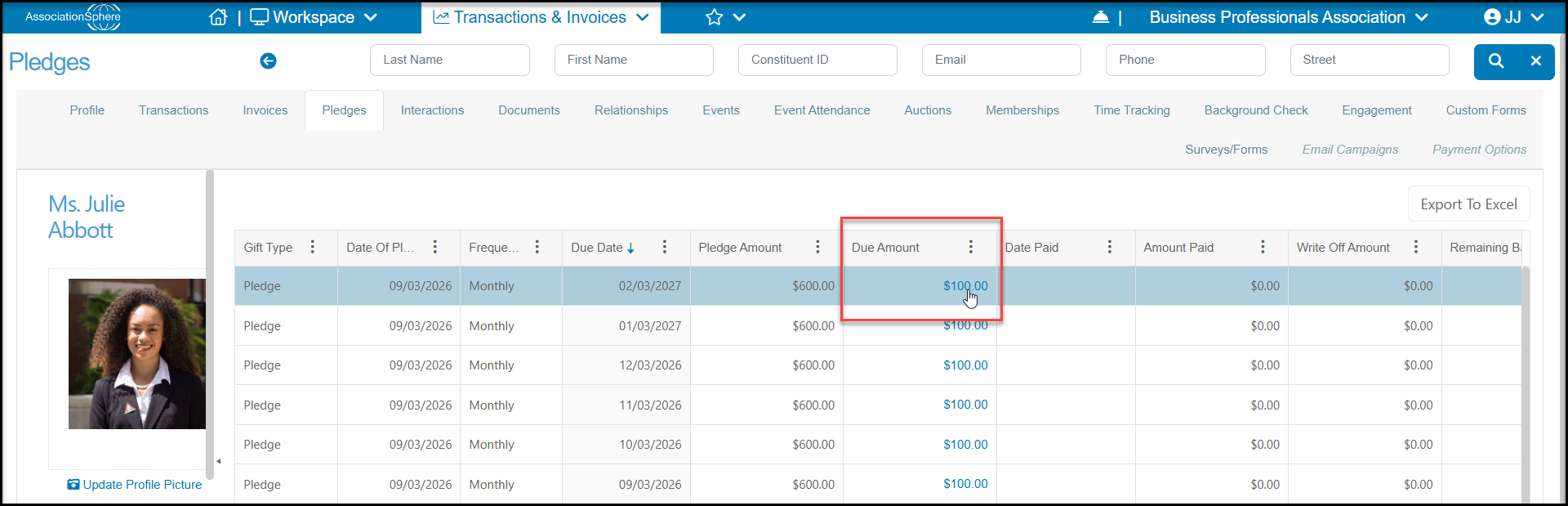
Yes, to open an existing pledge, click on a **Due Amount** from the constituent's Pledges tab or the main Pledges grid.
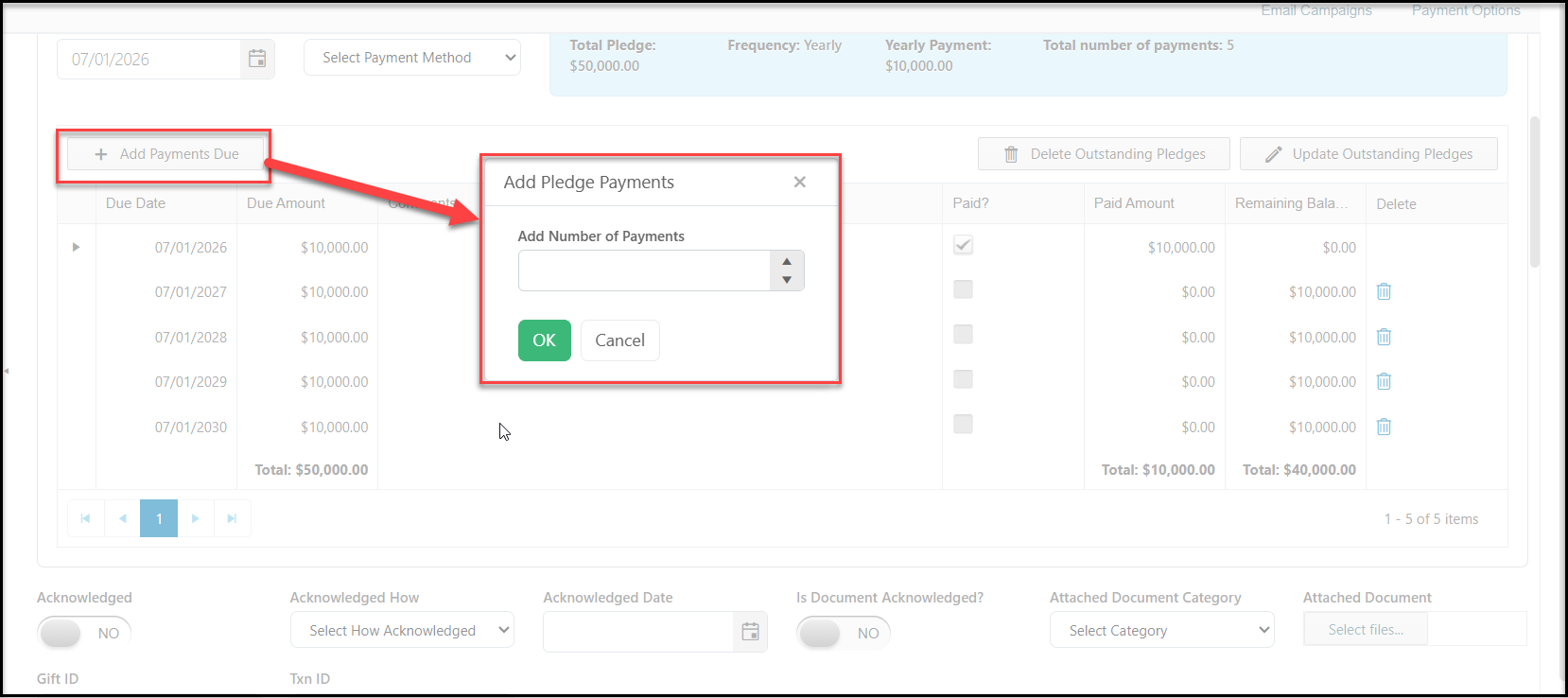
 On the payment schedule, click on **+Add Payments Due** button. In the new dialog box, enter the number of payments in **Add Number of Payments** and then click**OK.** The payment schedule will be updated with the new payments and the total Pledge Amount will update at the top of the page to reflect the new total.
Click the green **Save** button at the top of the page to save the changes.
On the payment schedule, click on **+Add Payments Due** button. In the new dialog box, enter the number of payments in **Add Number of Payments** and then click**OK.** The payment schedule will be updated with the new payments and the total Pledge Amount will update at the top of the page to reflect the new total.
Click the green **Save** button at the top of the page to save the changes.