# Can I add my logo to the online donation form?
> Source: https://support.associationsphere.com/can-i-add-my-logo-to-the-online-donation-form | Updated: 2025-02-20T20:47:02Z
#### Yes, your logo can be added to your donation page using the Simple or Advanced page designer.
####
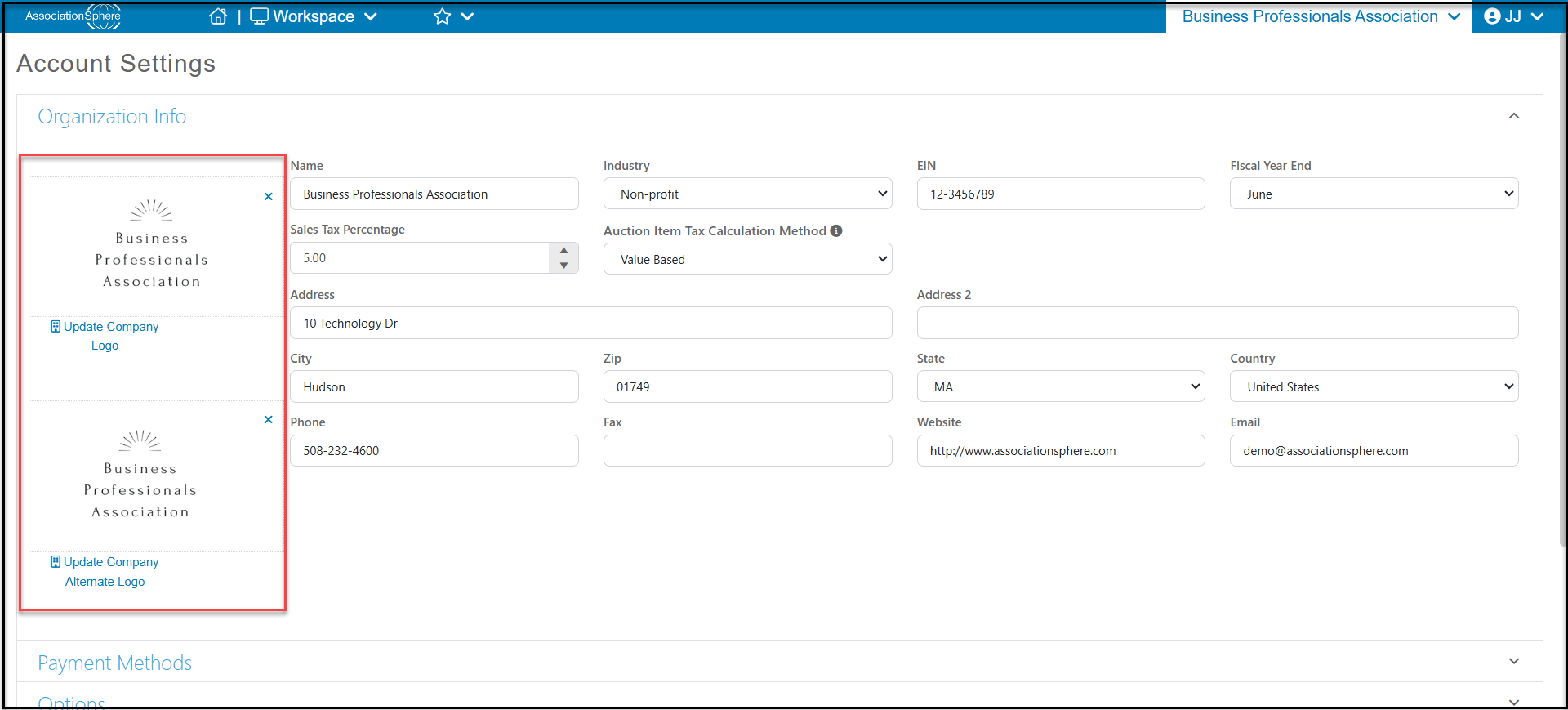
#### First, ensure your logo has been uploaded to your Account Settings. You can have two logos, a Default (the one on top) or an Other logo.
 #### **Advanced Page Designer**
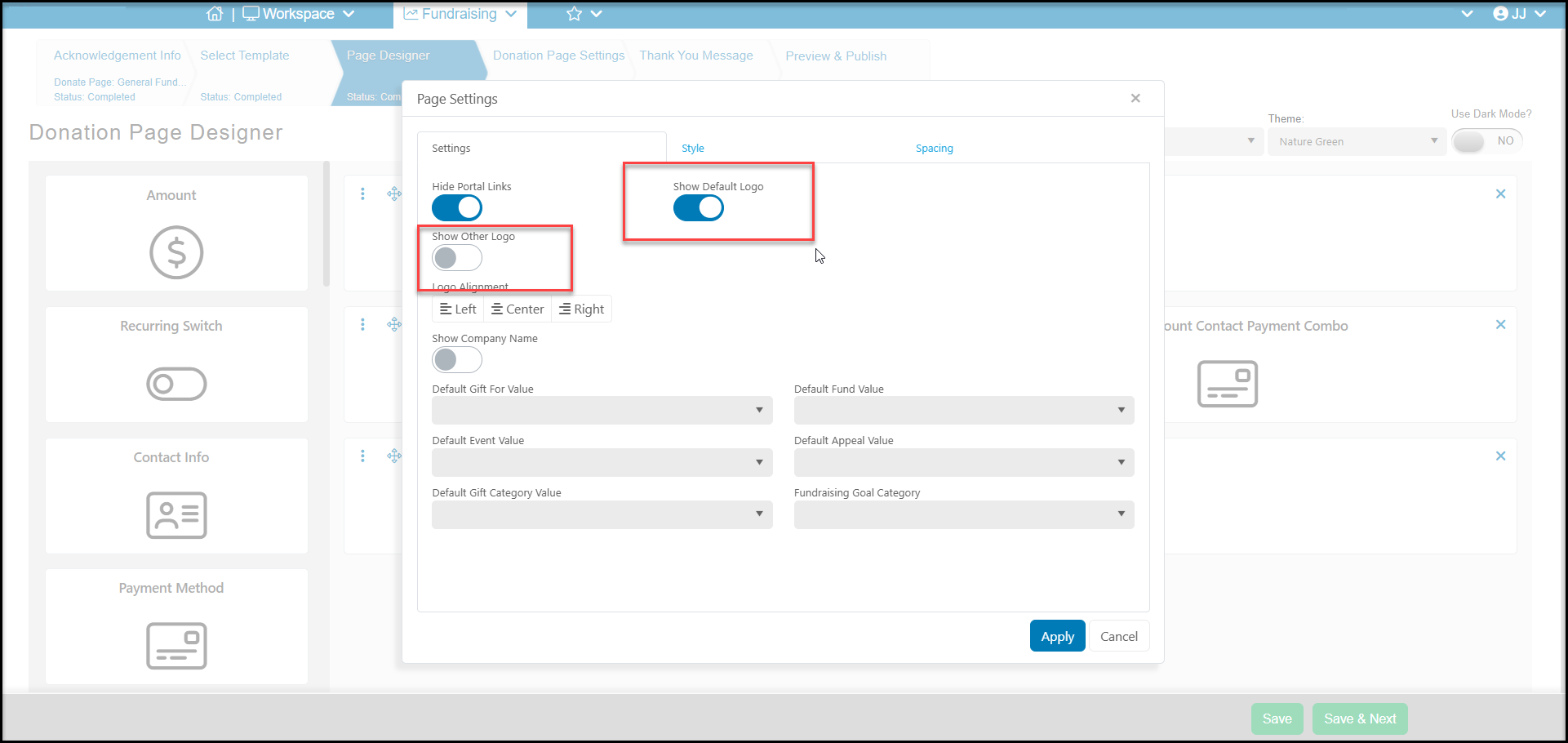
#### In the Advanced Page Designer you can choose the logo from the Page Settings button on the Page Designer tab.
You can choose to include the Default logo at the top of the page or Other logo. Under the logo choice toggles, you can select the Alignment as Left, Center or Right.
#### **Advanced Page Designer**
#### In the Advanced Page Designer you can choose the logo from the Page Settings button on the Page Designer tab.
You can choose to include the Default logo at the top of the page or Other logo. Under the logo choice toggles, you can select the Alignment as Left, Center or Right.
 ####
#### **Simple Page Designer**
#### You can add the logo via the Style Donation Page tab, under the Header subsection. You can choose the Default or Other logo and choose the Alignment as Left, Center or Right.
####
#### **Simple Page Designer**
#### You can add the logo via the Style Donation Page tab, under the Header subsection. You can choose the Default or Other logo and choose the Alignment as Left, Center or Right.