# Can I delete a Sponsorship?
> Source: https://support.associationsphere.com/can-i-delete-a-sponsorship | Updated: 2026-09-04T14:29:42Z
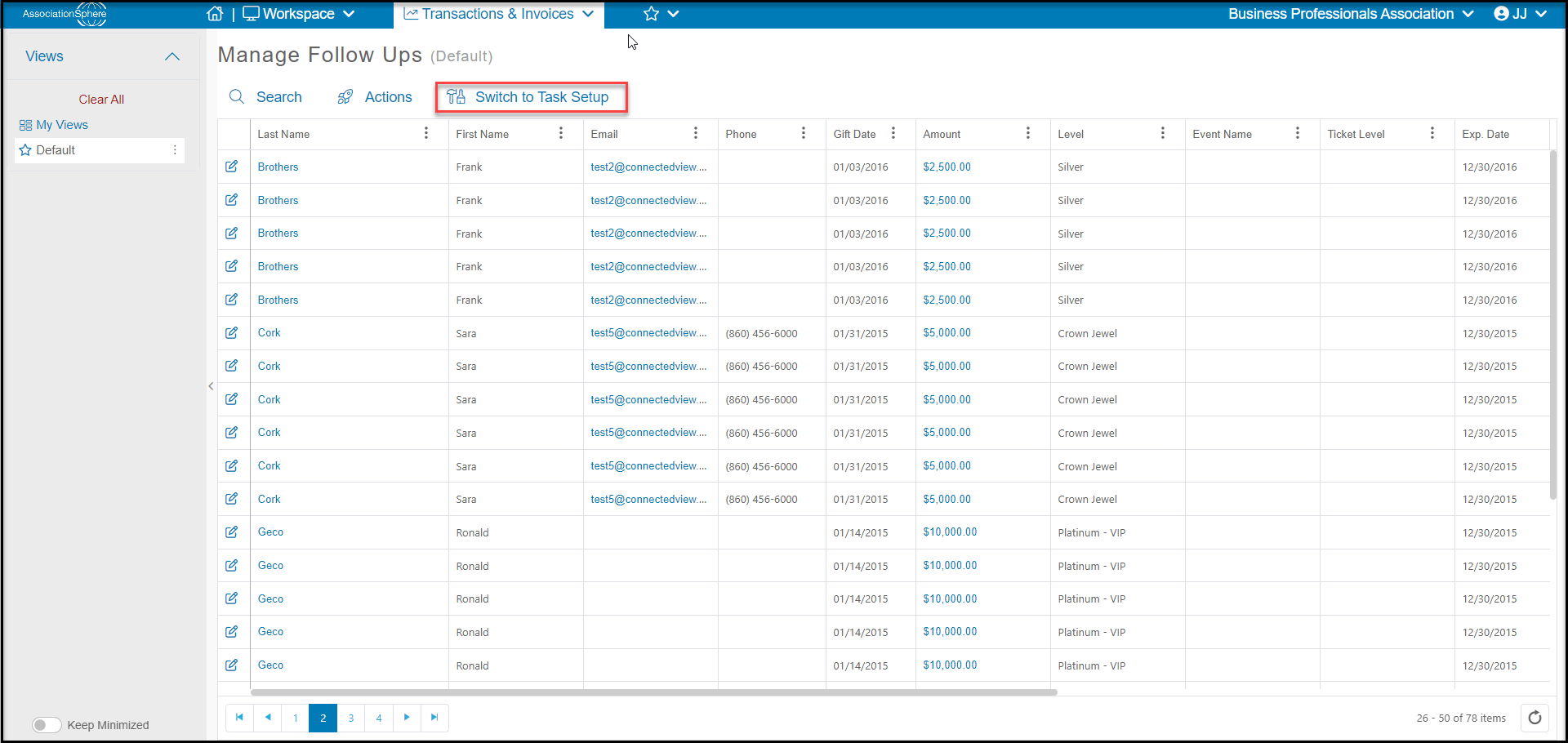
Yes, a sponsorship can be deleted if it has not already been connected to a gift or event level. To delete a sponsorship, click on**Switch to Task Setup**from the Manage Follows Ups grid.
 Select the row of the sponsorship you wish to delete and click on the **Trash can icon**on the left. To confirm, click the green **Delete** button in the dialog window.
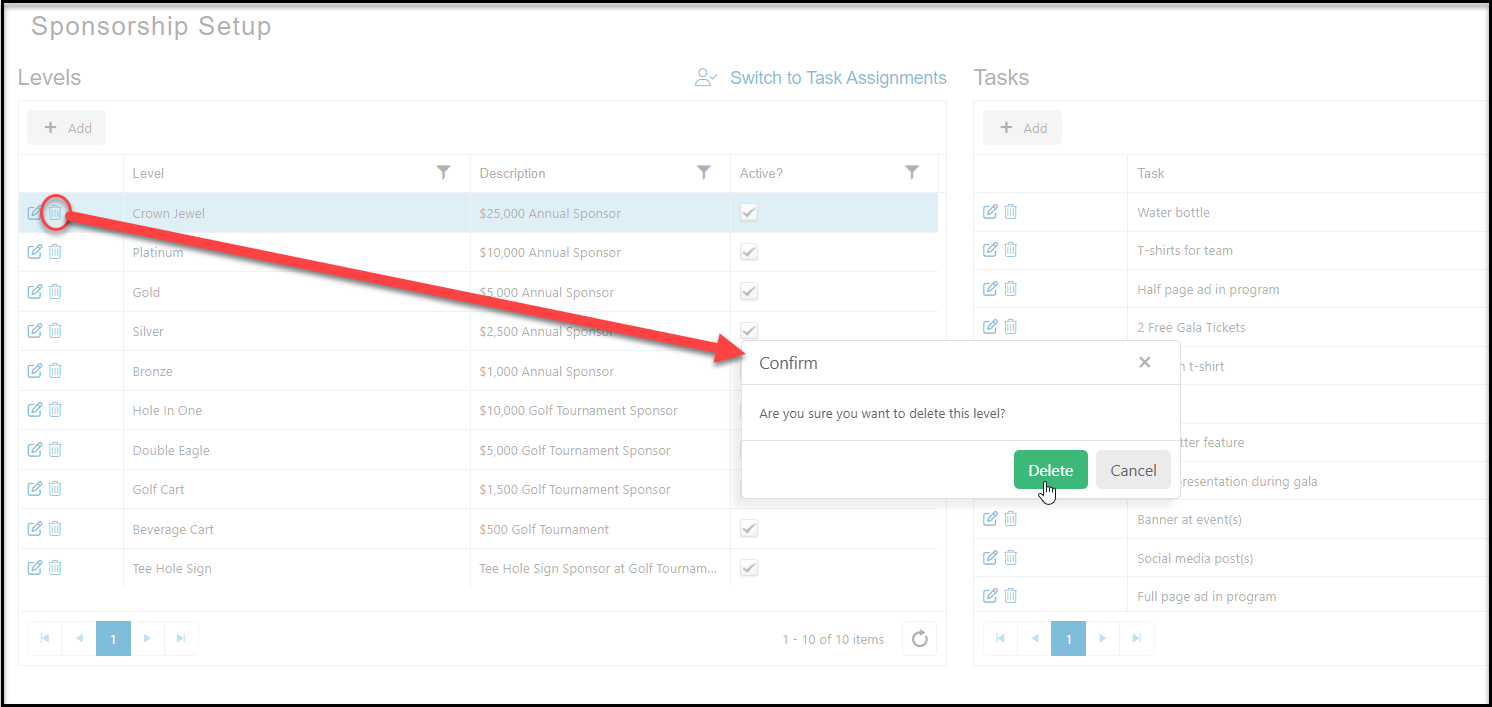 Click on the trash can icon. Click on Delete when the confirmation window opens, or click Cancel to keep the sponsorship.
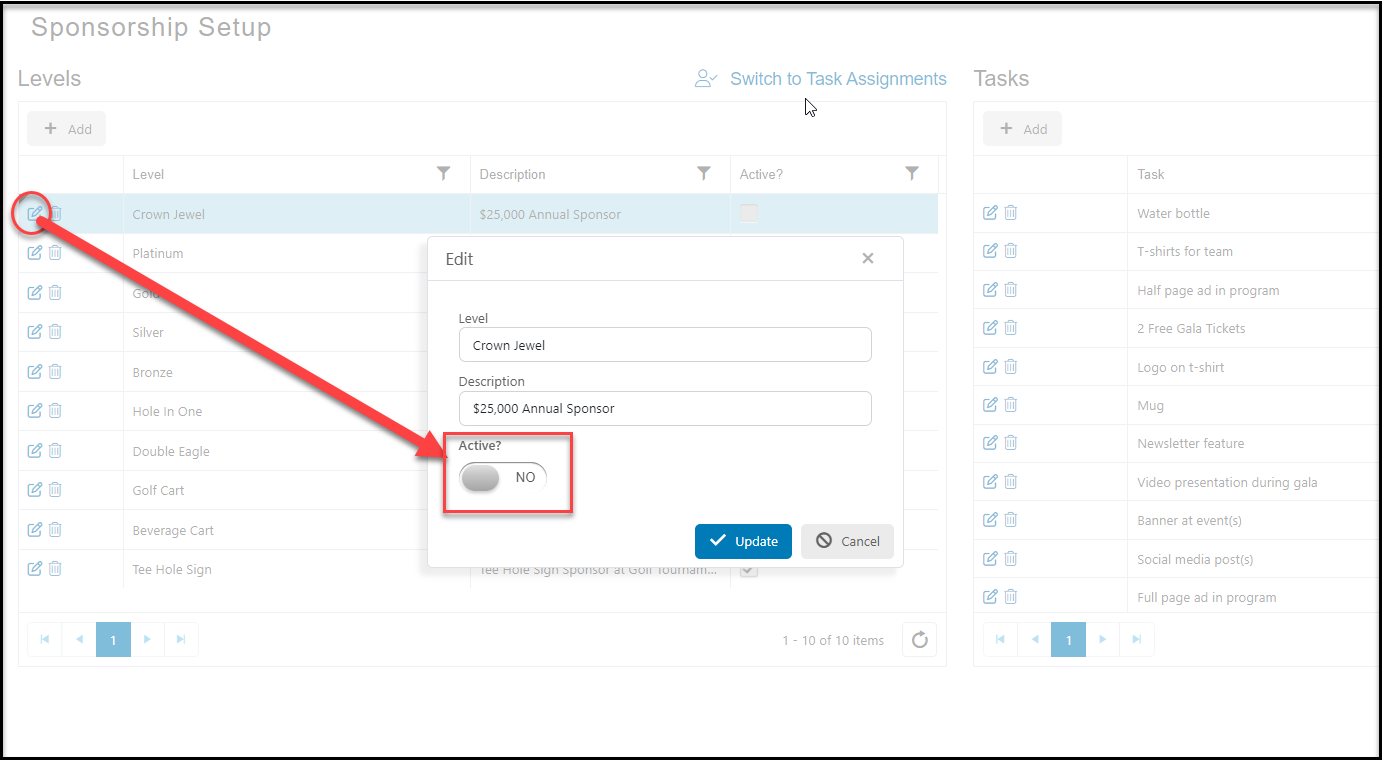
Alternatively, the sponsorship can be marked as Inactive. Click on the Edit icon to open the pop up window and change the **Active?**button to **NO** and click on **Update**. The sponsorship will no longer be visible in the pull down menu for sponsorships in new gifts or new event levels.
Click on the trash can icon. Click on Delete when the confirmation window opens, or click Cancel to keep the sponsorship.
Alternatively, the sponsorship can be marked as Inactive. Click on the Edit icon to open the pop up window and change the **Active?**button to **NO** and click on **Update**. The sponsorship will no longer be visible in the pull down menu for sponsorships in new gifts or new event levels.