# Can I edit a specific payment amount on the pledge schedule?
> Source: https://support.associationsphere.com/can-i-edit-a-specific-payment-amount-on-the-pledge-schedule | Updated: 2026-09-03T14:28:55Z
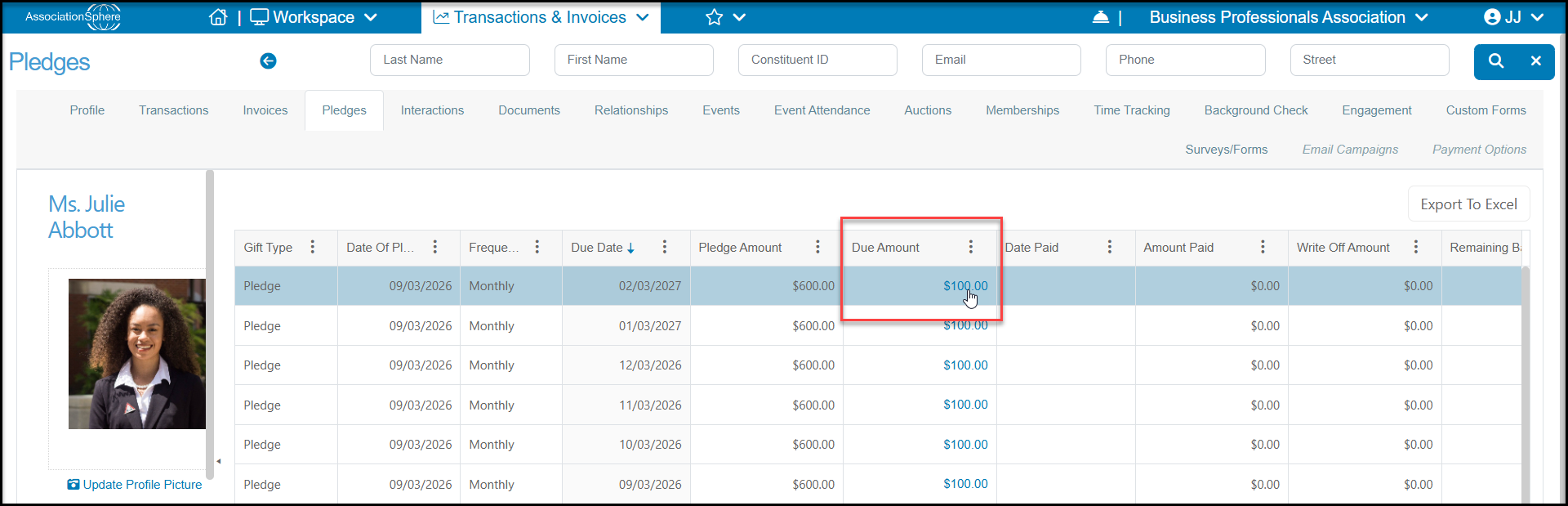
Yes, to open an existing pledge, click on a **Due Amount** from the constituent's Pledges tab or the main Pledges grid.
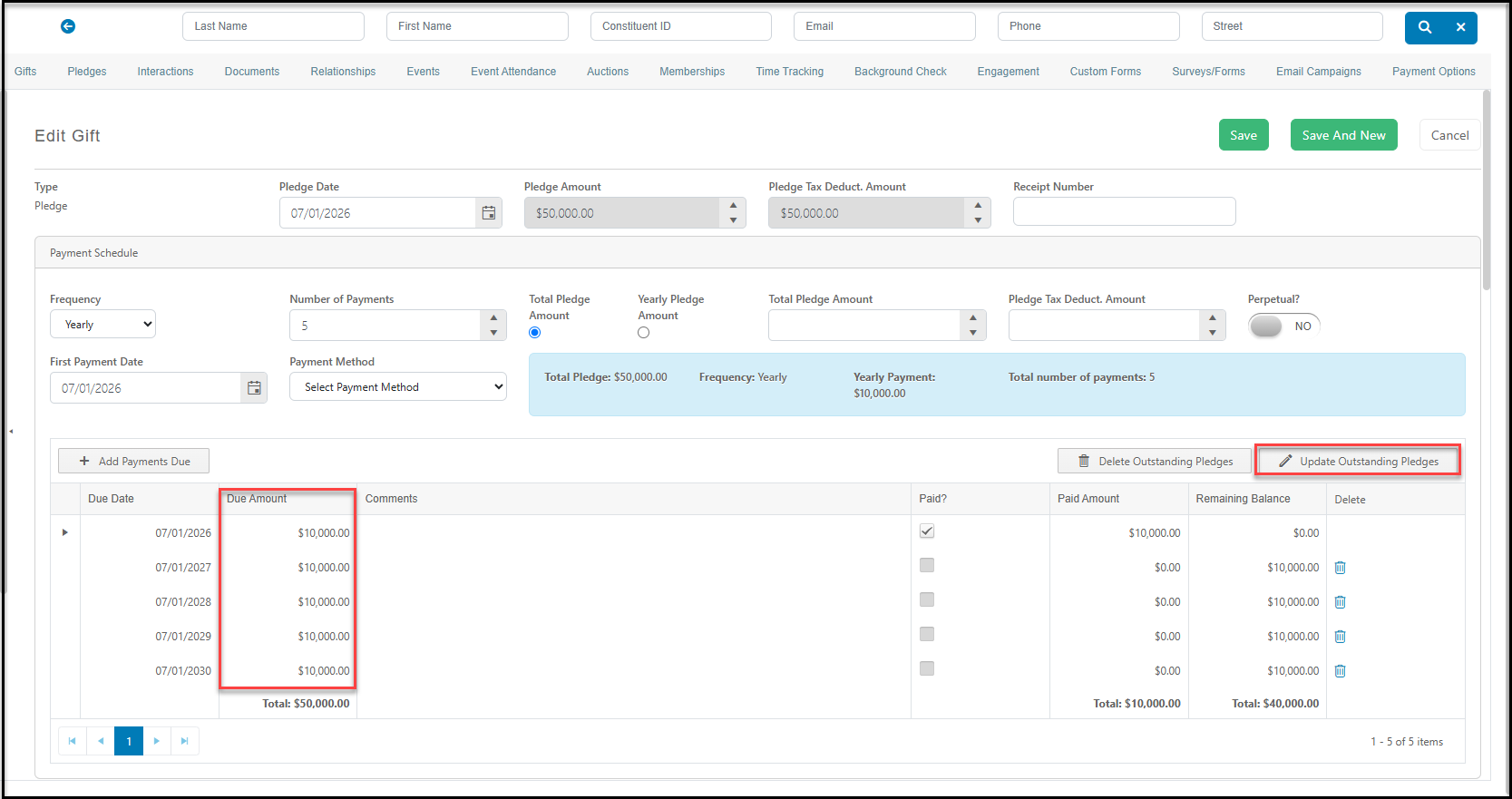
 On the payment schedule, click on that particular payment under **Due Amount**and edit the amount. The total **Pledge Amount**will update to reflect this new total. You can also update all future due amounts by clicking on **Update Outstanding Pledges**. Be sure to click **Save** at the top of the page to save your changes.
 ####
####