# Can I edit a Split Transaction?
> Source: https://support.associationsphere.com/can-i-edit-a-split-transaction | Updated: 2026-09-04T17:00:55Z
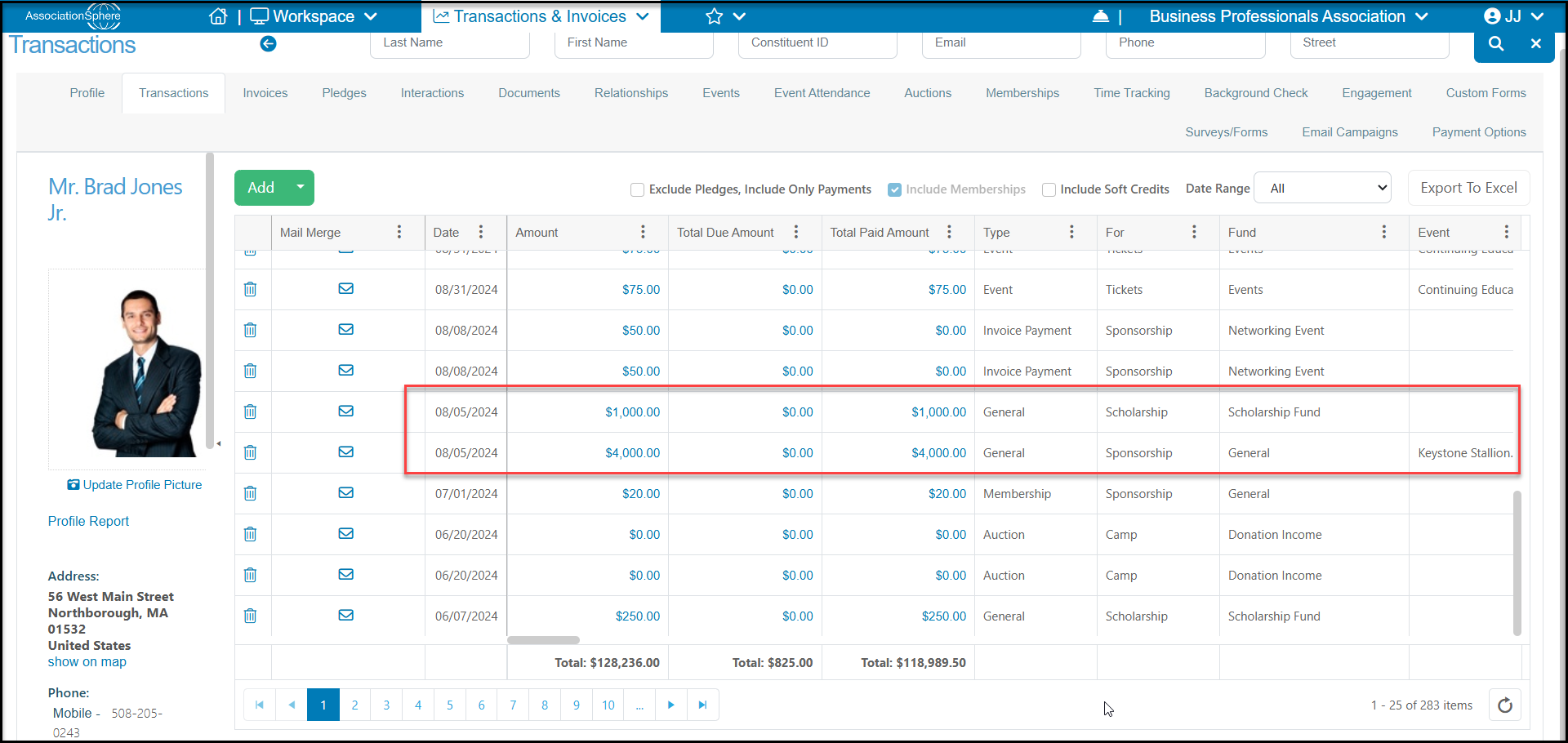
Yes, you can edit the information listed in the split transaction grid when you edit a transaction. Click on the amount from the Transactions grid or the constituent's Transactions tab to open the transaction record.
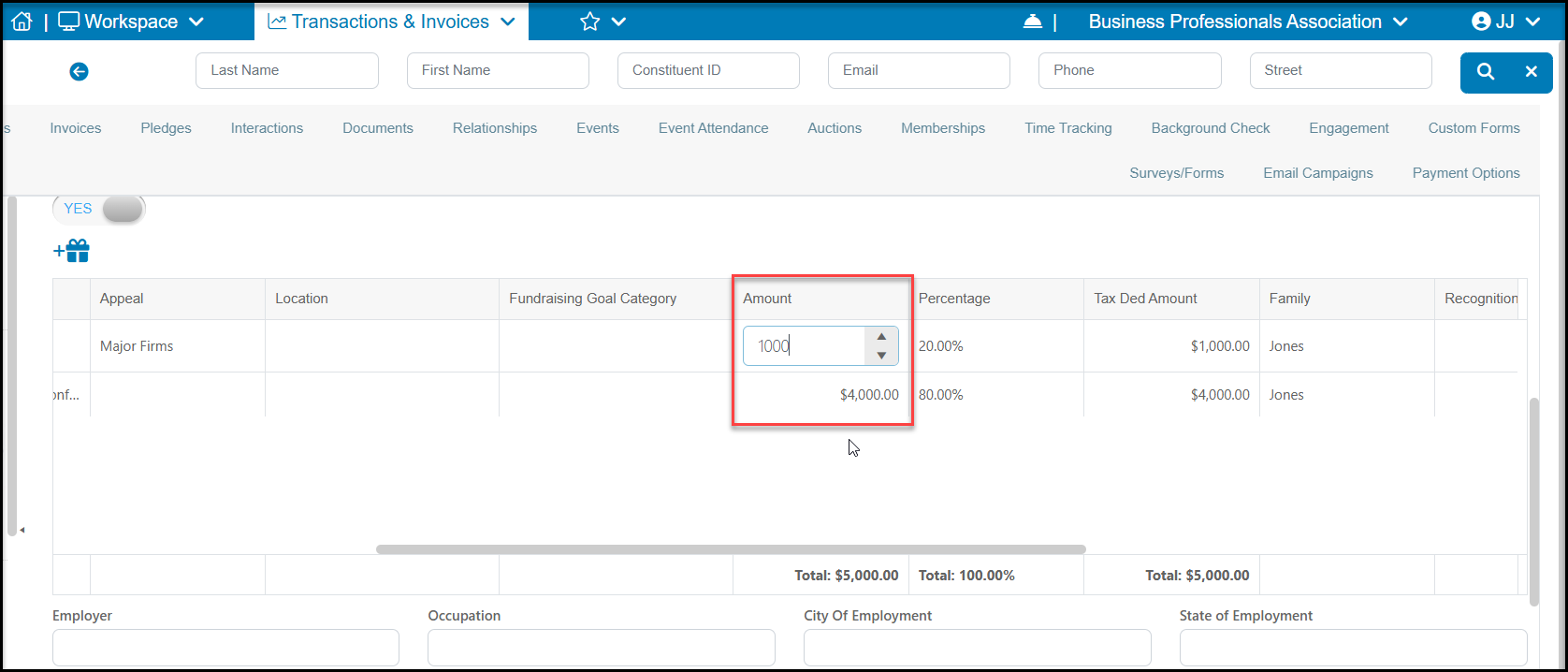
 If you are changing the split amount, but not the total, you can click on **Amount i**n the Split Transaction section. Be sure that the total percentage is 100% and the total amount matches the**Amount** at the top of the record.
If you are changing the total Amount of the transaction, be sure to enter the correct total **Amount** at the top of the transaction and make the appropriate splits with the total percentage of 100%.
Click the green **Save** button at the top or bottom of the page to save the changes.
If you are changing the split amount, but not the total, you can click on **Amount i**n the Split Transaction section. Be sure that the total percentage is 100% and the total amount matches the**Amount** at the top of the record.
If you are changing the total Amount of the transaction, be sure to enter the correct total **Amount** at the top of the transaction and make the appropriate splits with the total percentage of 100%.
Click the green **Save** button at the top or bottom of the page to save the changes.
 Once you save the changes, you will see the updated data on all related grids.