# Can I make a credit card transaction on behalf of a constituent?
> Source: https://support.associationsphere.com/can-i-make-a-credit-card-transaction-on-behalf-of-a-constituent | Updated: 2026-08-11T20:33:14Z
Yes, there are several options to make a donation, payment, or other transaction using a credit on behalf of a constituent.
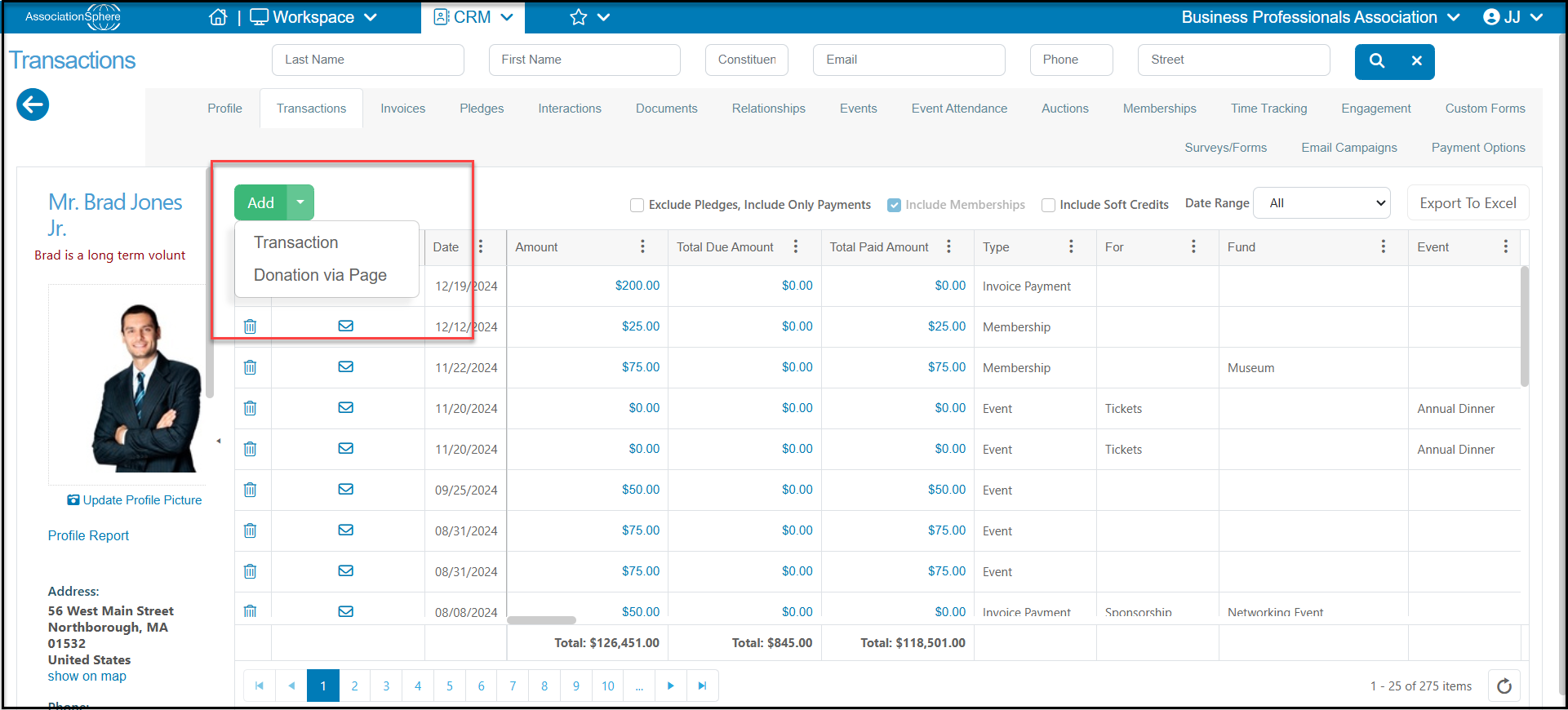
For a donation, invoice payment or pledge payment, you can go to the constituent's record and from their Transactions tab, click **Add,** then **Add Transaction****.**
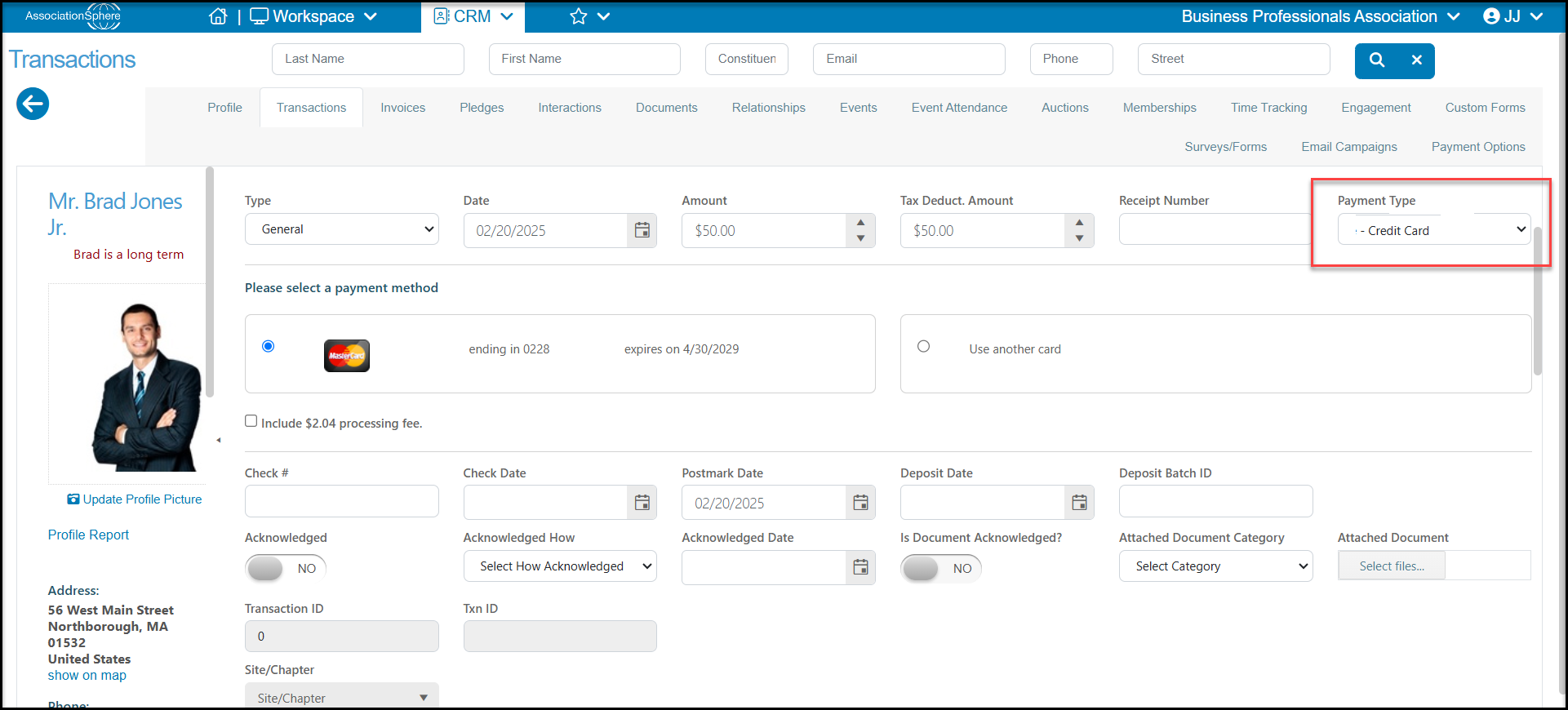
 Enter the **Type** of transaction, **Date, Amount**, and select the **Payment Type** of **Credit Card**. If the constituent has a credit card saved in their Payment Options tab, you can select it. Otherwise, select **Use another card** and enter the **Card number**, **Expiration date**, and **Security Code**(CCV). After completing the other fields needed, you can select **Process**, **Process and New**, and **Process and Acknowledge** to process the credit card and create/send and acknowledgement letter if desired.
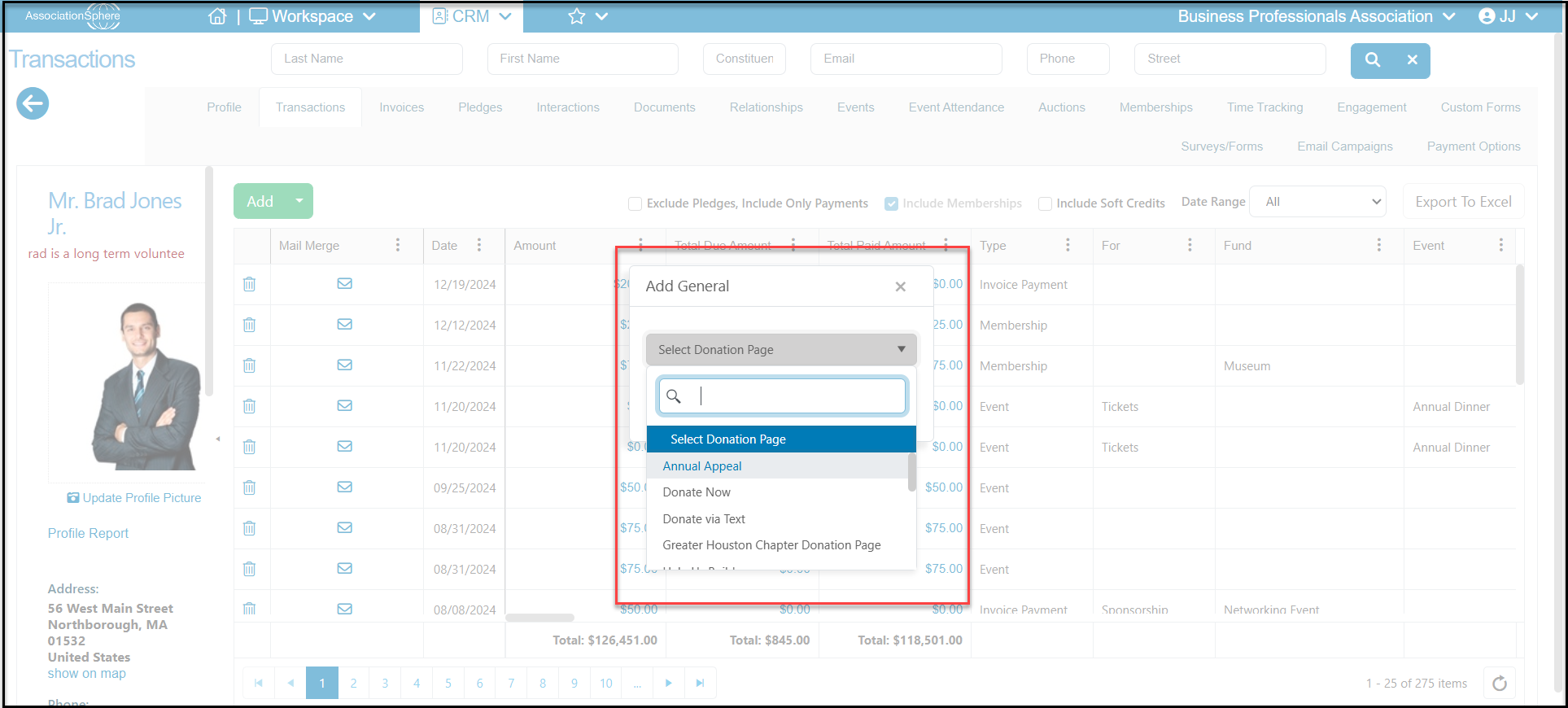
 For transactions or payments using a donation page, instead of selecting Add > Transaction, you can choose **Add,** then **Donation Via Page**. This will open a new window to select the donation page to open. Once the page is selected, the constituents contact information will automatically be populated onto the donation page and you can select or enter the credit card information.
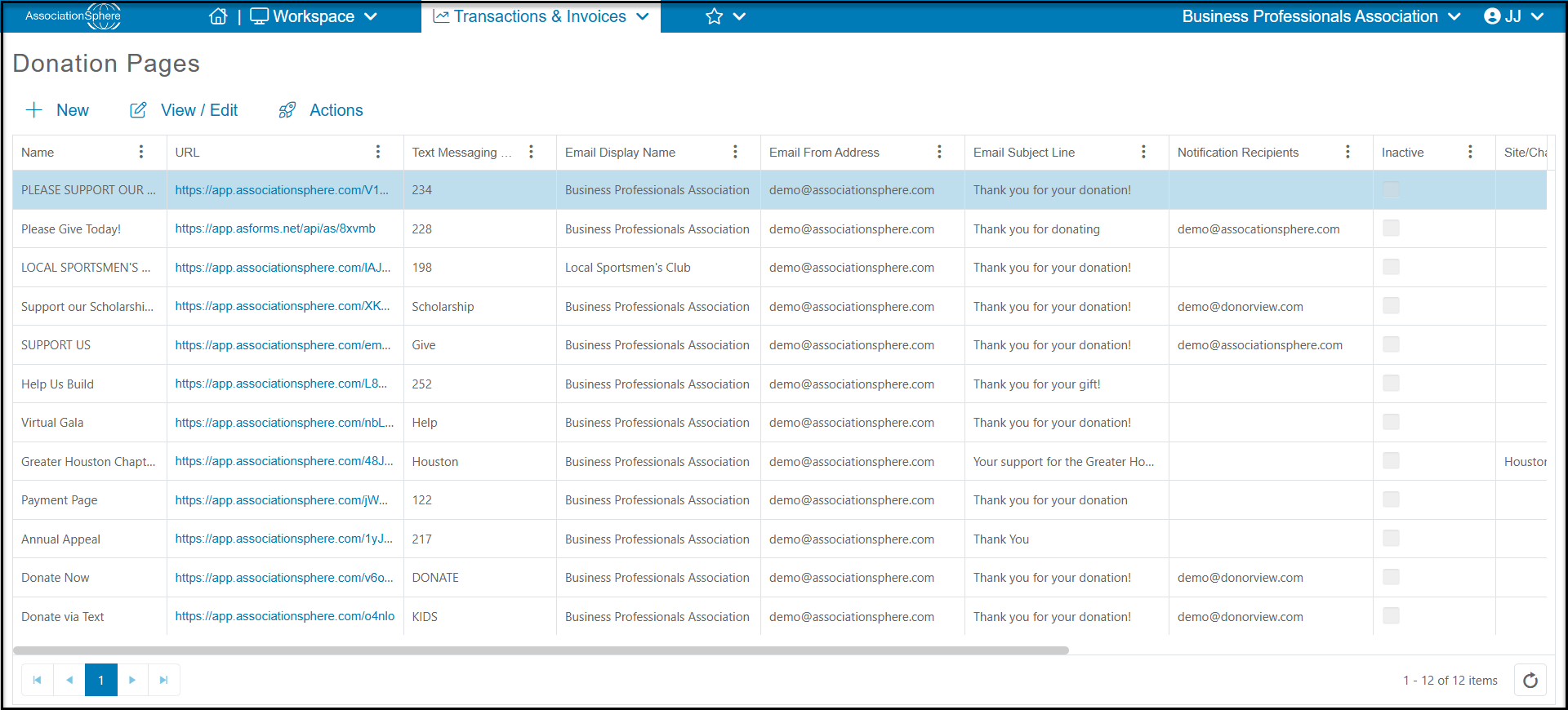
 You also have the option to open the donation page while still logged into AssociationSphere. Click on the URL from the Donation Pages grid.
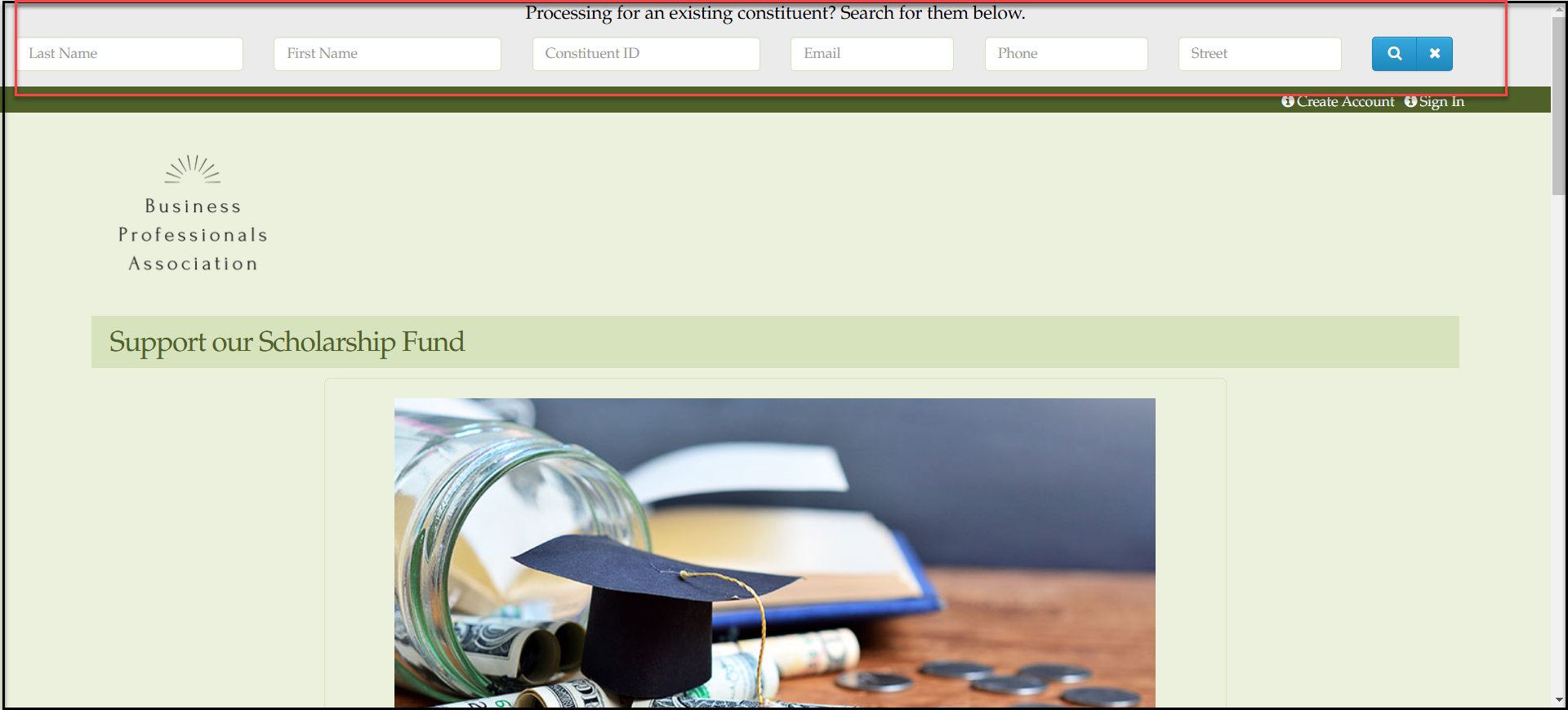
 Once the page opens, you will see a search bar at the top of the page. You can enter a name, constituent ID, email, phone number or address to search for a specific constituent.
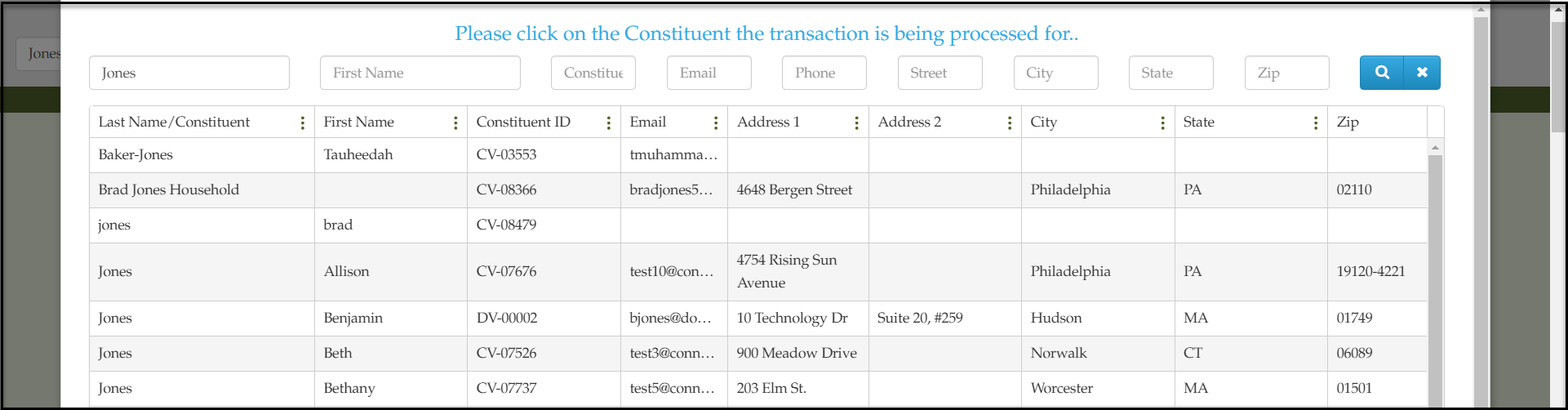
 The search window will show any matching options. Click on the constituent's record to add the information to the contact information area of the donation page.
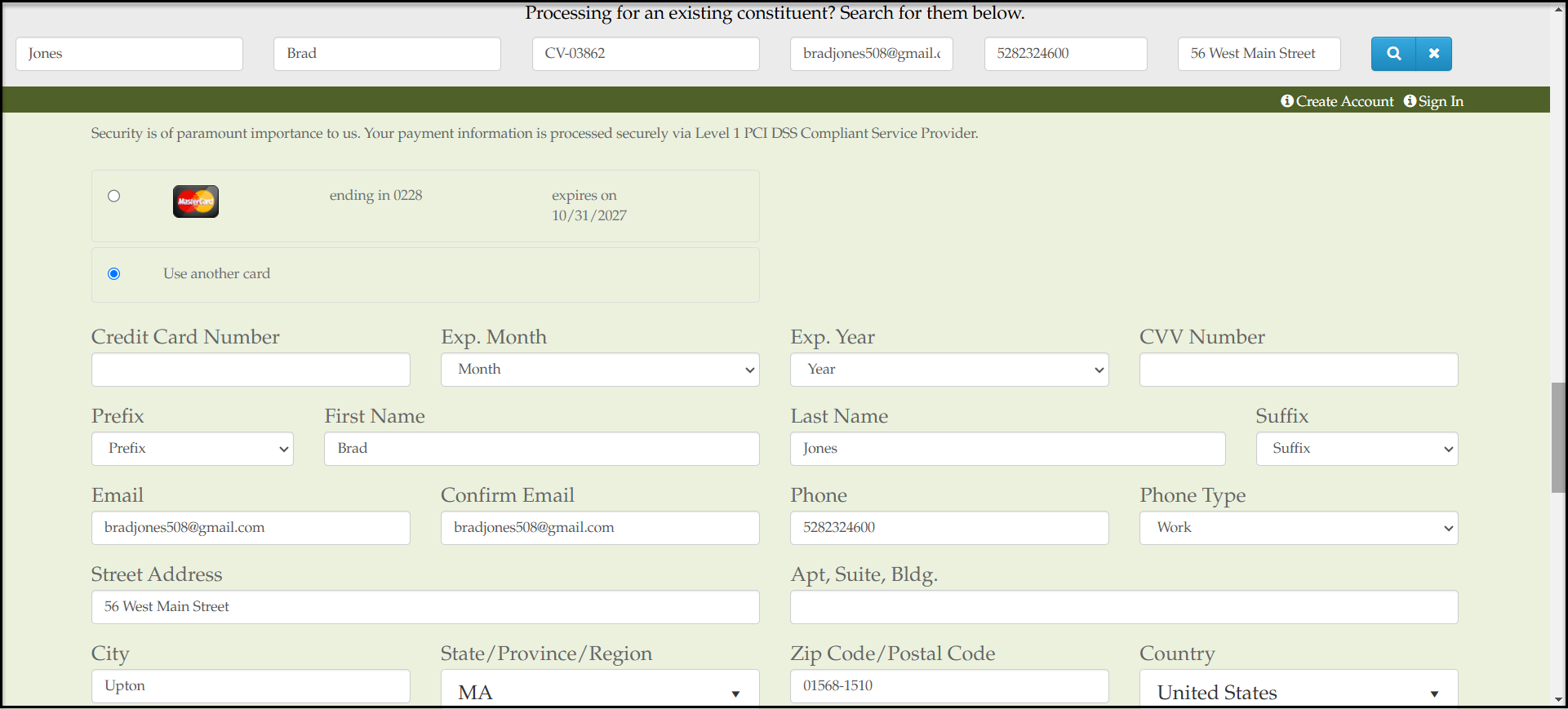
 After entering the amount of the donation or payment, if the constituent has a card on file, you can select it or enter another card number to process the donation.
 For transactions for membership and events, you will use the applicable membership or donation page using the steps described above by clicking on the URL link from the Event or Membership Pages grids.