
Job Board Styling
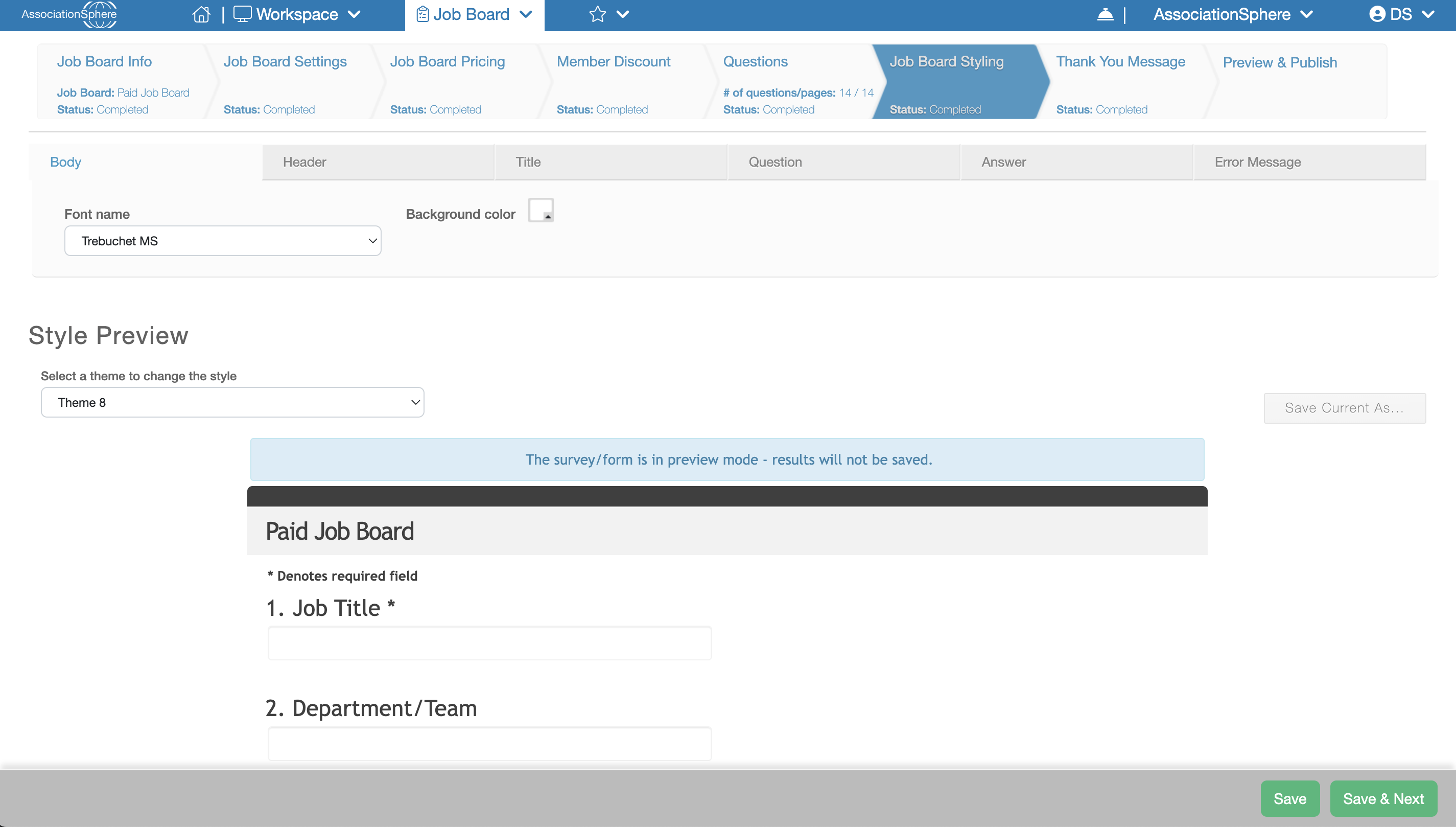
The next step in the setup of a Board Board of Questions is Job Board Styling.
The Job Board Styling tab allows you to customize the appearance of your Job Posting Application. These styles are also applied to the online Purchase Form, providing a consistent look and feel throughout the entire Job Board experience.
The tab is divided into six sub-tabs, where you can customize the colors, fonts, font sizes, and font colors used throughout the application and purchase form.
To quickly update the design, select one of the built-in themes from the Select a Theme drop-down list. As you make changes, the preview displayed on the page updates so you can see how your Job Board will appear. You can use one of the predefined themes or customize the individual sections to match your organization's branding.
When you have finished making your changes, click Save to save your work and remain on the current tab, or click Save & Next to save your changes and continue to the next step of the setup process.