# How can a member exclude themselves from the membership directory?
> Source: https://support.associationsphere.com/how-can-a-member-exclude-themselves-from-the-membership-directory | Updated: 2026-08-06T15:24:56Z
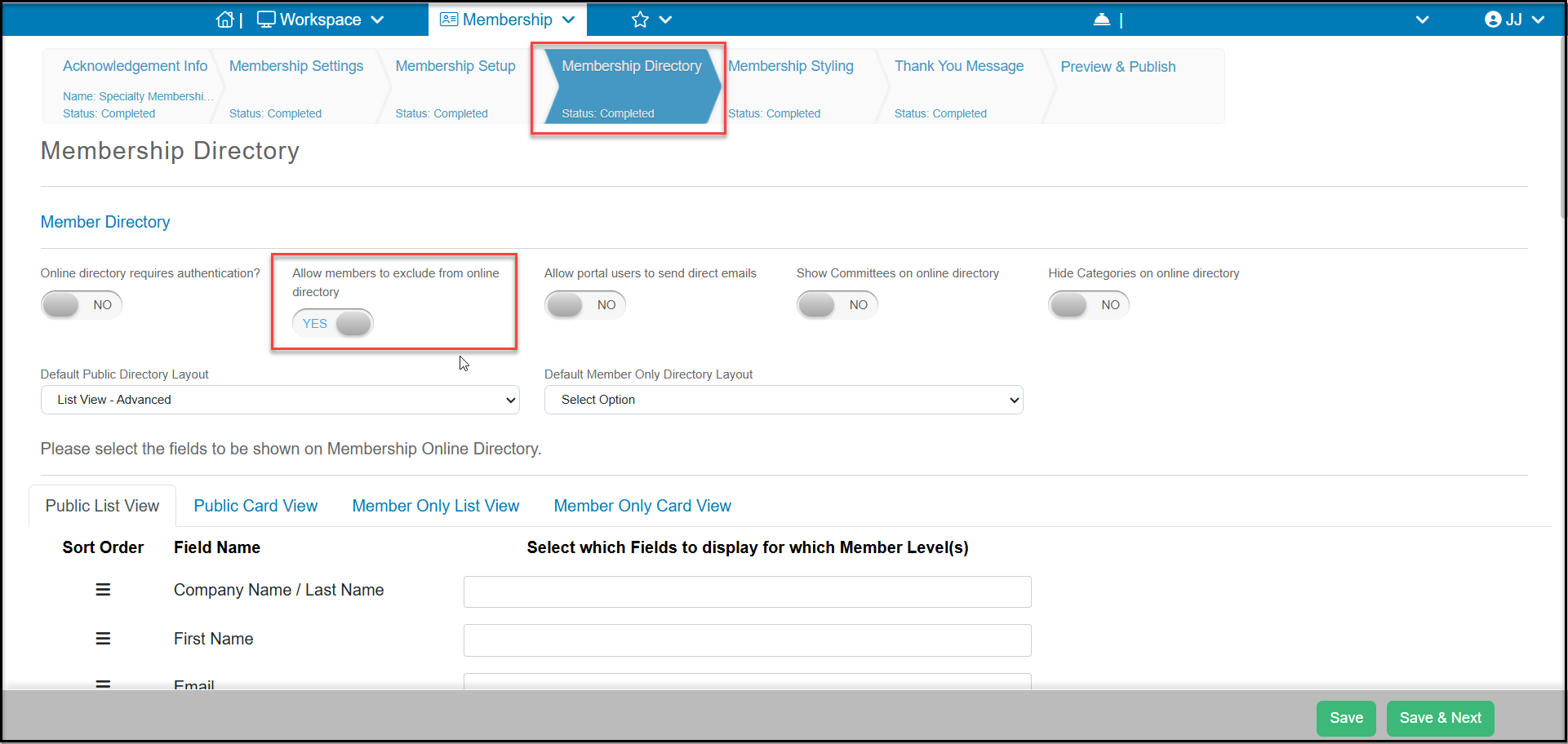
You can make this an option they can select from your membership page on the Membership Directory tab. Set **Allow members to exclude from online directory** to **YES**. Be sure to click **Save**if you are updating this field.
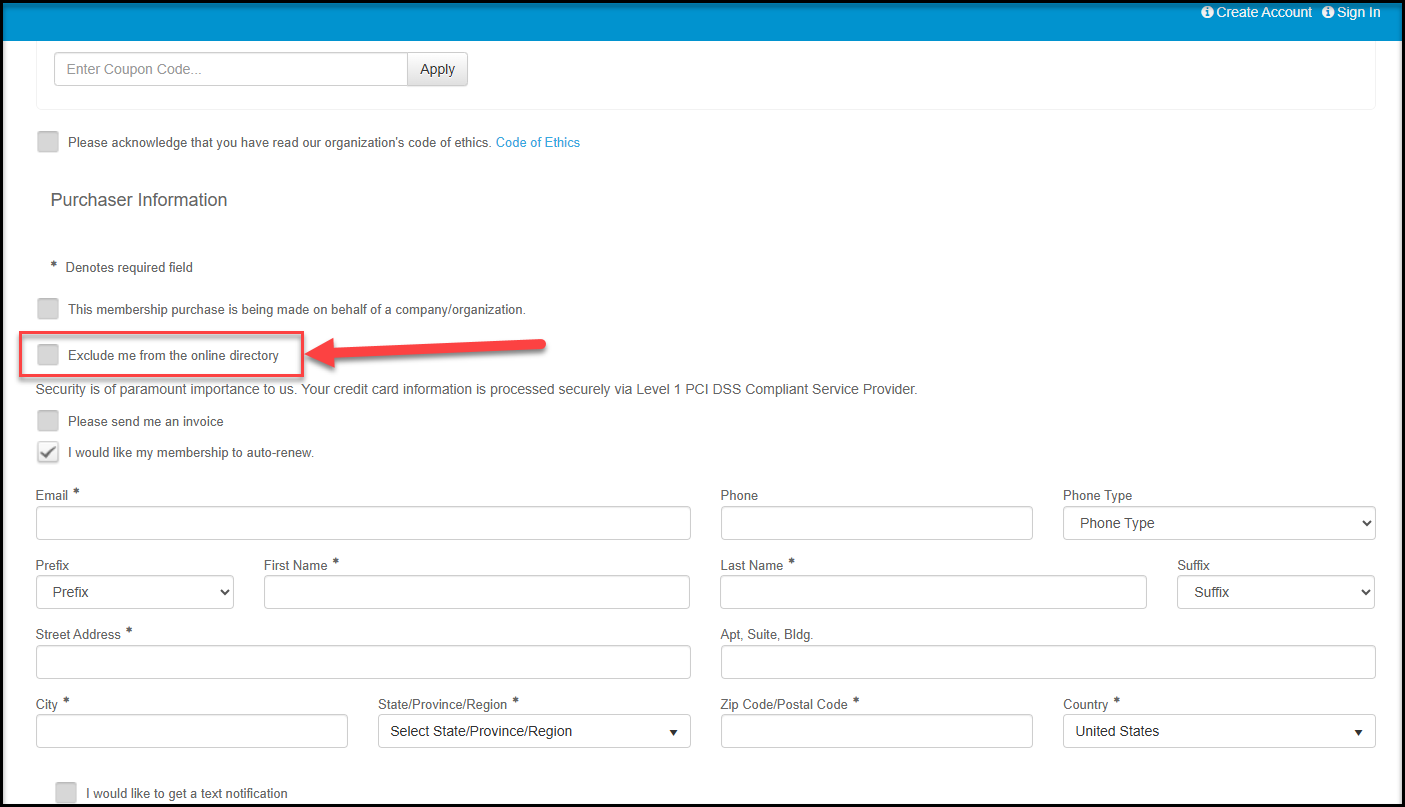
 The member will see this as an option above the Registration Information area at the bottom of the membership page when purchasing or renewing a membership.
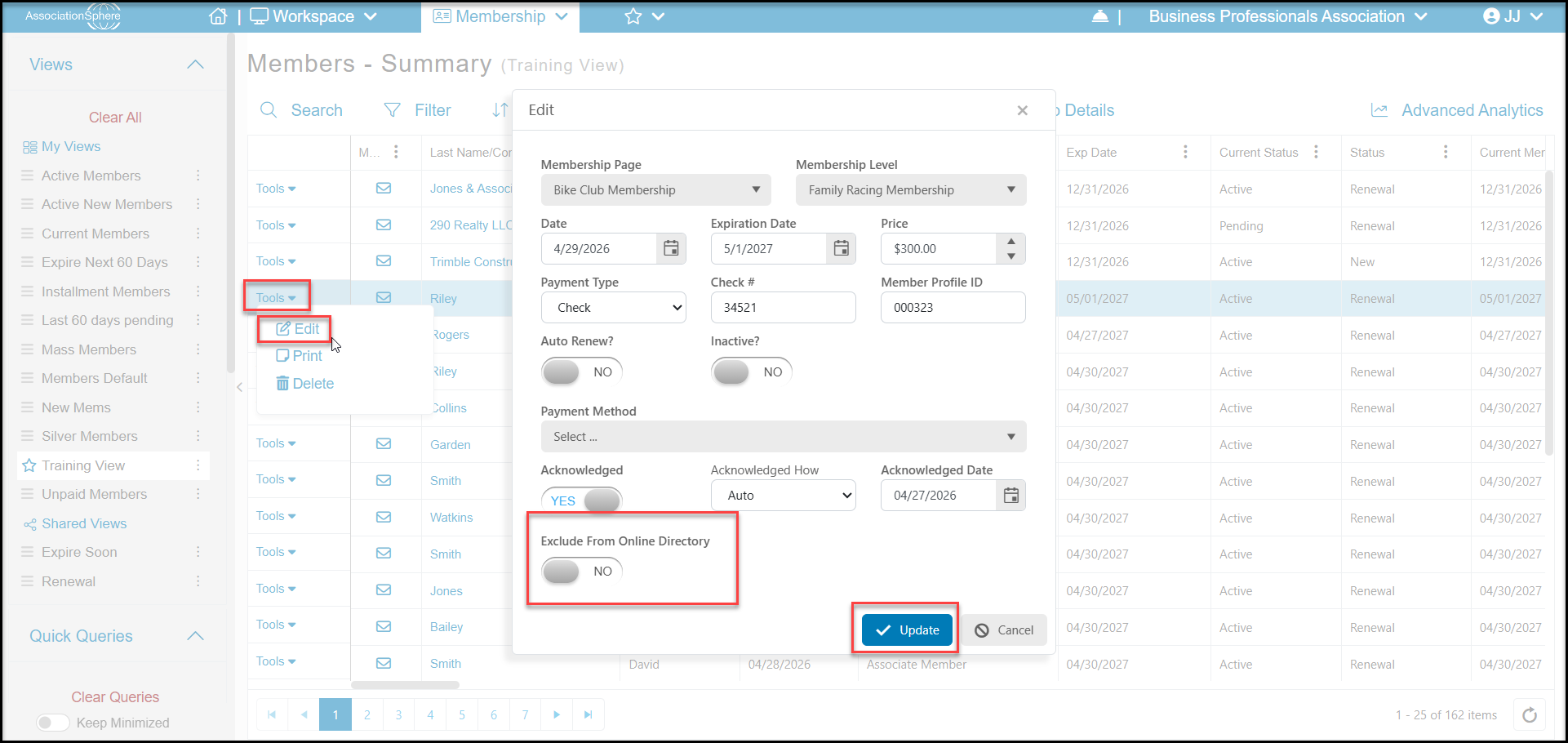
 You can also manually update this information on the member's behalf from the Memberships - Summary grid. Locate the member using the Search function at the top of the grid. Click on the **Tools** link on the left side of the row and select**Edit**. In the pop up window switch**Exclude From Online Directory**to **YES** and click **Update** to save the changes.
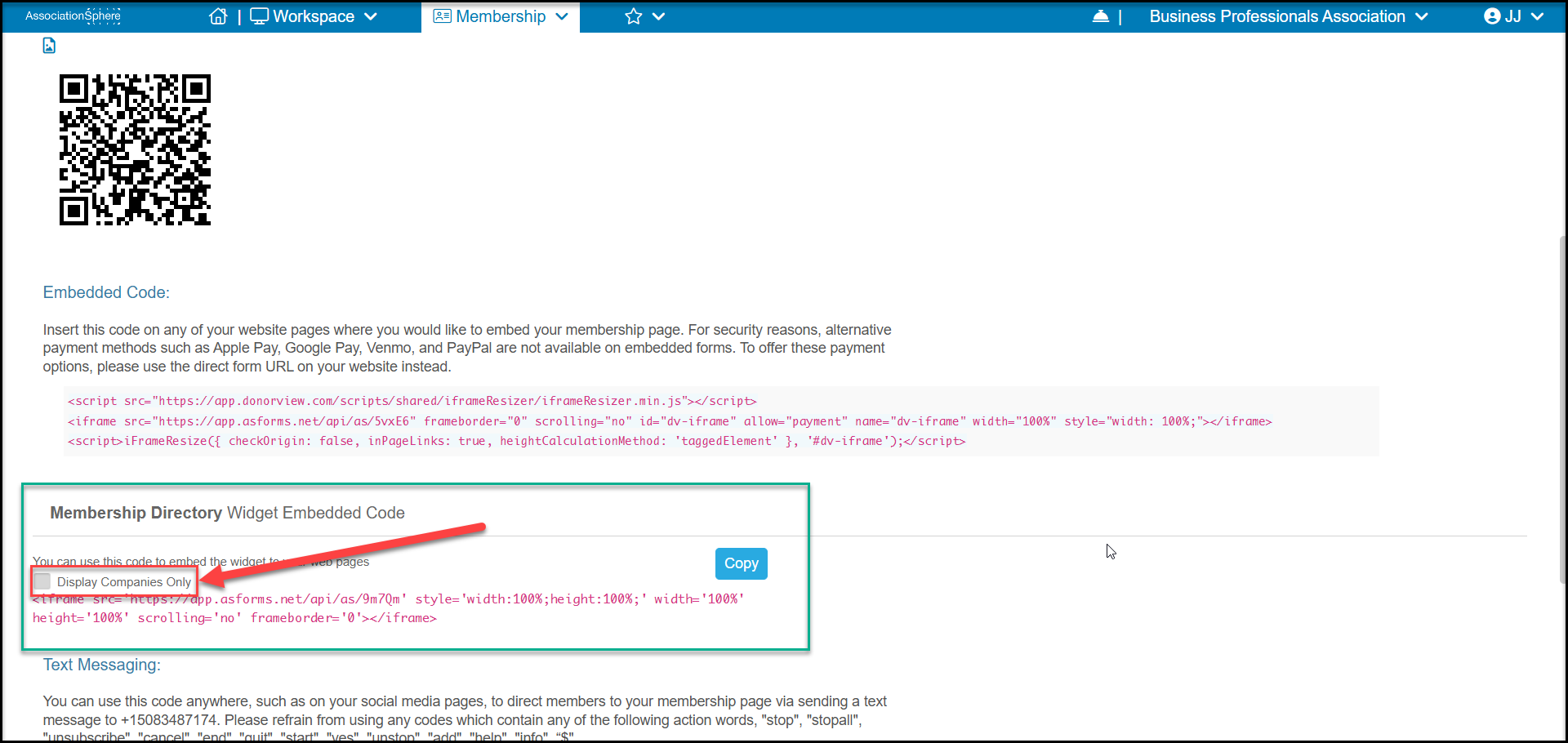
 You can also exclude all individual constituents from a directory by checking the box **Display Companies Only** under the Embed code widget on the Preview & Publish tab of the membership page or global directory page. This will only display company-type constituent members on your directory and individual-type constituent records will be hidden.