# How can I see what invoices are outstanding?
> Source: https://support.associationsphere.com/how-can-i-see-what-invoices-are-outstanding | Updated: 2026-08-21T16:11:54Z
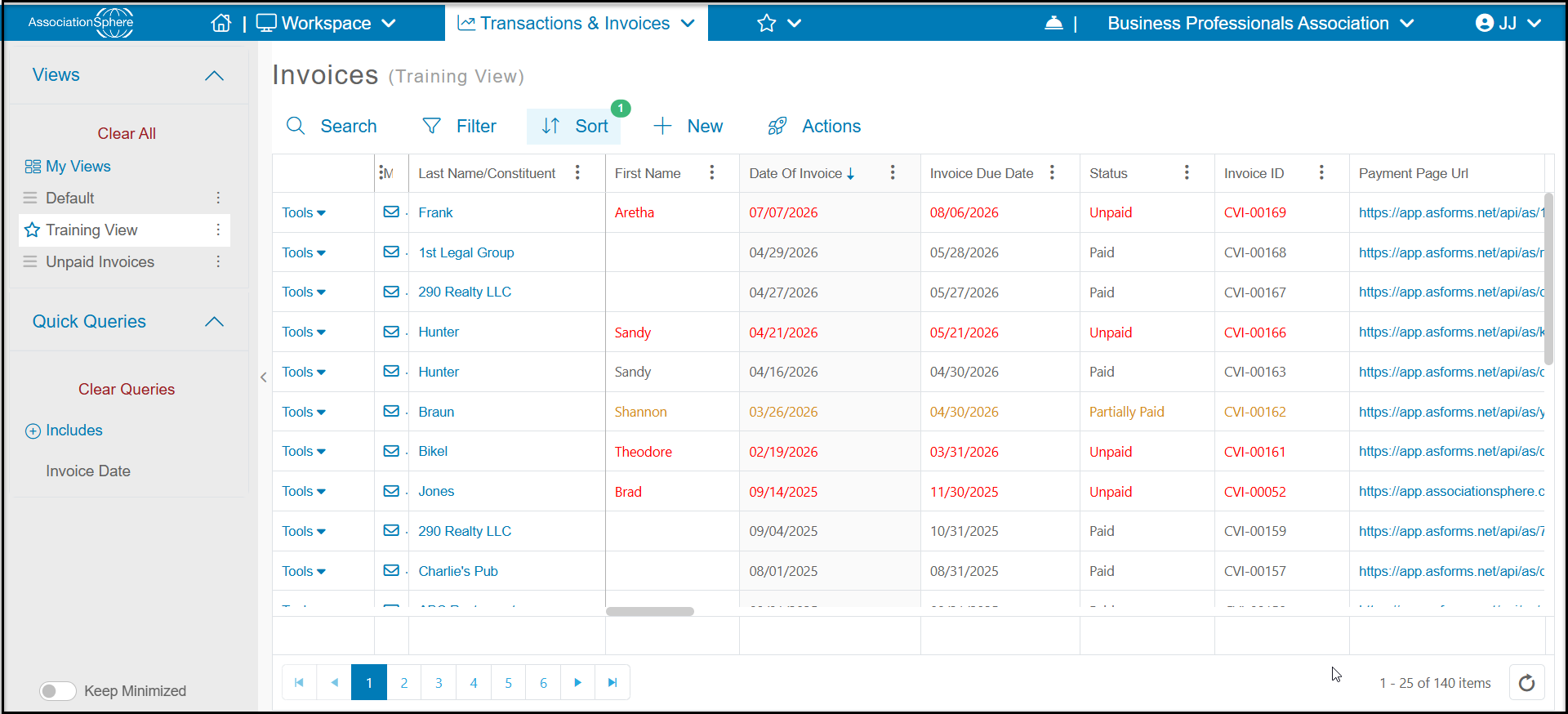
You can see invoices that are outstanding on the main Invoices Grid in the Transactions & Invoices Module. Rows highlighted in red have no payments yet, those highlighted in orange have partial payments and those shown as blue/black are fully paid. You can also see the status of invoices for each constituent in their record under their Invoices Tab.
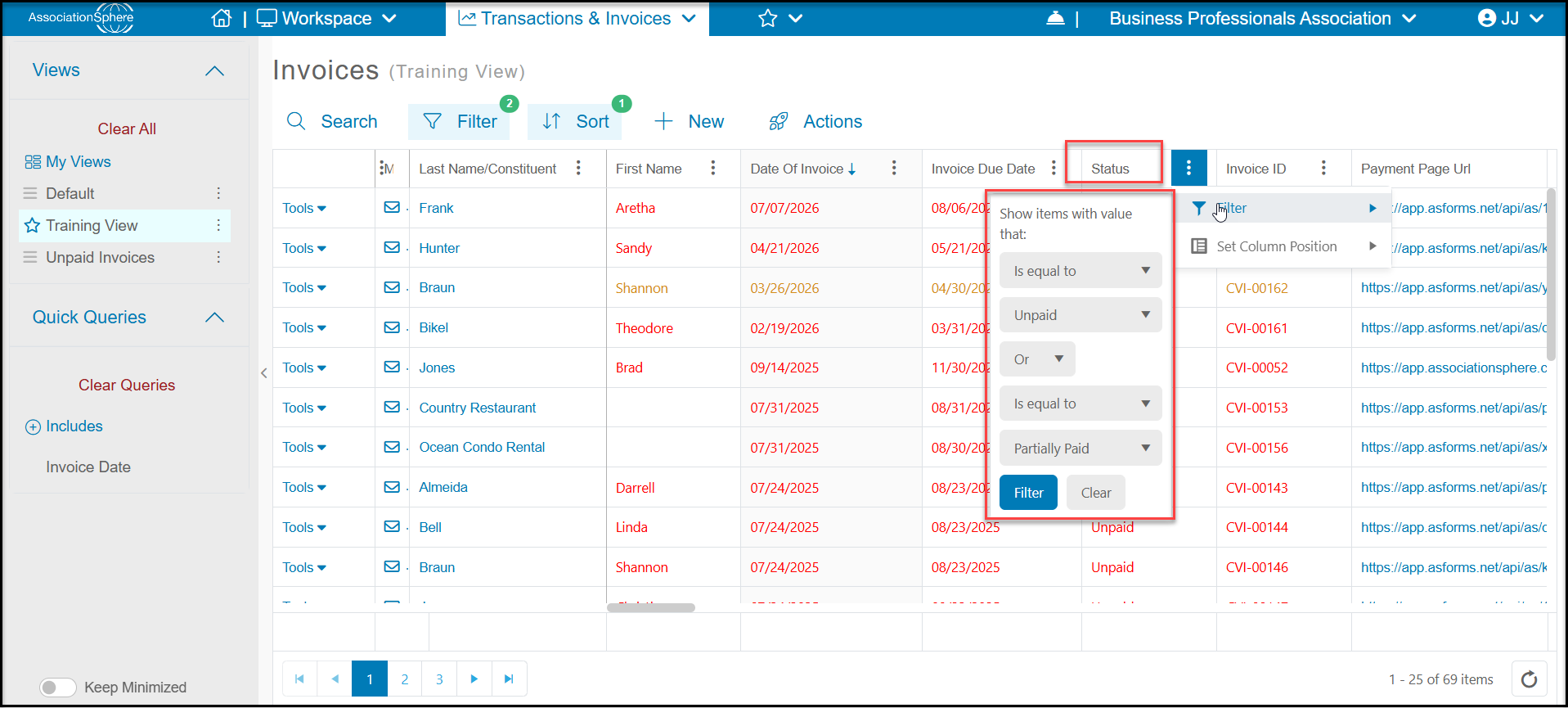
 You can sort the grid by **Status** Column and Filter Is Equal to "**Unpaid**" OR Is Equal to "**Partially Paid**" to create a list of all outstanding invoices. You can also use the side bar to filter by date ranges.