# How can we show companies only on the directory?
> Source: https://support.associationsphere.com/how-can-we-show-companies-only-on-the-directory | Updated: 2026-02-06T17:23:57Z
To show only companies on your membership directory, you can find a special URL on the Preview & Publish tab of either the membership page or global directory page.
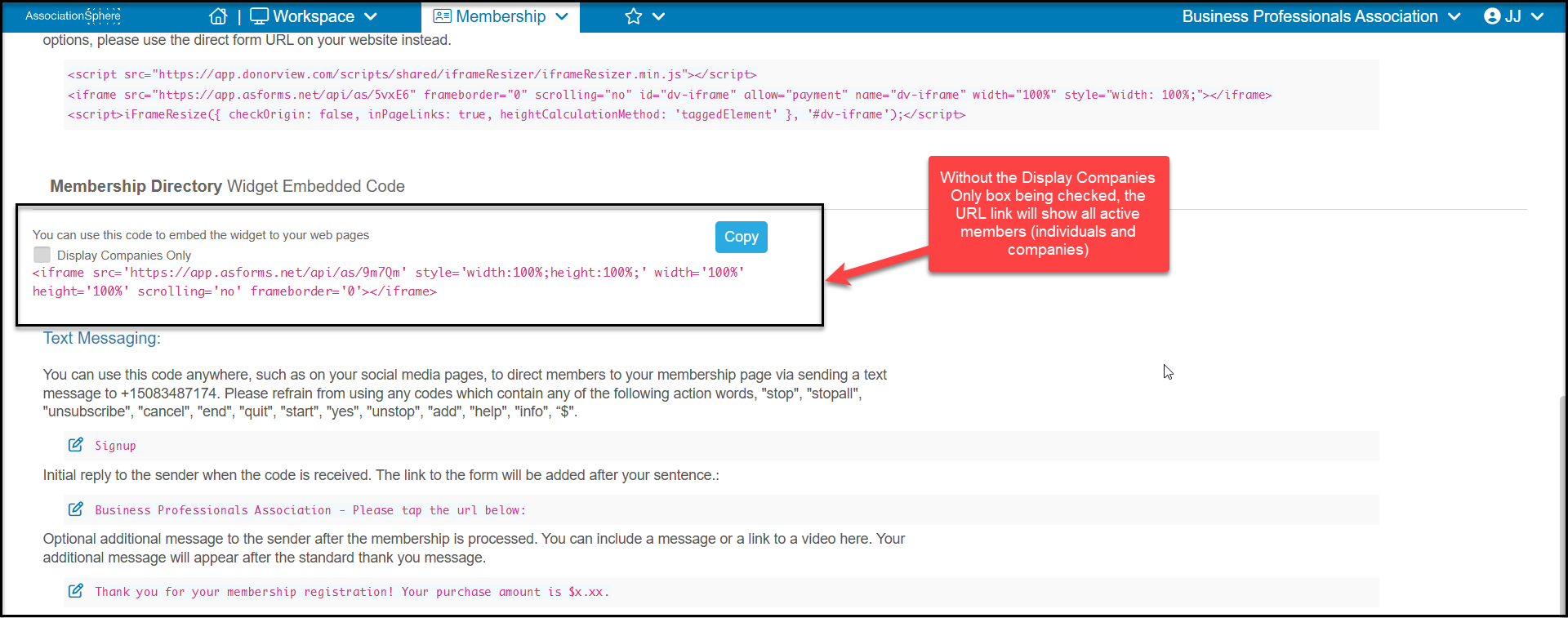
Under the Membership Director Widget Embedded Code, you will find the link to your directory. With the **Display Companies Only** box unchecked, the directory will display all active members, both company and individual constituents that are active members.
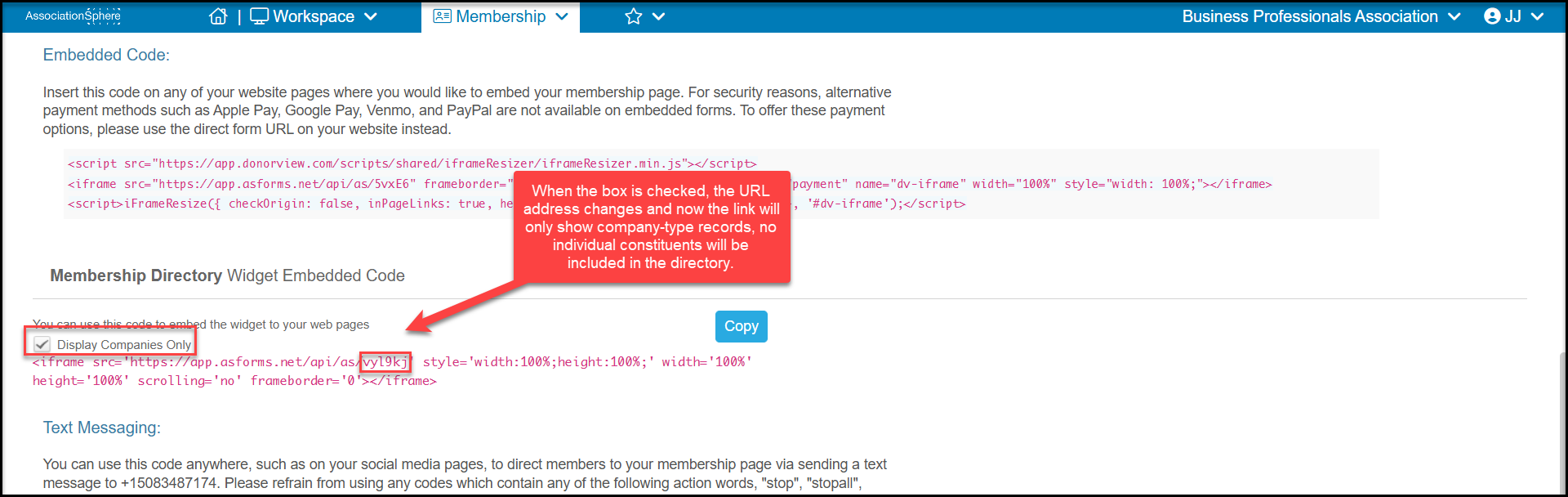
 When the box **Display Companies Only** is checked, it will only display members who are company-type constituents. The URL changes when the box is checked.
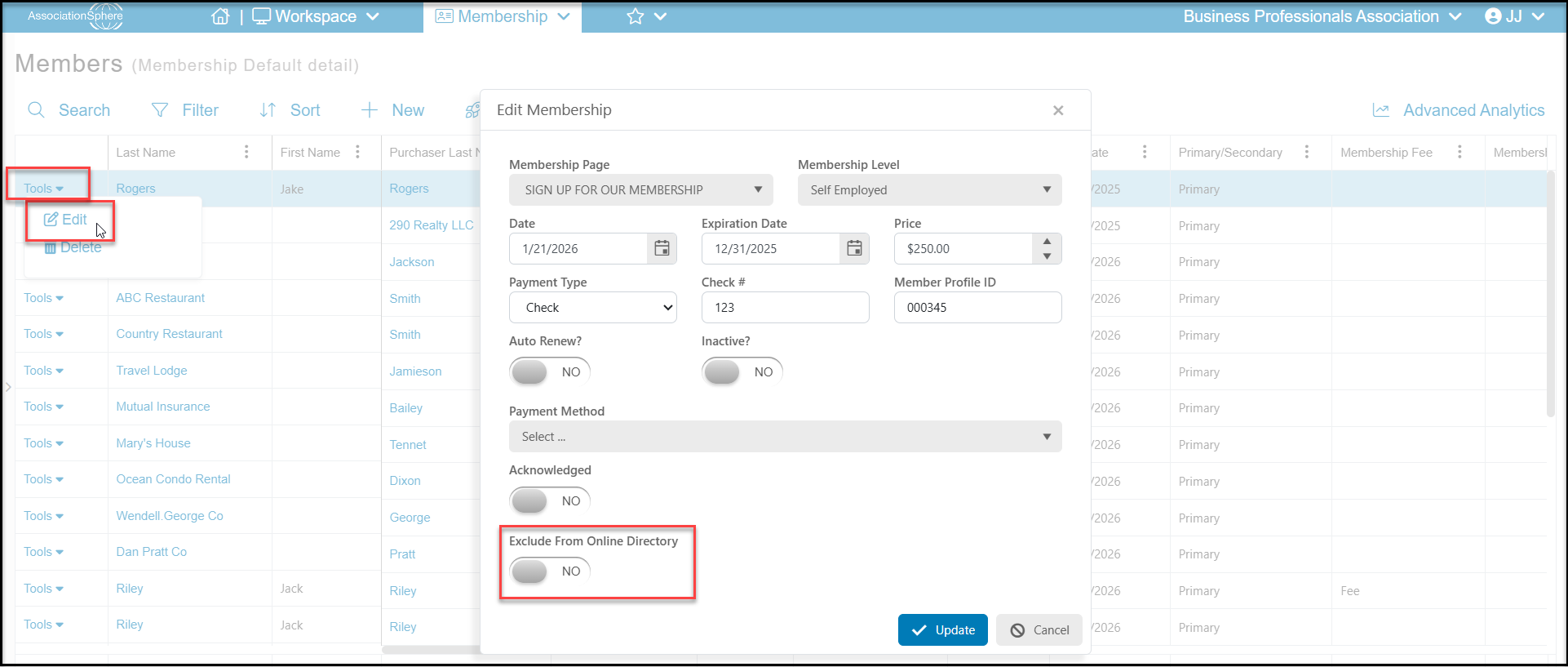
 Individuals can also be excluded on a case-by-case basis by using the Tools menu from the Details View. Find the member, click on **Tools**, then **Edit**. In the new window toggle **Exclude From Only Directory** to **YES** and click **Update** to save the changes.