# How do I add a social media link?
> Source: https://support.associationsphere.com/how-do-i-add-a-social-media-link | Updated: 2024-07-22T15:49:46Z
You can add social media links by following these steps:
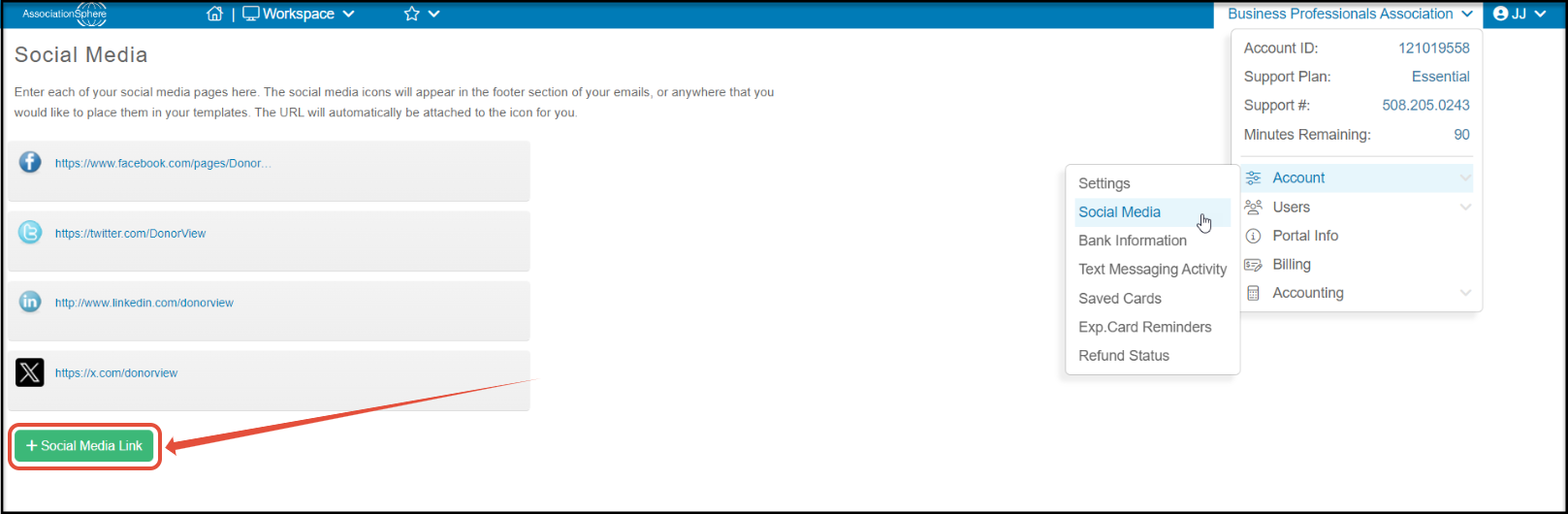
1. From the Social Media page, click on the +Social Media Link button. A drop down menu labeled “Add Social Media Link” will appear.
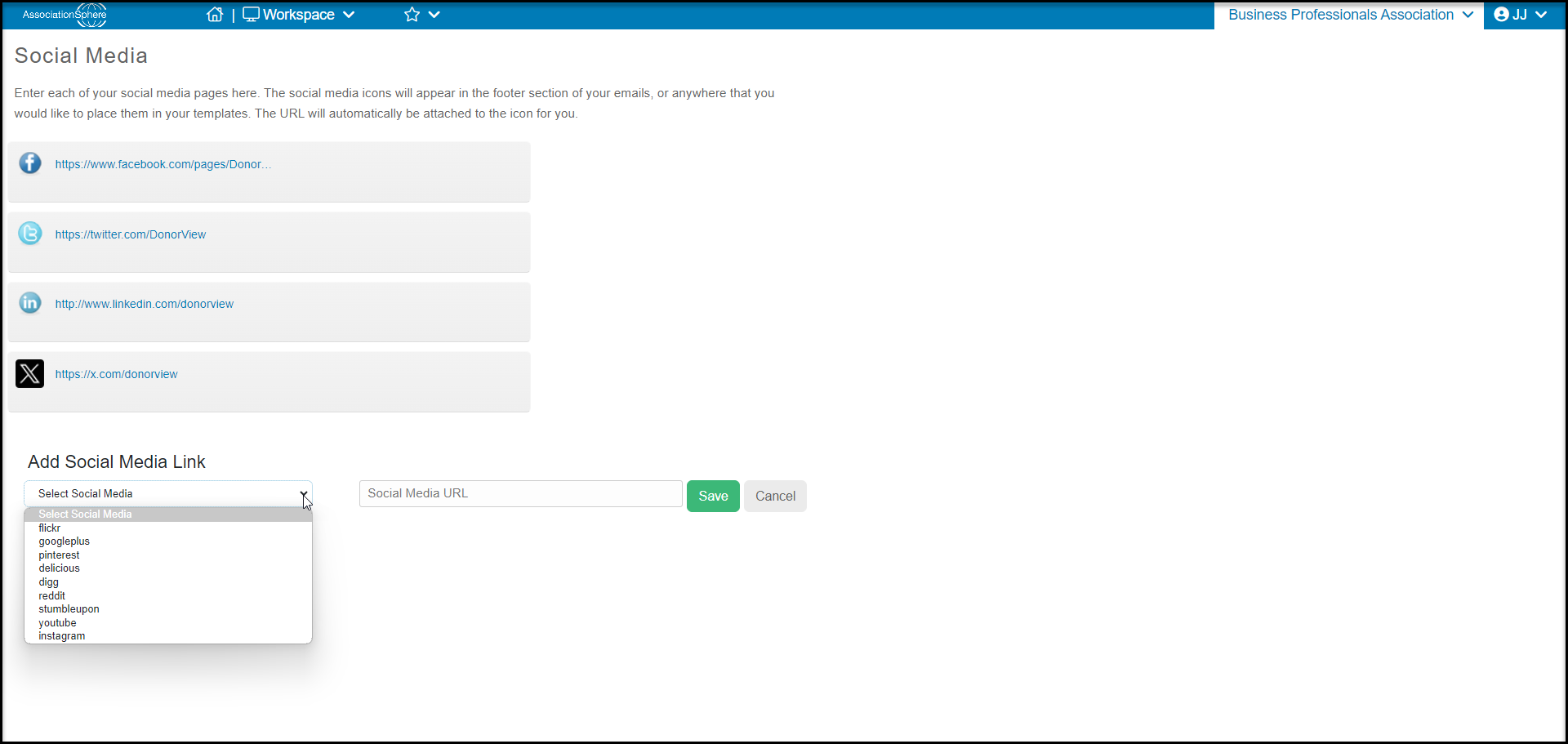
 2. Click the drop down menu and select what social media link you would like to add. You can choose Facebook, Twitter, Flickr, LinkedIn, Google+, Pinterest, Delicious, Digg, Reddit, StumbleUpon, YouTube and X (formerly known as Twitter).
3. Enter the complete URL for your social media link that corresponds with the social media site you selected in the drop down in the text box. Make sure you include the http:// or https://.
4. Click **Save** to add this link to your list of social media links.
5. You can add as many social media links as you would like, by repeating these steps.
2. Click the drop down menu and select what social media link you would like to add. You can choose Facebook, Twitter, Flickr, LinkedIn, Google+, Pinterest, Delicious, Digg, Reddit, StumbleUpon, YouTube and X (formerly known as Twitter).
3. Enter the complete URL for your social media link that corresponds with the social media site you selected in the drop down in the text box. Make sure you include the http:// or https://.
4. Click **Save** to add this link to your list of social media links.
5. You can add as many social media links as you would like, by repeating these steps.