# How do I add or update constituent payment information?
> Source: https://support.associationsphere.com/how-do-i-add-or-update-constituent-payment-information | Updated: 2024-07-20T19:18:56Z
Go to the payments options tab on the constituent record. This will show payment methods that this constituent has saved. You can add or delete payment methods, but you cannot edit any methods due to for security and encryption requirements.
If you have Google Pay, PayPal, and Venmo payment methods activated, only the donor can activate those methods when making a transaction through one of your pages. They will be listed under the Credit Cards area if activated.
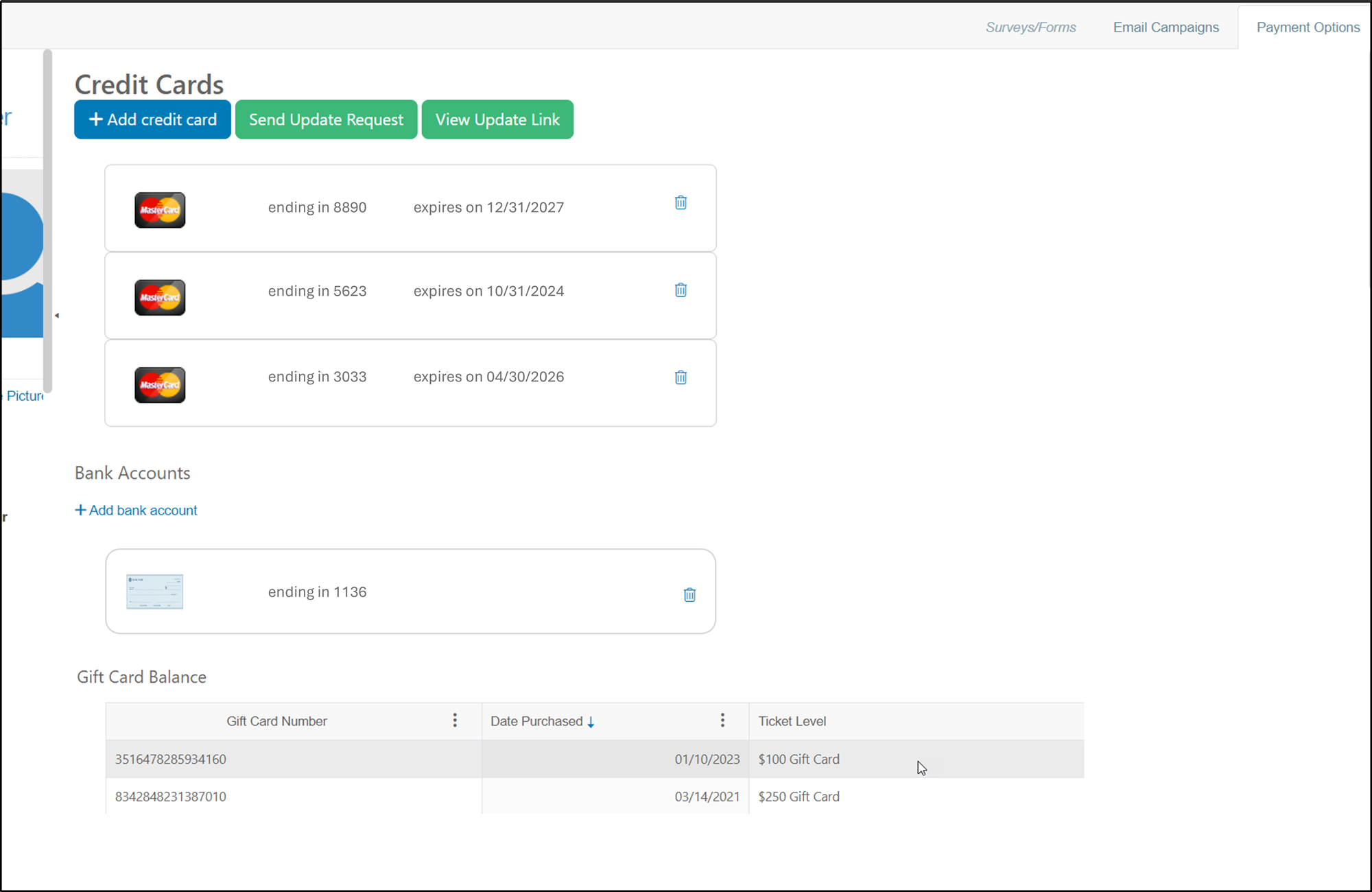 To delete a payment method, click on the **Trash Can**icon for that payment method. Type **YES** in the warning window and then click **OK** to complete the action.
To add a payment method, click on either **Add credit card**or **Add bank account.**Note that you must have the ACH Payment method authorized to add bank accounts.
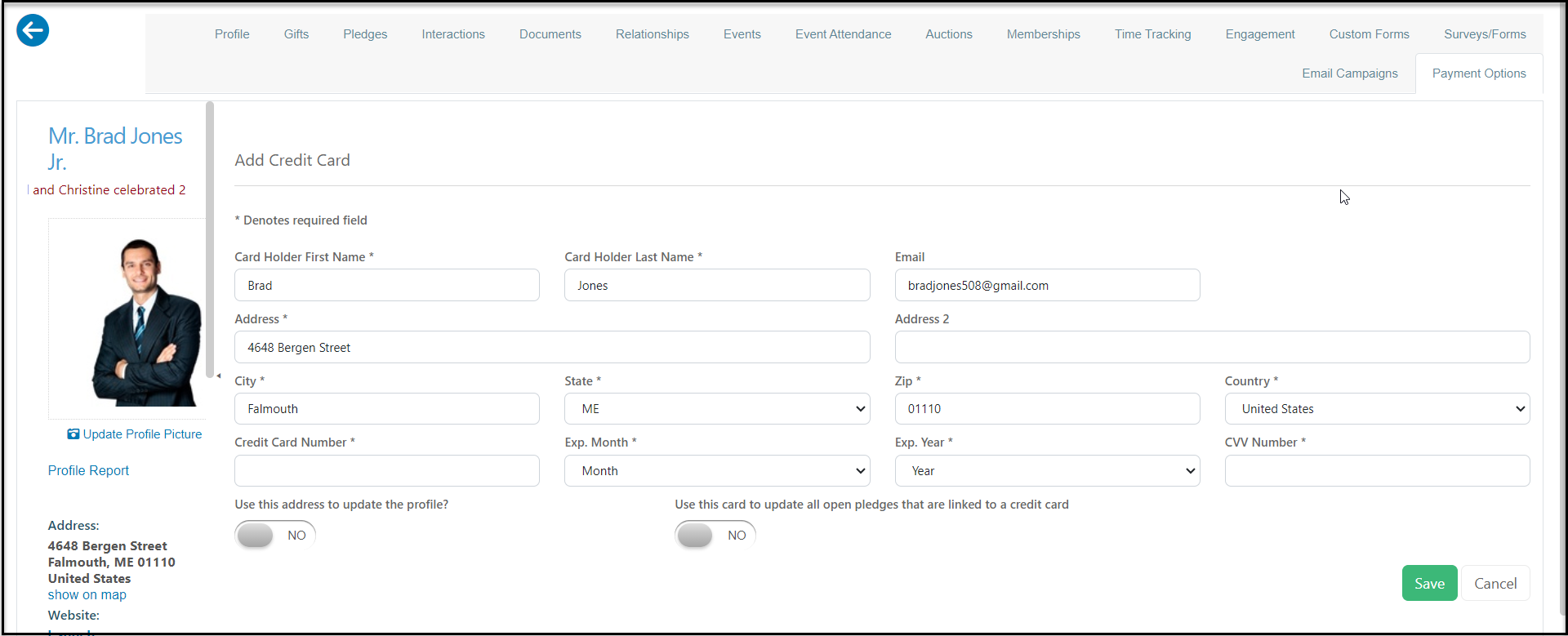
For a credit card payment, the information will auto-populate with the constituent's default address information. You can add and edit as needed. If you want to update the address & have it go to the constituent profile, be sure to select **YES**for the option "**Use this address to update the profile?".**You also have the option to update open pledges by marking YES for the
**Use this card to update all open pledges that are linked to a credit card.** When you have entered all the information, click on **Save**to save the new card.
To delete a payment method, click on the **Trash Can**icon for that payment method. Type **YES** in the warning window and then click **OK** to complete the action.
To add a payment method, click on either **Add credit card**or **Add bank account.**Note that you must have the ACH Payment method authorized to add bank accounts.
For a credit card payment, the information will auto-populate with the constituent's default address information. You can add and edit as needed. If you want to update the address & have it go to the constituent profile, be sure to select **YES**for the option "**Use this address to update the profile?".**You also have the option to update open pledges by marking YES for the
**Use this card to update all open pledges that are linked to a credit card.** When you have entered all the information, click on **Save**to save the new card.
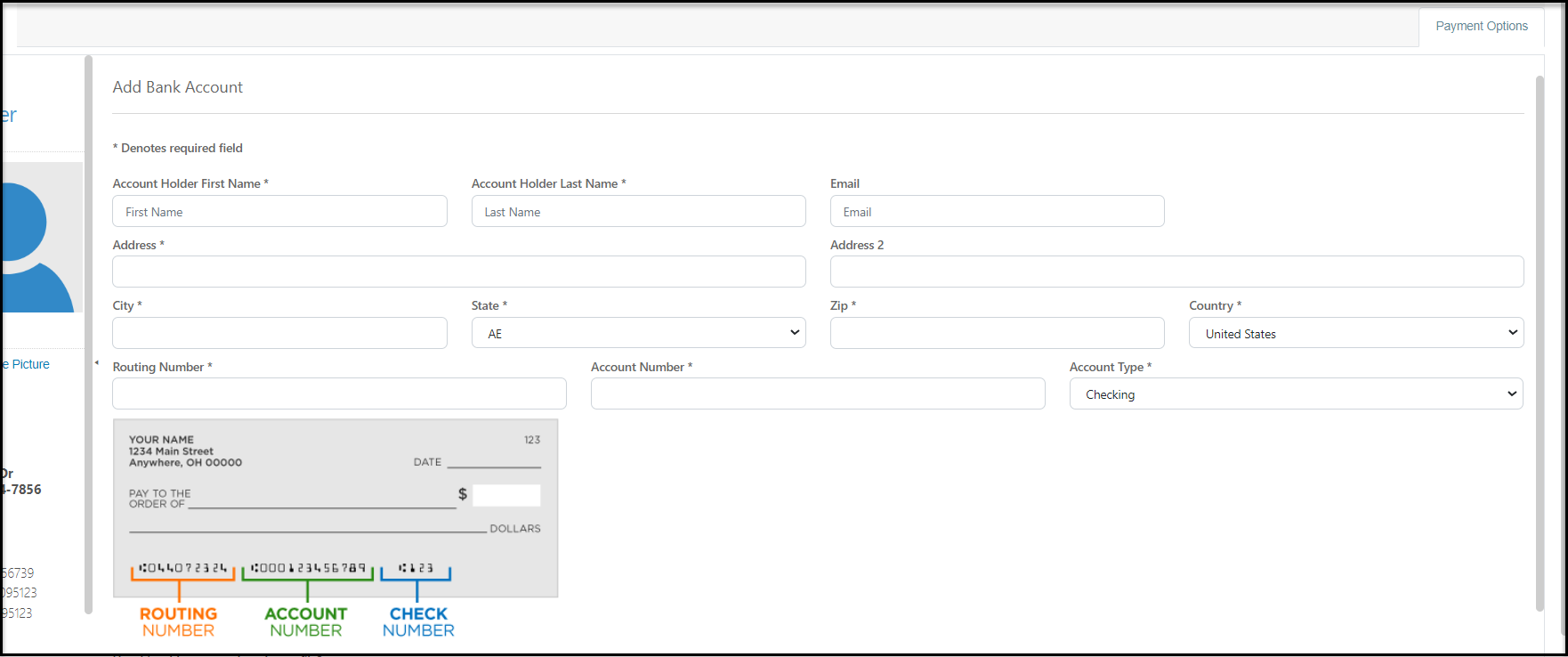
 For a bank account/ACH payment, the information will auto-populate with the constituent's default address information. You can add and edit as needed. If you want to update the address & have it go to the constituent profile, be sure to select **YES**for the option "**Use this address to update the profile?".**Click **Save**to save the new bank account information.