# How do I cancel my Support Academy license?
> Source: https://support.associationsphere.com/how-do-i-cancel-my-support-academy-license | Updated: 2026-02-11T22:17:03Z
If you wish to cancel or suspend your access to the Support Academy, you can click on the Deactivate button. Your license will remain active until the last day of the month, then it will be available for another user to subscribe using that license if your support plan includes licenses.
Your training history will be saved if you would like to reactivate your license at a future date.
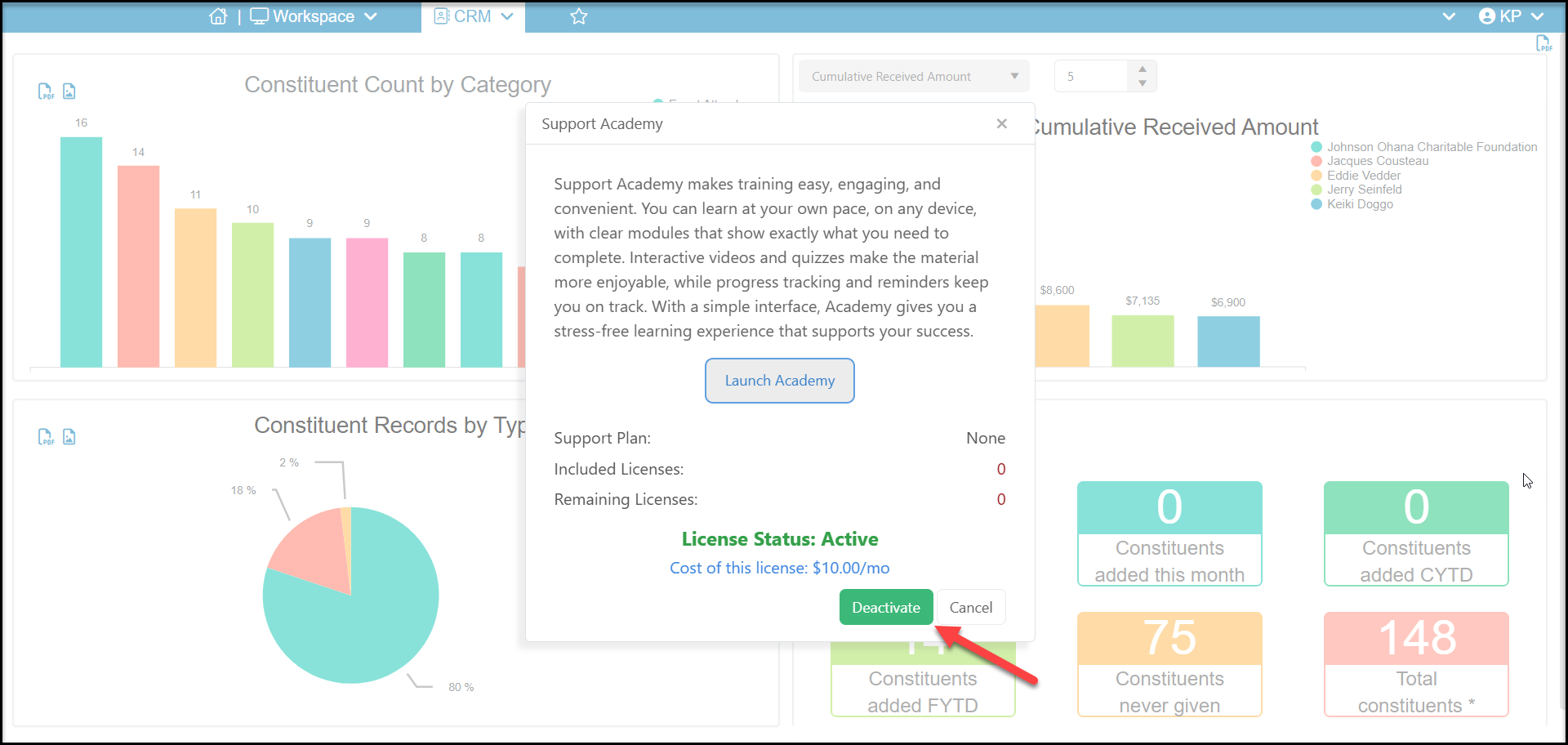 After you click on Deactivate, you will see a new pop up message. Click on **Proceed** to continue with deactivating the license.
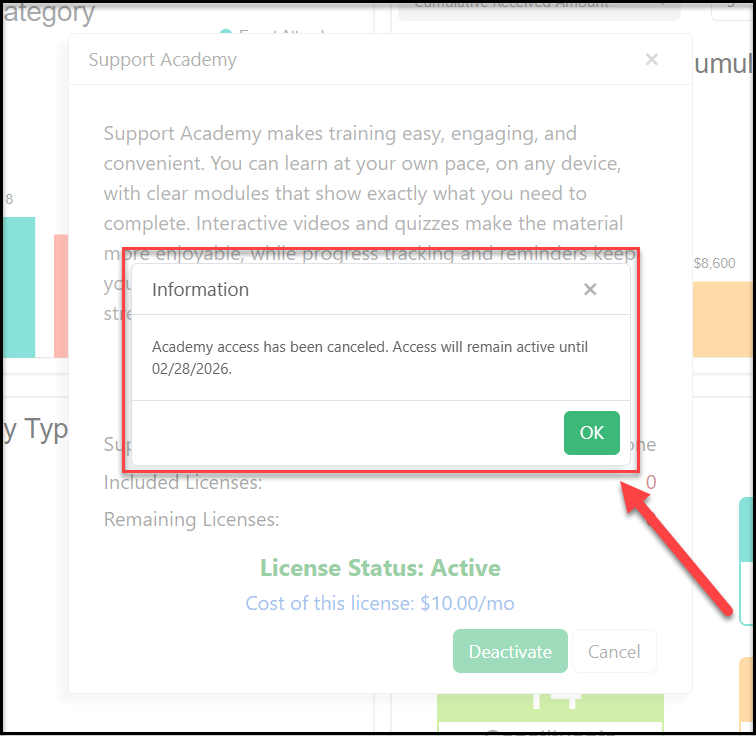
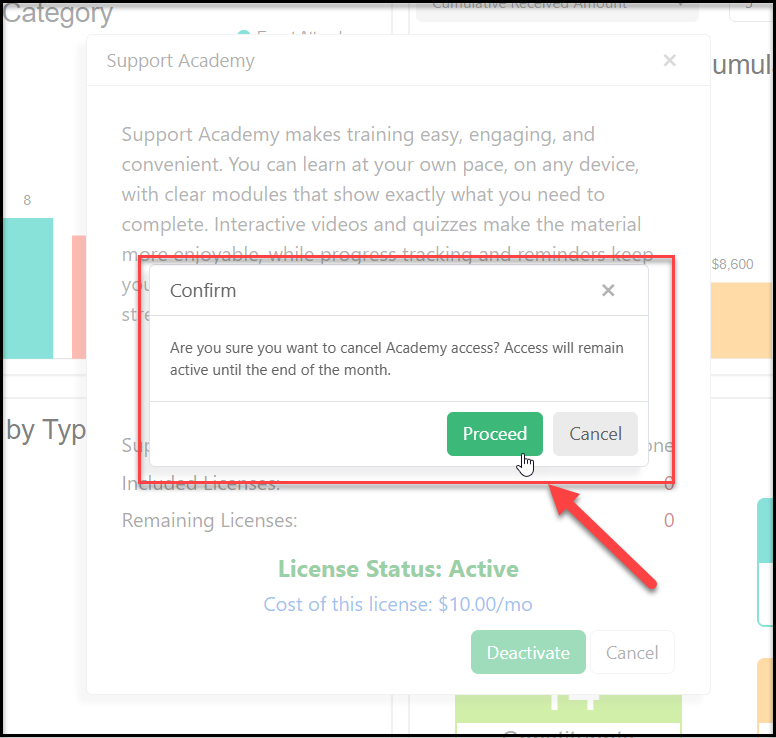 After clicking on Proceed you will see a confirmation and the date the license will remain activate. Click **OK**to clear the popup.
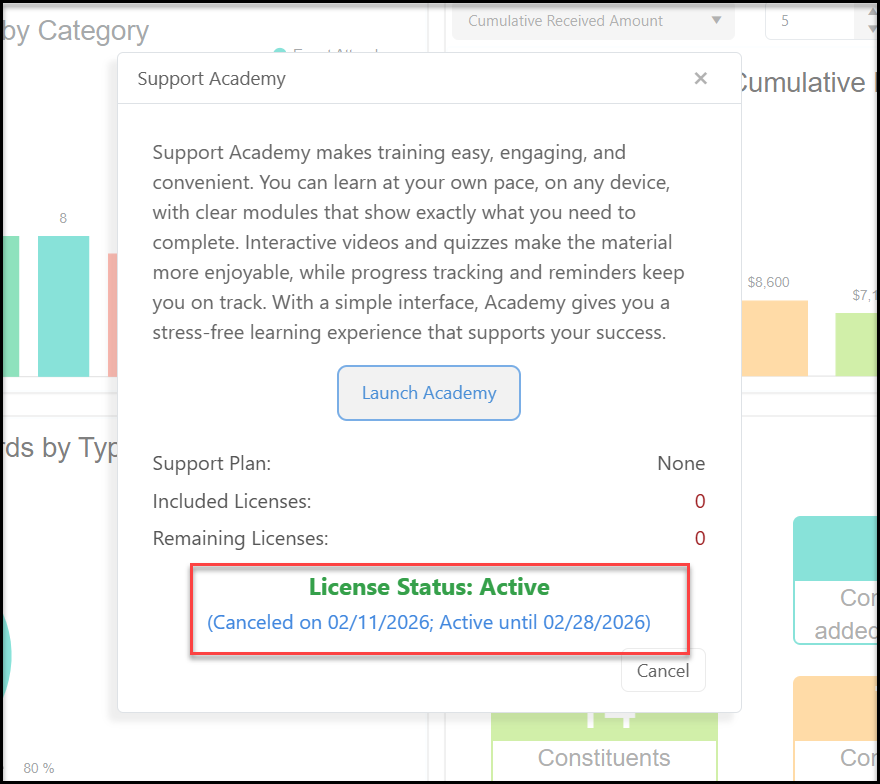
 The next time you launch the Academy, you will see the Status with the Canceled date and Active until date.