# How do I create a payment option in a survey?
> Source: https://support.associationsphere.com/how-do-i-create-a-payment-option-in-a-survey | Updated: 2026-06-22T21:03:21Z
The Constituent Field question type “**Payment**” has an option to process payments. These payments can either be a **Fixed Price**, for example an application fee, or you can set it to **Make a flexible amount** where the respondent writes in an amount to pay or donate. There is also an option for **Authorization Only**, which allows the credit card to be collected, but not charged, but not immediately charged. Authorization only just saves the credit card in the constituent's Payment Options tab for a future purchase/payment.
The survey thank you message can include a merge field for the payment amount if you wish it to serve as the transaction acknowledgement.
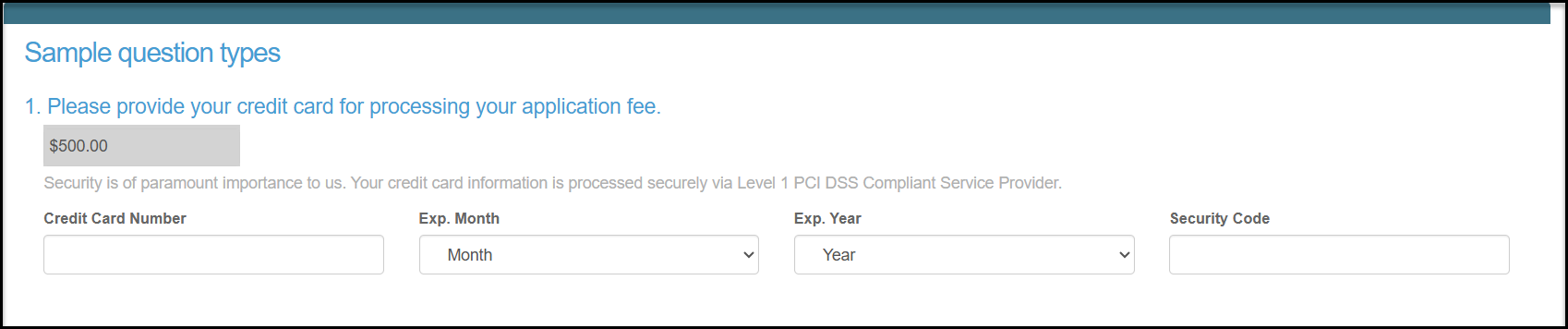
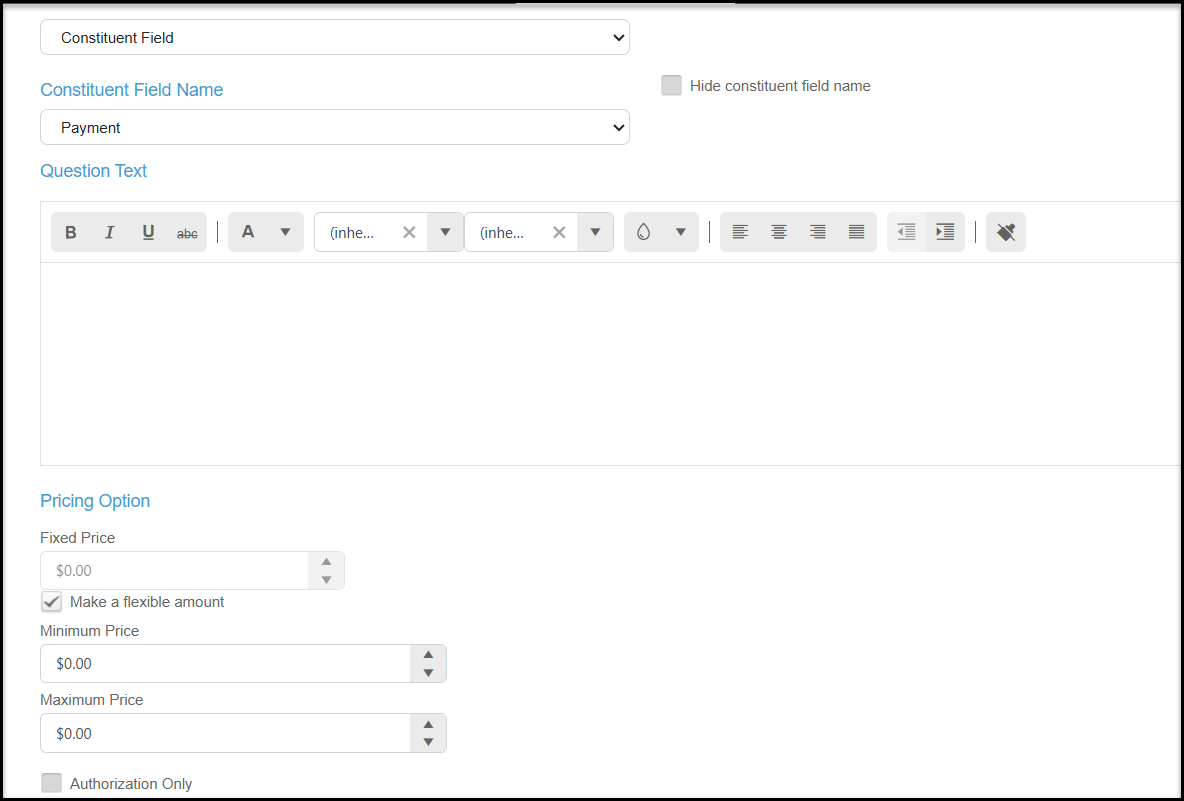 The example below shows a fixed price for an application fee. When the survey is submitted, the charge will show on the Transactions grid and in the constituent's Transactions tab. It will be processed as a General type of transaction with a Online Category of Donation, but the name of the survey will be shown in the Online Subcategory field.