# How do I edit or remove a social media link?
> Source: https://support.associationsphere.com/how-do-i-edit-or-remove-a-social-media-link | Updated: 2024-07-22T15:55:10Z
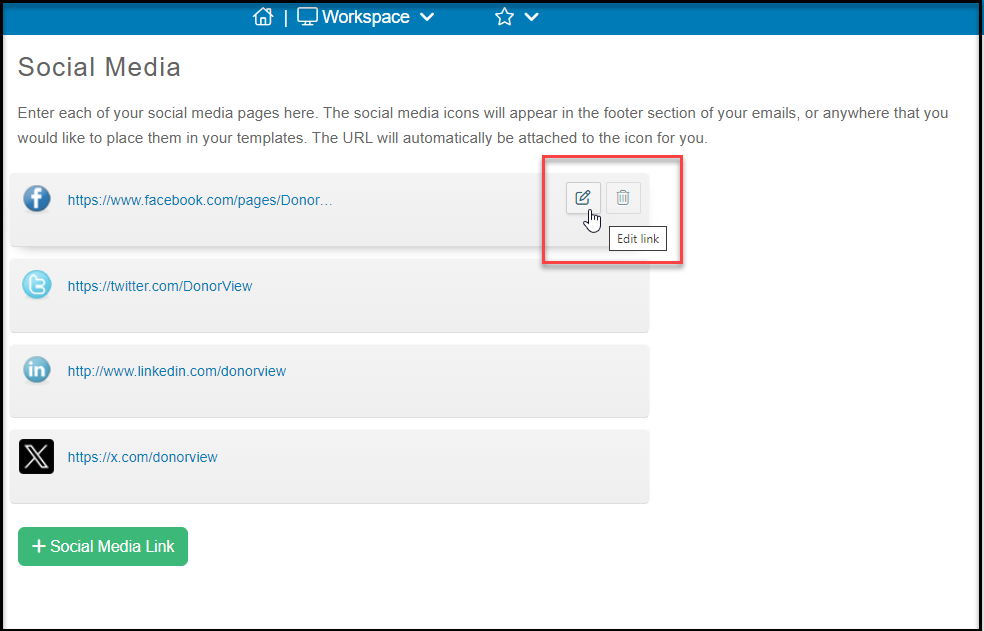
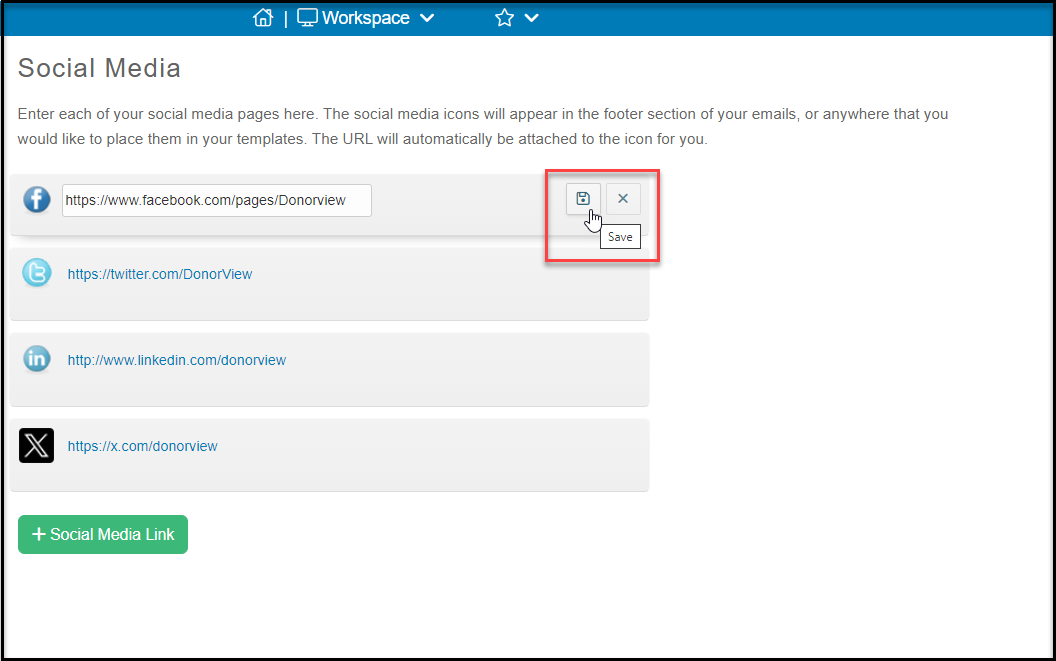
If you would like to edit a social media link mouse over the desired link and click the **Pencil and Paper (**edit) icon to the right. Update the URL and click the **Disk**(save) icon. If you would like remove a social media link, click the **Trash can** (delete) icon and the link will be removed.