# How do I look up duplicate constituents?
> Source: https://support.associationsphere.com/how-do-i-look-up-duplicate-constituents | Updated: 2026-09-08T02:58:47Z
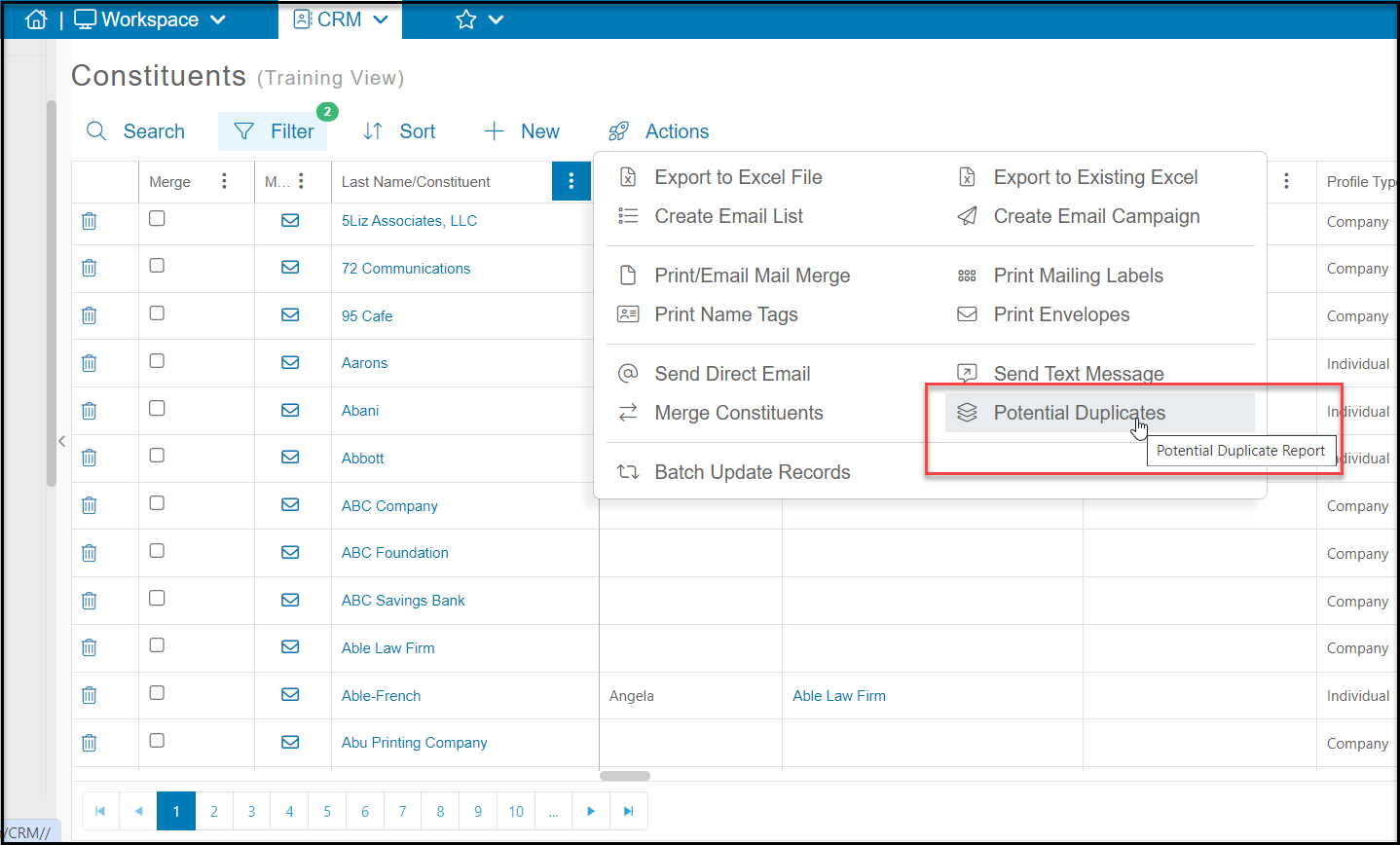
You can look up potential duplicates by using our Potential Duplicate Report. You can find this on the Constituents Grid by selecting**Actions** and select **Potential Duplicate Report.**
 Once you've selected this a pop up will appear that will allow you to select the type of search criteria you want to use.
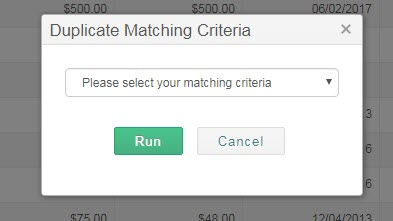 You can select from:
- Exact Match on First and Last Names
- Exact Match on Company Name
- Soundex Match on First and Last Names
- Soundex Match on Last Name
- Exact Match on Email
- Exact Match on Default Email Only
- Exact Match on Phone Number
Soundex match searches for similar sounding names. Once you've selected the criteria you'll select **Run**. This will then search the constituency for any records that match that criteria and show them on the grid. You can then check the box under the Merge column on any two records you want to merge. You can only merge two records at a time. This article provides more details about merging constituent records: <./can-i-merge-two-constituent-records-together
To clear the duplicate records view, click on another view or navigate away from the page and come back to see your default view.
You can select from:
- Exact Match on First and Last Names
- Exact Match on Company Name
- Soundex Match on First and Last Names
- Soundex Match on Last Name
- Exact Match on Email
- Exact Match on Default Email Only
- Exact Match on Phone Number
Soundex match searches for similar sounding names. Once you've selected the criteria you'll select **Run**. This will then search the constituency for any records that match that criteria and show them on the grid. You can then check the box under the Merge column on any two records you want to merge. You can only merge two records at a time. This article provides more details about merging constituent records: <./can-i-merge-two-constituent-records-together
To clear the duplicate records view, click on another view or navigate away from the page and come back to see your default view.