# How do I record the winner for a live auction item?
> Source: https://support.associationsphere.com/how-do-i-record-the-winner-for-a-live-auction-item | Updated: 2024-04-08T20:20:48Z
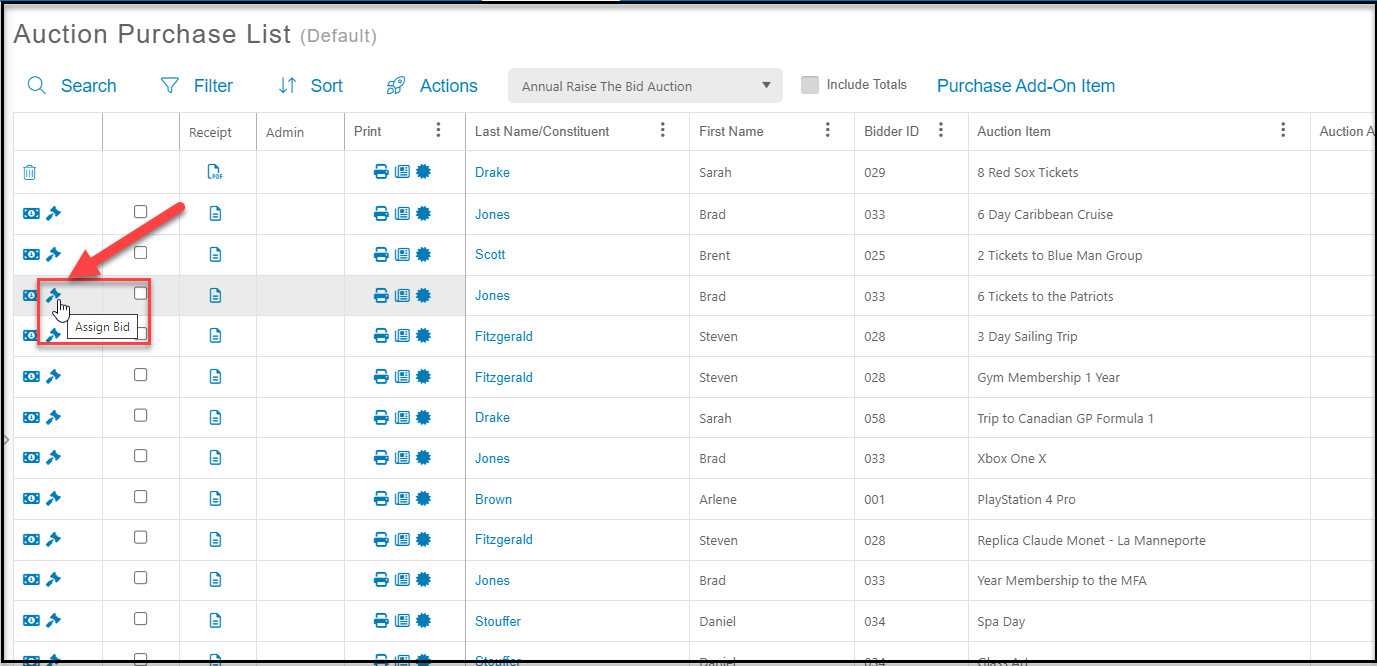
From the Auctions grid, use the gavel icon to assign the winning bidders.
2. Click on the gavel icon on the row of the item you wish to assign the winning bidder.
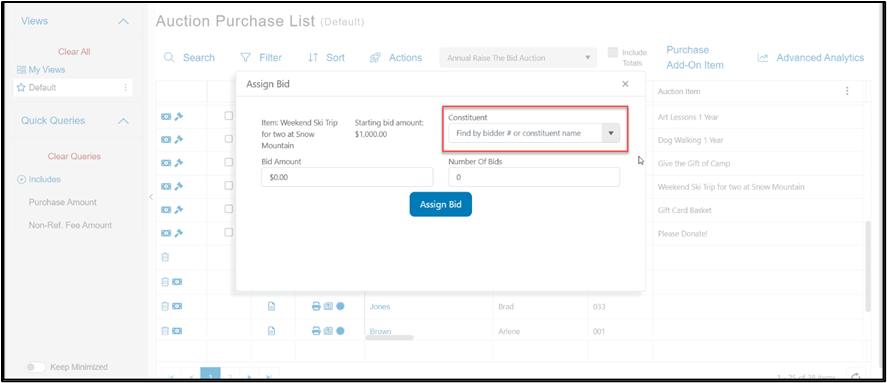
 3. Search by bidder number or attendee last name to identify the bidder.
4. Enter the bid amount.
5. Entering the number of bids is optional.
6. Click the blue **Assign Bid** button to record the bid.
3. Search by bidder number or attendee last name to identify the bidder.
4. Enter the bid amount.
5. Entering the number of bids is optional.
6. Click the blue **Assign Bid** button to record the bid.