# How do I see if a payment has been received?
> Source: https://support.associationsphere.com/how-do-i-see-if-a-payment-has-been-received | Updated: 2026-09-03T17:31:25Z
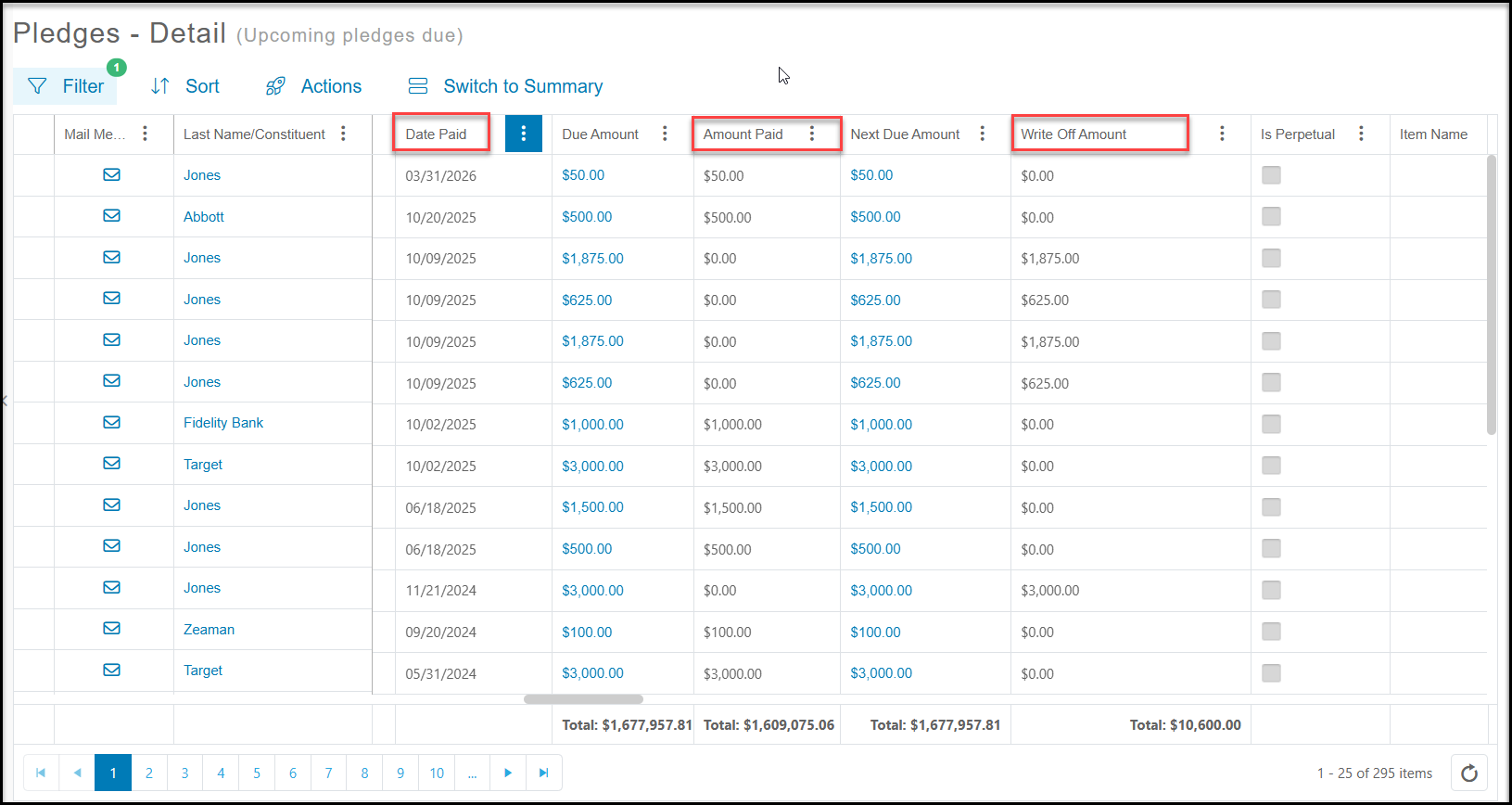
You can view the pledges due and amounts paid for all constituents by viewing the main Pledges Grid in the Transactions & Invoicing Module. You can view the **Date Paid**and **Amount Paid**. If there is a date in the **Date Paid** column, but $0 or less than the **Amount Due** in the **Amount Paid** column, check the **Write Off Amount** column, which will indicate that that pledge has been written off and for how much.
 If you want to view a constituent’s particular pledge, you double click on the pledge amount from the Pledges Grid to open the pledge or you can go to that constituent's record and click on their Pledges Tab. Double clicking on the pledge amount due will open the pledge.
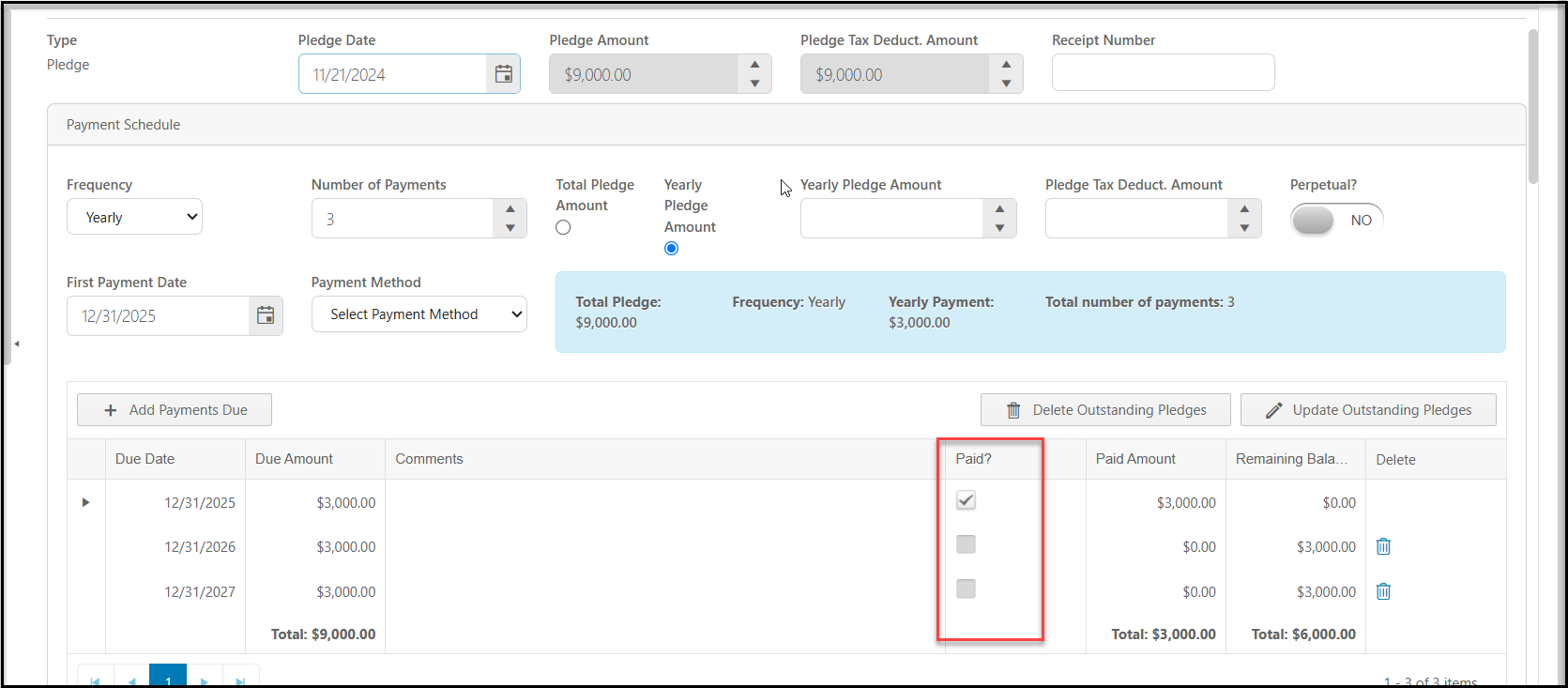
The pledge schedule will show each payment amount and due date. The payments that have been made will be shown with a check mark under the **Paid** column along with the amount that was paid and remaining balance. Note that a checkmark cannot be manually added, you must enter a pledge payment via a new gift to record a payment for the pledge.
If you want to view a constituent’s particular pledge, you double click on the pledge amount from the Pledges Grid to open the pledge or you can go to that constituent's record and click on their Pledges Tab. Double clicking on the pledge amount due will open the pledge.
The pledge schedule will show each payment amount and due date. The payments that have been made will be shown with a check mark under the **Paid** column along with the amount that was paid and remaining balance. Note that a checkmark cannot be manually added, you must enter a pledge payment via a new gift to record a payment for the pledge.