# How do I show that a grant has been funded?
> Source: https://support.associationsphere.com/how-do-i-show-that-a-grant-has-been-funded | Updated: 2026-09-04T16:22:30Z
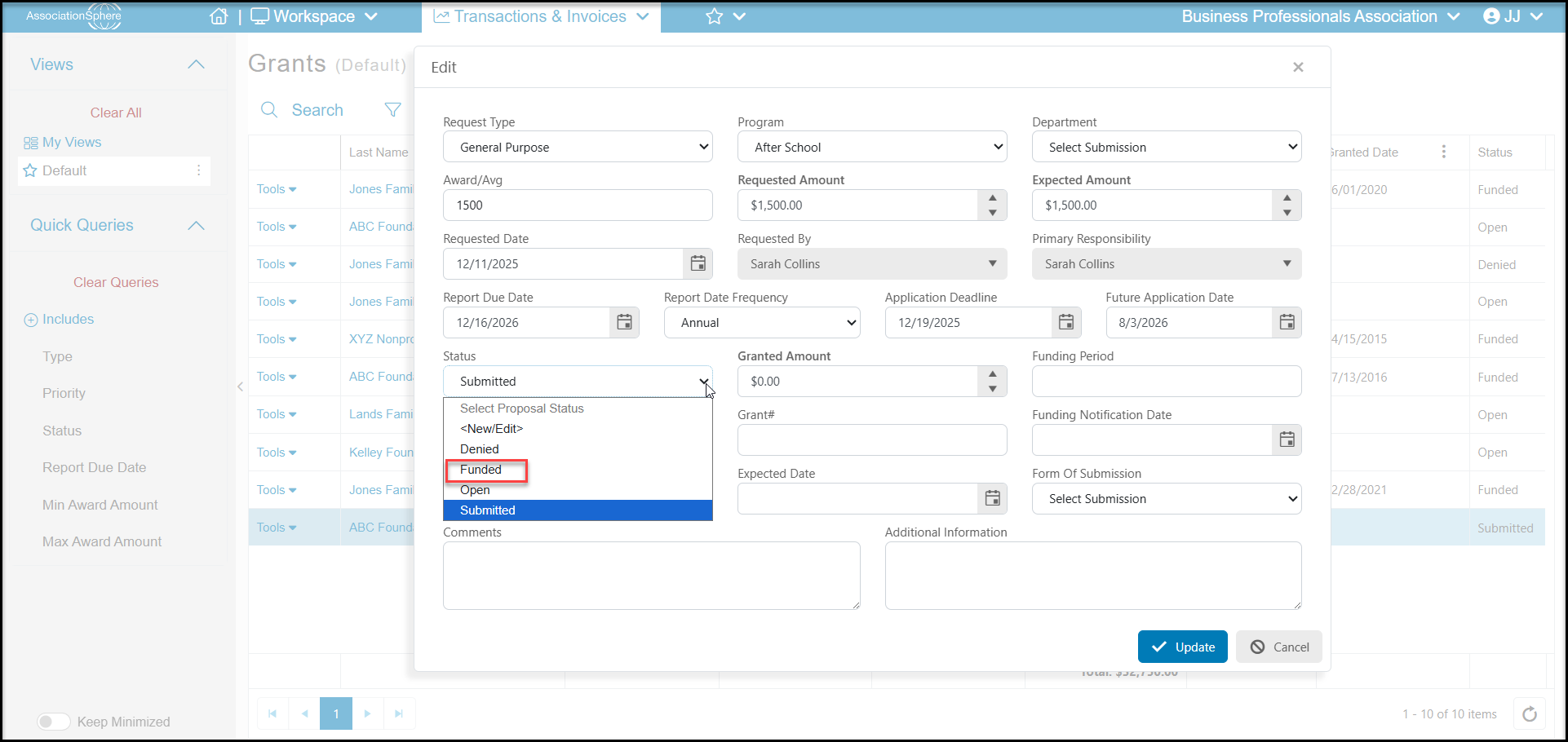
1. Once the grant gets funded, open the grant proposal from the Grants grid by double clicking on **Tools** on the left side of the grid, then **Edit**.
2. Change the **Status**to "**Funded**" and complete the remaining fields. Click**Update** to save the changes.
 3. Be sure you have a Mail Merge Gift Template letter already created for acknowledging grants if you wish to use the Save And Acknowledge feature after entering the gift.
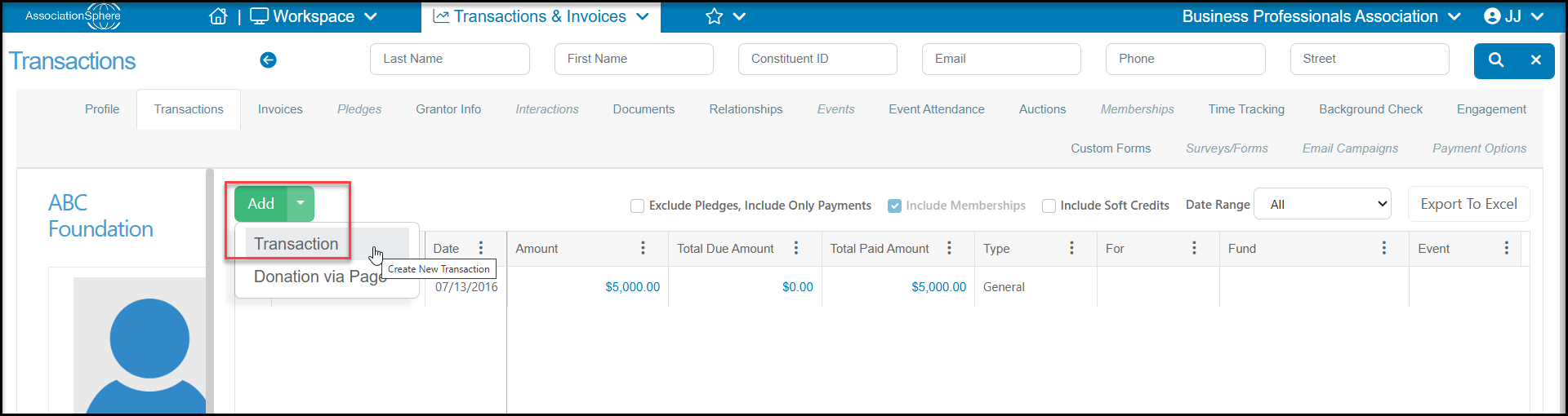
4. When the funding is received, you will go to the grantor's Transactions tab to enter the donation and link it to the grant.
3. Be sure you have a Mail Merge Gift Template letter already created for acknowledging grants if you wish to use the Save And Acknowledge feature after entering the gift.
4. When the funding is received, you will go to the grantor's Transactions tab to enter the donation and link it to the grant.
 5. On the Transaction Entry page, you will enter the type as **General,** and enter the **Amount**and **Date**of the transaction as well as revenue categories as applicable.
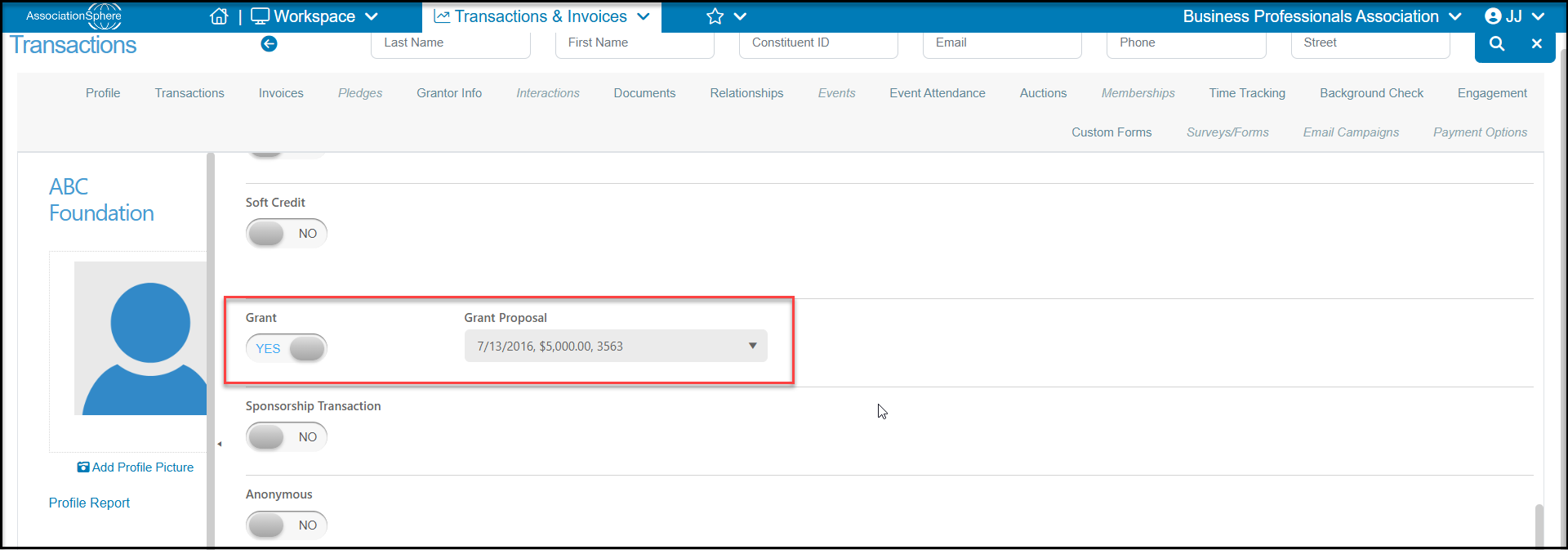
6. Farther down the page you will find the **Grant** toggle, which you will set to **YES**.
7. Once this is set to YES, a new option appears to select the Grant Proposal to link this funding to. Note that only grant proposals with the**Status** of "**Funded**" will appear in the drop down list.
8. You can link multiple transactions to the same proposal in the case where the funding may come in smaller increments instead of a lump sum.
9. Complete the rest of the entry and click **Save** or **Save And Acknowledge** to send your thank you message.
5. On the Transaction Entry page, you will enter the type as **General,** and enter the **Amount**and **Date**of the transaction as well as revenue categories as applicable.
6. Farther down the page you will find the **Grant** toggle, which you will set to **YES**.
7. Once this is set to YES, a new option appears to select the Grant Proposal to link this funding to. Note that only grant proposals with the**Status** of "**Funded**" will appear in the drop down list.
8. You can link multiple transactions to the same proposal in the case where the funding may come in smaller increments instead of a lump sum.
9. Complete the rest of the entry and click **Save** or **Save And Acknowledge** to send your thank you message.
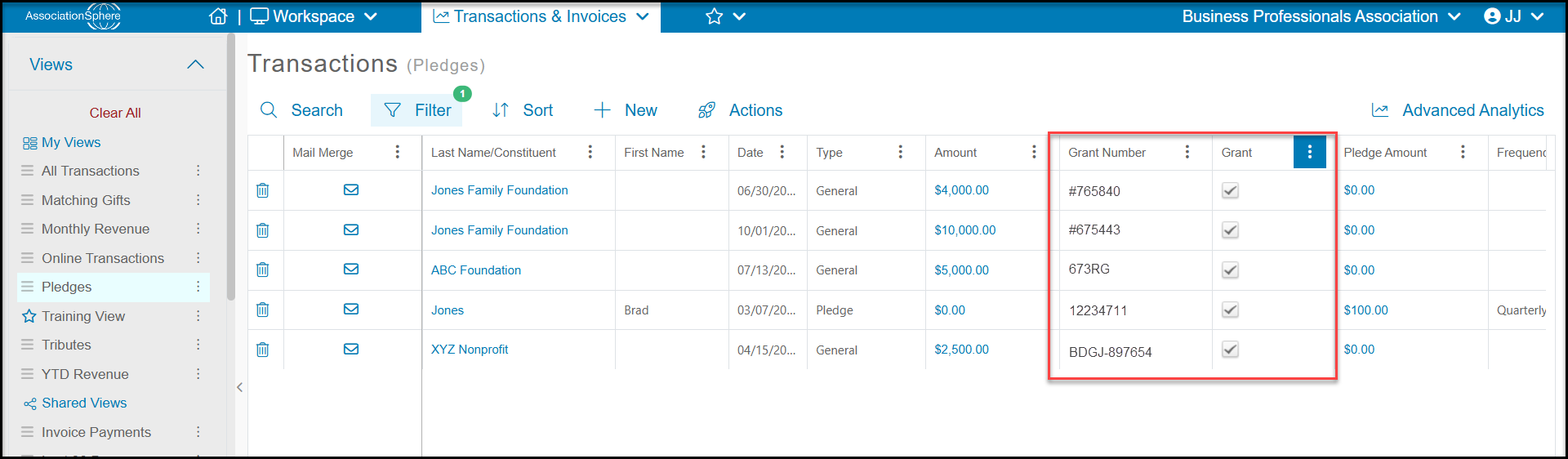
 10. Transactions that are linked to grants will appear on the grantor's Transactions tab as well as on the Transactions grid.
11. You can filter by the Grant column to identify any transactions linked to funded grant proposals.
10. Transactions that are linked to grants will appear on the grantor's Transactions tab as well as on the Transactions grid.
11. You can filter by the Grant column to identify any transactions linked to funded grant proposals.