# How do I sign up for the Support Academy?
> Source: https://support.associationsphere.com/how-do-i-sign-up-for-the-support-academy | Updated: 2026-02-11T22:23:17Z
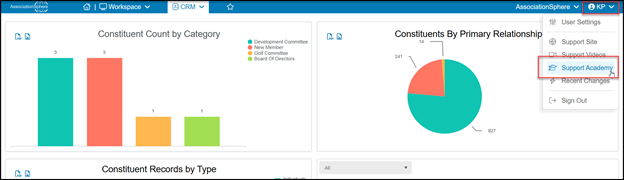
When you log into AssociationSphere, you can find a link to the Support Academy in the User Settings menu under your user initials in the top right corner.
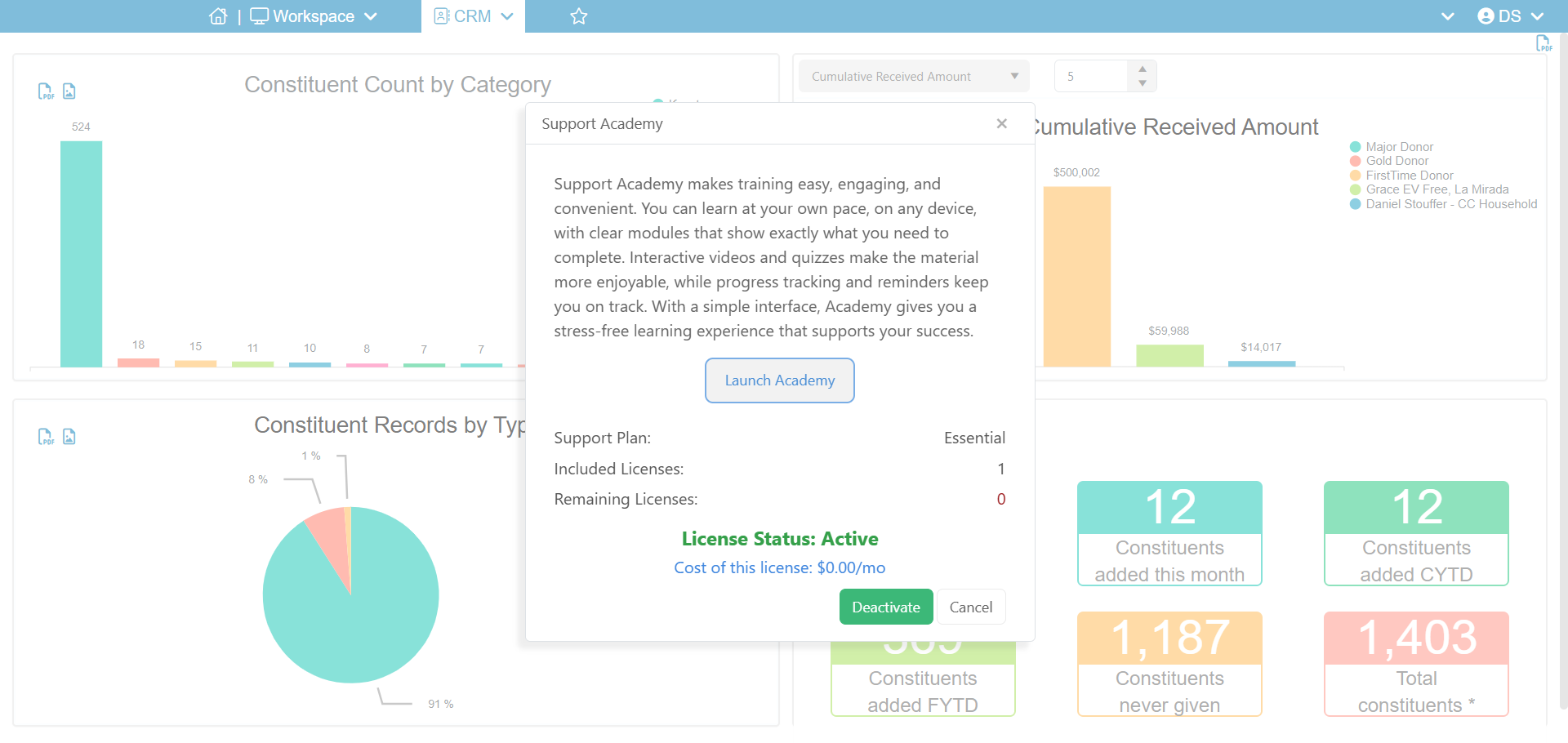
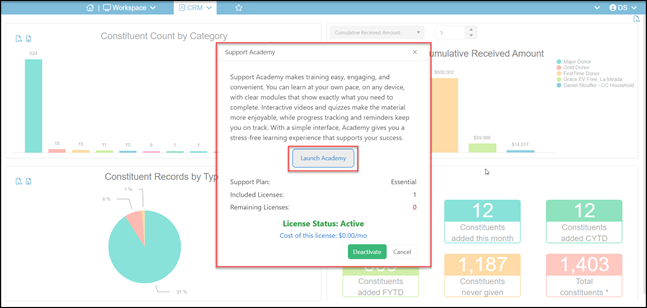
 If your AssociationSphere login information has already been assigned to a support academy user license, you will see the Launch Academy button in the center of the window.
You will also see the number of licenses included with your support plan and how many remaining licenses are available with your plan.
If your AssociationSphere login information has already been assigned to a support academy user license, you will see the Launch Academy button in the center of the window.
You will also see the number of licenses included with your support plan and how many remaining licenses are available with your plan.
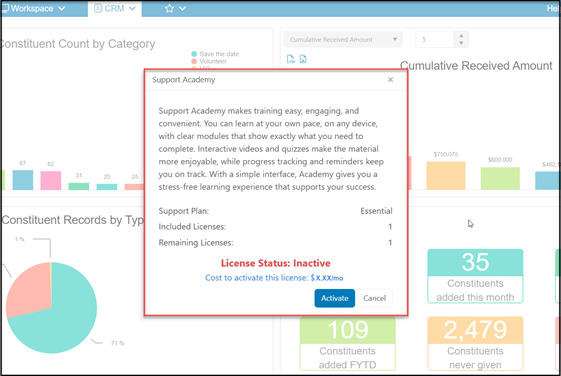
 If your AssociationSphere login information is not already assigned to a support academy user license, you will see an option to click the blue button to activate it. Depending on your organization’s support plan, there may be a cost associated with getting your support academy user license.
Support academy licenses are per user and are currently set up to renew on the 1st of each month, and you can deactivate any time after your first month.
If your AssociationSphere login information is not already assigned to a support academy user license, you will see an option to click the blue button to activate it. Depending on your organization’s support plan, there may be a cost associated with getting your support academy user license.
Support academy licenses are per user and are currently set up to renew on the 1st of each month, and you can deactivate any time after your first month.
 After you click on **Activate**, you will see a new pop up. Click **Proceed** to confirm you wish to activate the license.
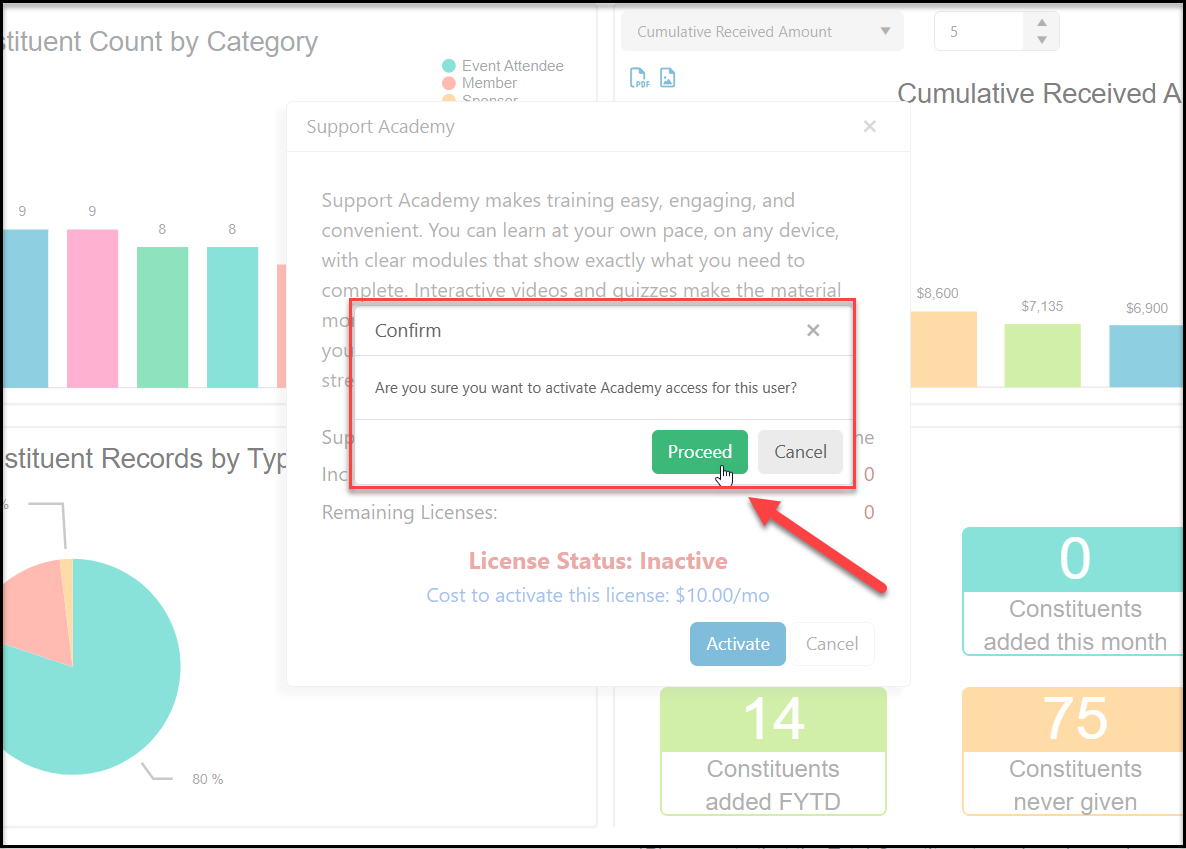 After you click Proceed, you will see a confirmation pop up. If there is a fee associated with the activation, it will list it on the pop up. If your support plan includes licenses and they have not already been assigned to other users, there will be no fee showing. Click **OK**to clear the message.
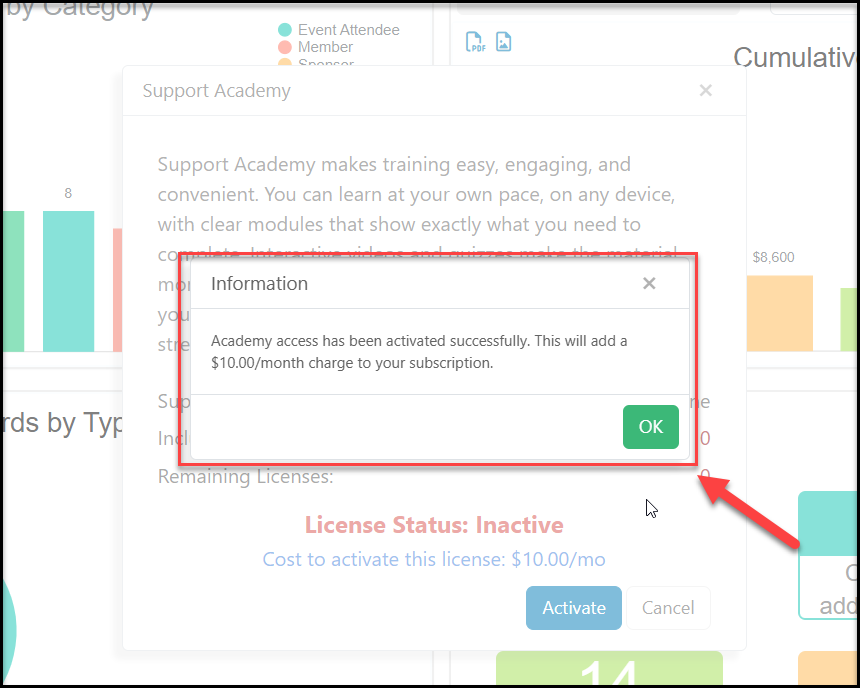 Once your license is activated, you will be able to sign in to the Support Academy by clicking on the Support Academy link, then **Launch Academy** in the popup new window.