# How is sales tax handled at checkout?
> Source: https://support.associationsphere.com/how-is-sales-tax-handled-at-checkout | Updated: 2026-09-08T02:58:48Z
1. Sales tax is calculated by the settings established in your organization’s settings.
2. Check your state’s sales tax requirements for the auction.
3. See this support article for information about the settings and how sales tax is calculated. <./auction-item-sales-tax
4. Sales tax is not included in the item’s invoice.
5. Sales tax is calculated during checkout and can be printed with the receipt.
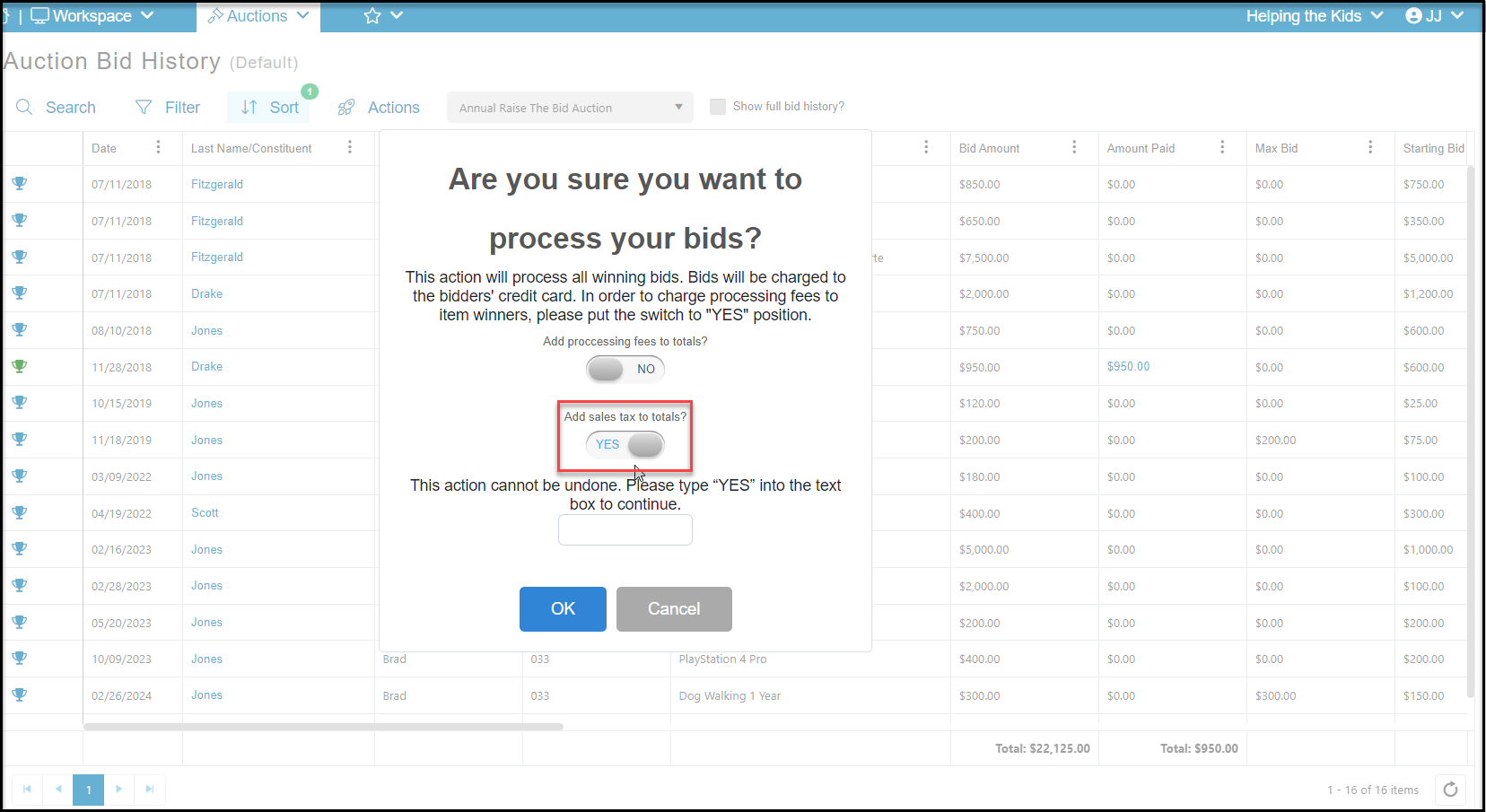
6. If your organization is collecting sales tax, you can manage it for each individual check out by ensuring **Pay****Sales Tax**is toggled to **YES** for individual checkout or **Add Sales Tax to Totals**for the Bid History batch process checkout.
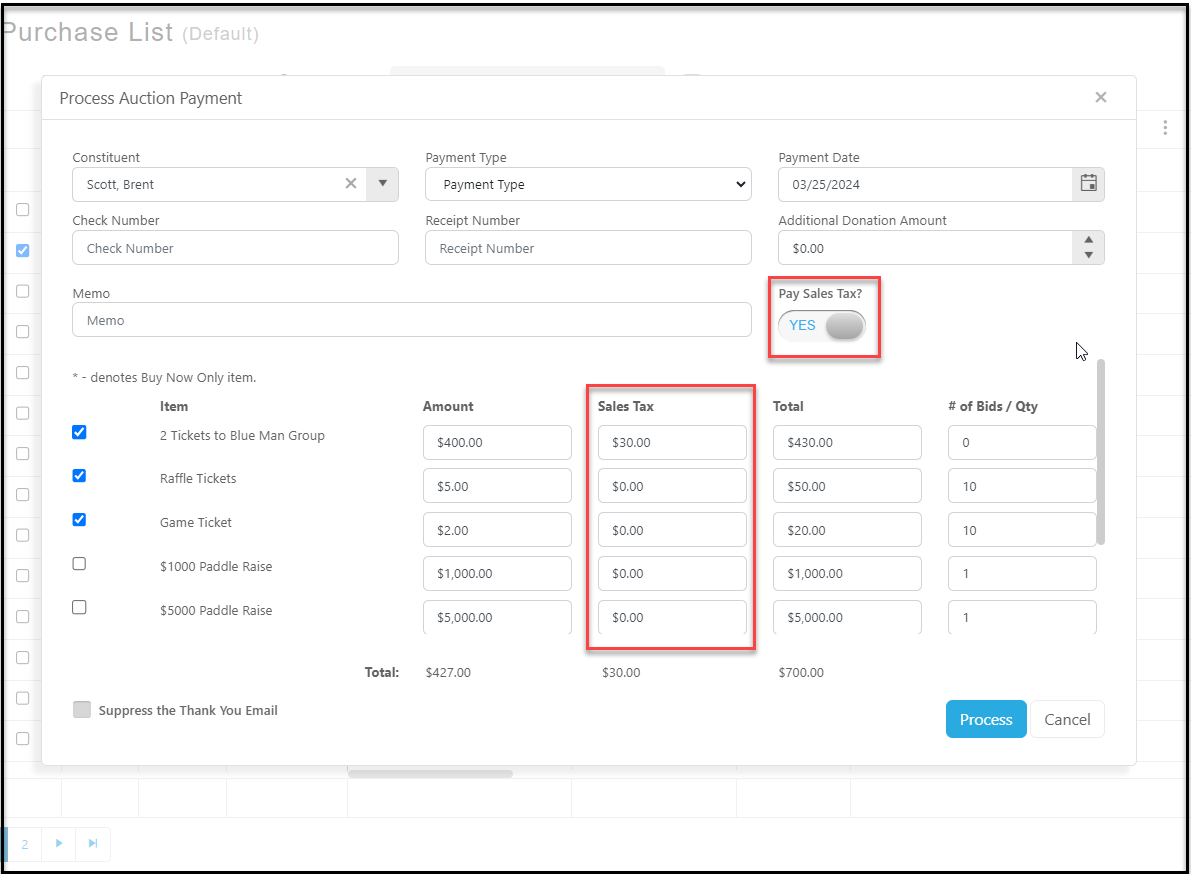
 7. For individual checkouts, you can edit the sales tax amount that was automatically calculated in the **Sales Tax**column.
8. Editing sales tax amounts is not available in the Bid History batch process checkout, they are calculated based on your set up for the auction item and/or for your organizational settings.
7. For individual checkouts, you can edit the sales tax amount that was automatically calculated in the **Sales Tax**column.
8. Editing sales tax amounts is not available in the Bid History batch process checkout, they are calculated based on your set up for the auction item and/or for your organizational settings.