# Member Discount
> Source: https://support.associationsphere.com/member-discount | Updated: 2026-08-06T15:16:12Z
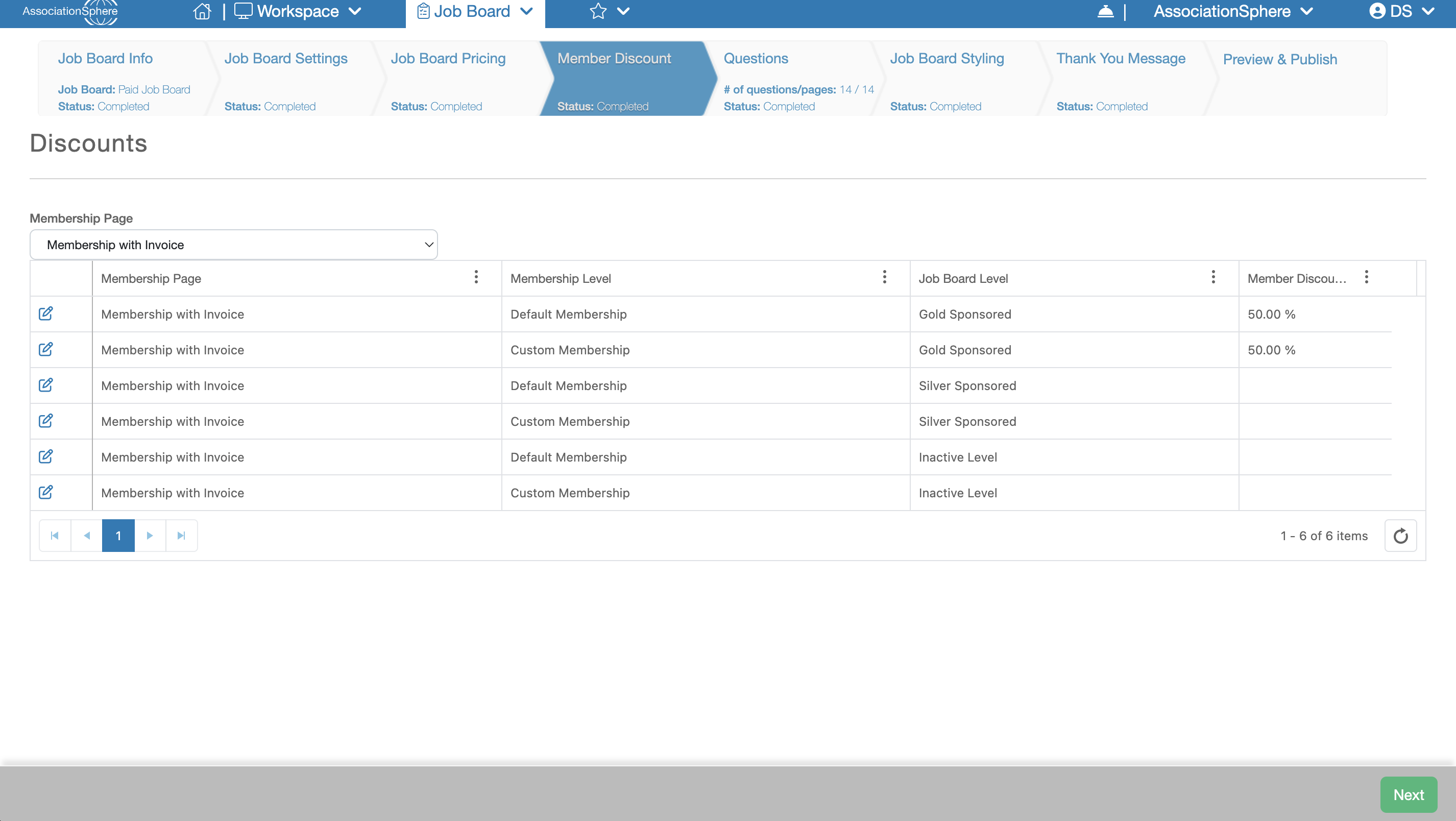 The next setup in the setup of a Job Board after Job Board Pricing is **Member Discount**.
The **Member Discount** tab is available only when **Free Postings** is set to **No** and the **Offer Member Discounts** setting is enabled on the **Job Board Settings** tab.
The **Member Discount** grid allows you to select a Membership Form from your account and configure percentage-based discounts for each combination of **Membership Level** and **Job Posting Purchase Level**.
In the first column of each row, you will see a blue **Edit** (pencil) icon. Click this icon to modify the discount for that Membership Level and Purchase Level combination.
The next setup in the setup of a Job Board after Job Board Pricing is **Member Discount**.
The **Member Discount** tab is available only when **Free Postings** is set to **No** and the **Offer Member Discounts** setting is enabled on the **Job Board Settings** tab.
The **Member Discount** grid allows you to select a Membership Form from your account and configure percentage-based discounts for each combination of **Membership Level** and **Job Posting Purchase Level**.
In the first column of each row, you will see a blue **Edit** (pencil) icon. Click this icon to modify the discount for that Membership Level and Purchase Level combination.
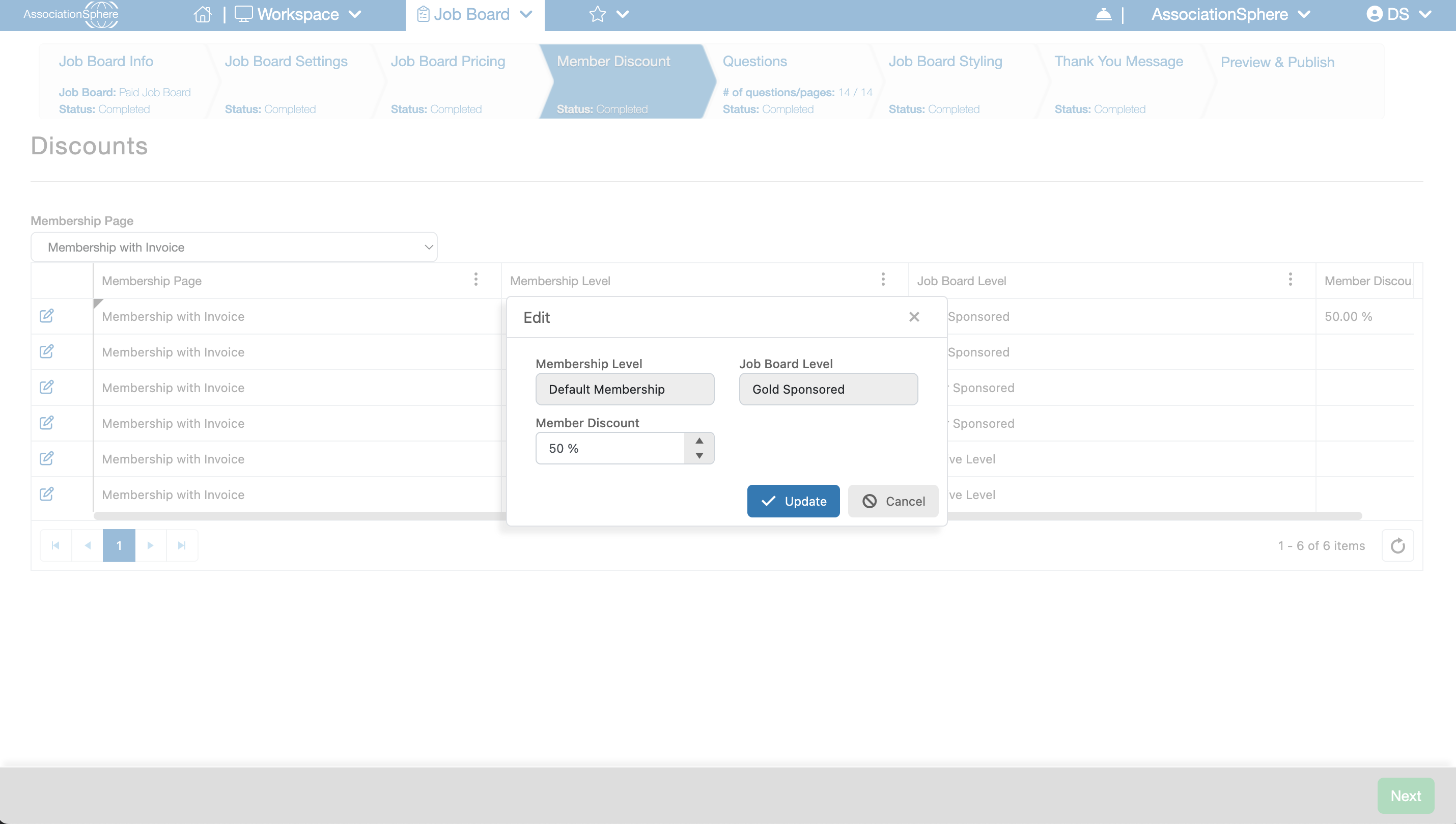 Within the edit dialog, enter the desired discount percentage in the **Member Discount** field, then click **Update** to save your changes. Repeat this process until you have configured all of the discounts you want to offer.
After you have finished entering your member discounts, click **Save & Next** to save your changes and continue to the next step of the setup process.
Within the edit dialog, enter the desired discount percentage in the **Member Discount** field, then click **Update** to save your changes. Repeat this process until you have configured all of the discounts you want to offer.
After you have finished entering your member discounts, click **Save & Next** to save your changes and continue to the next step of the setup process.