# Peer-to-Peer Overview
> Source: https://support.associationsphere.com/peer-to-peer-overview | Updated: 2026-06-15T18:12:55Z
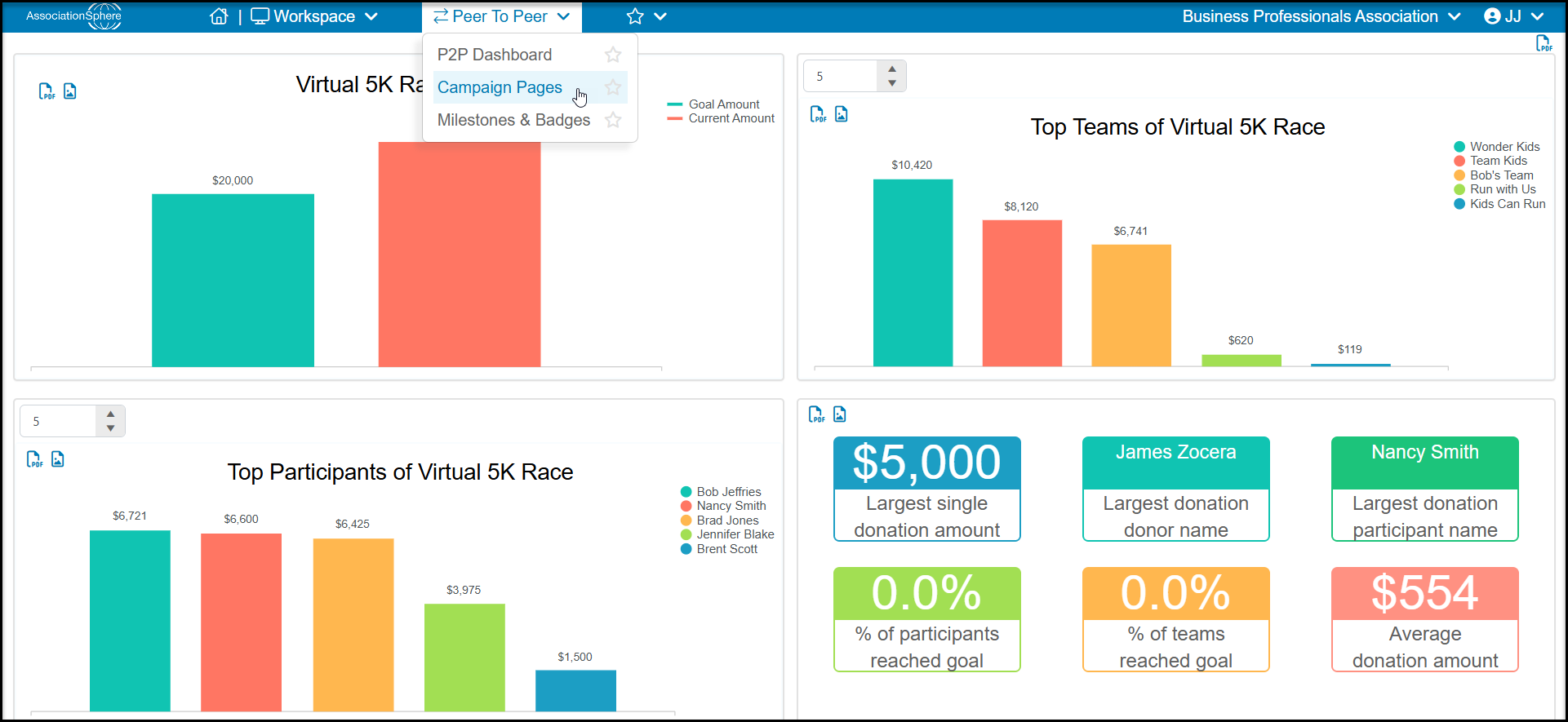
Once you are inside the "Peer-to-Peer Fundraising" module there are three sub-pages.
- **P2P Dashboard** - This will take you to the main P2P grid where you are able to view and edit all donations that have been made through your participant’s donation forms.
- **Campaign Pages** – This option will take you to the setup pages to create a new event/campaign or edit an existing one.
- **Milestones & Badges** - This takes you to the page where you can create custom milestones to track fundraising progress and award badges for the participant's or team's pages when they achieve those milestones.
 See instructions and examples for creating the campaign in this video: https://vimeo.com/525764190/585df3a286
Peer to Peer Fundraising
See instructions and examples for creating the campaign in this video: https://vimeo.com/525764190/585df3a286
Peer to Peer Fundraising