# Running Wealth Profiles in AssociationSphere
> Source: https://support.associationsphere.com/running-wealth-profiles-in-associationsphere | Updated: 2022-10-26T15:39:57Z
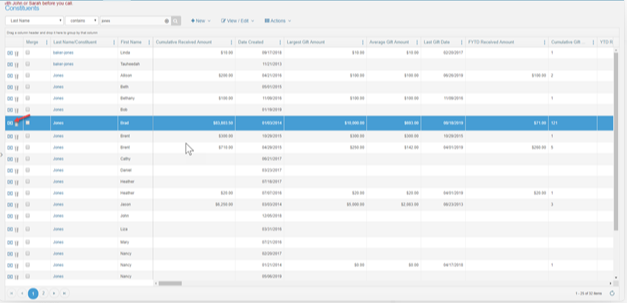
Step 1 – Click on the dollar bill icon on the constituent row to run the wealth profile report.
 Step 2 – Confirm that you’d like to run the wealth profile report. AssociationSphere will use the addresses, phone numbers and email addresses to see if there is a match for wealth information.
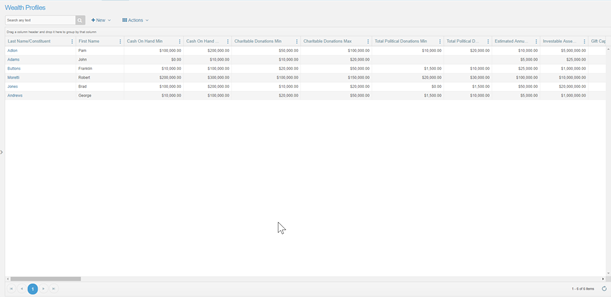
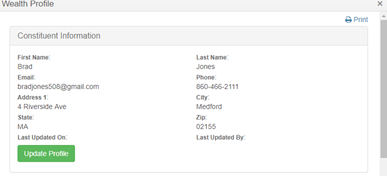
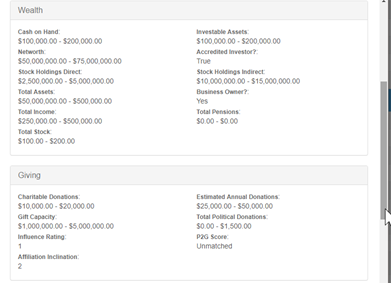
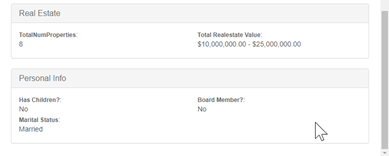
Step 3 – If a match is found, it will return the set of data in AssociationSphere. You can view it by person, or on the grid, which will allow for filtering and reporting across multiple constituents.
Step 2 – Confirm that you’d like to run the wealth profile report. AssociationSphere will use the addresses, phone numbers and email addresses to see if there is a match for wealth information.
Step 3 – If a match is found, it will return the set of data in AssociationSphere. You can view it by person, or on the grid, which will allow for filtering and reporting across multiple constituents.
 This is the main Wealth Profile grid that allows for filtering: