Why would I need more than one online payment page?
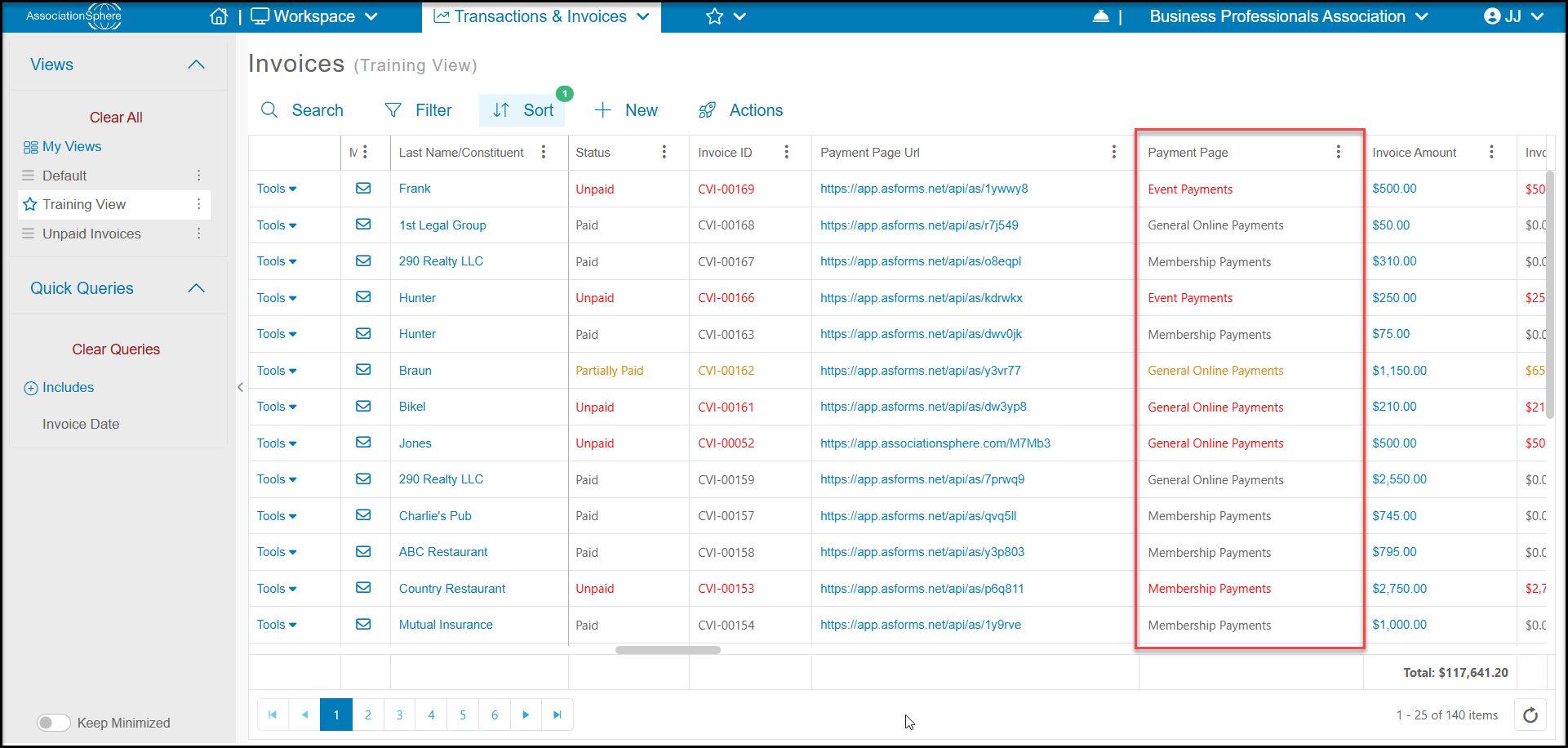
Creating more than one online payment page can be beneficial for creating reports. In the example below, there are three payment pages and they are used for different purposes. The pages can look the same, and you can use the Actions menu to copy a payment page and assign it a new name.
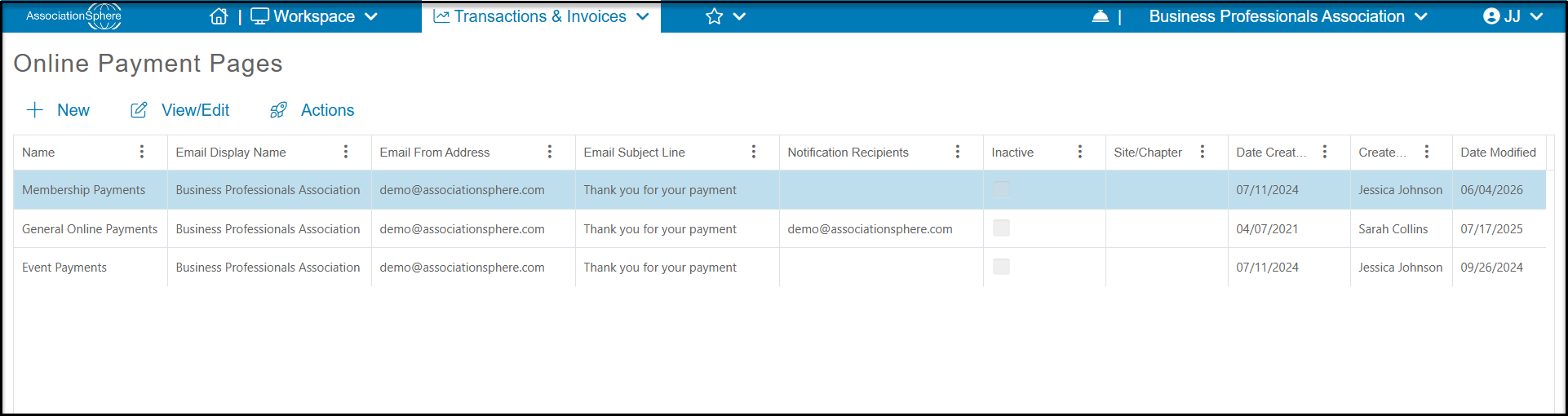
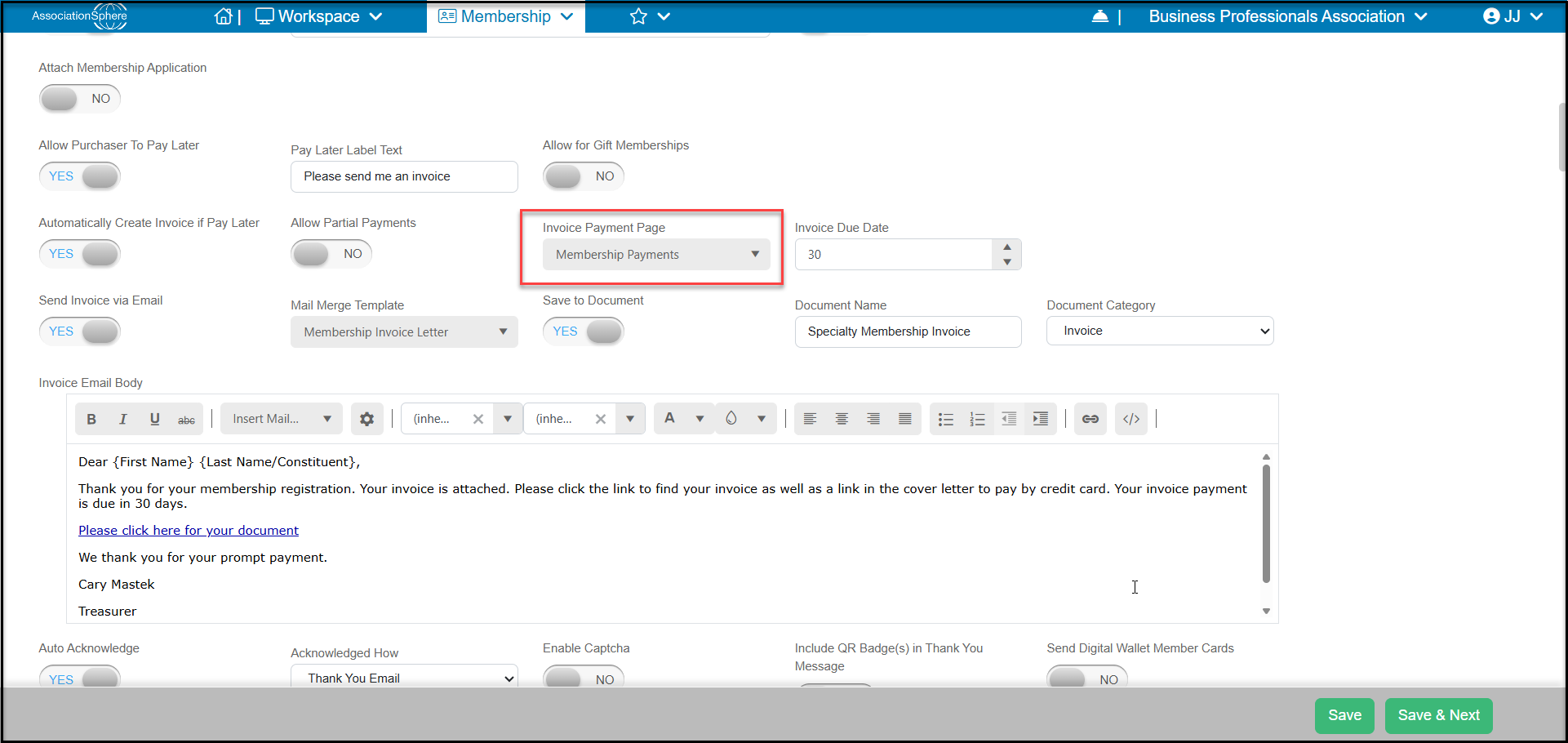
The page called Membership Payments is used for membership transactions. It is the payment page selected on the membership page's Settings tab in the Financial Information section for generating automated invoices.
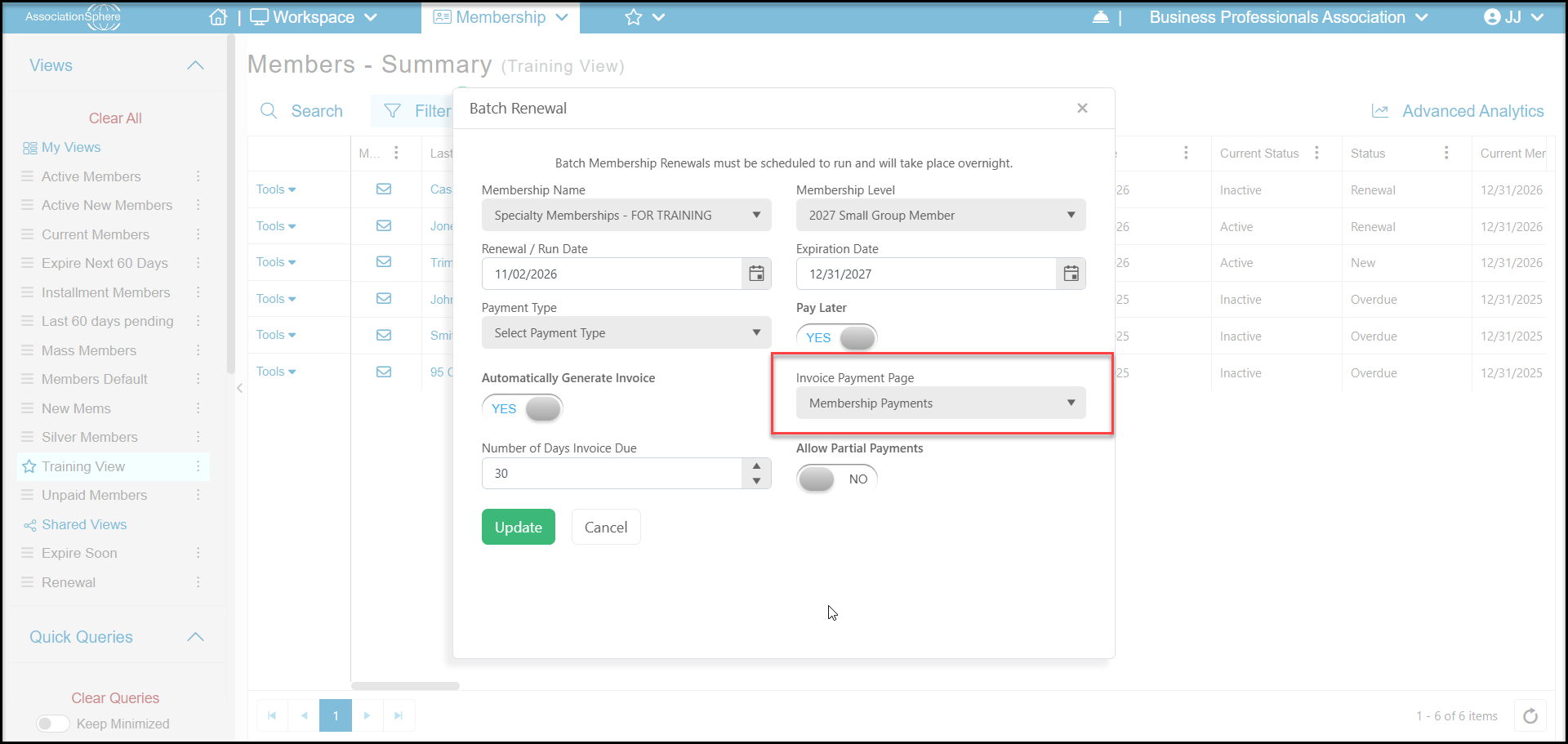
This would also be the payment page selected for Batch Renewals.
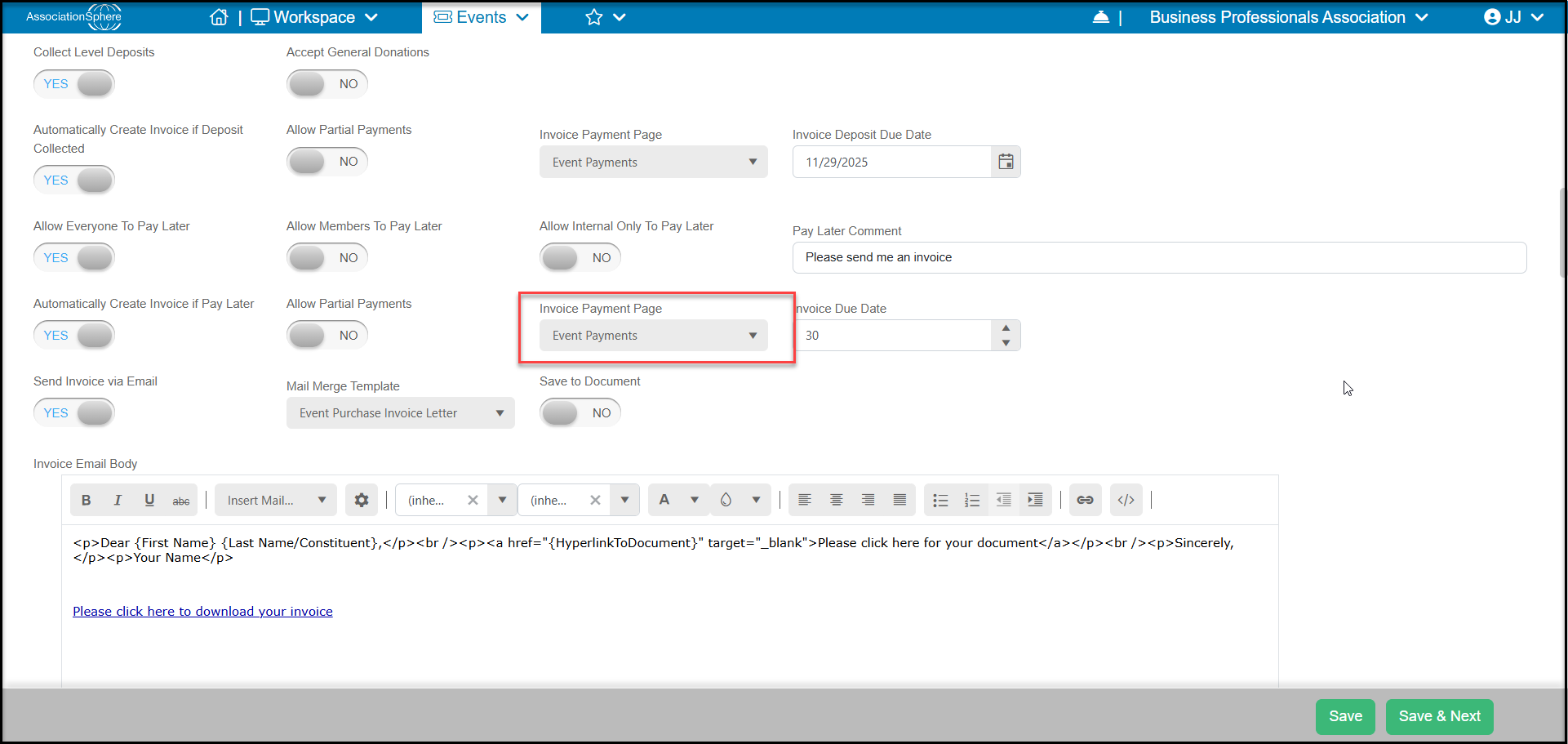
The page called Event Payments would be used for event transactions. It is the payment page selected on the event page's Settings tab in the Financial Information section for generating automated invoices.
You could also use this payment page for any manually created invoices that you wish to associate with your events, such as a general transaction for a sponsorship.
The General Online Payments page would be used for any manually created invoices that are not associated with events or memberships. For example, a scholarship donation.
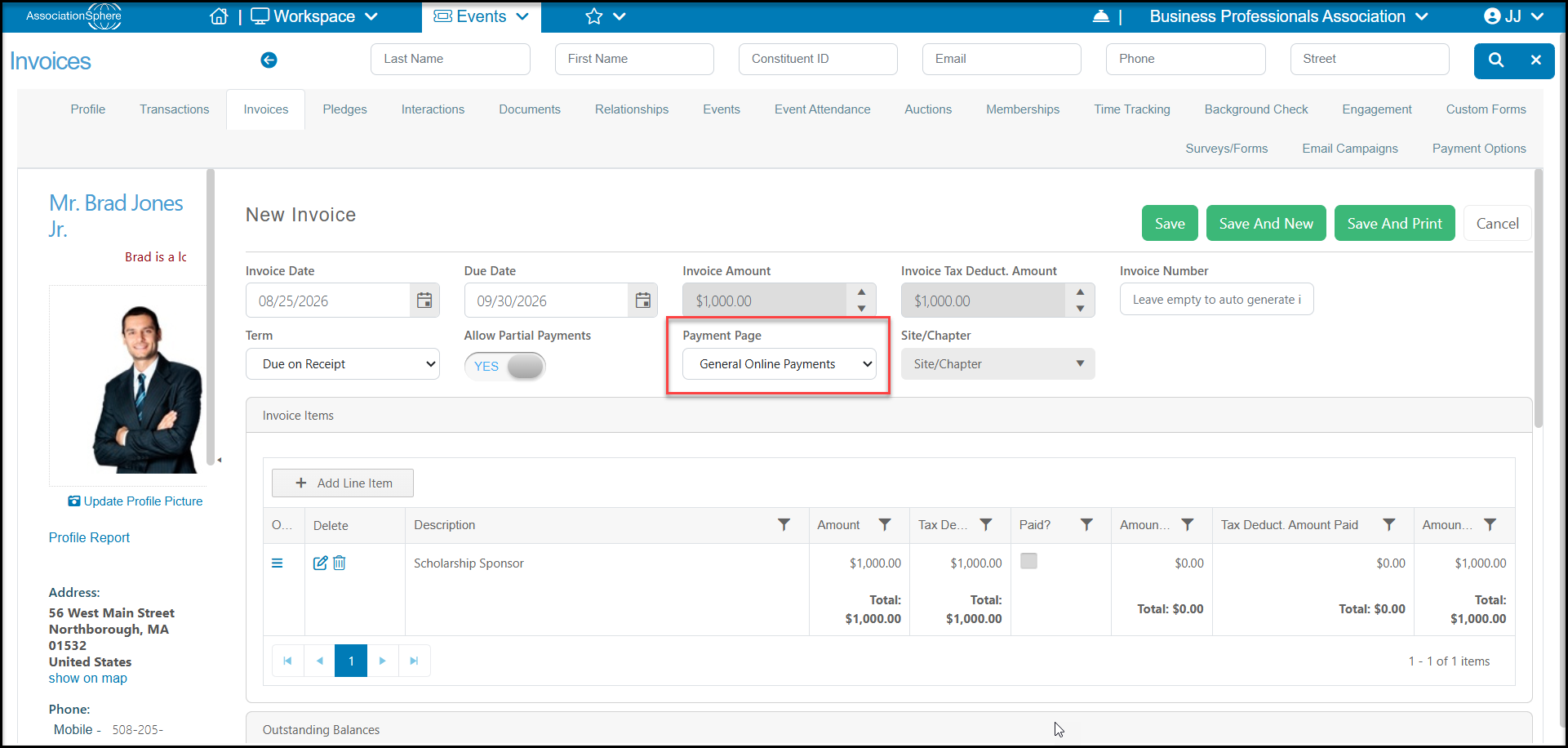
On the Invoices grid, you can see which invoices are related to what type of transaction using the Payment Page column. Adding a filter to this column could show all invoices related to events for example. Adding an additional filter for the status could show all outstanding payments due related to events, which is helpful for reporting and can help you customize your reminder messaging.