# Survey/Form Results on the Constituent's Record - Survey/Forms Tab
> Source: https://support.associationsphere.com/surveyform-results-on-the-constituents-record-surveyforms-tab | Updated: 2026-06-23T13:32:44Z
In a constituent's record, on their Survey/Forms tab you can find a list of all the surveys they have previously completed under the dropdown menu next to**Survey/Form Name**.
You can also click on **Add Survey/Form**to open a new window to select a survey to complete on behalf of this constituent. Their name and email will auto-populate and the results will link to their record when submitted.
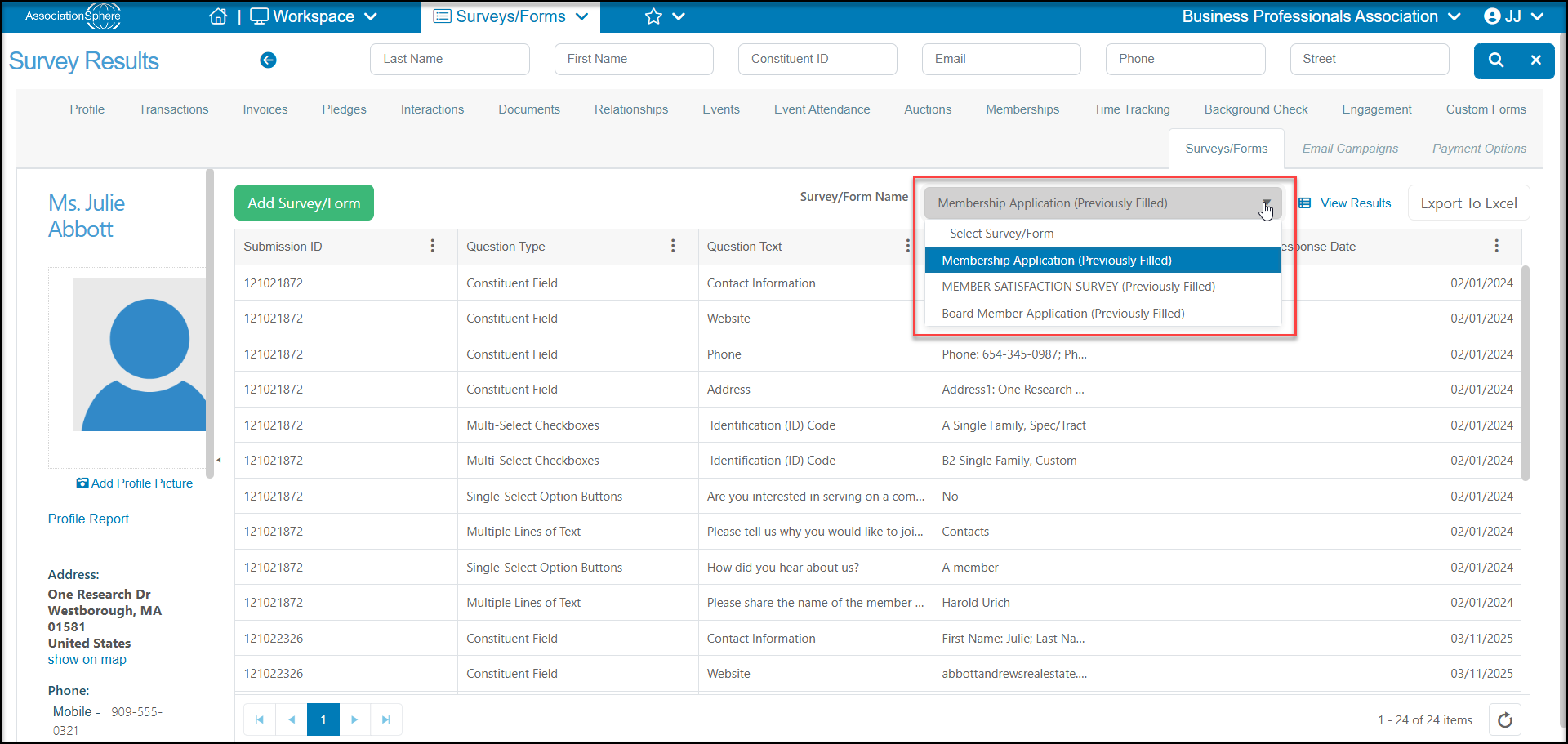 When you select a survey that has been previously completed, you will see the grid display similar to the Detailed view on the Surveys/Forms Results grid. With each question and response listed as its own row.
At the top of the grid you can click on **View Results** to see the original submission or**Export to Excel** to export the grid to excel. The original responses are not editable in the software.
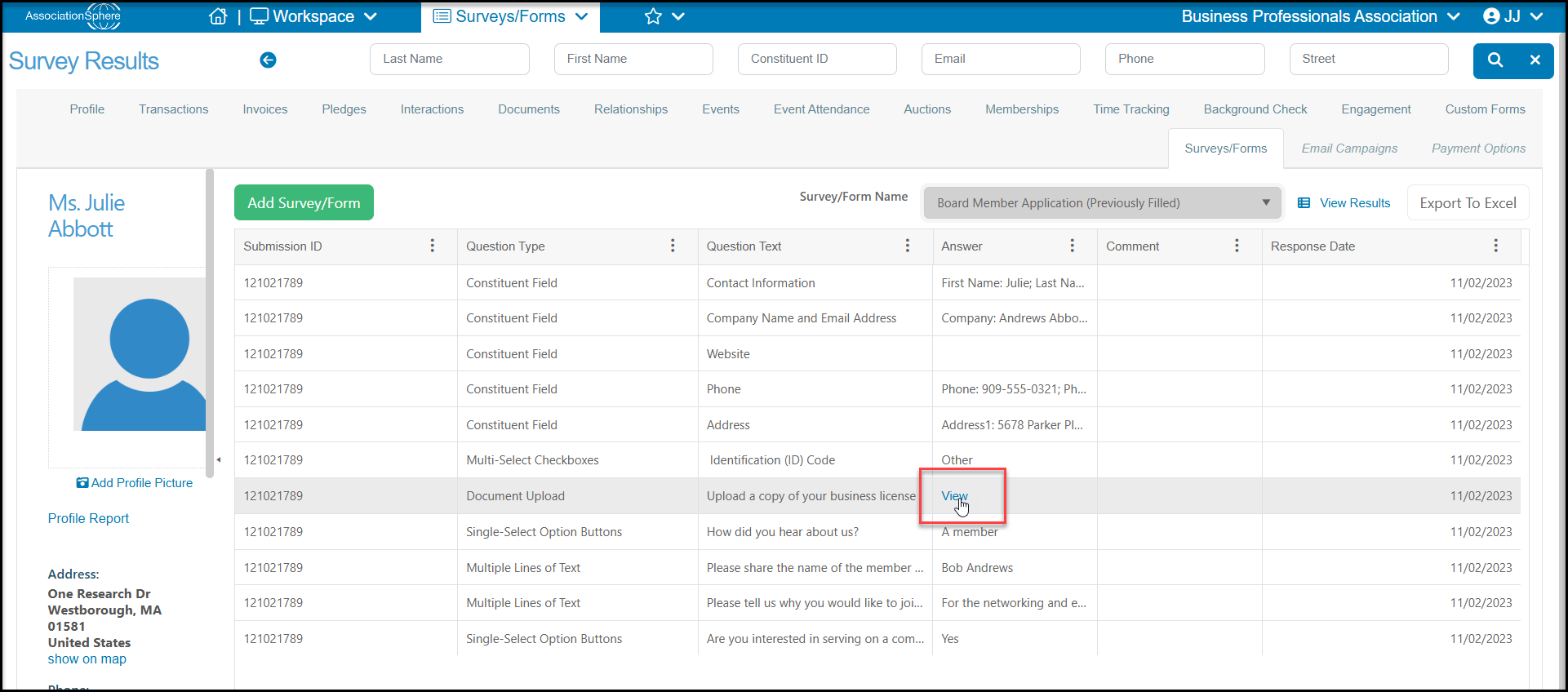
If you have requested any document uploads you will find a link on the grid in the answer column called “**View**” which will open the document that was uploaded.
When you select a survey that has been previously completed, you will see the grid display similar to the Detailed view on the Surveys/Forms Results grid. With each question and response listed as its own row.
At the top of the grid you can click on **View Results** to see the original submission or**Export to Excel** to export the grid to excel. The original responses are not editable in the software.
If you have requested any document uploads you will find a link on the grid in the answer column called “**View**” which will open the document that was uploaded.