# What can I do on the Membership Attendance History grid?
> Source: https://support.associationsphere.com/what-can-i-do-on-the-membership-attendance-history-grid | Updated: 2024-05-03T13:48:14Z
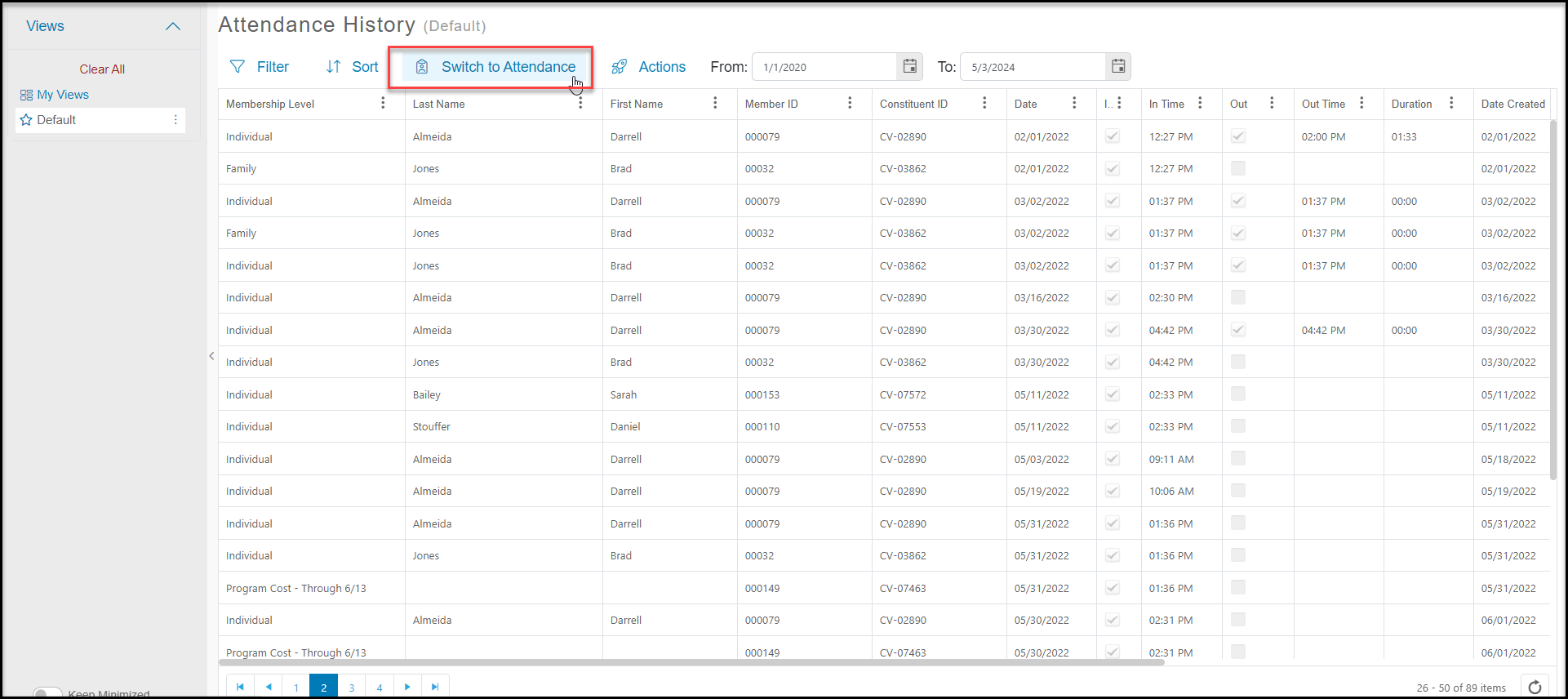
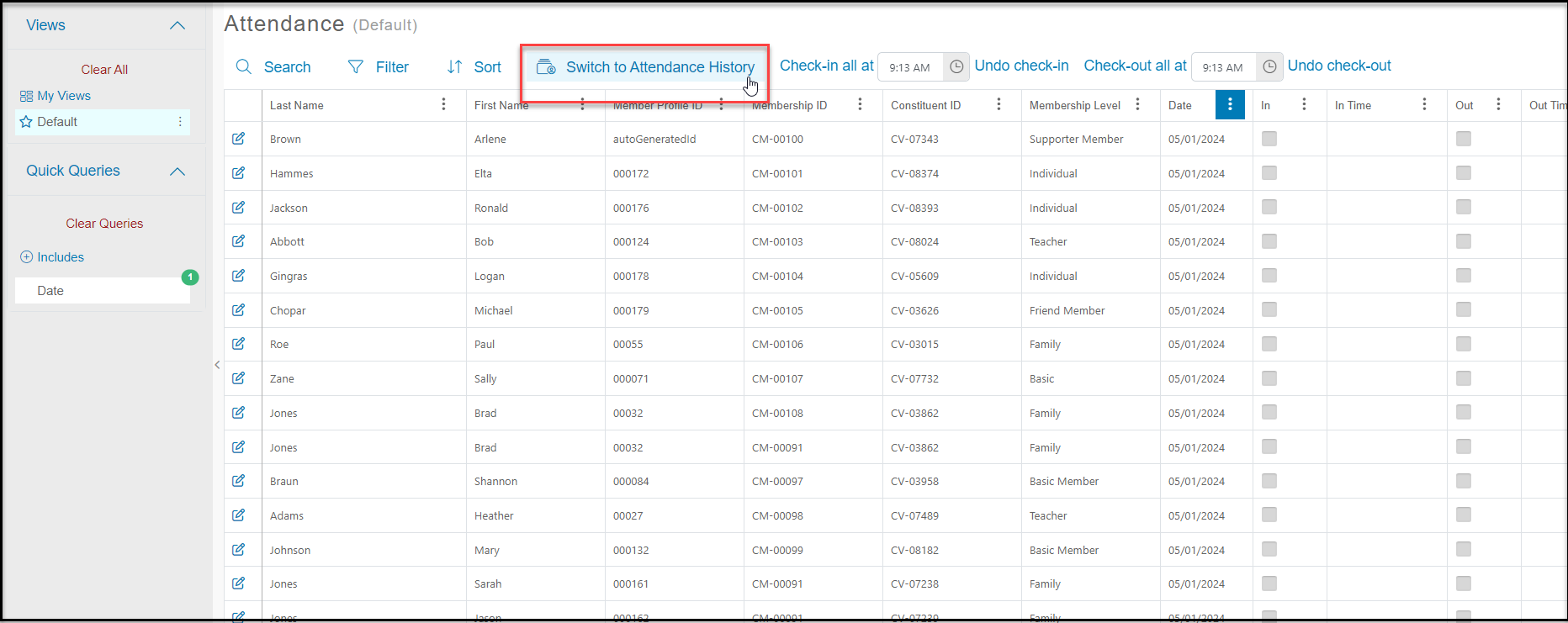
The Membership Attendance History grid allows you to see past check-ins and check-outs for your members who were active during a specific date range. From the default Membership Attendance grid, click on **Switch to Attendance History**.
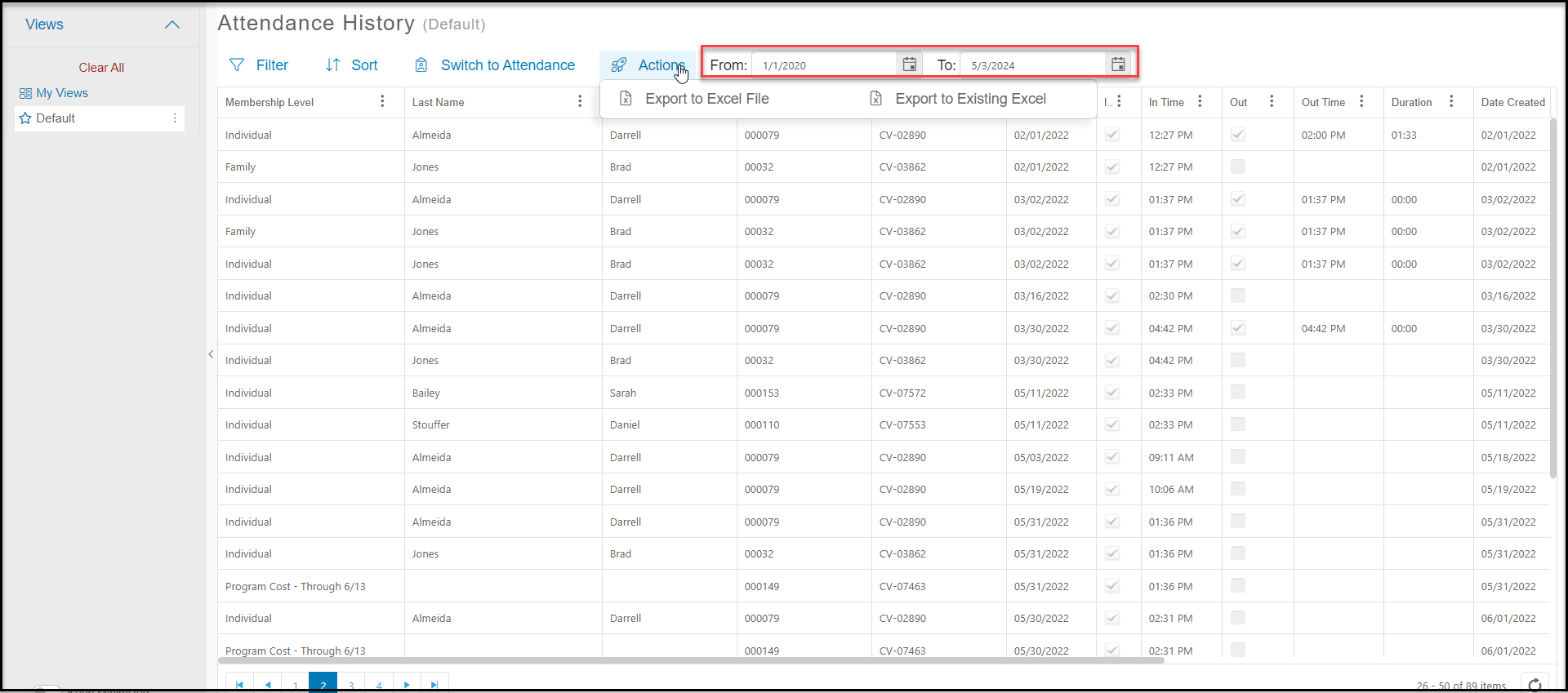
 This view allows you to enter a date range in the**From** and **To**fields at the top of the page to produce a list of active/pending members at that time and show their check-in/out history. With the **Actions**menu, you can Export to Excel if desired. Custom views can be created, saved, and shared.
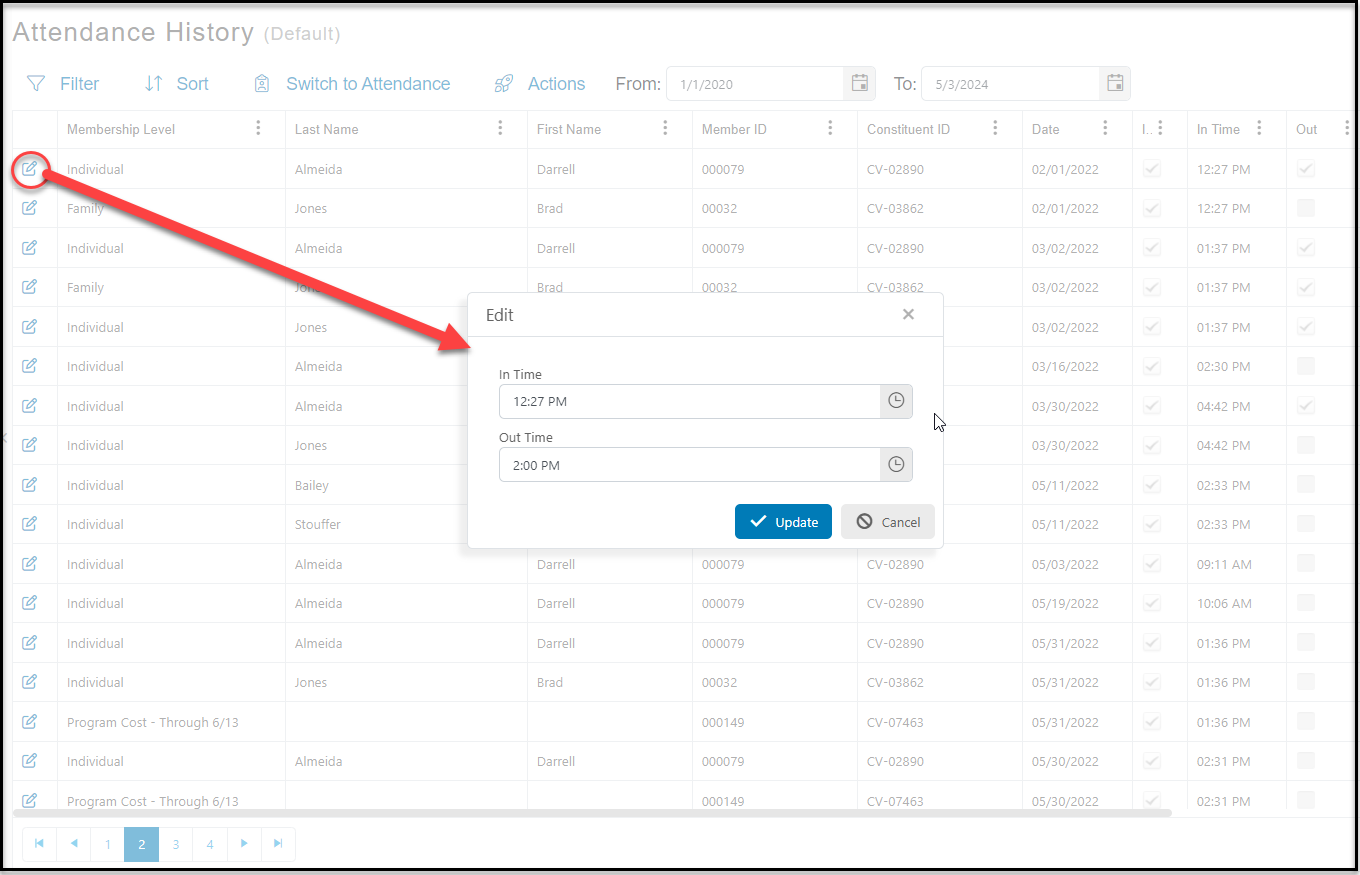
 If you need to edit the time you will see a blue Pencil and Paper Edit icon at the far left-hand side of the grid. Click on this icon to make your edits.
 If you wish to switch back to the main Attendance Grid to edit the data, you can click on **Switch to Attendance**to the left of the Actions menu.