# What do the widgets do?
> Source: https://support.associationsphere.com/what-do-the-widgets-do | Updated: 2026-06-15T18:20:05Z
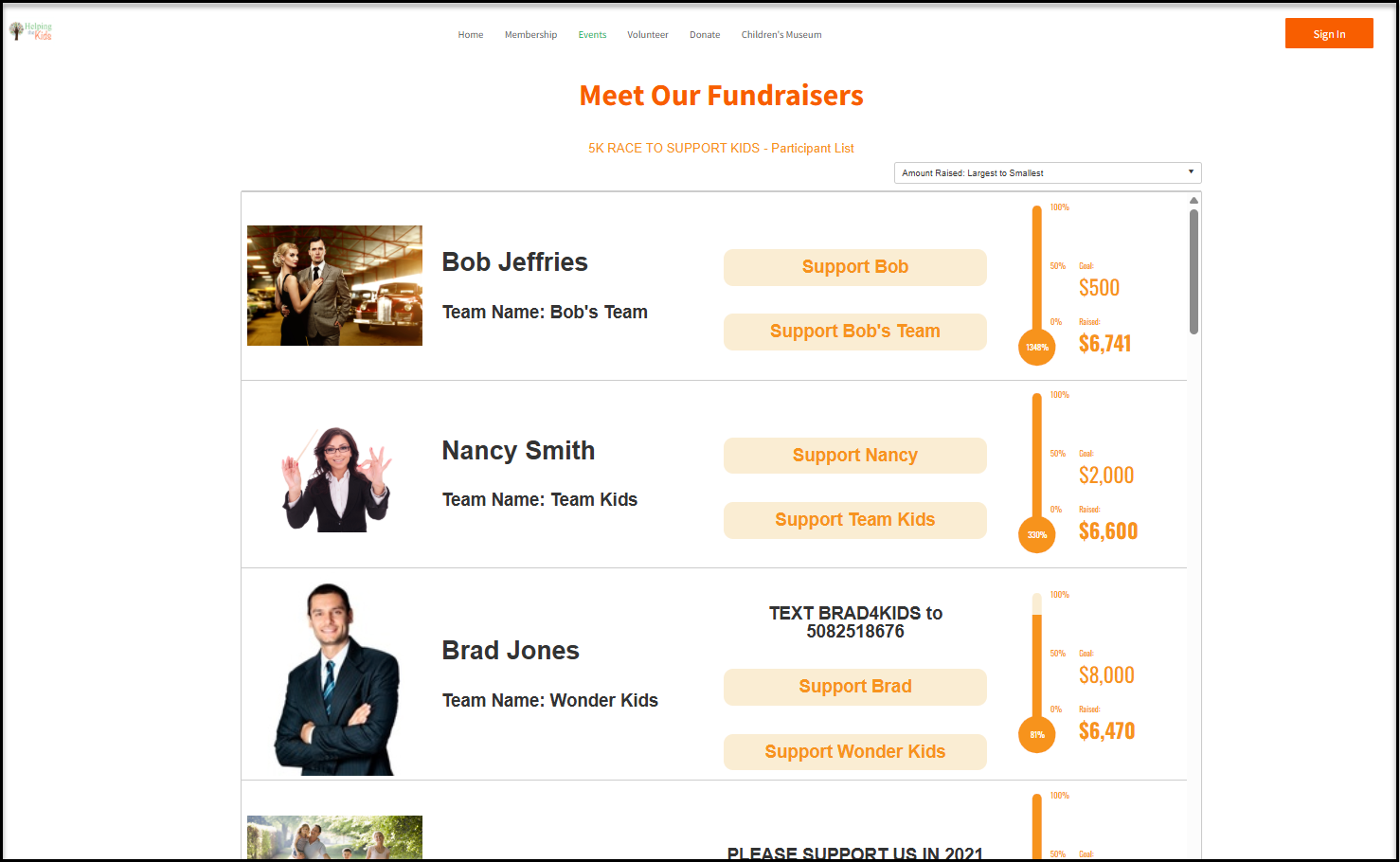
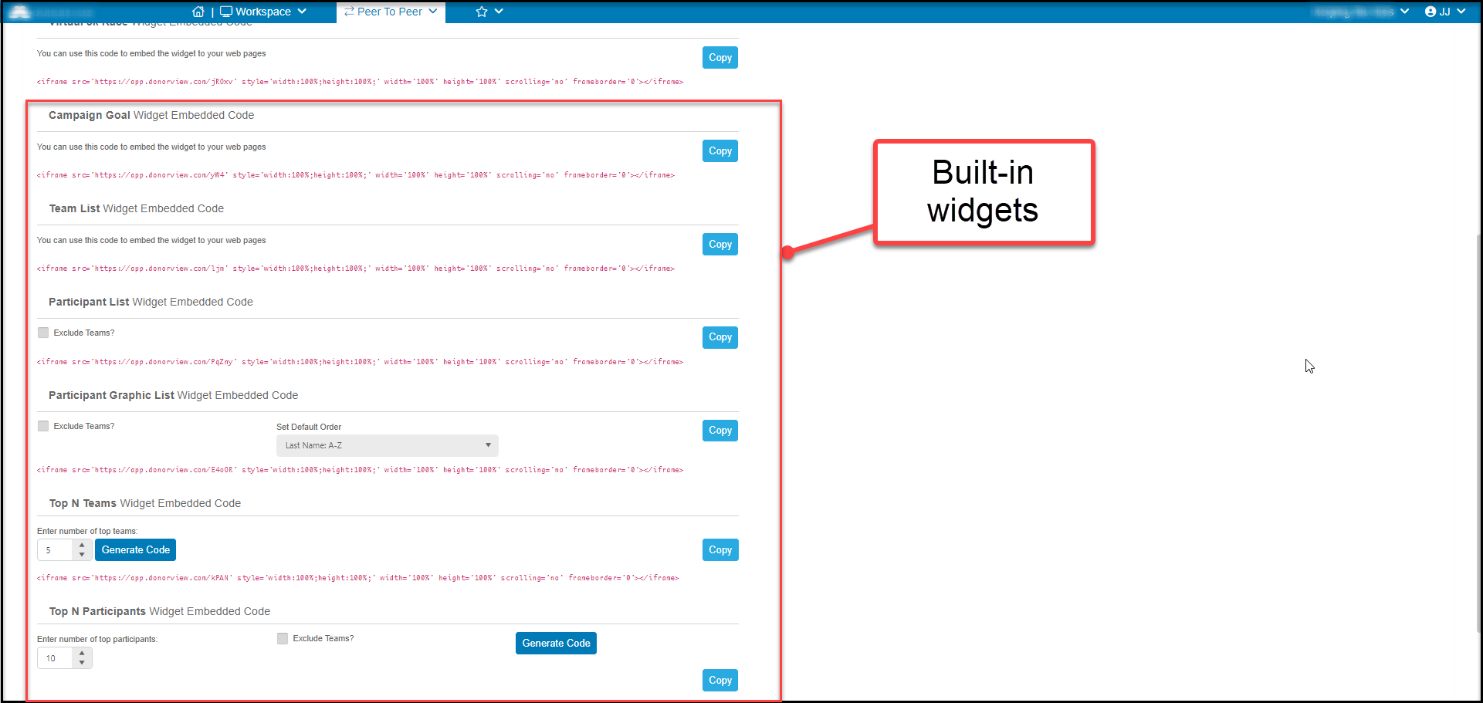
For every P2P campaign there are different widgets that can be embedded on your website to display your campaign and fundraisers performance. There are four that are built-in and are not customizable, and then there are customizable options for the overall campaign.
For each of the built-in widgets we provide you with the HTML code to add them to your website. The 4 widgets are as follows:
1. **Campaign Goal Widget –**This widget will display a bar graph that shows the organization's fundraising goal next to the current total donated.
2. **Team List Widget –**This widget will show the participants on each team.
3. **Top N Teams –**This widget will display the top fundraising teams, you are able to pick the number of teams it displays.
4. **Top N Participants -**This widget will display the top fundraising individuals, you are able to pick the number of individuals it displays
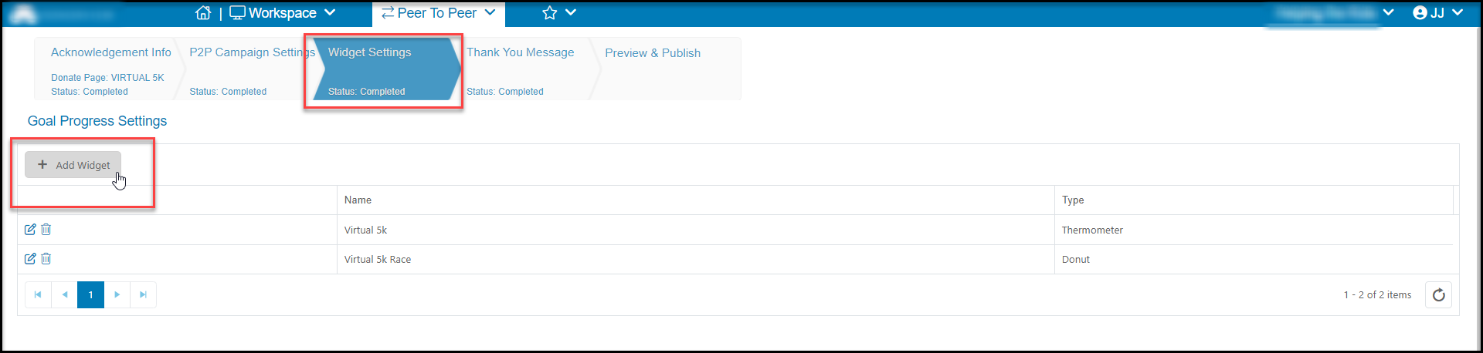
For the customizable widgets, use the Widget Settings tab on the P2P campaign page editor and click on **+Add Widget.**
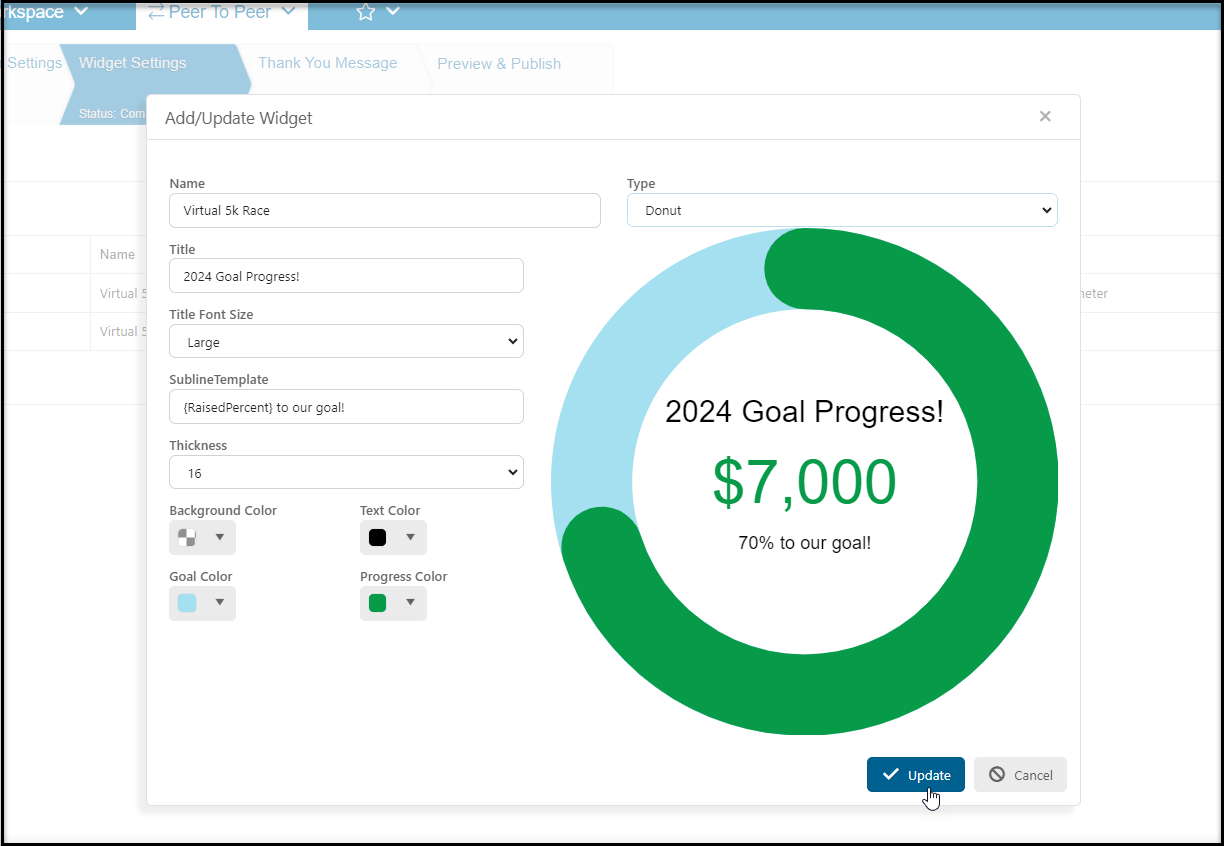
 Name the widget, select the type of widget, either a donut or a thermometer, and edit the labels and colors as desired. Click **Update**to save the widget.
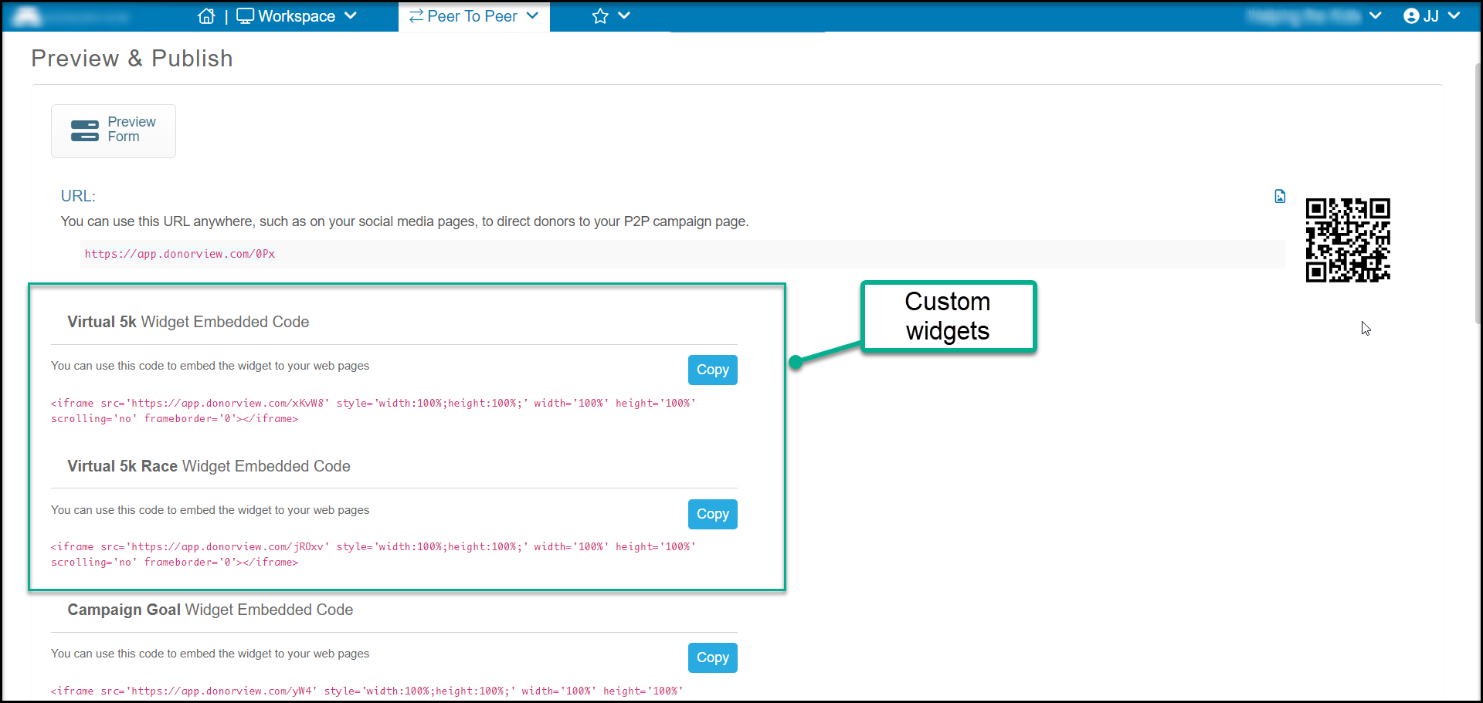
 The HTML code for all the widgets can be copied from the Preview & Publish tab. Click **Generate Code**, then the blue **Copy** button to copy the HMTL code for pasting into your website.
 Example of Participants List widget embedded into a webpage: