# Where can I see processing fees?
> Source: https://support.associationsphere.com/where-can-i-see-processing-fees | Updated: 2026-08-05T17:15:53Z
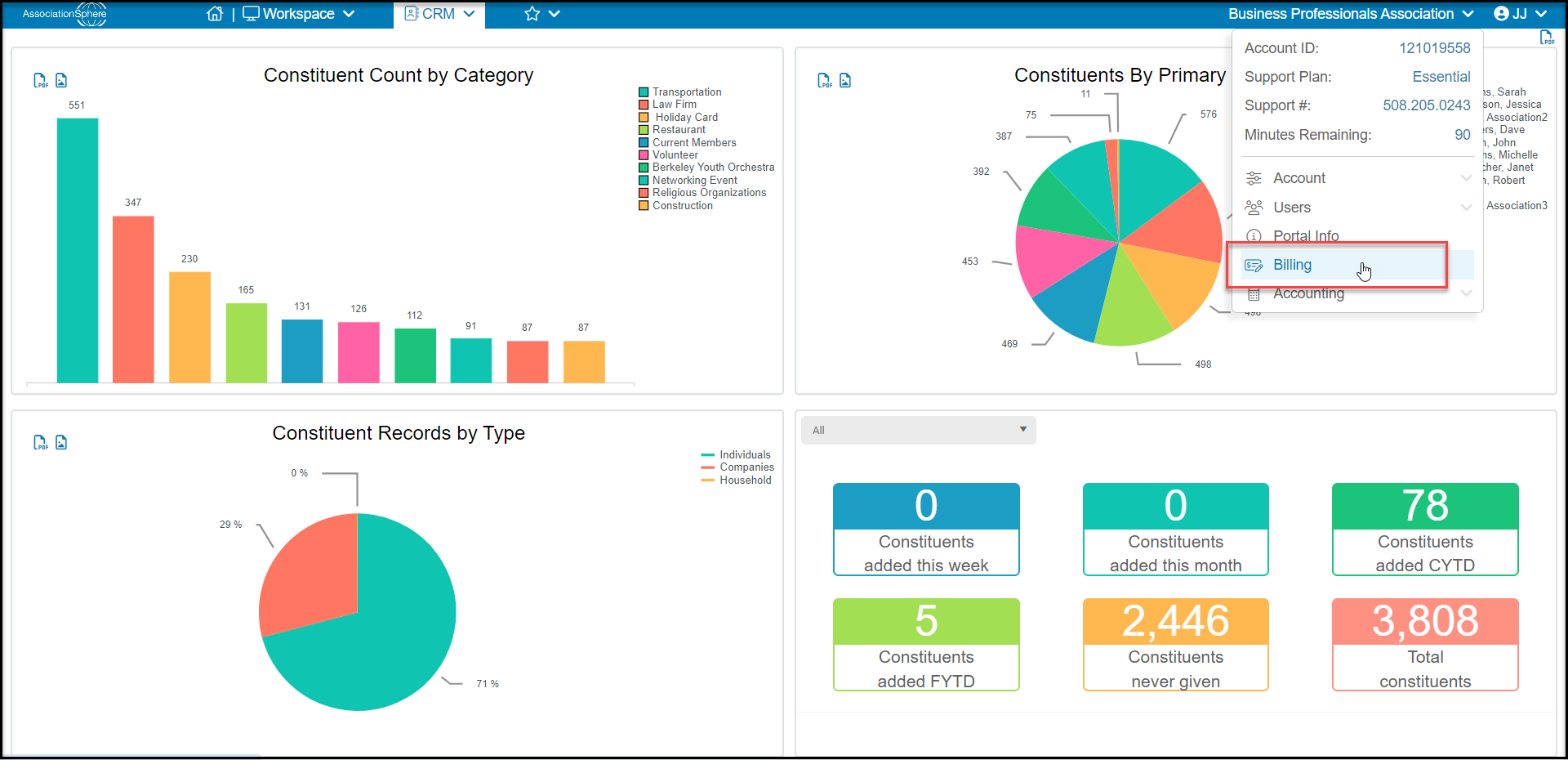
Below your organization name, select **Billing**, then select the **Statements Tab**.
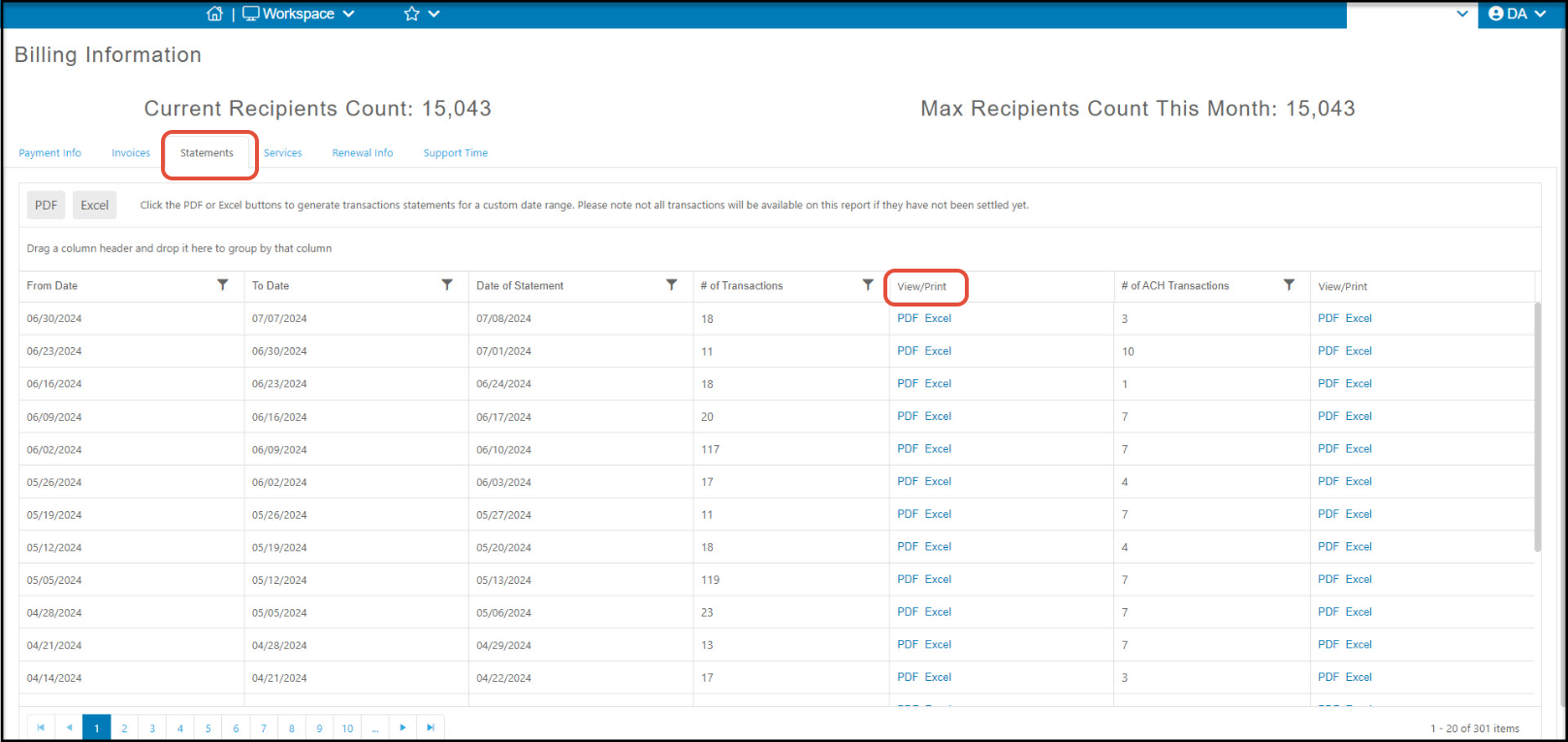
 Click on **PDF/Excel** under the **View/Print** column to see the Processing Fees Paid By Donor and those Paid By Customer for that date. Click the **PDF** or **Excel**buttons to generate transaction statements for a custom date range. Note that only transactions that have settled will be available.
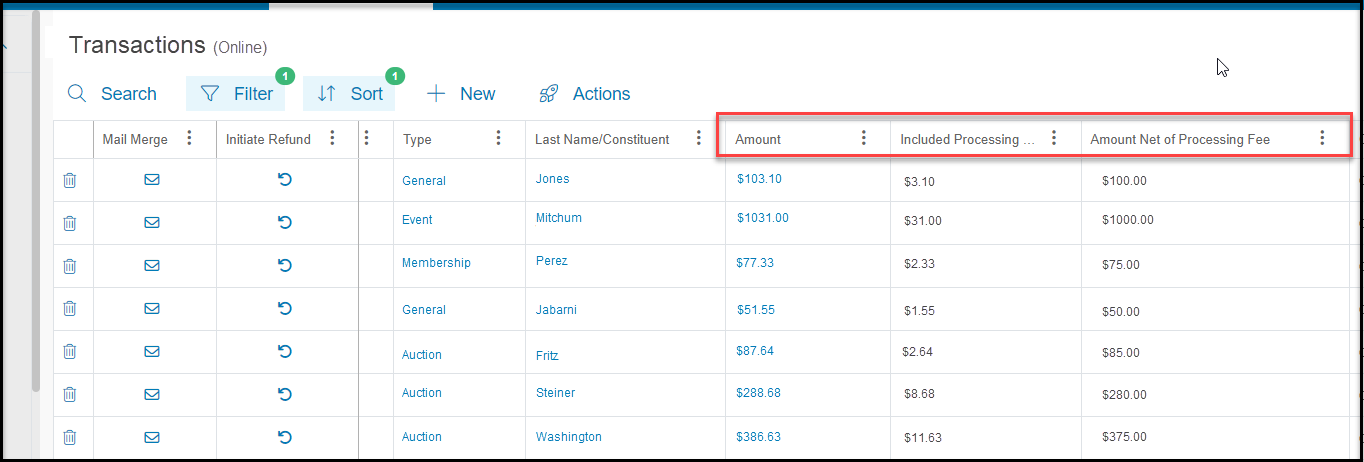
 You can also view the processing fees paid by the constituent on the Transactions Grid in the Transactions & Invoicing Module. Locate the column **Included Processing Fee** to see the amount of processing fee paid by the constituent. The **Amount** is the amount that was charged to their credit card and **Amount Net of Processing Fee** is the total that was deposited into your bank account.
**
You can also view the processing fees paid by the constituent on the Transactions Grid in the Transactions & Invoicing Module. Locate the column **Included Processing Fee** to see the amount of processing fee paid by the constituent. The **Amount** is the amount that was charged to their credit card and **Amount Net of Processing Fee** is the total that was deposited into your bank account.
** **
**