# Where can I view my weekly transaction statements?
> Source: https://support.associationsphere.com/where-can-i-view-my-weekly-transaction-statements | Updated: 2024-07-12T15:58:42Z
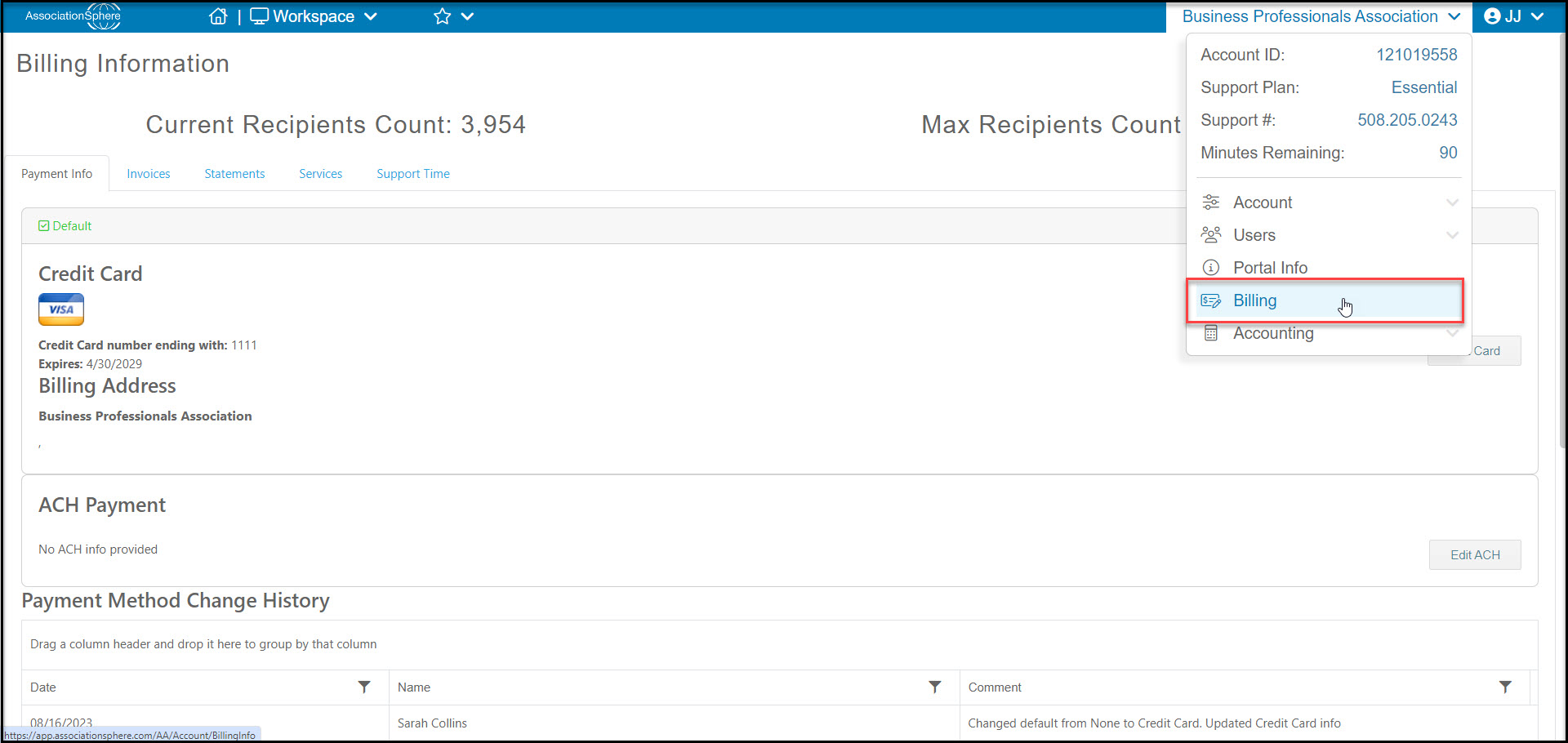
Admin users can view the weekly transaction statements by first navigating to the organization's settings menu and selecting Billing.
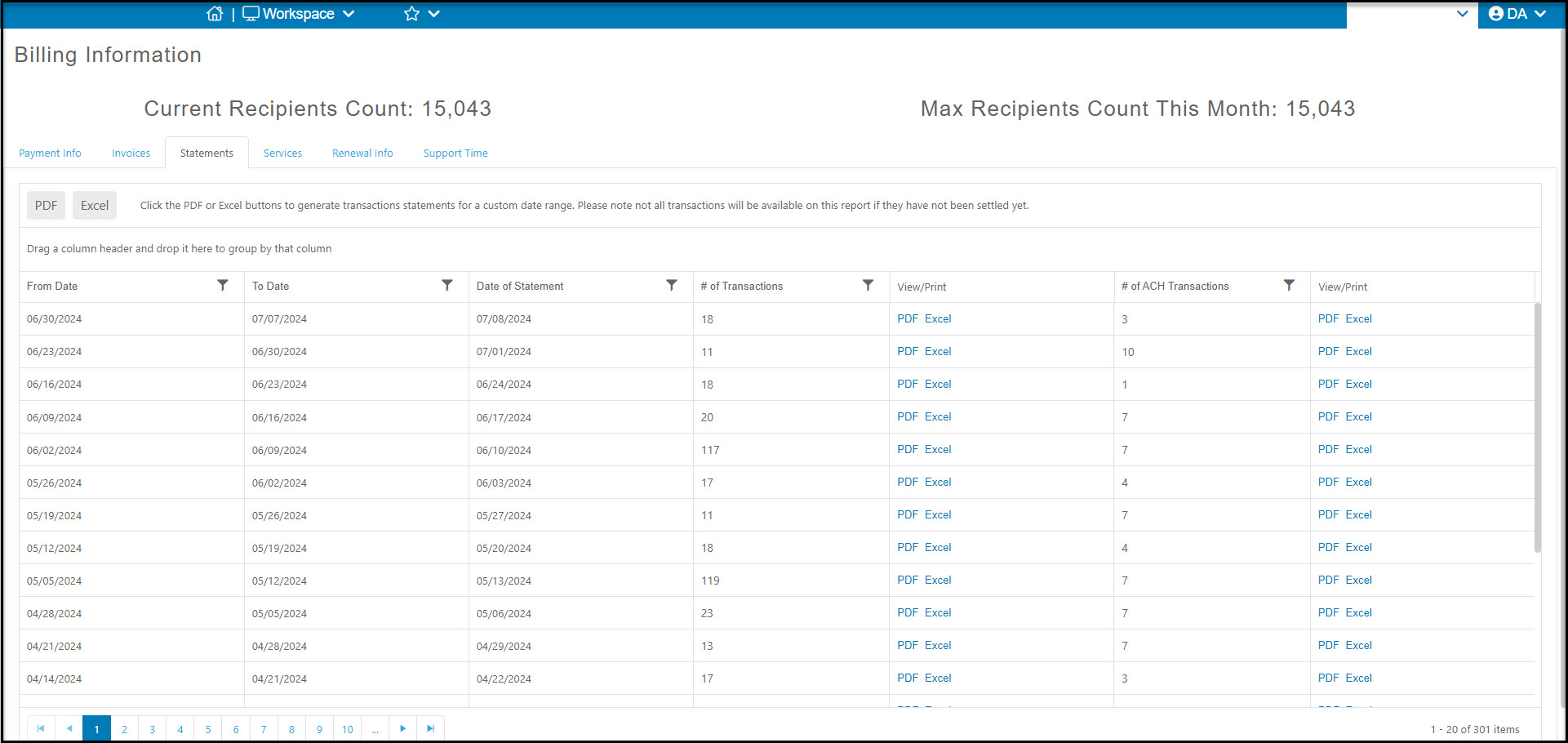
 Click on the Statements Tab to see the weekly reports.
- The statements can be downloaded as a pdf file or editable Excel file.
- The credit card statements are shown first next to the # of Transactions column, and if ACH is activated, you can also find those statements in the last column on the grid next to # of ACH Transactions.
- The grid also allows you to filter the data, for example filtering the the Date of Statement for a specific date or date range.
Click on the Statements Tab to see the weekly reports.
- The statements can be downloaded as a pdf file or editable Excel file.
- The credit card statements are shown first next to the # of Transactions column, and if ACH is activated, you can also find those statements in the last column on the grid next to # of ACH Transactions.
- The grid also allows you to filter the data, for example filtering the the Date of Statement for a specific date or date range.