# Where do I see all of my grants across all my constituents?
> Source: https://support.associationsphere.com/where-do-i-see-all-of-my-grants-across-all-my-constituents | Updated: 2026-09-04T16:19:39Z
You can find all grant proposals by going to Workspace >Transactions & Invoicing > Grants.
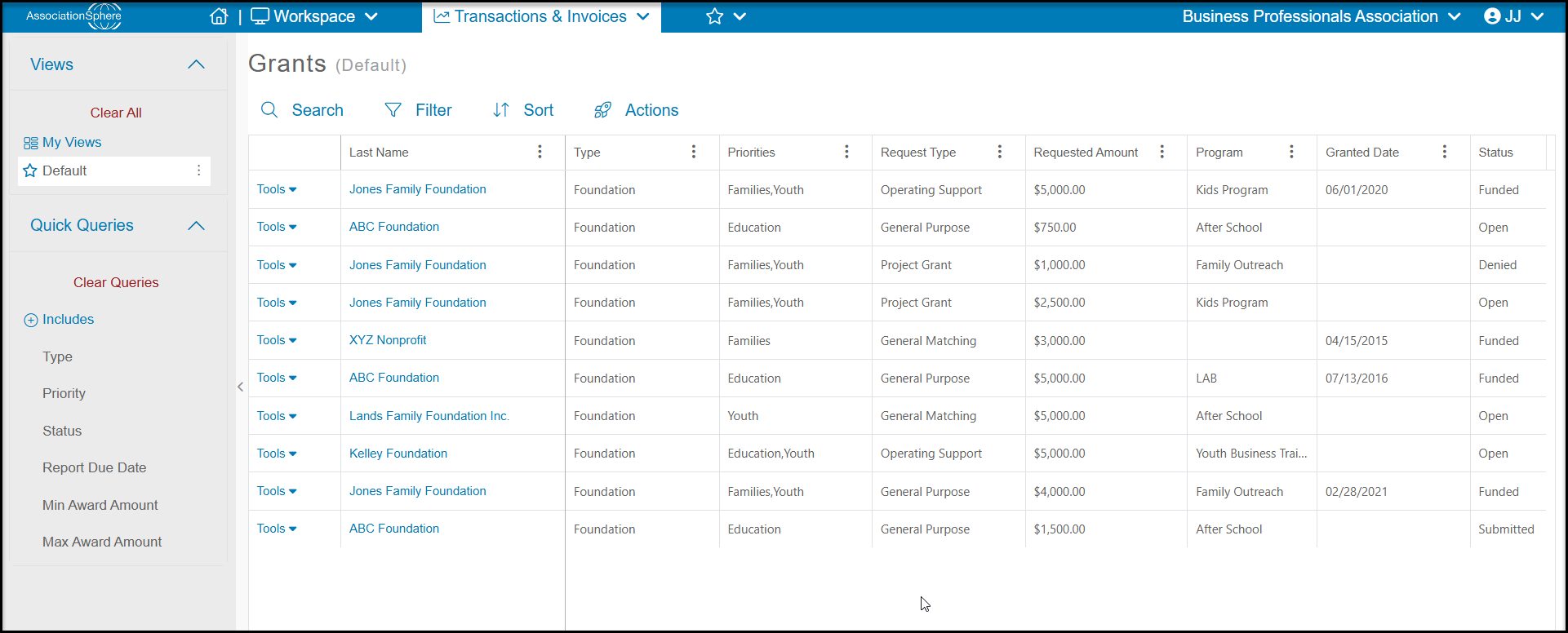
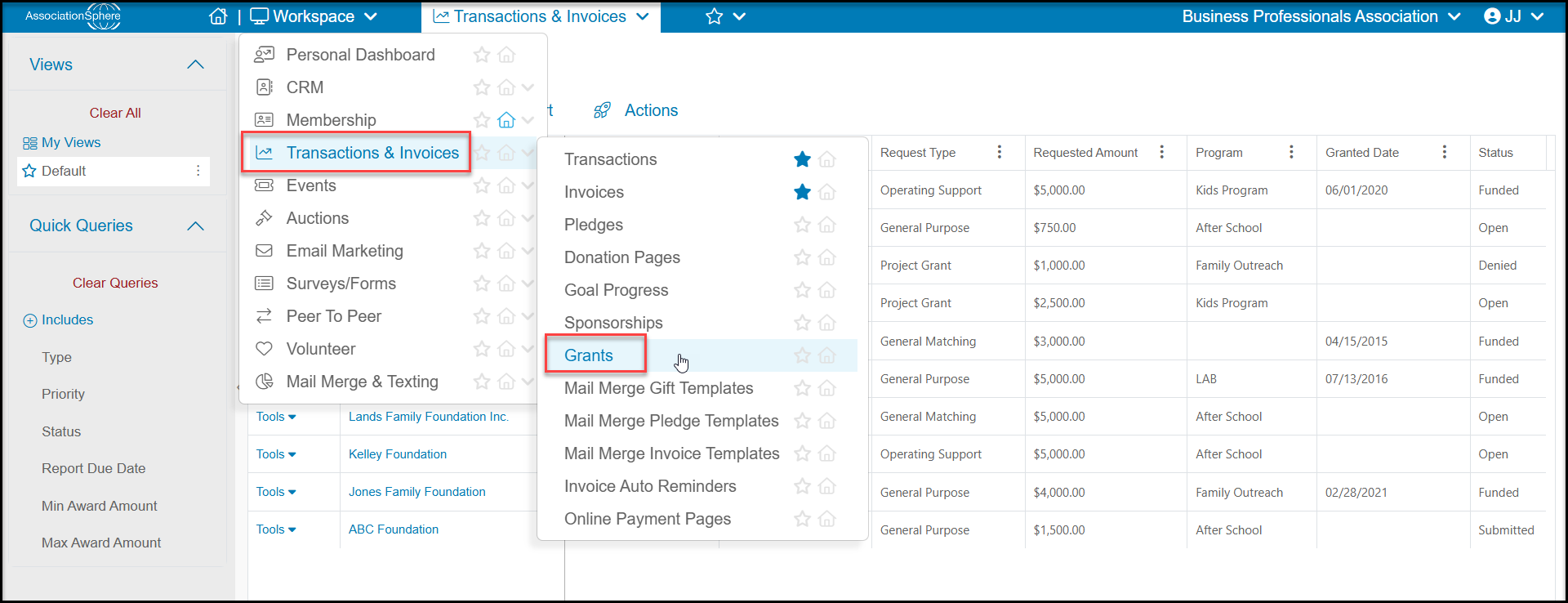 Here you will see a grid will all the grant proposals that have been submitted to all the grantors.This grid works like others in the software and you can create custom views for things like the**Status** or **Report Due Date**.
The **Actions**menu will also allows you to export the data in this view to Excel.
Here you will see a grid will all the grant proposals that have been submitted to all the grantors.This grid works like others in the software and you can create custom views for things like the**Status** or **Report Due Date**.
The **Actions**menu will also allows you to export the data in this view to Excel.
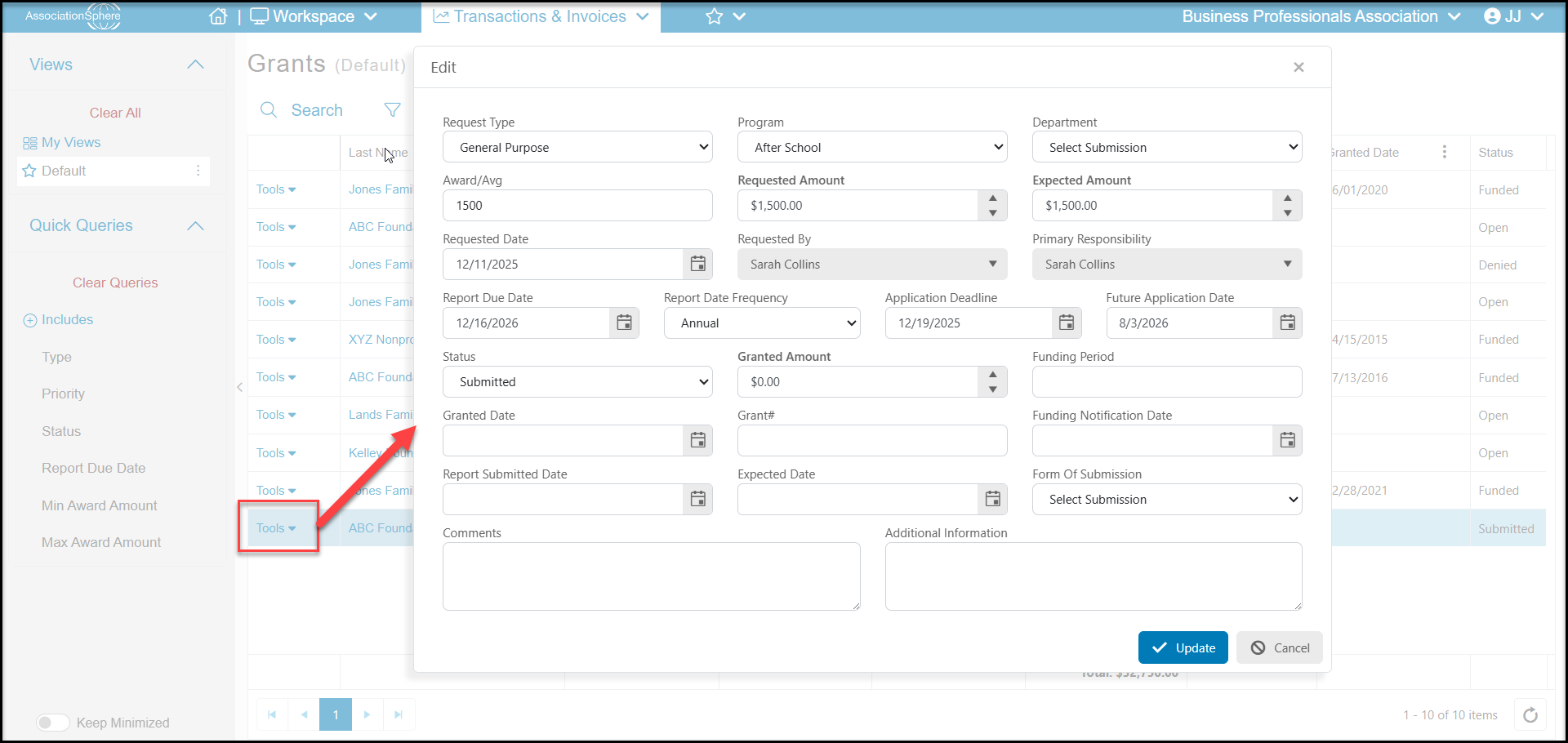
 The tools menu on the left side of each row will allow you to select **Edit** to open the proposal and add or edit information for that specific proposal. Click**Update**to save your changes.