
Having issues exporting grids using Chrome?
Updated Mar 22, 2021·1 min read
If you are a Google Chrome user and nothing happens when you click the Export to Excel button on a Dashboard there maybe be an issue with Chrome's Pop Up Blocker.
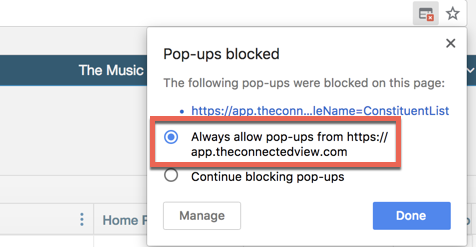
When you click the export a little Pop-Up blocker alert may appear on the right-hand side of your Chrome Address bar. If it doesn't you can give this a try:
Go into chrome and Preferences. Click, “Show advanced settings…” under Privacy click the “Content settings..” button Under Pop-ups click the “Manage exceptions…” button Then add “app.associationsphere.com” and click done.
Was this article helpful?