
How can I tie a proposal to the grant transaction record?
Updated Oct 7, 2026·1 min read
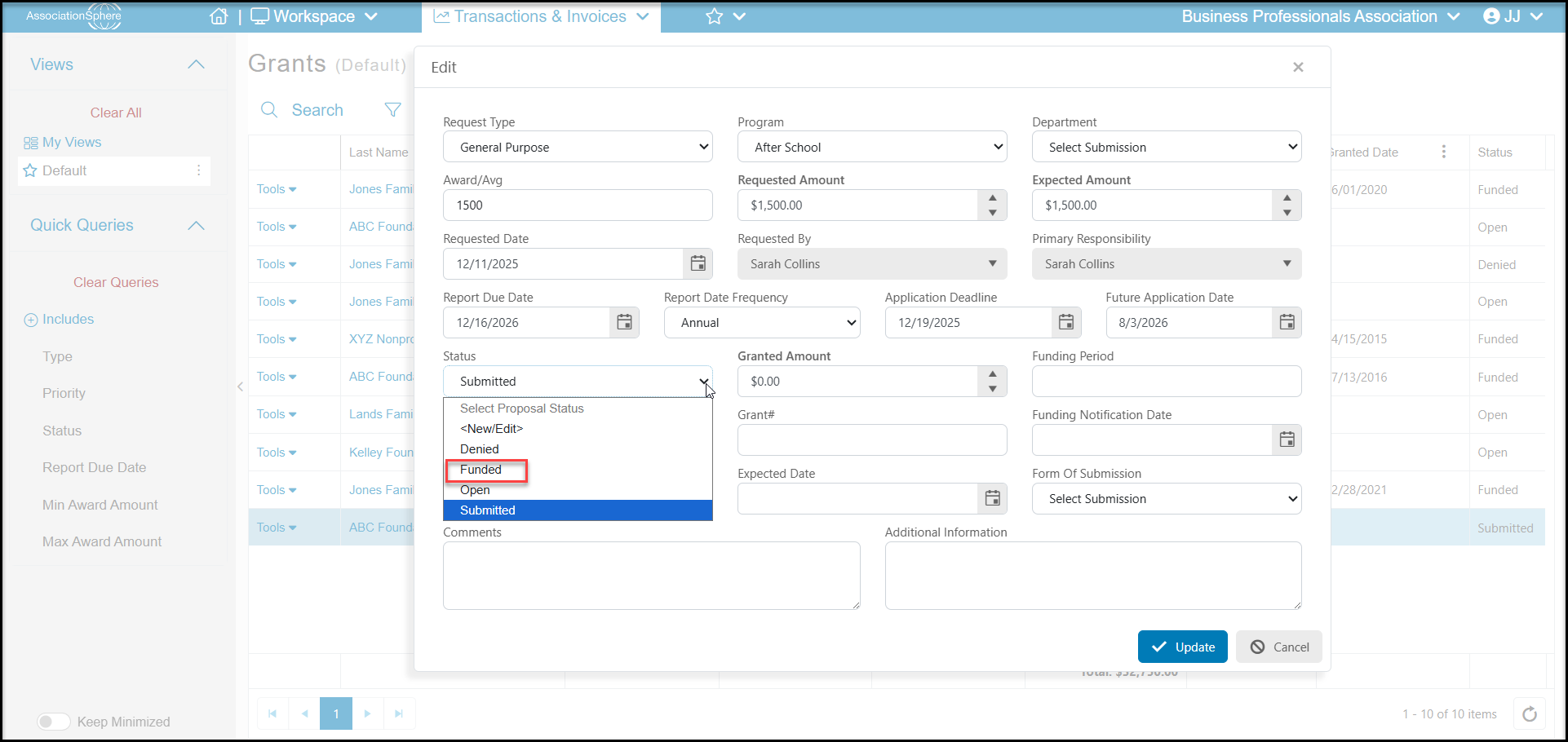
The grant must be identified as approved for funding prior to connecting it to a gift. Go to the Grants grid under the Fundraising Module and click on the Tools menu, then Edit.
Change the Status to Funded and enter Granted Date and the amount to be received under Granted Amount. Click Update to save the changes.
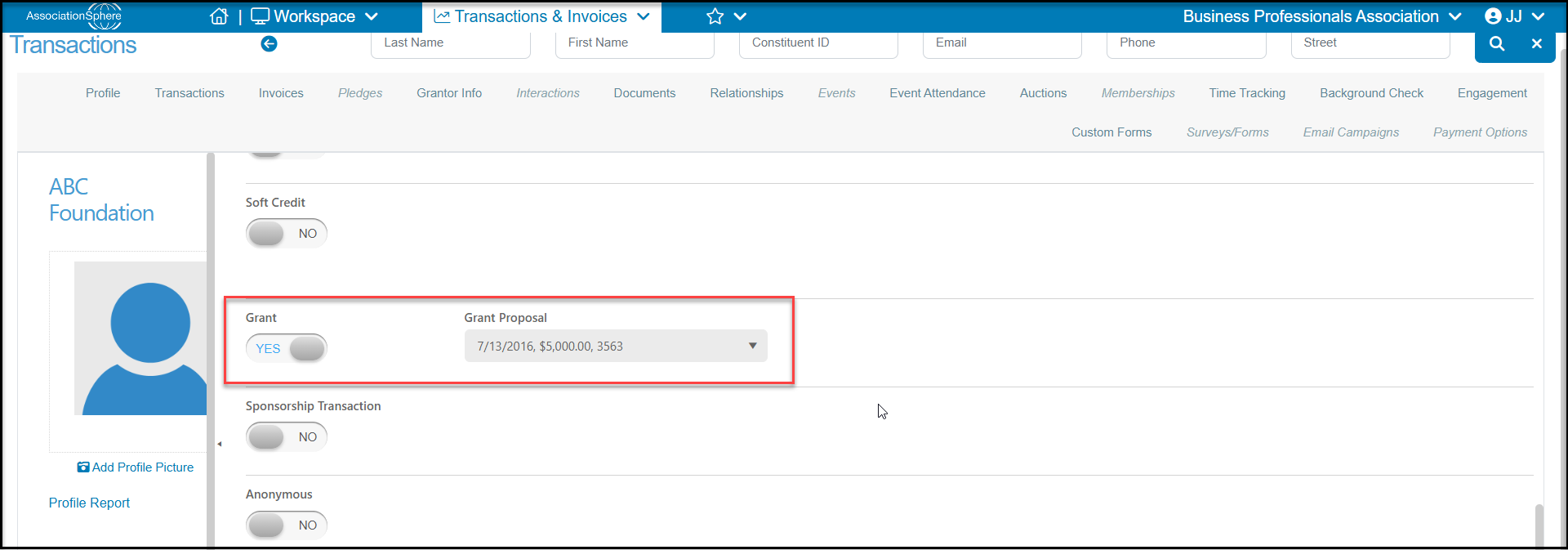
Enter the new transaction or edit the transaction that has been entered associated with the grant and toggle the Grant button to YES. A pulldown menu will appear and you'll be able to select the proposals that have been funded by this constituent from the list. Click the appropriate green Save button at the top or bottom of the page to complete the entry.
Was this article helpful?