How do I edit or delete an interaction?
To Edit a Record
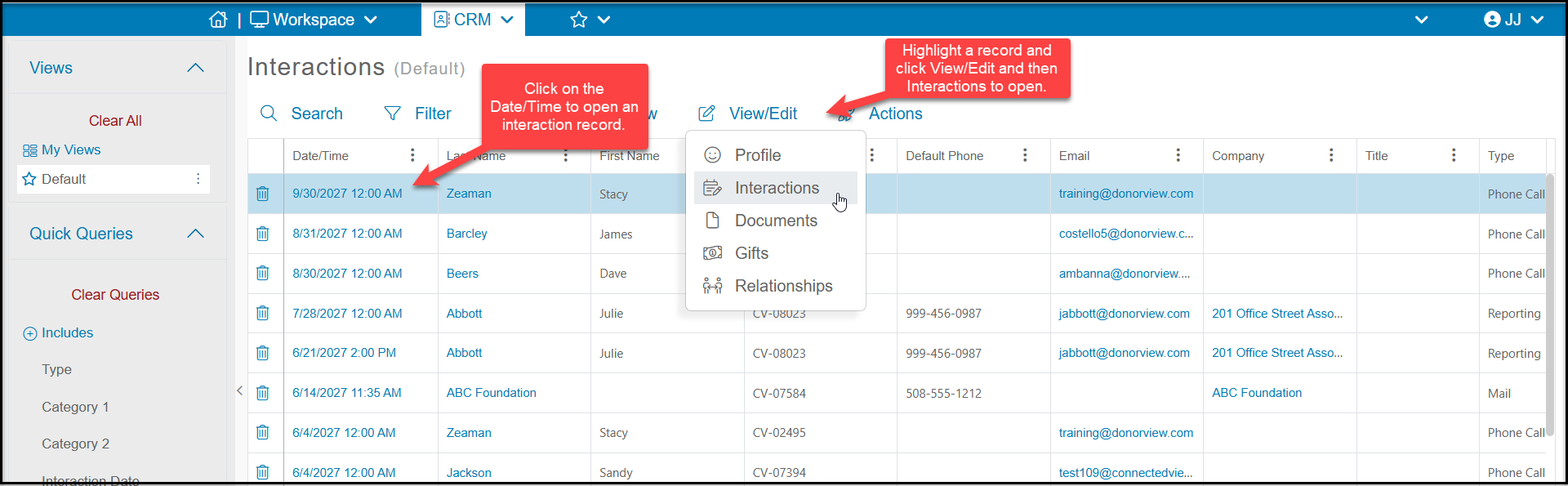
From the Interactions grid or the constituent's Interactions tab you can edit an interaction by clicking on the Date/Time or by highlighting the row of the record, clicking on View/Edit, then selecting Interaction.
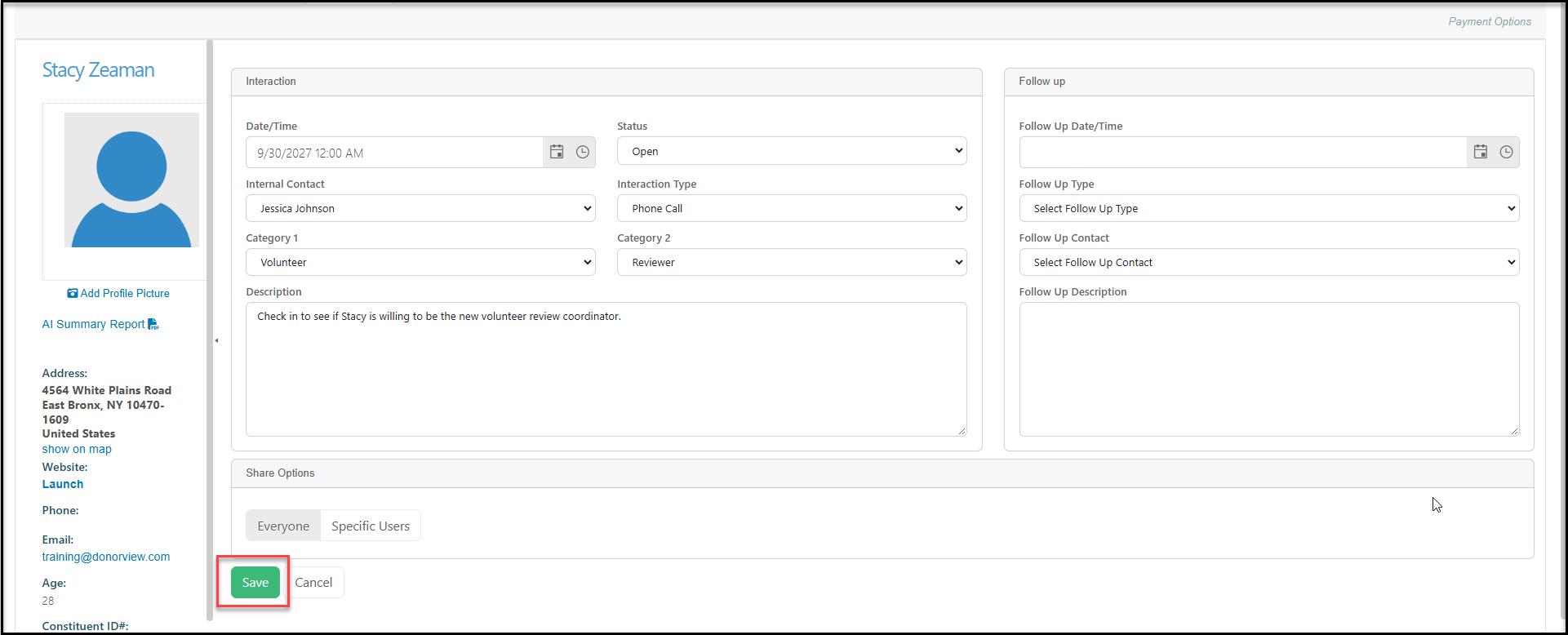
This will open the constituent's profile showing the particular record you would like to edit. You can edit any field and when complete, click Save to update the record. You can also click Cancel to exit without saving and return to the previous screen.
To Delete a Record
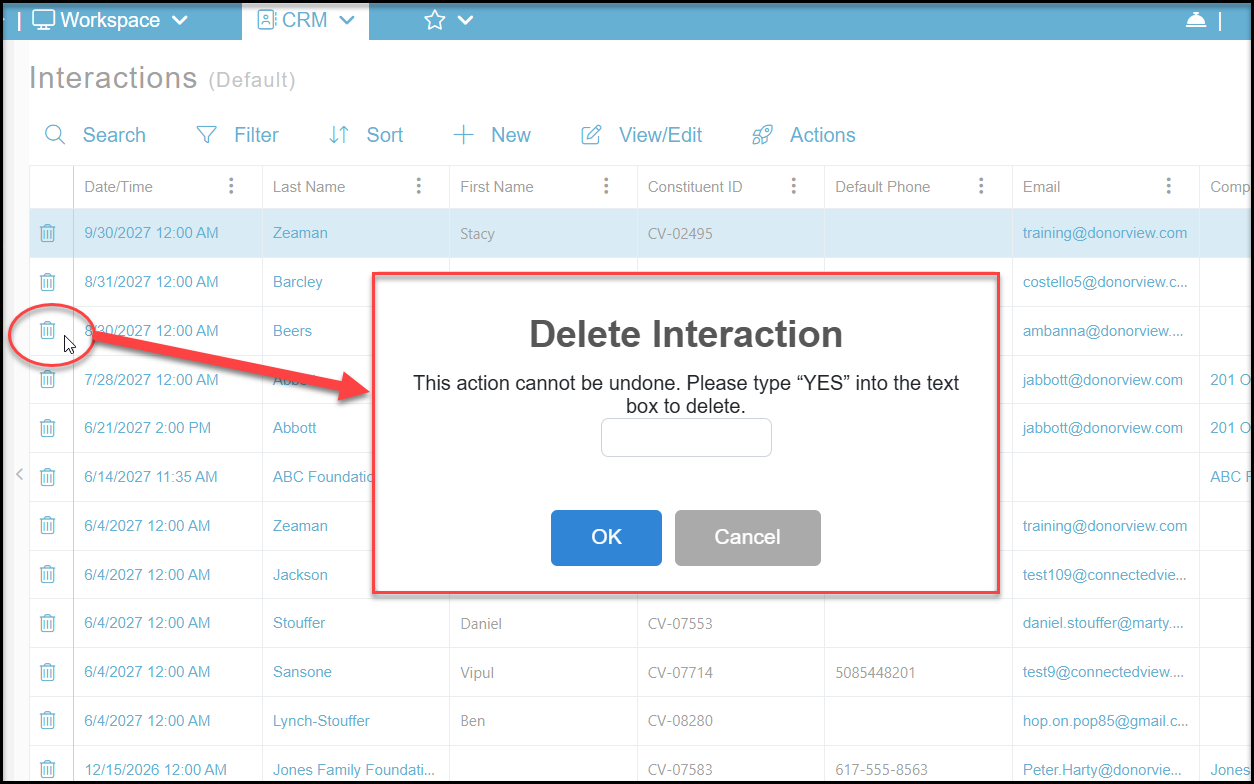
Deleting an interaction cannot be undone and the record cannot be recovered. To delete an interaction record, click the trash can icon on the left side of the row you wish to delete. In the new window, type YES in the box and click OK to delete the record. If you do not wish to delete the record, click Cancel to return to the previous screen without deleting.