
AssociationSphereHelp center
All articlesContactContact supportSign inSign up
Help center/Organization Account Management/Social Media

How do I get to the Manage Social Media page?

Updated Jul 22, 2024

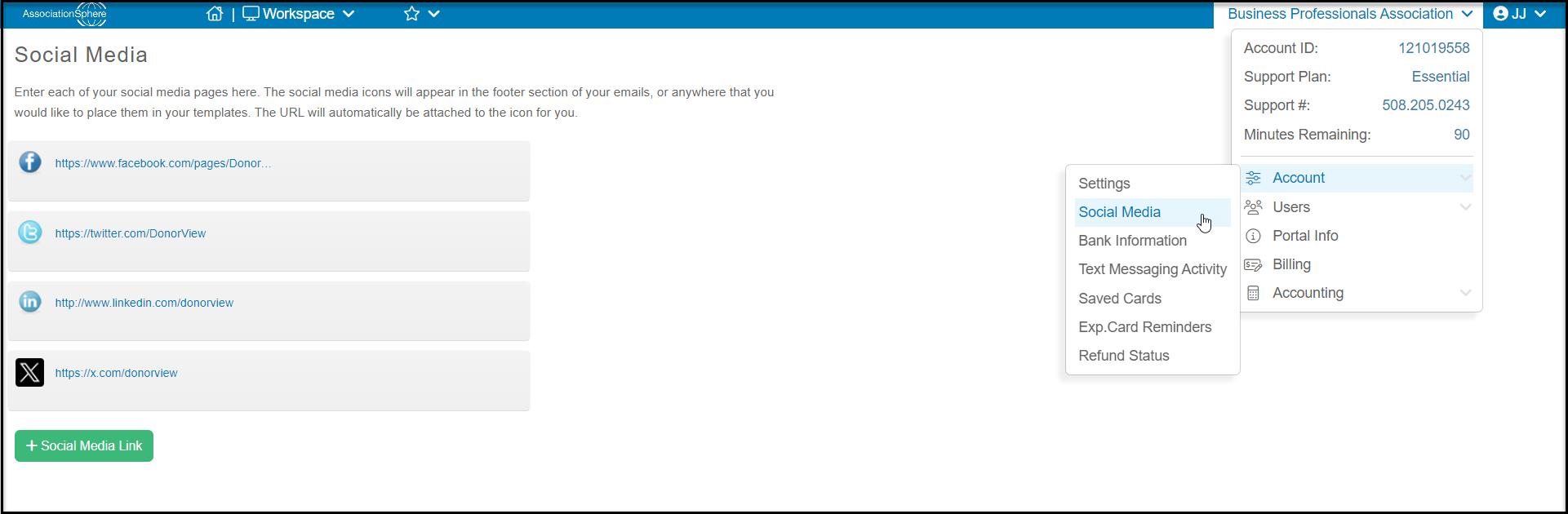
Once you have logged into DonorView, mouse over your Organization's Name and then Account, and click on Social Media. You can edit and add new links which will auto populate in the Email Marketing templates.
Was this article helpful?

Related articles

Can I add more than one social media link?How do I edit or remove a social media link?How do I add a social media link?
© ConnectedView LLC
Help centerContact supportPowered by BlueHill