
How do I increase or edit the auction add-on quantity?
Updated Oct 7, 2026·1 min read
-
A quantity limit can be placed on the add-on items.
-
To view and edit the quantity available, go to the auction page editor.
-
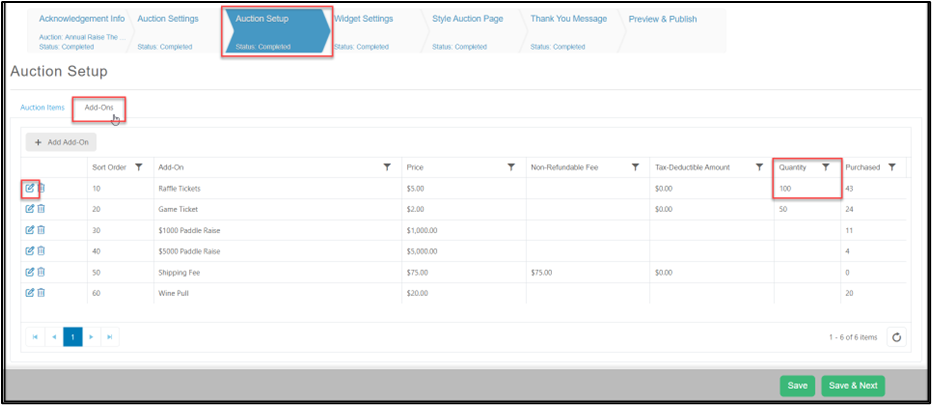
Click on the Auction Setup tab and then the Add-ons tab.
-
The add-ons items and the current quantity can be viewed on the grid.
-
Next to the item, click on the edit icon to change the quantity.
-
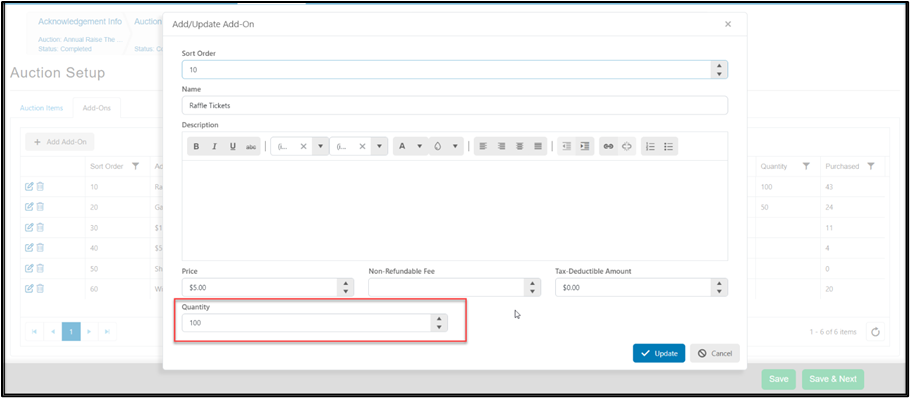
Edit the Quantity as desired and click on the blue Update button to save the changes.
Was this article helpful?