
How do I use an alternate payment type for auction checkout?
Updated Apr 8, 2024·1 min read
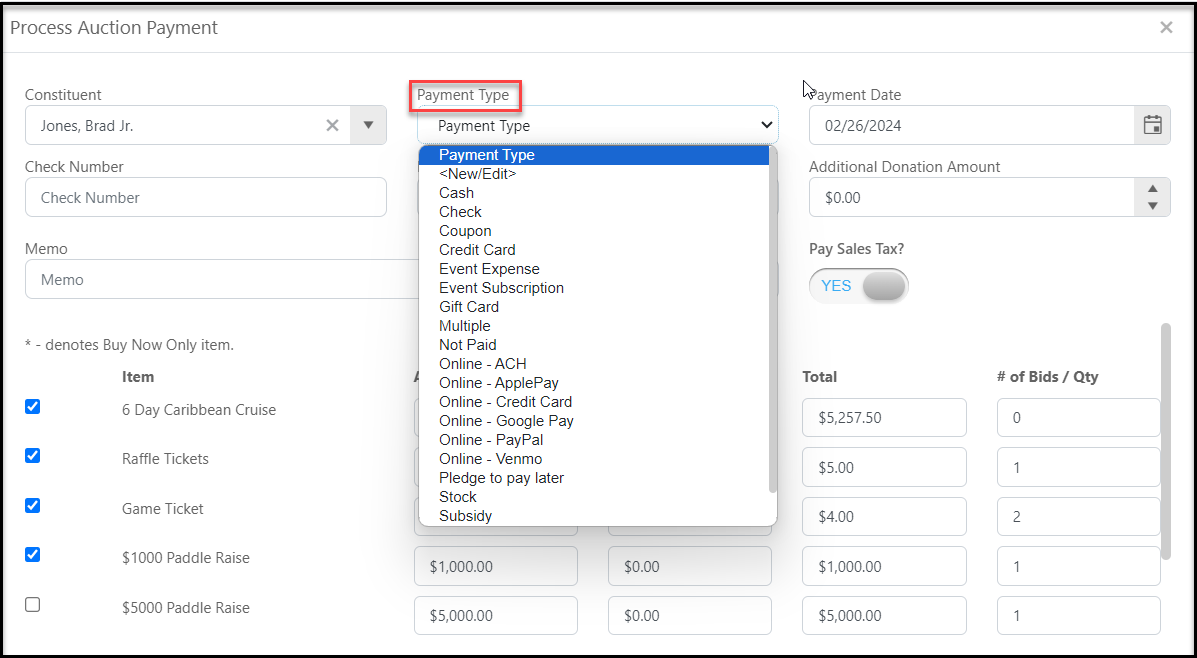
- Payment types are selected from the dropdown menu in the checkout window.
- If other forms of payment will be collected, ensure the proper payment type has been included in the list of options by using the <New/Edit> feature.
- It is recommended that only Admin users update this information and great care is taken when adding/editing payment types.
- Do not reuse any of the existing labels such as Online - Credit Card as these are used to identify processing made through the AssociationSphere payment platform.
Was this article helpful?