
Setting Up Free Event Levels as a Membership Benefit
Member-only Event Level registrations can now be limited based on a member’s Membership Level.
Member-only Event Level registrations can now be limited based on a member’s Membership Level. This feature allows you to offer a specific number of free Event Levels as a membership benefit or provide members with unlimited free Event Levels during their active membership term.
The setup begins with your online Membership Form and Membership Levels.
Step 1: Enable Free Event Tickets
Navigate to the Setup of the Membership Form you wish to use.
On the Membership Settings page, locate the Financial Information section. At the bottom of this section, you will find a toggle labeled Enable Free Event Tickets.
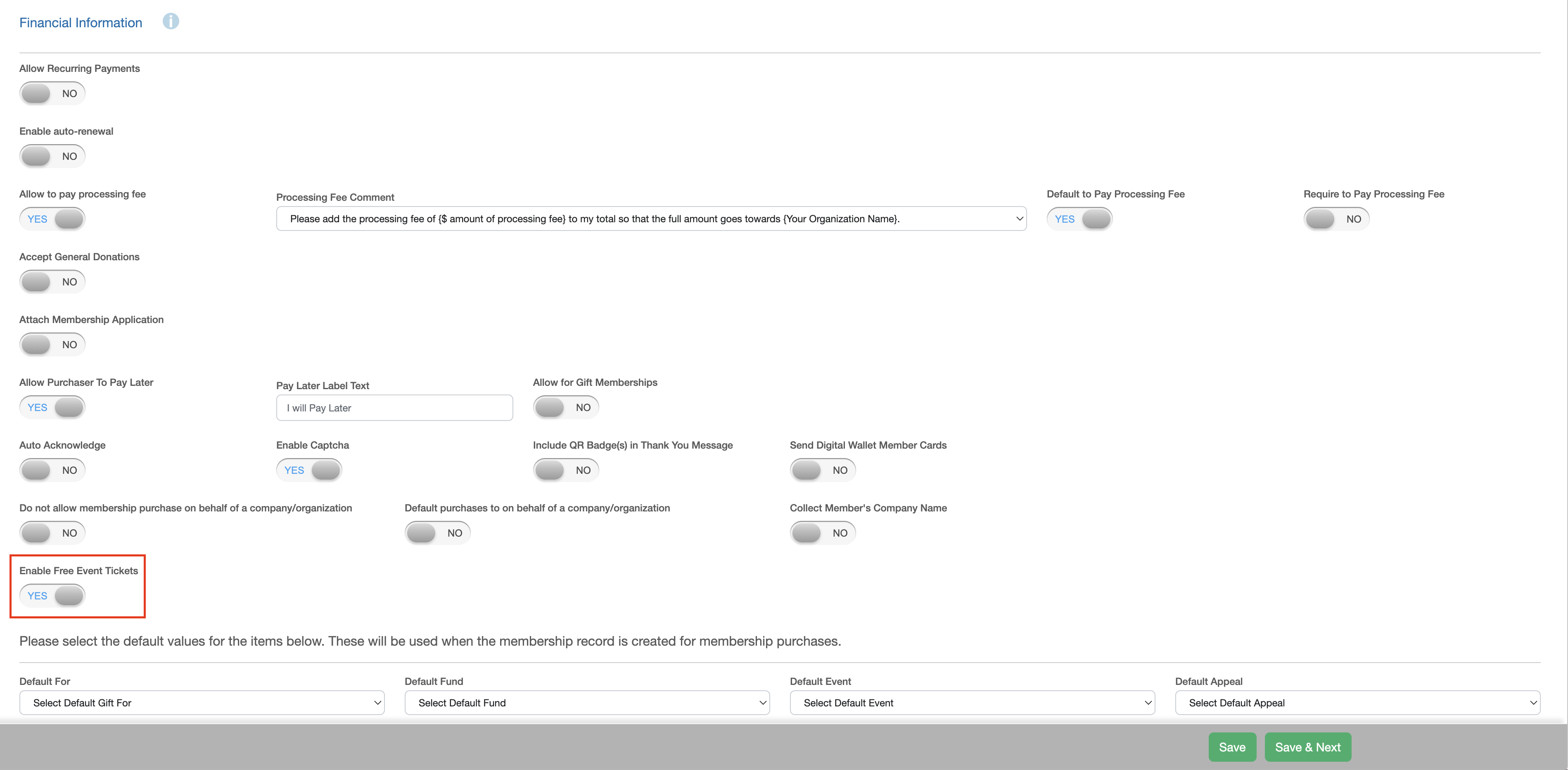
Set Enable Free Event Tickets to YES to activate the ability to define how many free Event Levels can be redeemed by members enrolled in each Membership Level.
Once activated, click Save and continue to the Membership Setup page.
Step 2: Configure Free Tickets for Each Membership Level
On the Membership Setup page, you can configure the benefit for each Membership Level available for enrollment.
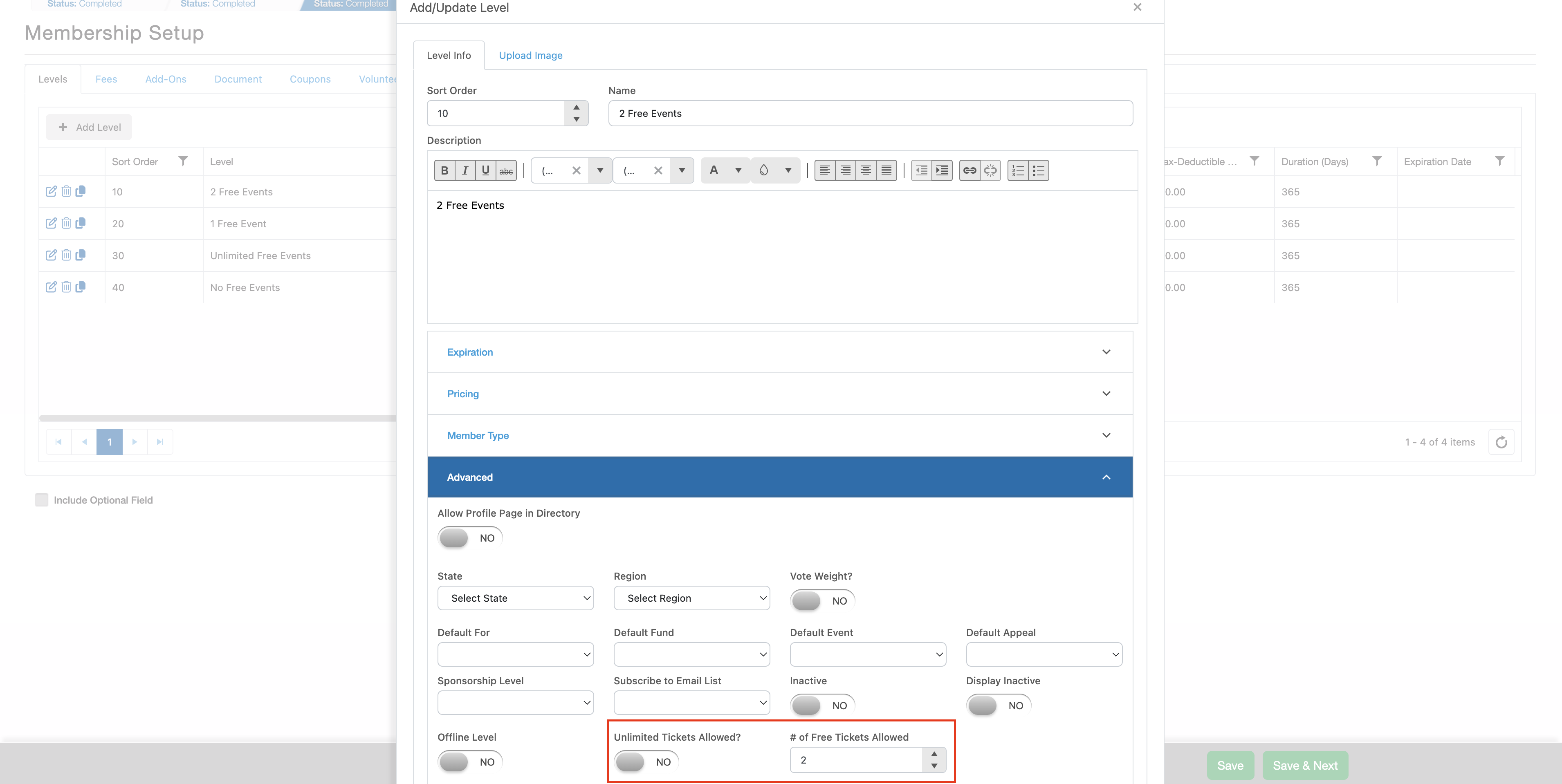
Edit the desired Membership Level and expand the Advanced section. You will find two settings related to free Event Levels:
Unlimited Tickets Allowed?
Set this field to YES if active members enrolled in this Membership Level should be able to redeem an unlimited number of eligible free Event Levels during their membership term.
# of Free Tickets Allowed
If you want to limit the number of free Event Levels a member can redeem, leave Unlimited Tickets Allowed? set to NO and enter the total number of free Event Levels included with the membership in the # of Free Tickets Allowed field.
If the Membership Level does not include any free Event Levels, leave both fields at their default settings.
Repeat this process for each Membership Level that should include free Event Levels as a benefit.
Once complete, finish setting up your Membership Form as normal and make the form available for online enrollment.
Step 3: Configure an Event Level as a Free Member Benefit
When creating an Event with an Event Level that members can redeem for free, there are several additional settings that must be configured.
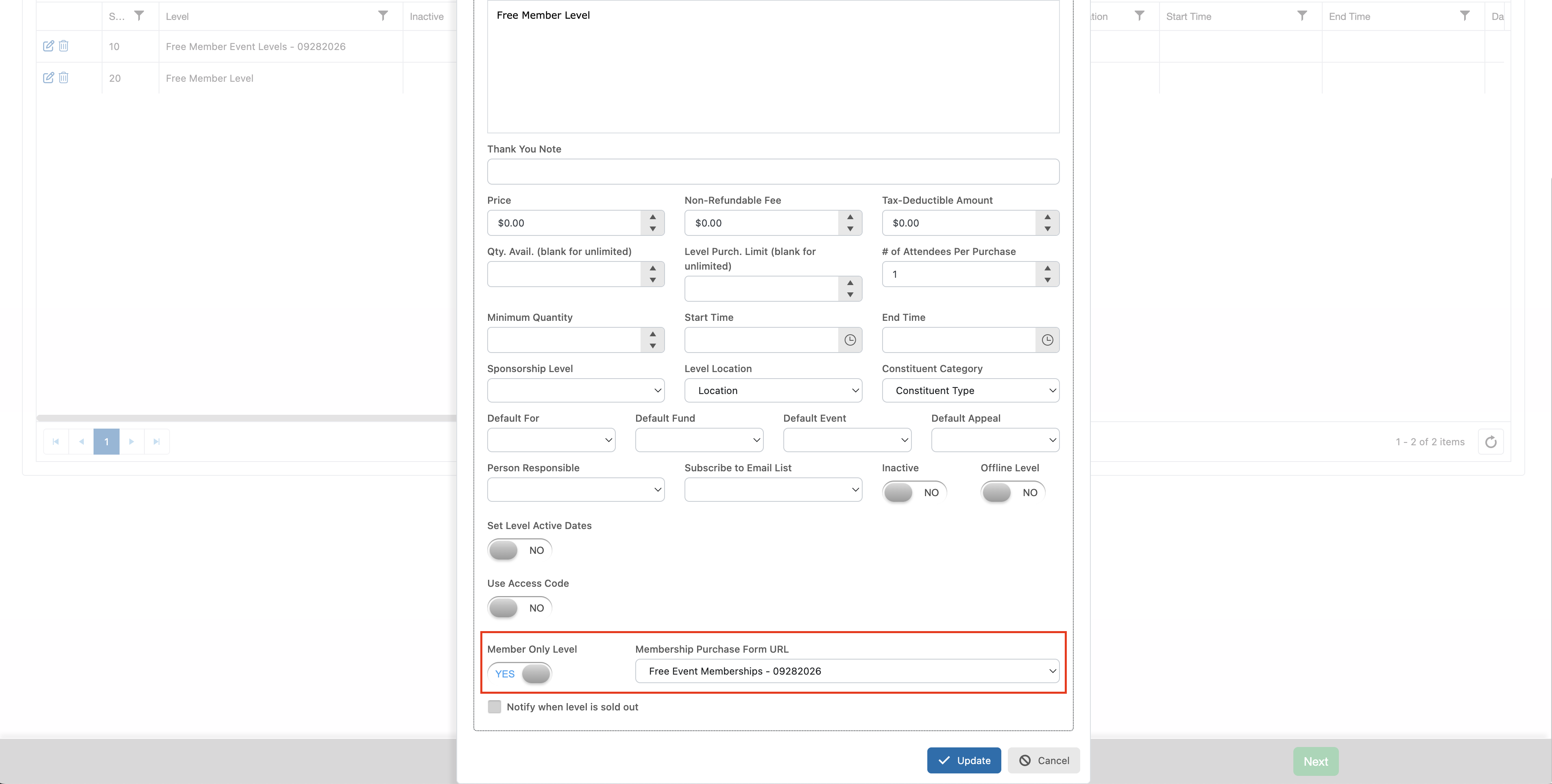
Within the setup of the applicable Event Level, turn on the Member Only Level toggle. Activating this setting will make the Member Only Level setup page available.
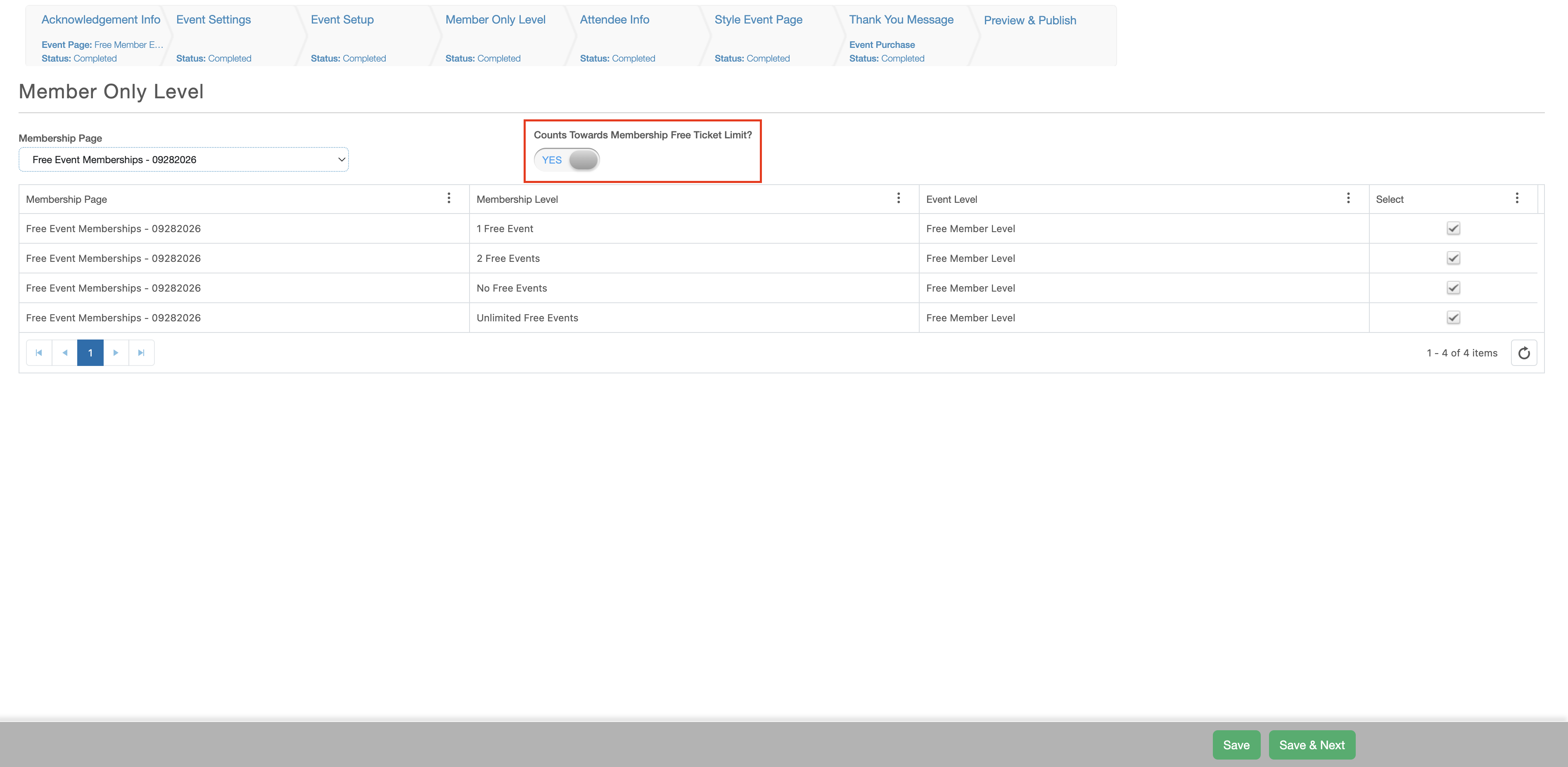
On the Member Only Level page, select the Membership Levels that should have access to the Event Level:
- Select the desired Membership Form from the picklist.
- Check the Select box next to each Membership Level that should have access to the Event Level.
- Set Counts Towards Membership Free Ticket Limit? to YES.
Setting Counts Towards Membership Free Ticket Limit? to YES ensures that the free ticket limits configured for each Membership Level are applied when members register for this Event Level.
Tracking Free Event Levels
The software automatically tracks the number of free Event Levels each member has used and how many they have remaining. These values are displayed on the Membership grid.
Free Event Levels are associated with a specific membership transaction and do not roll over from one membership term to another. Any unused free Event Levels must be redeemed during the term of the applicable membership.
To redeem a free Event Level, the individual must:
- Have an active membership in an eligible Membership Level.
- Have free Event Levels remaining, unless their Membership Level allows unlimited tickets.
- Complete the membership verification process on the Event registration page.
Redeeming Free Event Levels
To redeem their benefit, the member should navigate to the applicable Event registration page.
On the Member Only Level, the member will click the option to verify their membership. Once their active membership and eligibility have been confirmed, they can select the number of free Event Levels they wish to redeem.
The software will apply the available benefit and update the member’s used and remaining free Event Level counts accordingly.