
What are the transaction types?
Updated Aug 5, 2026·2 min read
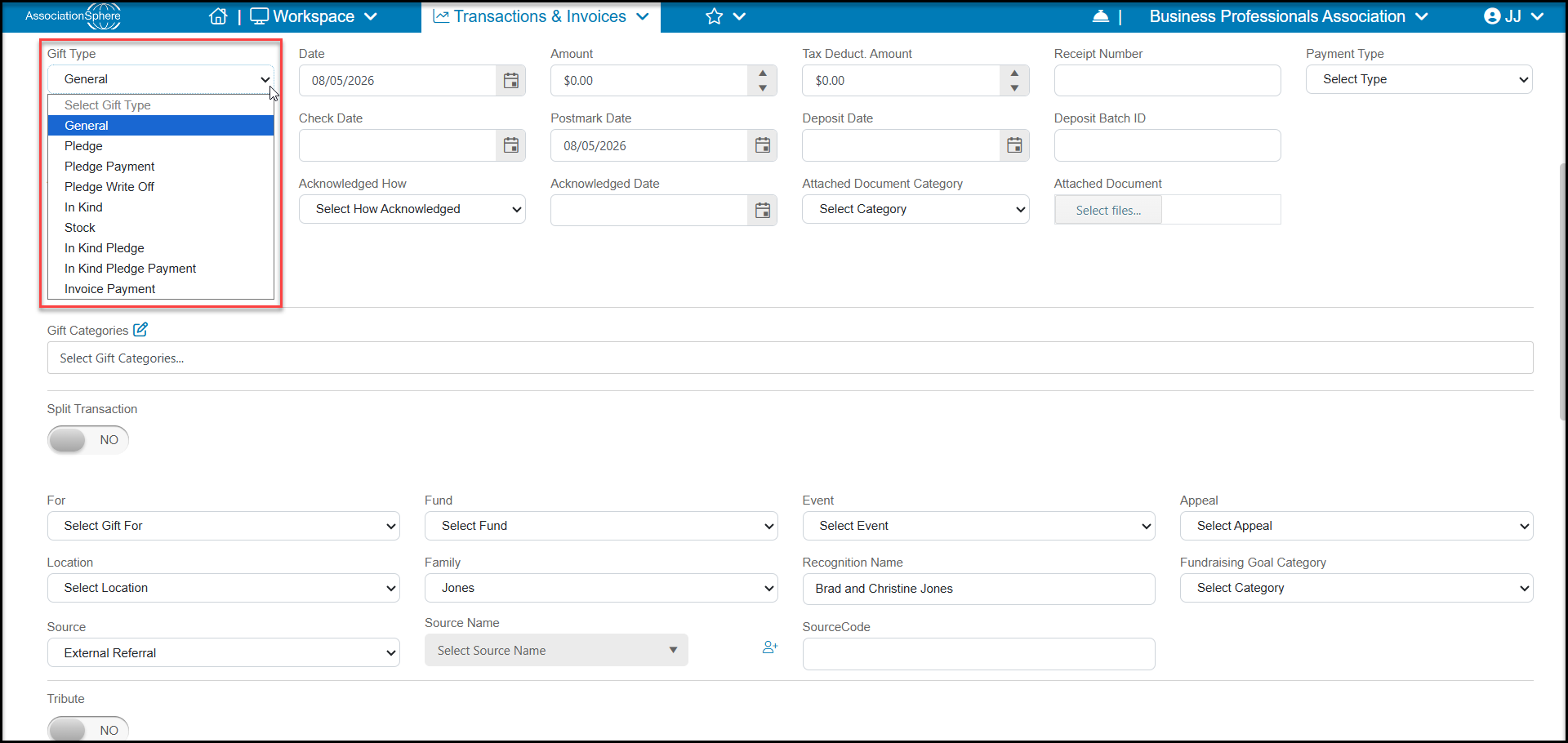
There are 9 different transaction types to select from when manually entering a transaction that is not for a membership, event, or auction purchase. They are:
- General – a one-time cash donation or contribution. General transactions include payments made by check, credit cards, gift cards, pre-paid subscriptions, and ACH transactions.
- Pledge – a promise to pay in the future, either as a one-time donation or a recurring donation made over time such as a monthly donation.
- Pledge Payment – a payment made on an existing pledge. A pledge must be created first to accept a pledge payment.
- Pledge Write Off– if a pledge cannot be completed, some or all the future payments can be written off. The pledge is still visible, but any unpaid, outstanding payments no longer show with an amount due.
- In-Kind– includes any services or physical items such as office supplies, food, equipment, furniture, and items to be used for auctions.
- Stock– shares of stock typically from a company traded on the stock market.
- In-Kind Pledge – similar to a pledge for a cash donation, this is a pledge to provide services or physical items at some time in the future.
- In-Kind Pledge Payment – a record of delivery of the in-kind services or physical items that were promised as part of an In-Kind Pledge.
- Invoice Payment - partial or full payment of an invoice.
Once the gift entry is saved, the gift type cannot be edited or changed. If the gift type was assigned incorrectly, enter the transaction correctly and the go back and delete the incorrect entry.
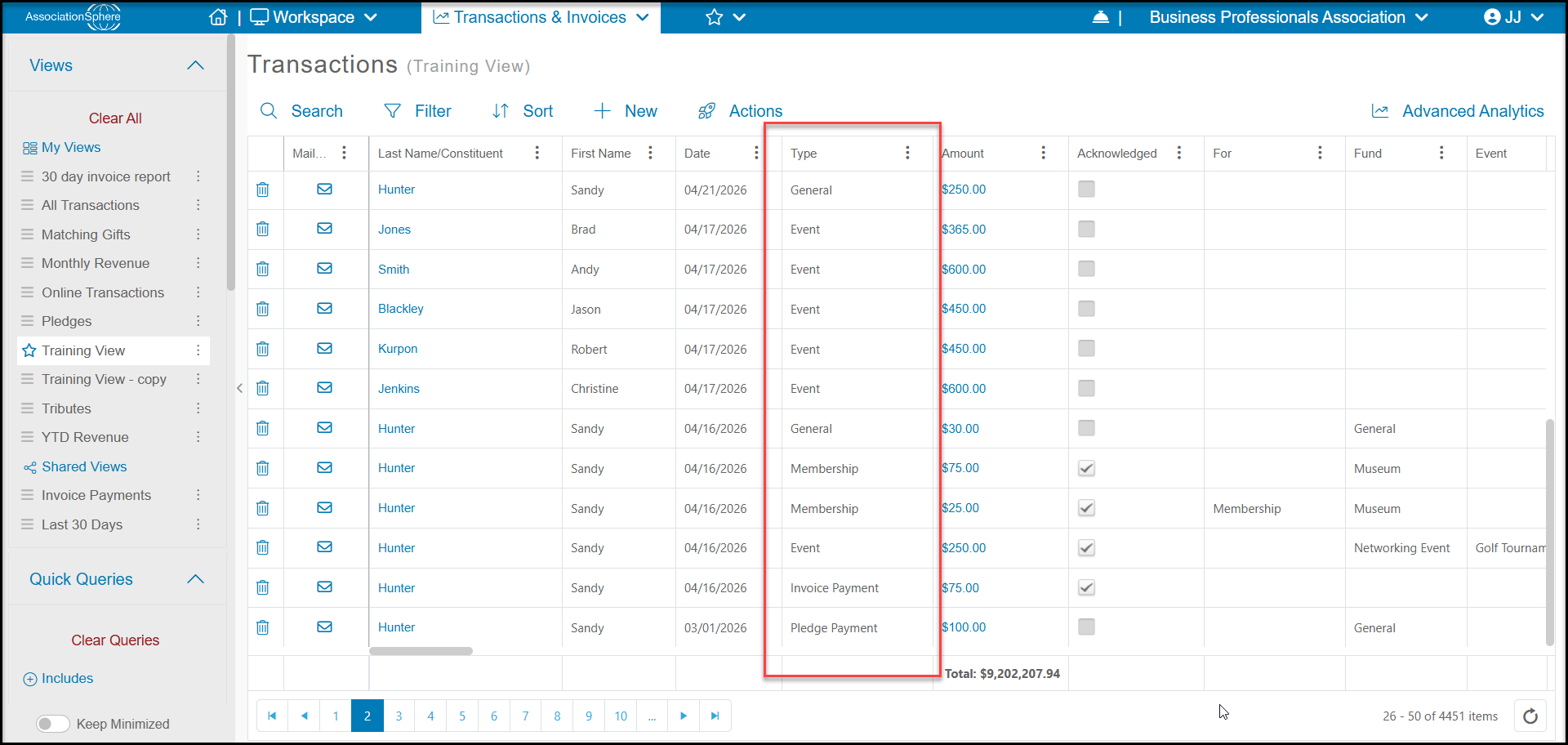
Note that on the Transactions grid or the constituent's Transactions tab, transactions for memberships, events, and auctions are automatically assigned those transaction types, but they are not available as a choice when manually entering or editing contributions. All memberships, events, and auctions are processed through the appropriate page or grid, not via the Add Transaction feature.
Was this article helpful?