
How do I see the transactions for a specific constituent?
Updated Aug 5, 2026·1 min read
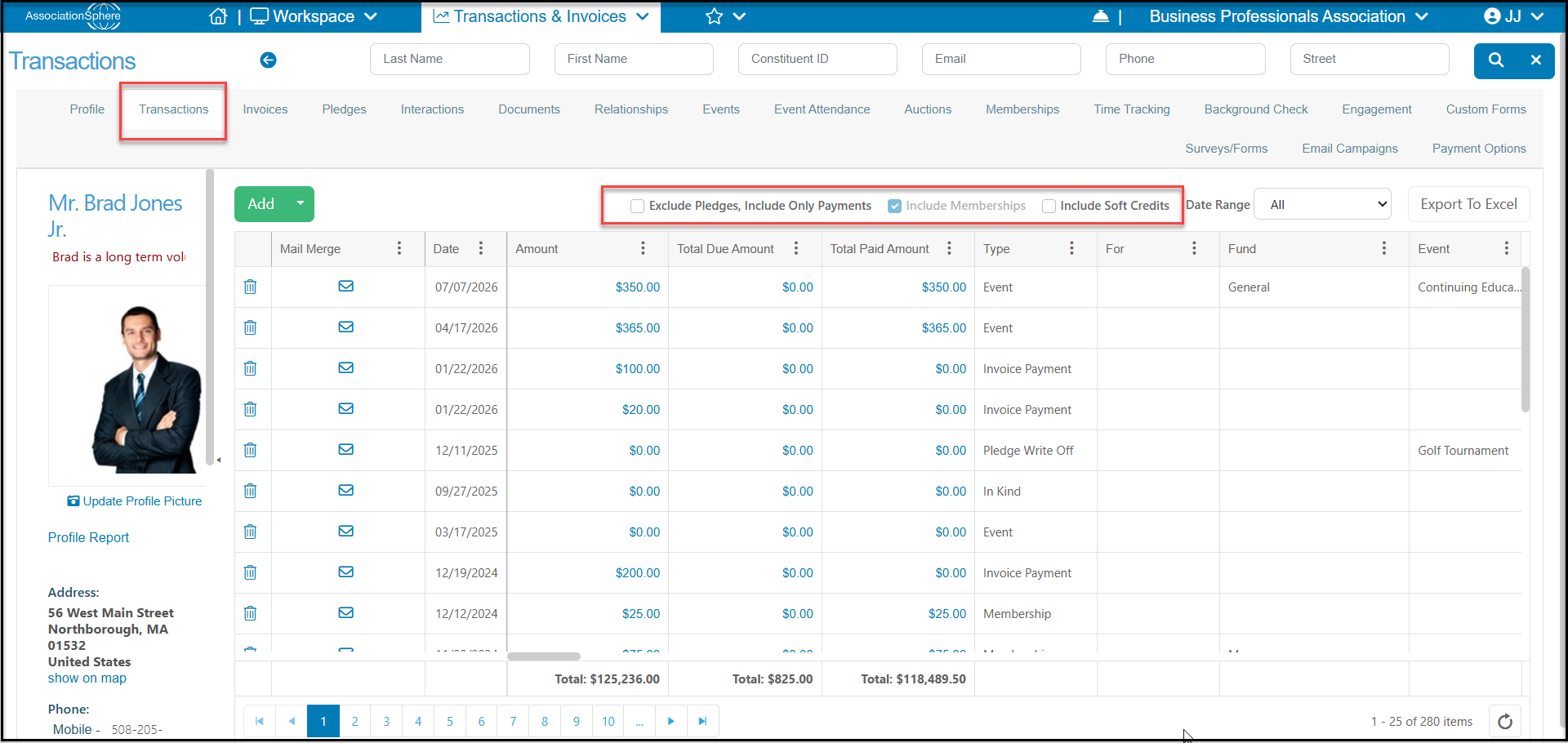
You can see all of a constituent's transactions in their record under the Transactions Tab. The grid displays all direct transactions by default. If you also wish to include soft credits, you will need to check the box Include Soft Credits at the top of the grid. You can also Exclude Pledges, Include Only Payments if you do not wish to see the Pledge type transactions and only view the payments.
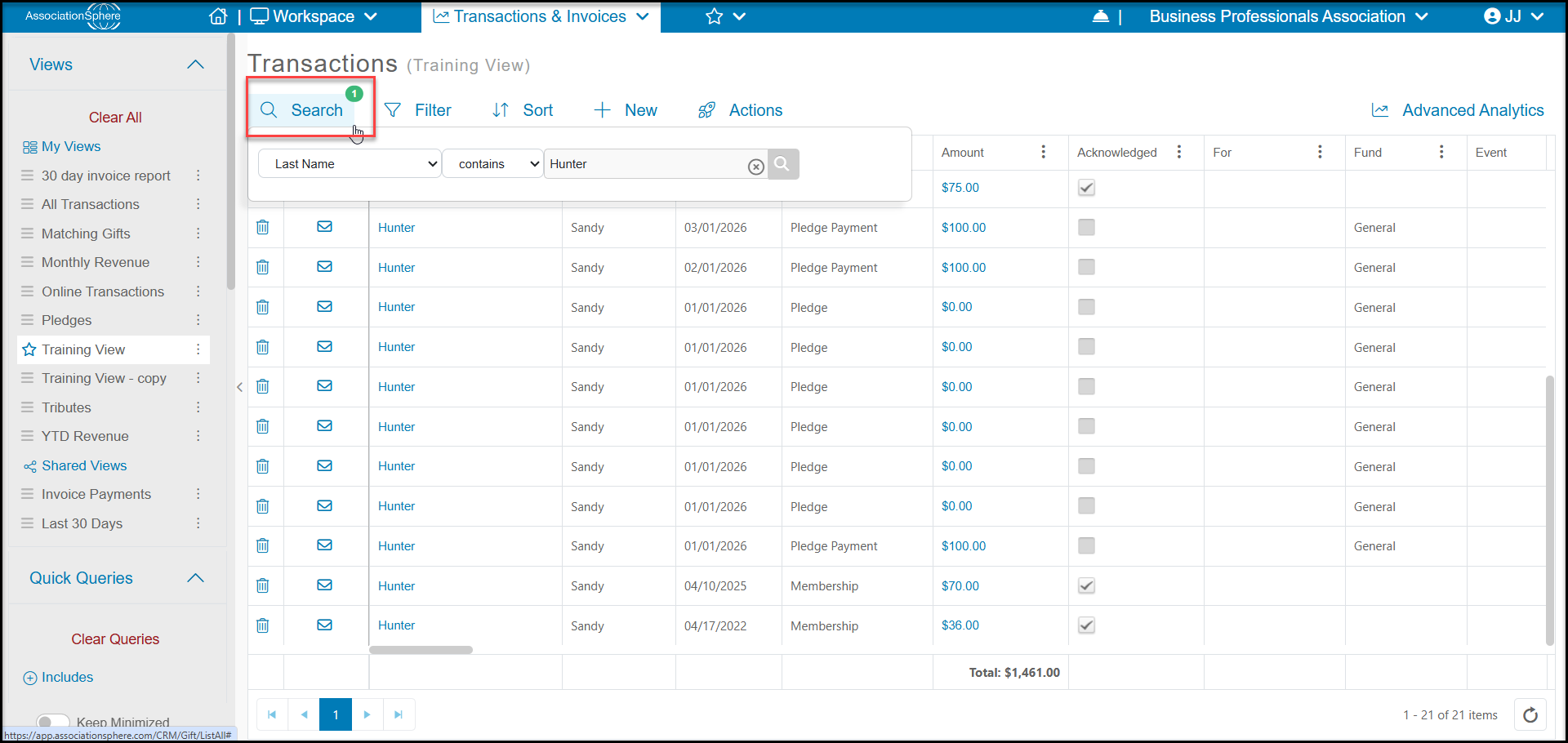
You can also see transactions for a specific constituent from the main Transactions Grid. You would need to search for the constituent or filter the Last Name/Constituent column for the constituent. You may also have to filter the First Name column if there are other constituents with the same last name.
Was this article helpful?