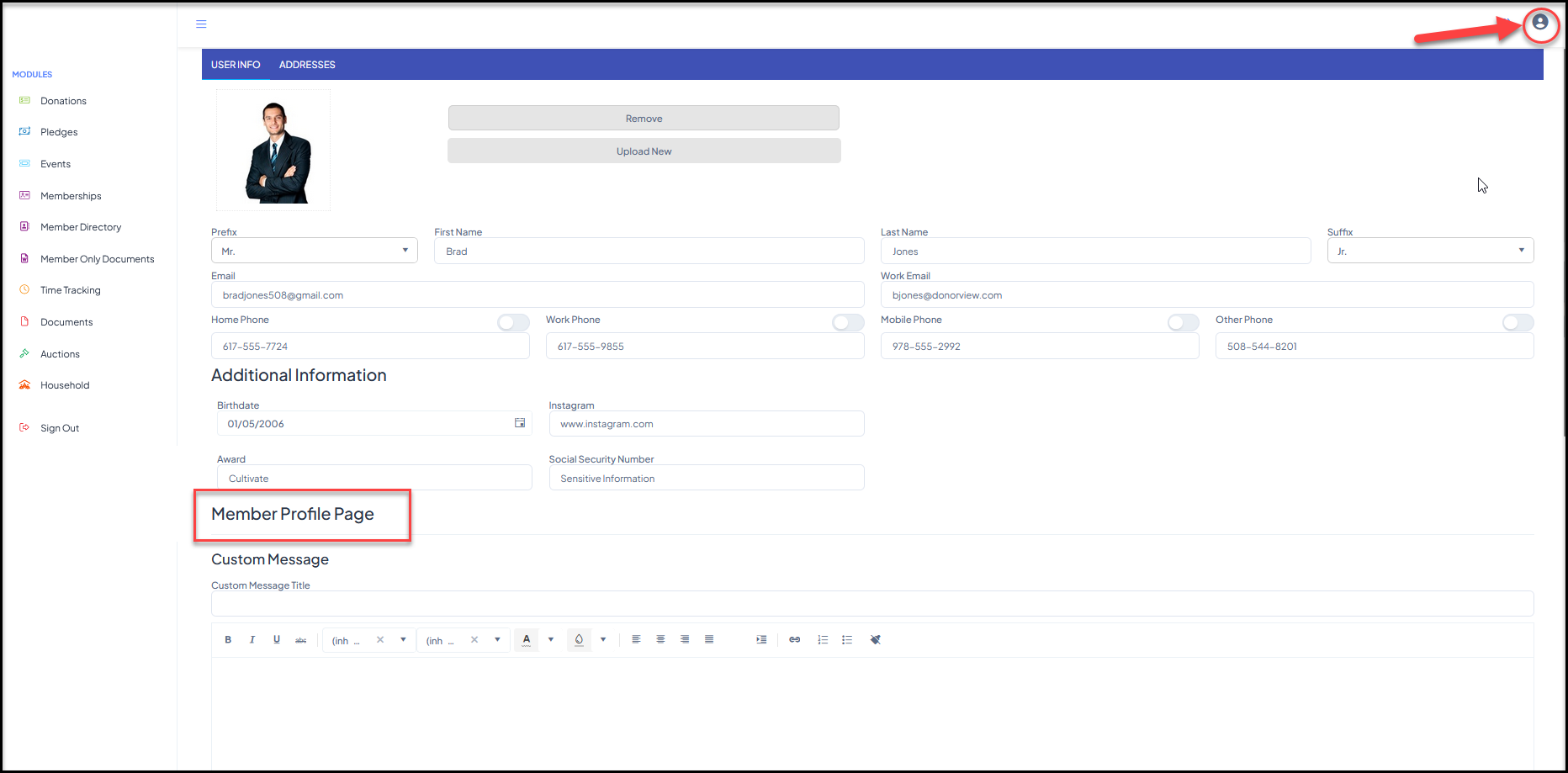
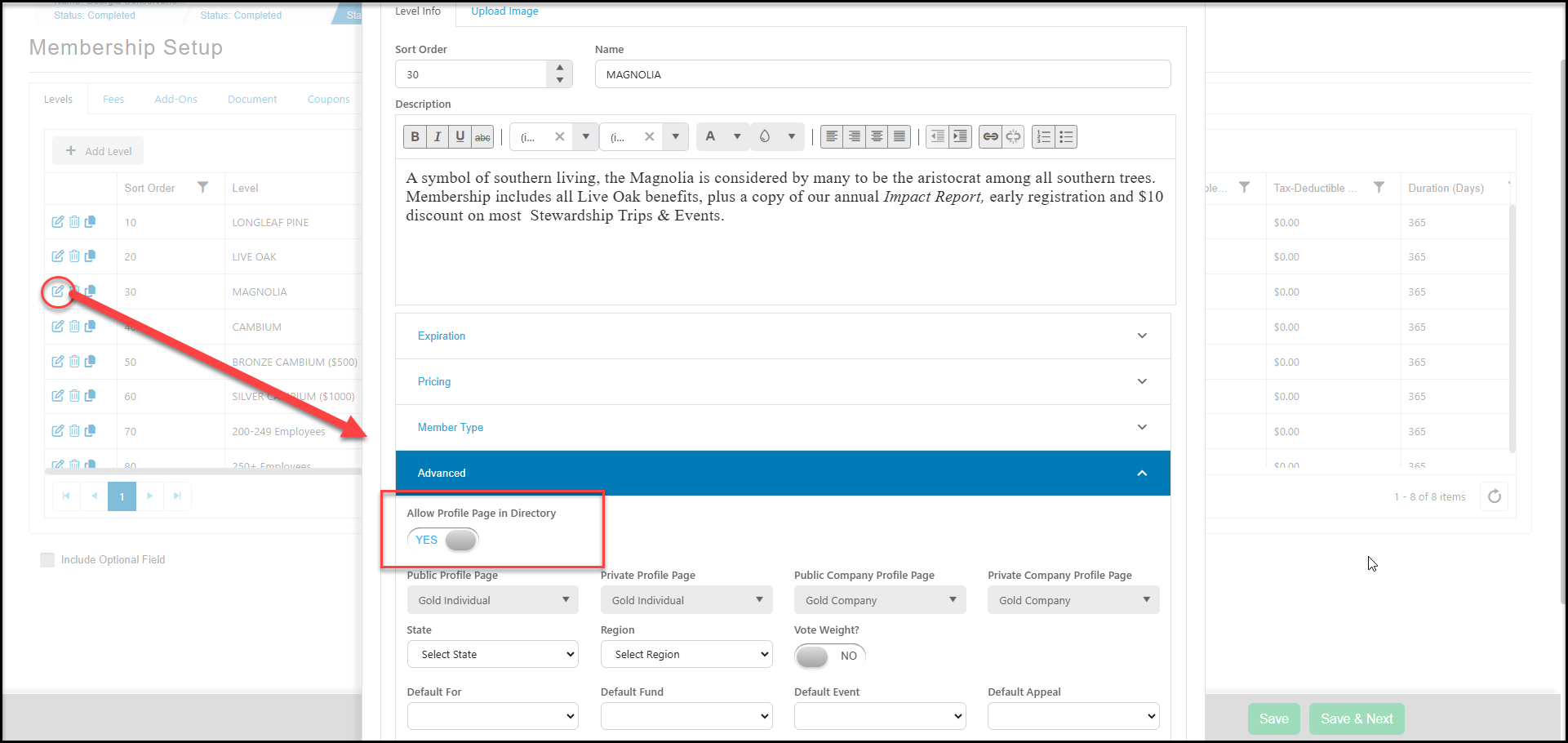
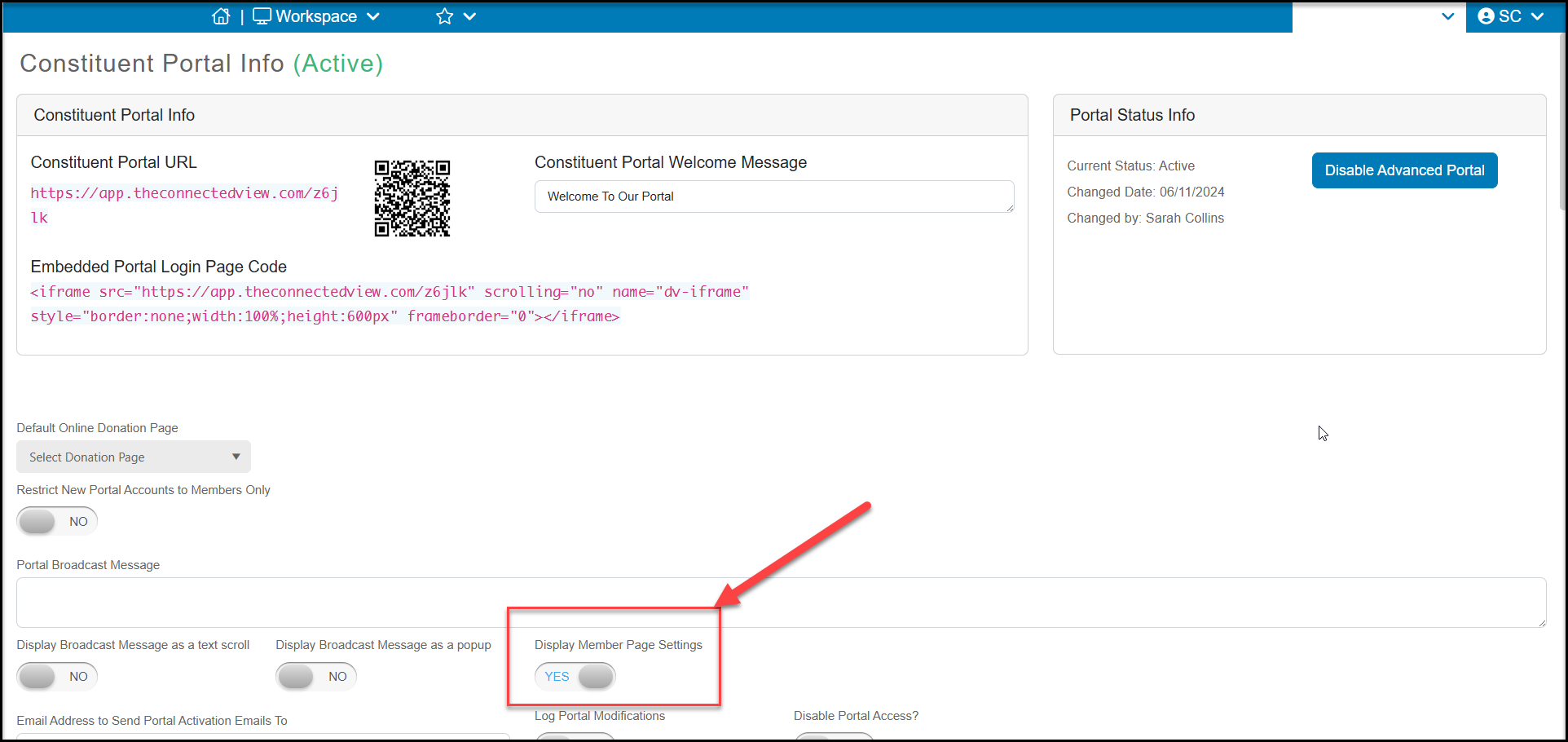
If you have created a member profile page, activated it on the membership level, and activated on the Constituent Portal settings page, then members will be able to update their personal information on the profile pages.
When the member clicks on the User Profile icon in the top corner of the page, they can select Update My Info. With the Member Profile Page features activated, they will be able to update the fields you have created and personal their profile page.
The member profile pages can be accessed from the public and private membership directories so that more details can be shared about the member as desired.
The constituent will click Save by scrolling to the bottom of the window to save their changes.