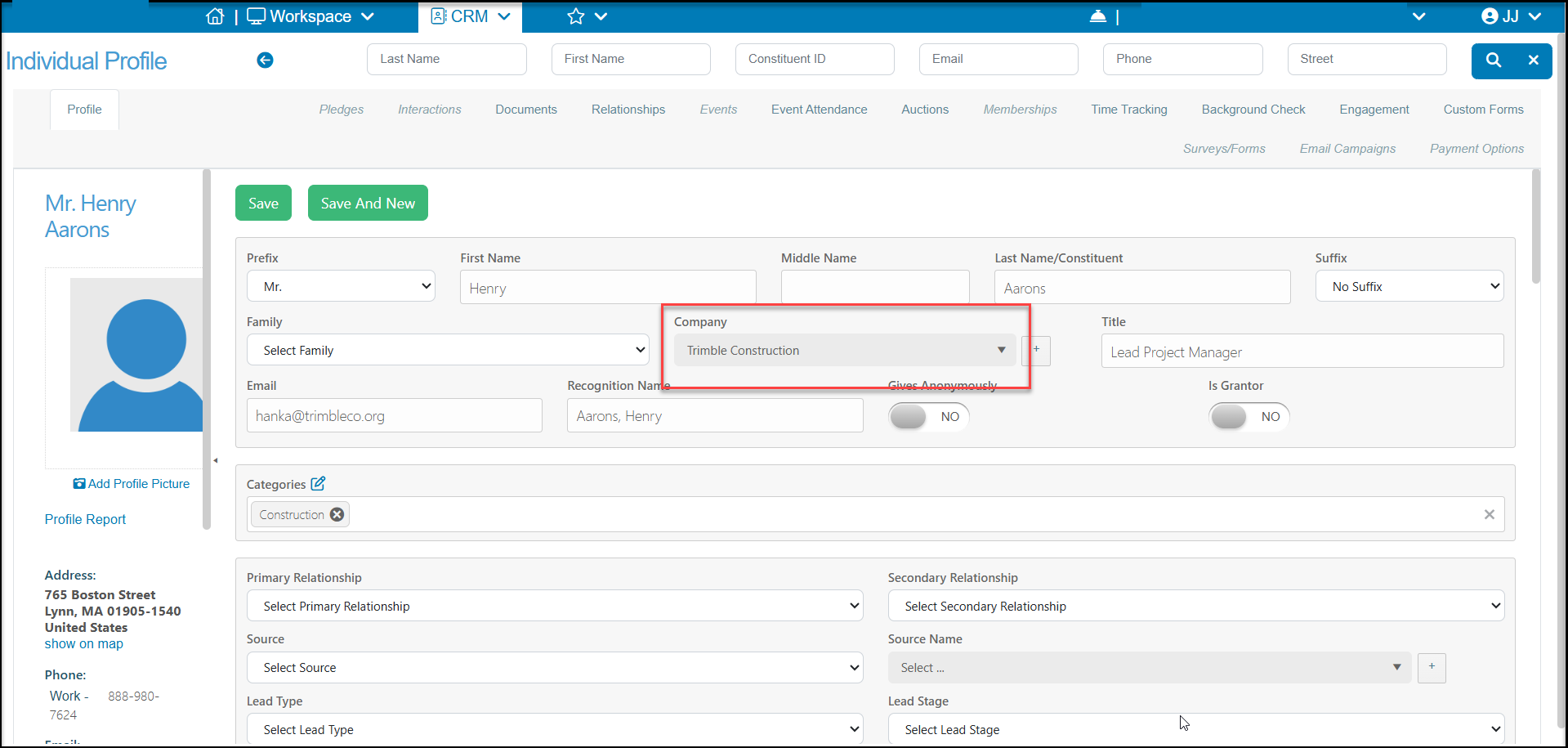
Company Contacts are individuals who are identified as employees of the company record. This employer-employee relationship information is independent of memberships. So you are able to identify all the employees at a company, without all of those employees also being part of the company's group membership. Likewise, you are able to link individuals to a company's group membership without also identifying them as employees.
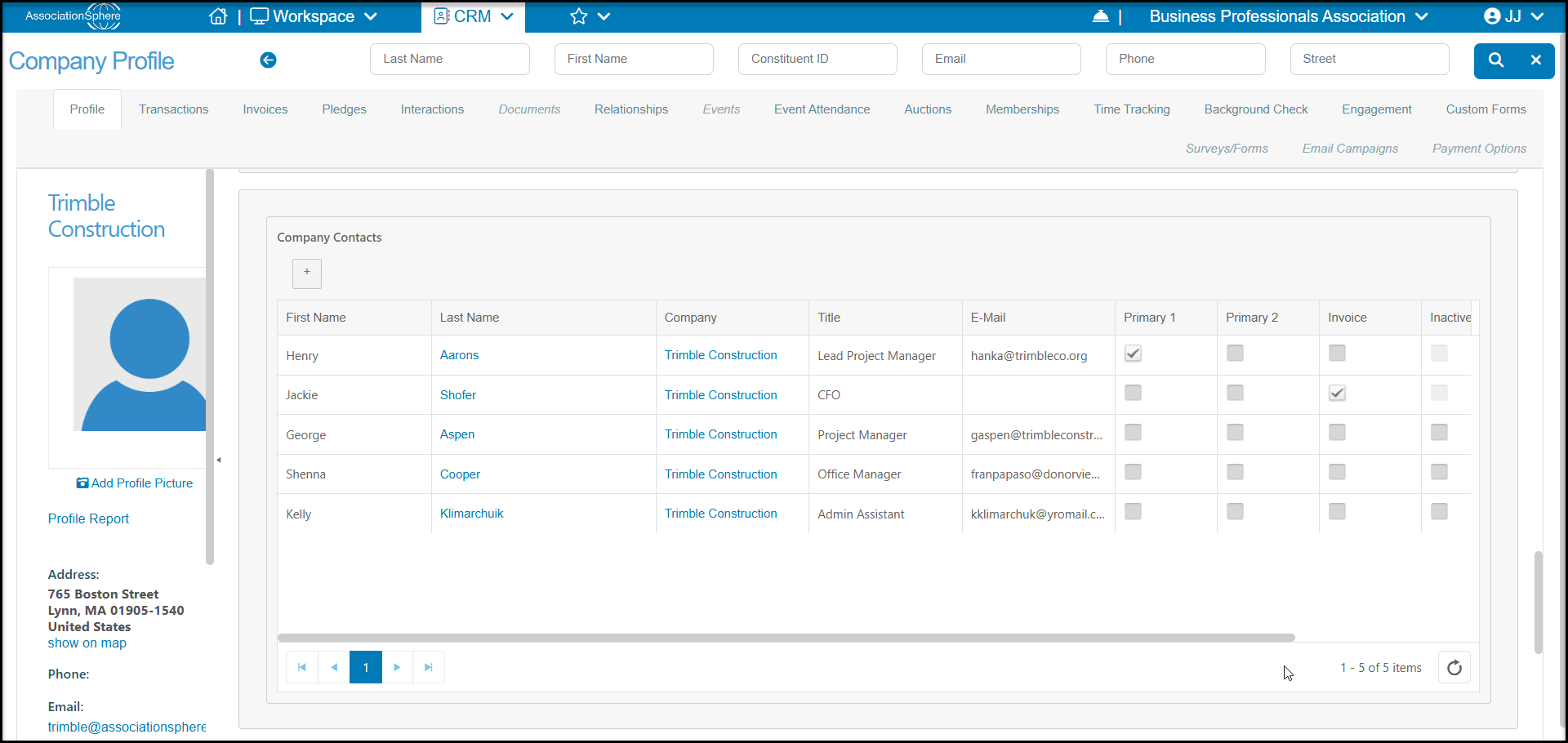
In the example below, the Company record for Trimble Construction shows they have five employees listed under the Company Contacts and in their Relationships tab.
However, in their group membership on the Memberships tab, shows that only Henry Aarons and George Aspen participate as members through the company's group membership.
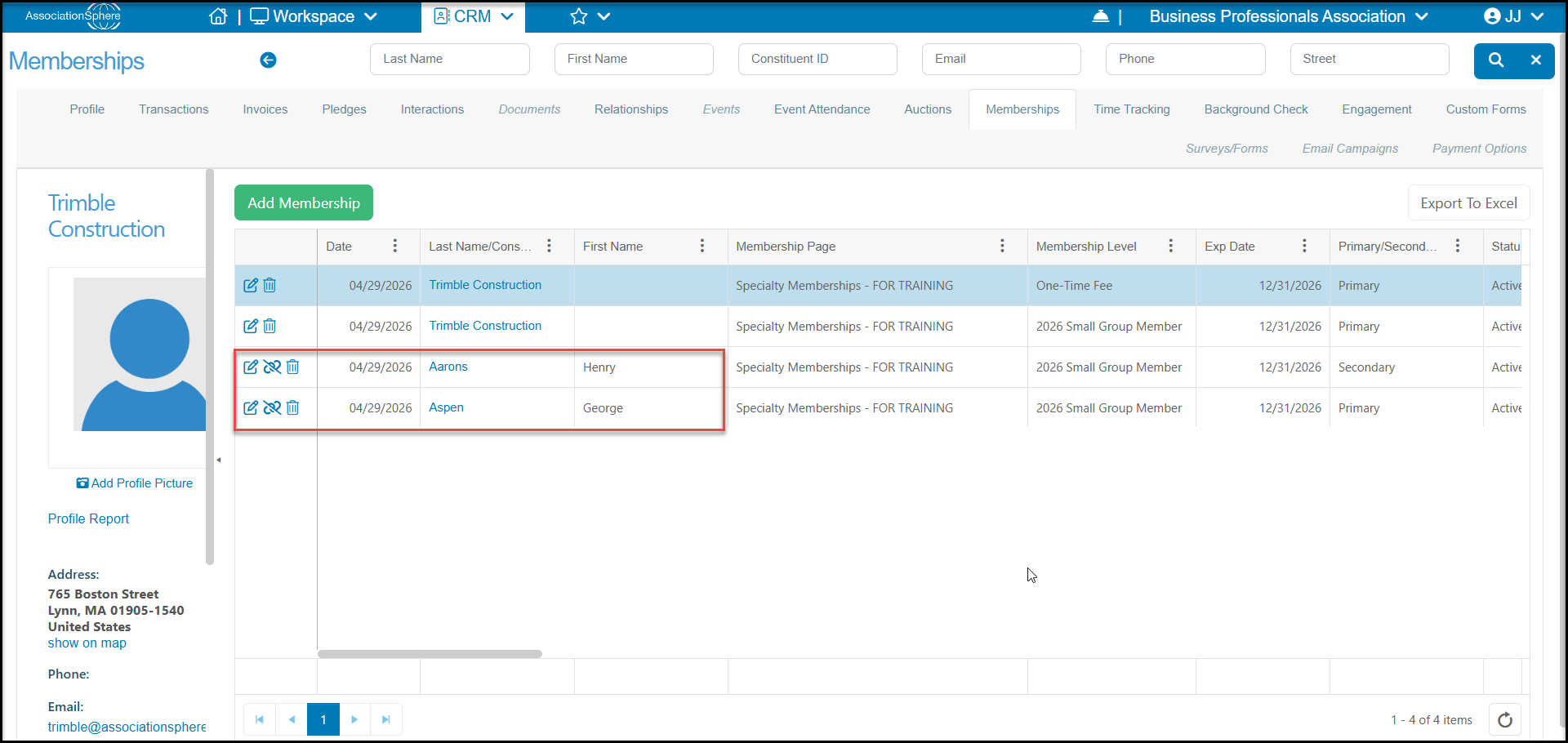
If you wished to add the additional individuals as members with Trimble Constructions group membership, you can do so using the +New > Member feature on the main Memberships Summary grid in the Memberships module. You can learn more about adding individual members to a group membership in this article "How do I add another constituent to an existing group membership?"
If you have individuals who are linked to the company as group members, but are not currently shown as Company Contacts /employees, you can add the Company to each individual's profile page to create the employer-employee relationships.