
Member Discount
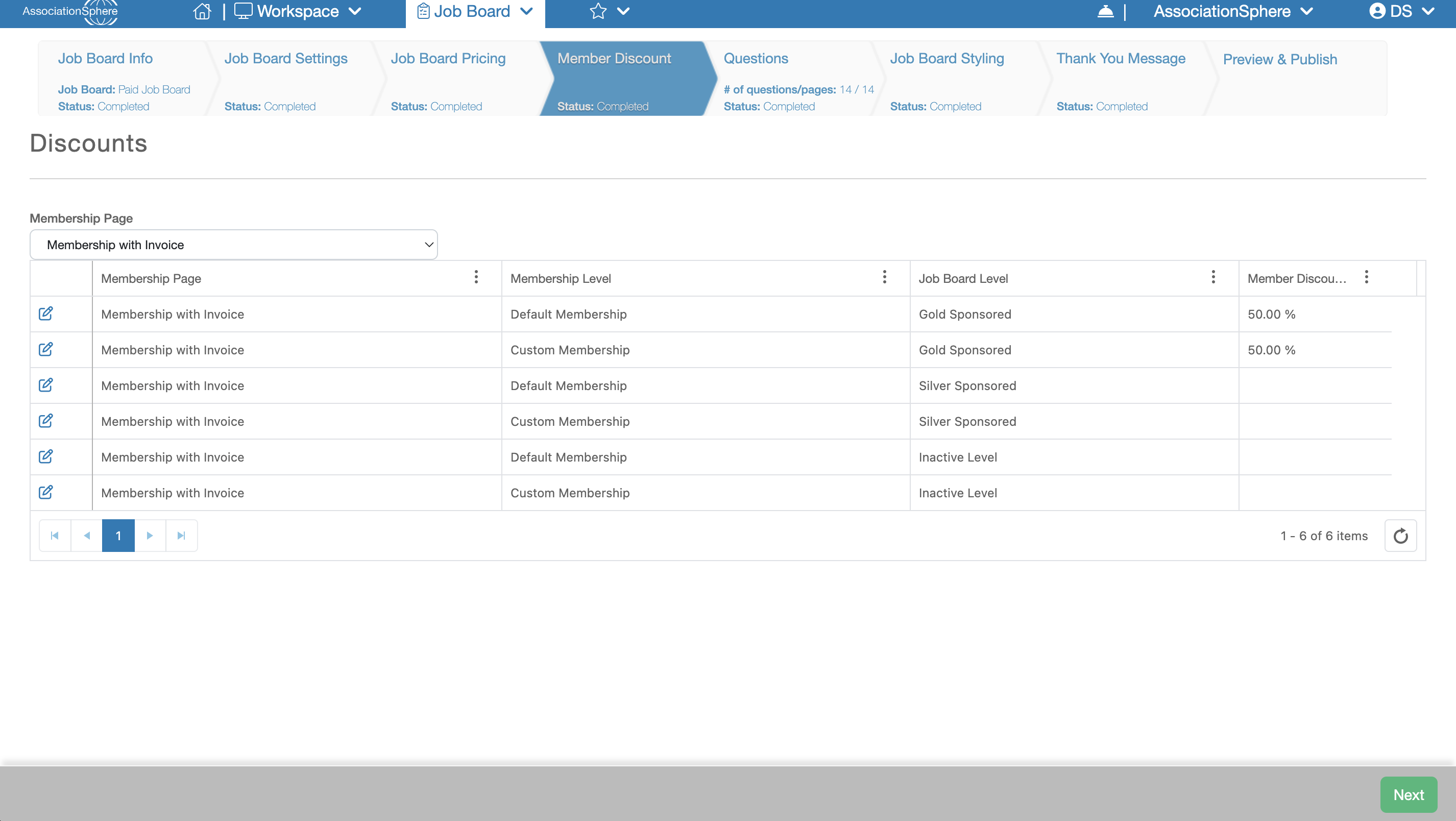
The next setup in the setup of a Job Board after Job Board Pricing is Member Discount.
The Member Discount tab is available only when Free Postings is set to No and the Offer Member Discounts setting is enabled on the Job Board Settings tab.
The Member Discount grid allows you to select a Membership Form from your account and configure percentage-based discounts for each combination of Membership Level and Job Posting Purchase Level.
In the first column of each row, you will see a blue Edit (pencil) icon. Click this icon to modify the discount for that Membership Level and Purchase Level combination.
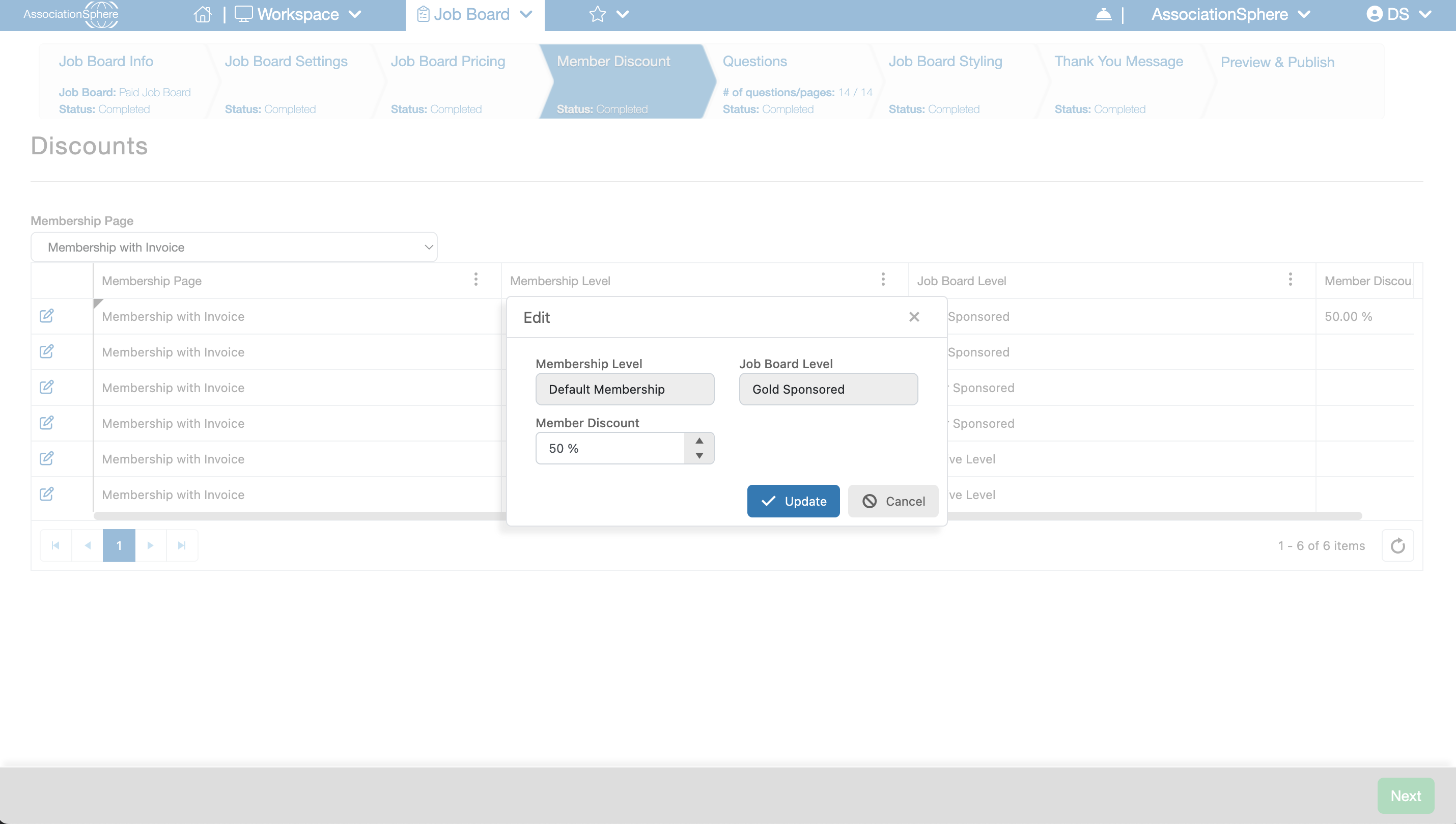
Within the edit dialog, enter the desired discount percentage in the Member Discount field, then click Update to save your changes. Repeat this process until you have configured all of the discounts you want to offer.
After you have finished entering your member discounts, click Save & Next to save your changes and continue to the next step of the setup process.