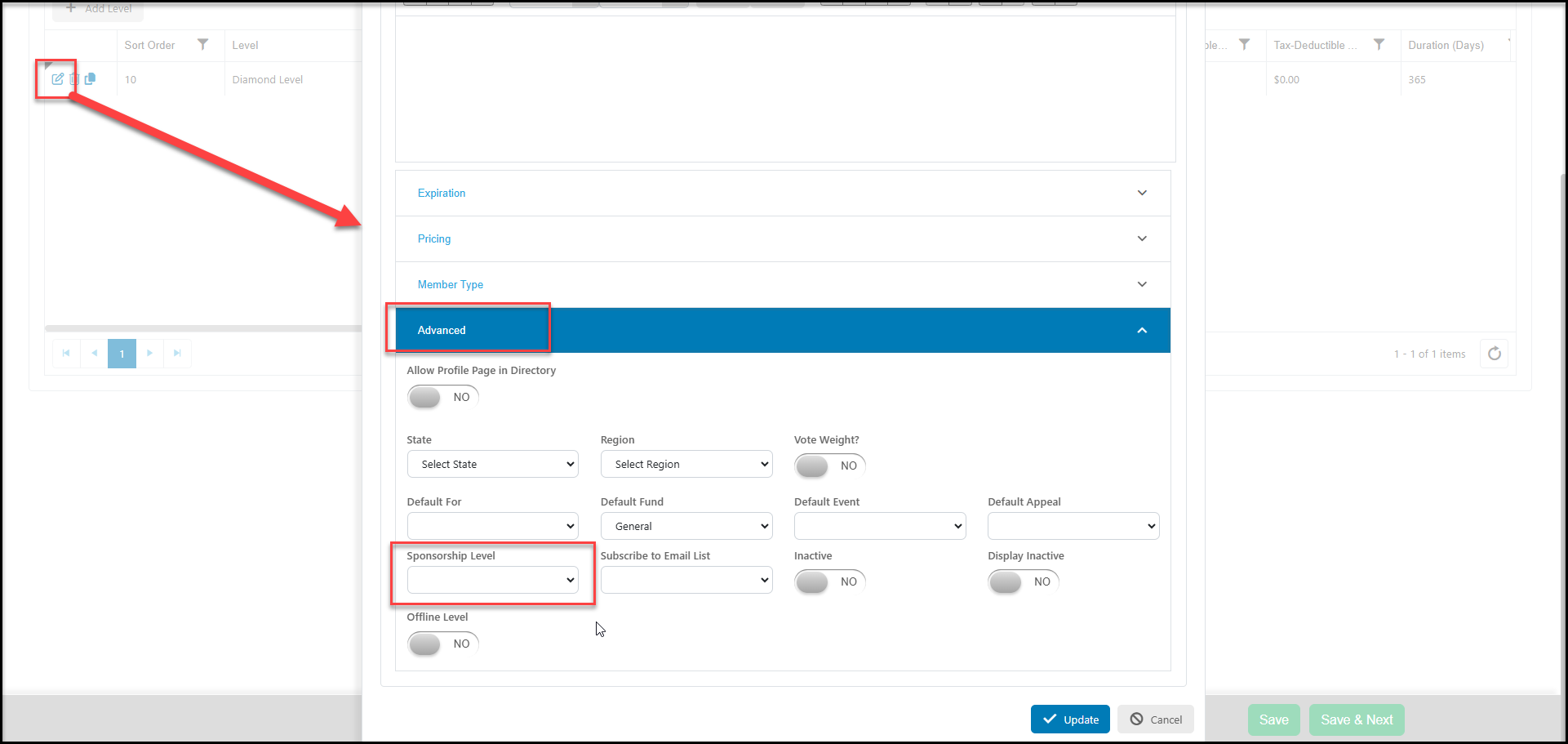
To link a sponsorship to a membership level, ensure the sponsorship and applicable tasks have already been created. You can learn more in this article "How do I create a Sponsorship?"
From a Membership Page, go to the Membership Setup Tab and add or edit a membership level. From the membership level in Advanced section, select the applicable Sponsorship Level from the pulldown menu. When finished entering the remaining information, click on Update to save the connection.
Whenever event transactions are recorded for levels that are attached to sponsorships, the sponsorship tasks will automatically be created on the Sponsorships grid.