# What is the Email Marketing Overview Page for?
> Source: https://support.associationsphere.com/what-is-the-email-marketing-overview-page-for | Updated: 2026-09-08T02:58:46Z
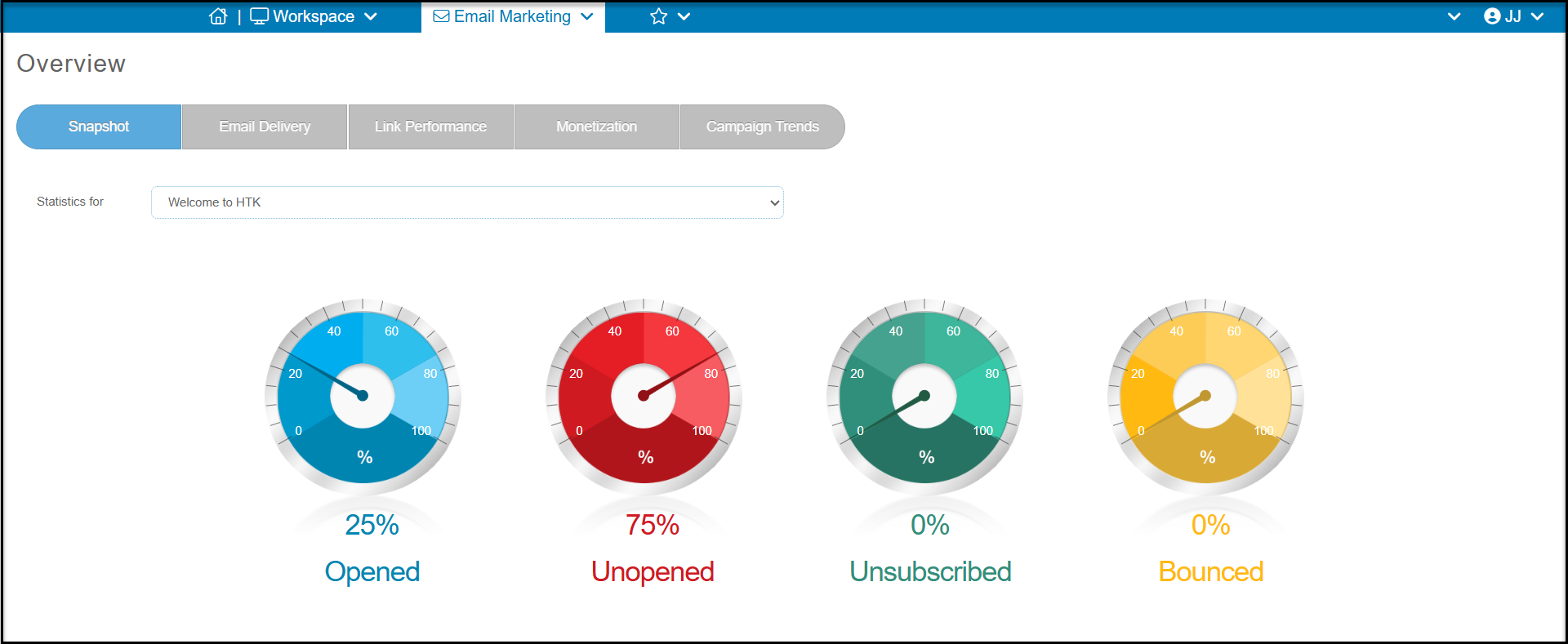
The overview is a page where you can see a snapshot of your email delivery results as well as see details of the email delivery rates, link clicks, monetization, and compare campaigns and see trends.
It has five tabs:
- **Snapshot**- the graphics (shown below) to indicate open, unopened, unsubscribed, and bounced rates for the campaign shown in the box next to Statistics For.
- **Email Delivery** - to show a chart and grid for each constituent segment, opens, unopens, unsubscribed and bounces.
- **Link Performance**- includes a graphic and grid to show constituents who click on each link included in the campaign.
- **Monetization** - summaries the transactions processed for constituents on the email list who made contributions to the links included in the campaign
- **Campaign Trends** - to compare results of the last 12 campaigns in the last 12 months on open, unopen, unsubscribe and bounce rates.