
What is the Link Performance tab on the Overview page for?
Updated Oct 7, 2026·1 min read
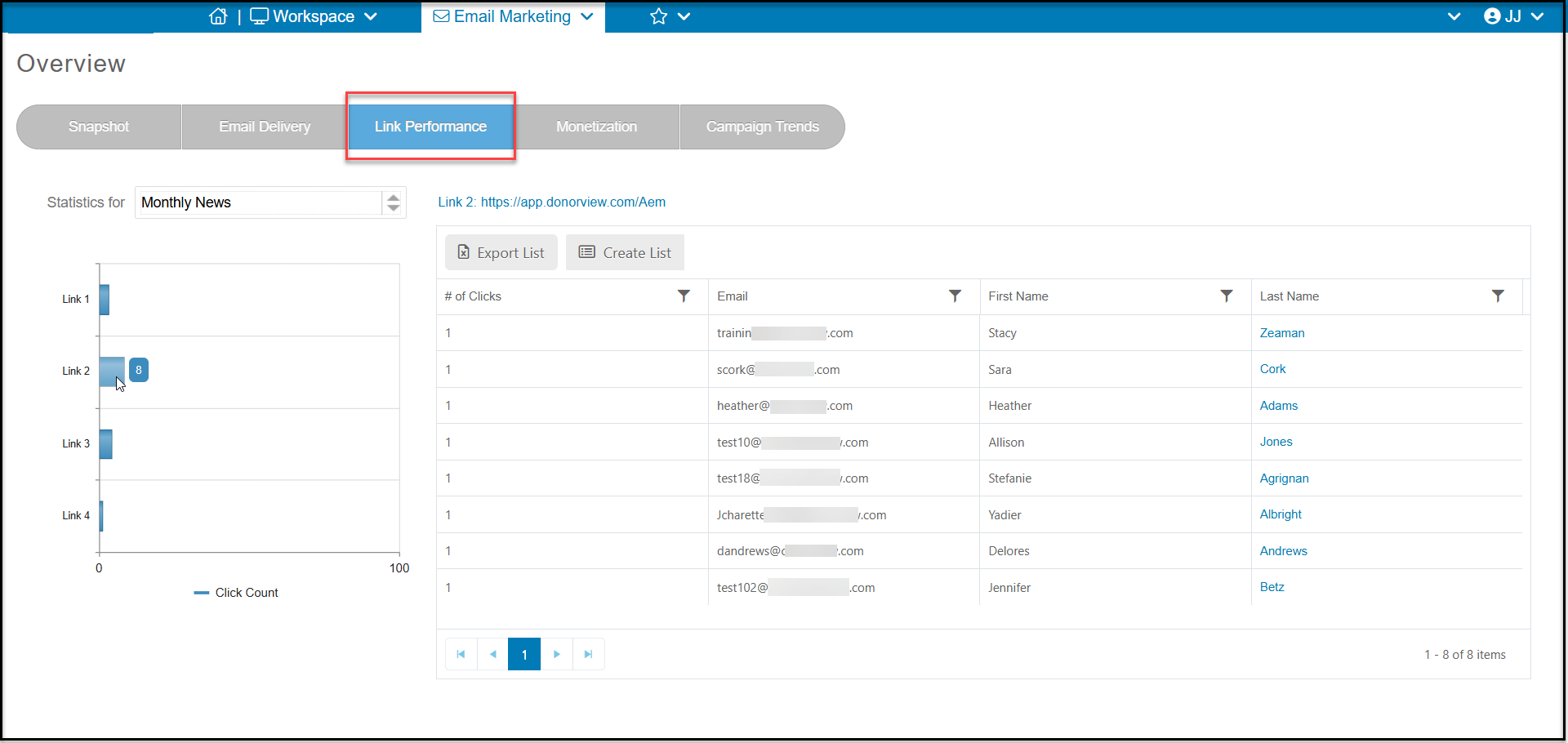
On the Link Performance tab you can see a list of all the hyperlinks you included in your message. This can include hyperlinks added to text, images, or buttons.
On the graph on the left, you can see a bar chart showing how many clicks were recorded for each link.
At the top of the grid on the right, you can see the link listed, which is also clickable if you would like to open the link.
On the grid you can see the constituents who clicked the link and how many times they clicked.
If desired, you can click on Export List to export this grid to Excel or click Create List to create a new email list for the constituents shown on the grid.
Was this article helpful?