Can a partial payment be accepted for an invoice?
A partial payment for an invoice can be accepted if it was originally set up for partial payments. Partial payments allow the constituent to pay a lesser amount, but there is no payment schedule feature. So the constituent can pay any amount desired.
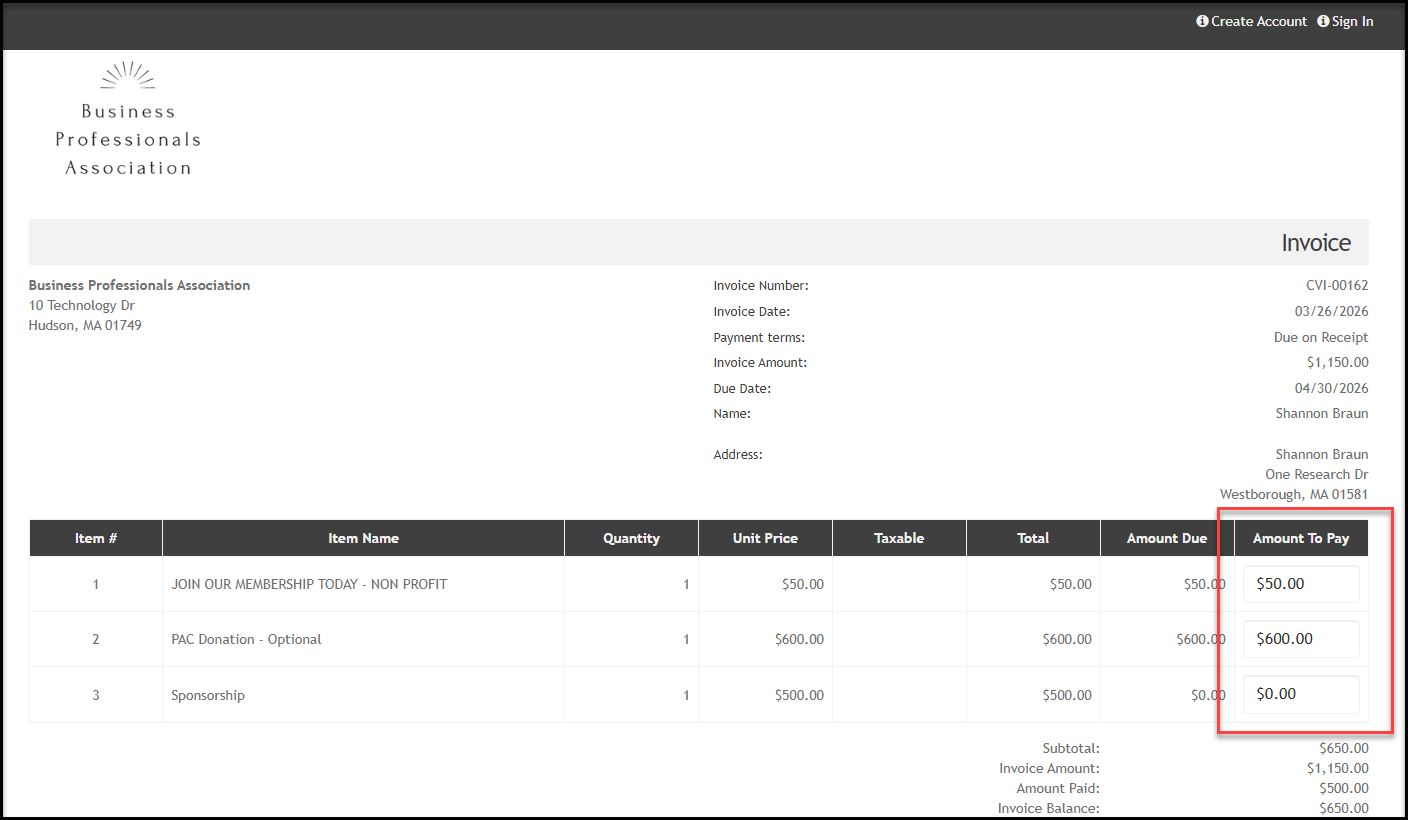
The constituent will see the option to enter a different amount on their invoice under the Amount to Pay column when they pay by credit card.
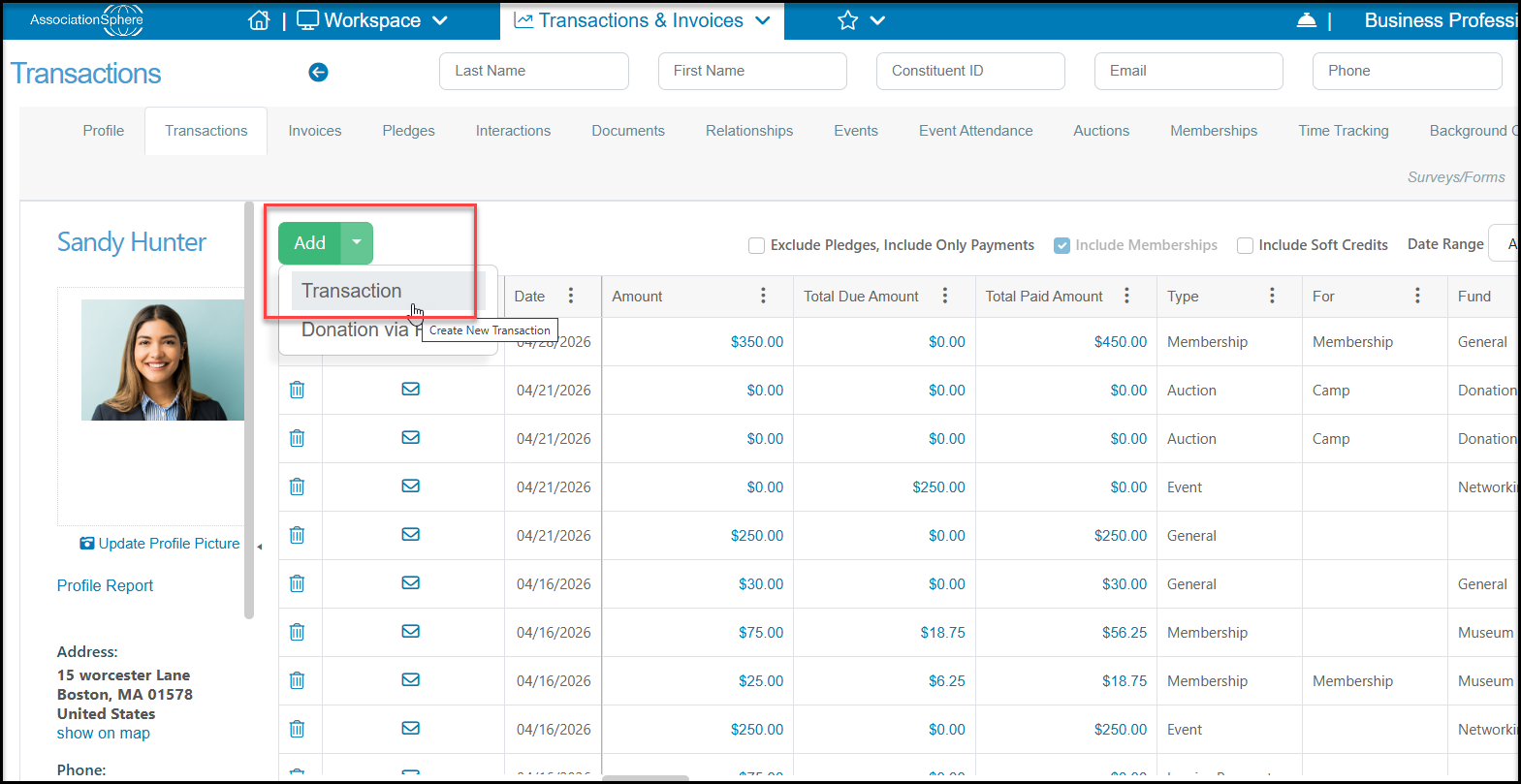
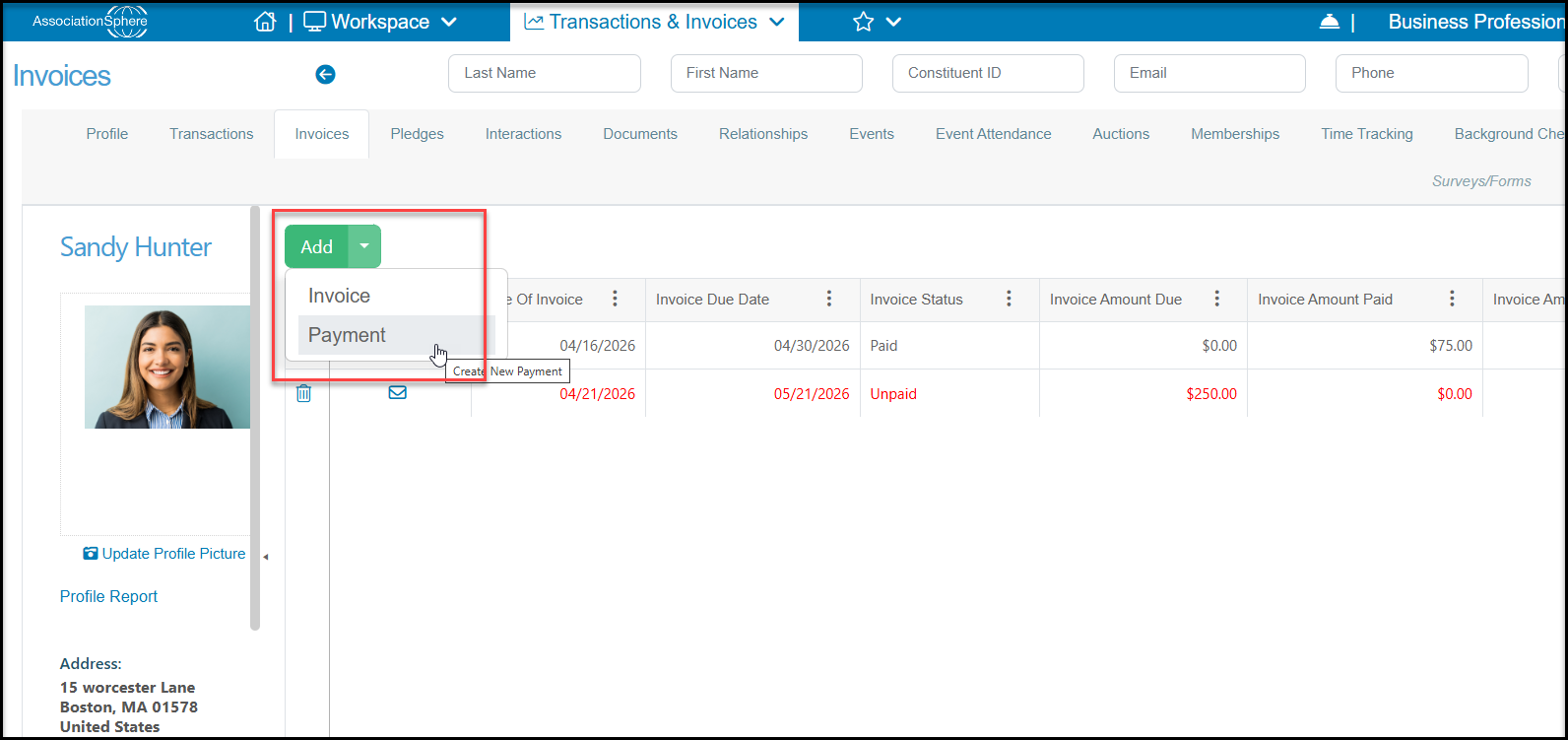
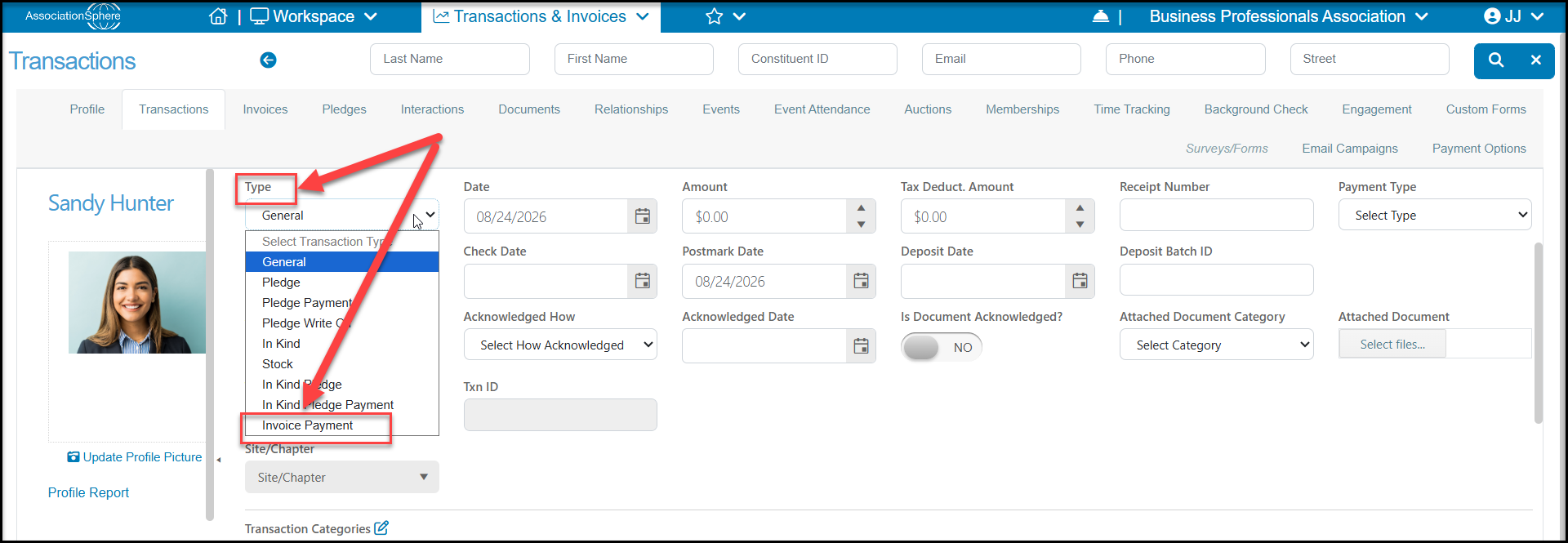
To manually record a partial payment, create a new transaction or, from the constituent's Invoices Tab, click on Add, then Invoice Payment.
Be sure that the Type is set to Invoice Payment to be able to select the appropriate invoice.
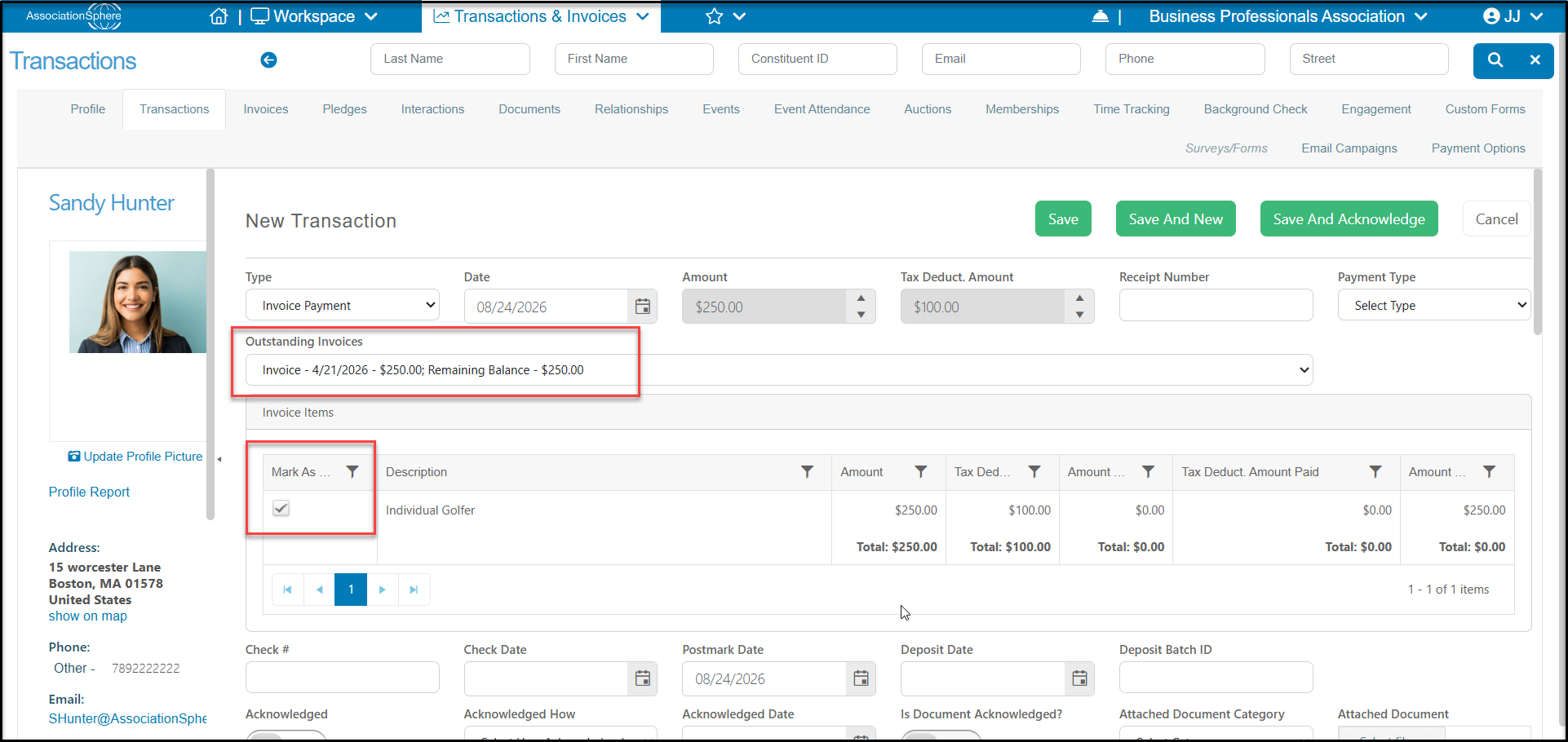
With the Type set to Invoice Payment, you will be able to select the appropriate invoice from the Outstanding Invoices pull down list.
If there are multiple rows, one or more rows can be checked to process just the payment for those rows that are checked Mark as Paid.
If an invoice was originally set up to allow partial payments, a new column will appear called "Amount To Pay." You will still need to check the Mark as Paid box for that row, then enter the amount of the payment.
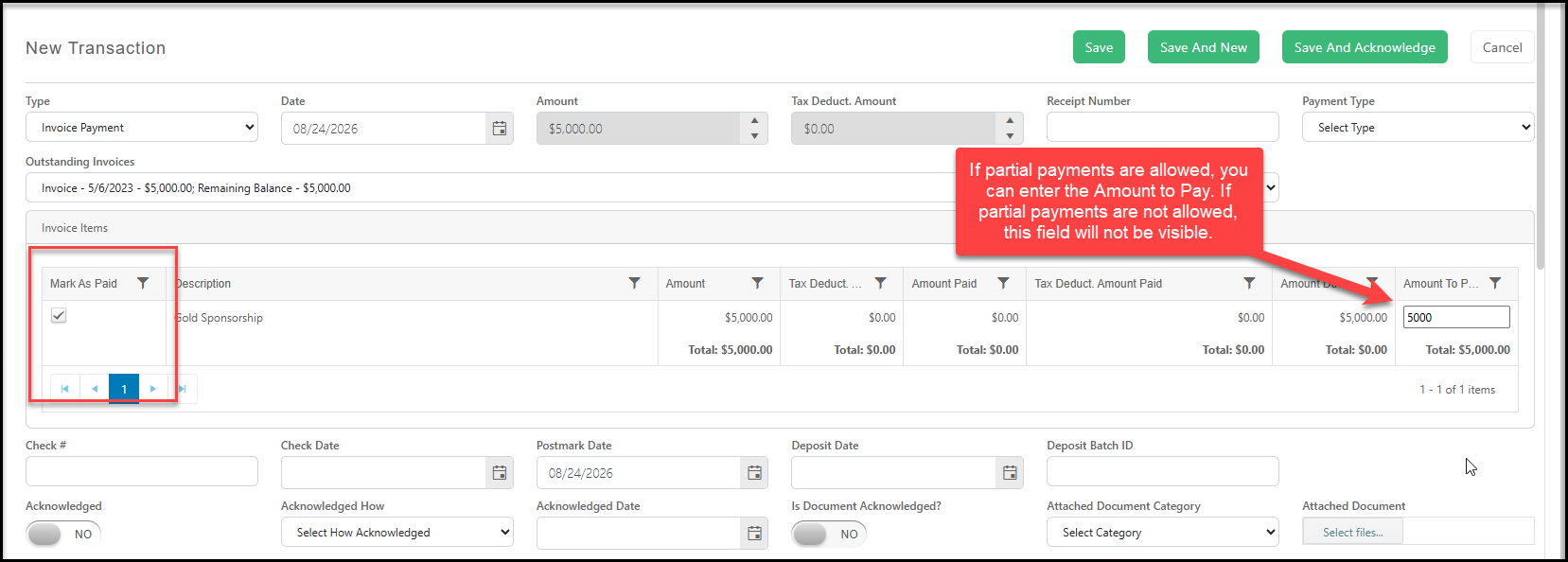
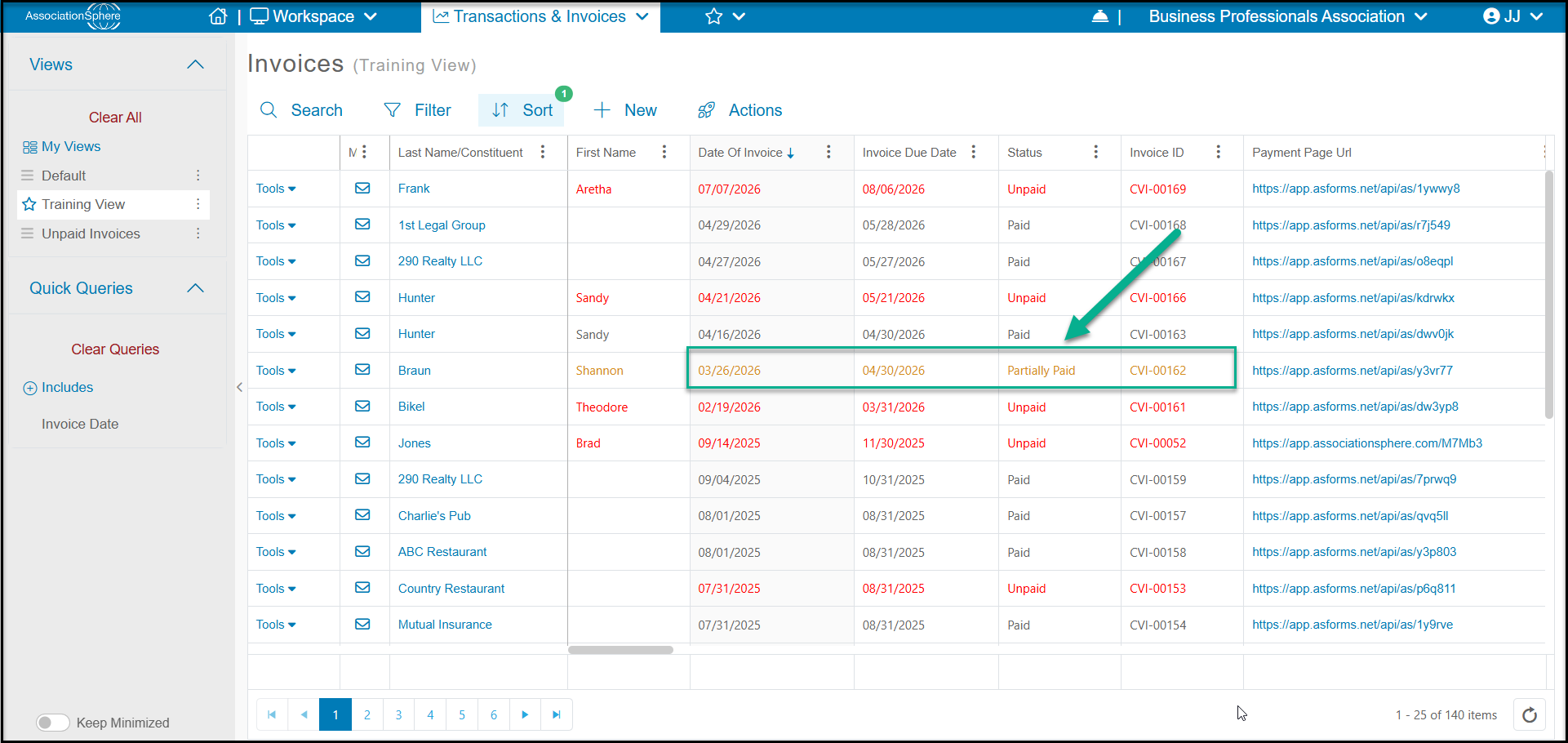
When finished entering all of the information, click Save to complete the transaction or Save and New to create a new transaction. You can also acknowledge the partial payment by selecting Save And Acknowledge. The partial payments will show in the main Invoices grid or the constituent's Invoices Tab with orange text and the Status "Partially Paid."