
Can I add a new pending type?
Updated Sep 11, 2026·1 min read
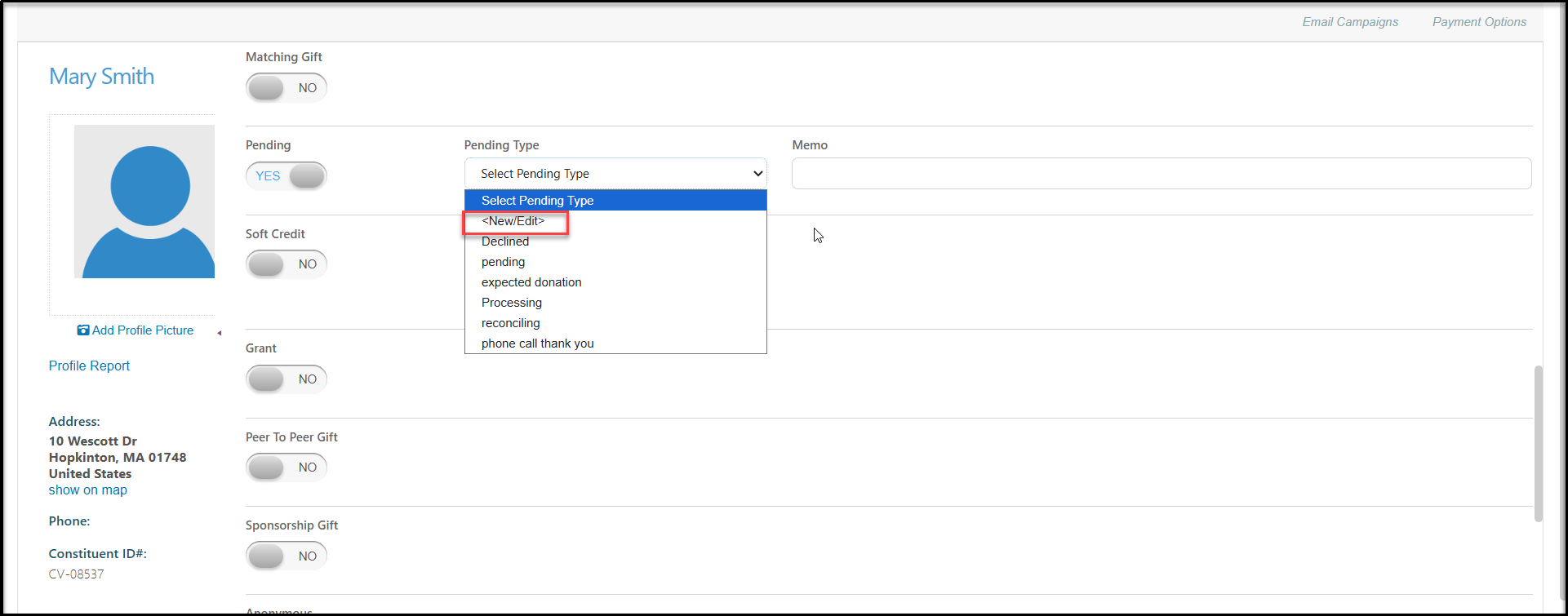
Yes, you can add a new pending type when adding or editing a transaction. Click on the up and down arrows of the drop-down box and click on <New/Edit>. You can also edit this list from the Account Settings > Options > General > Manage Picklists dropdown list.
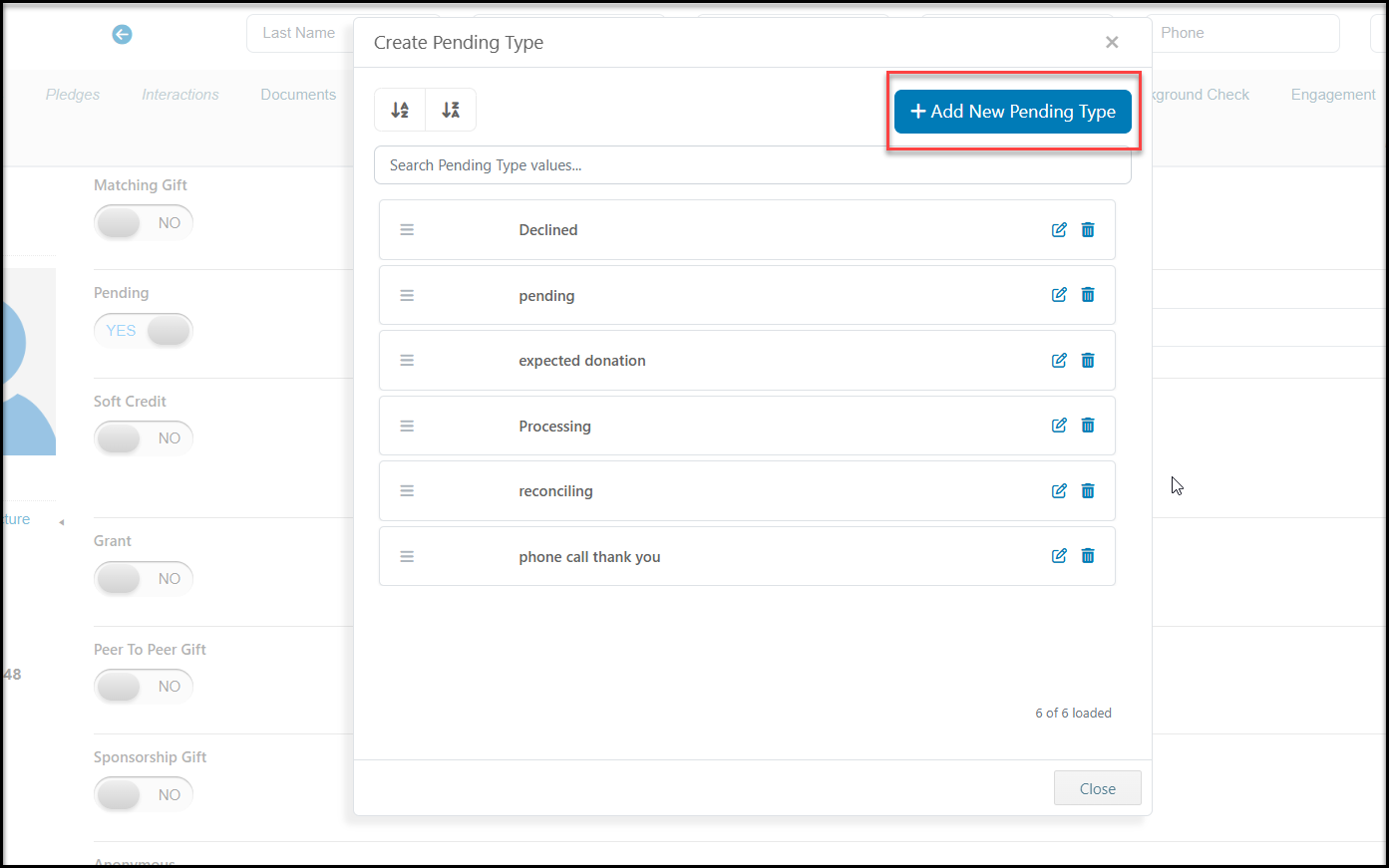
Select +Add New Pending Type.
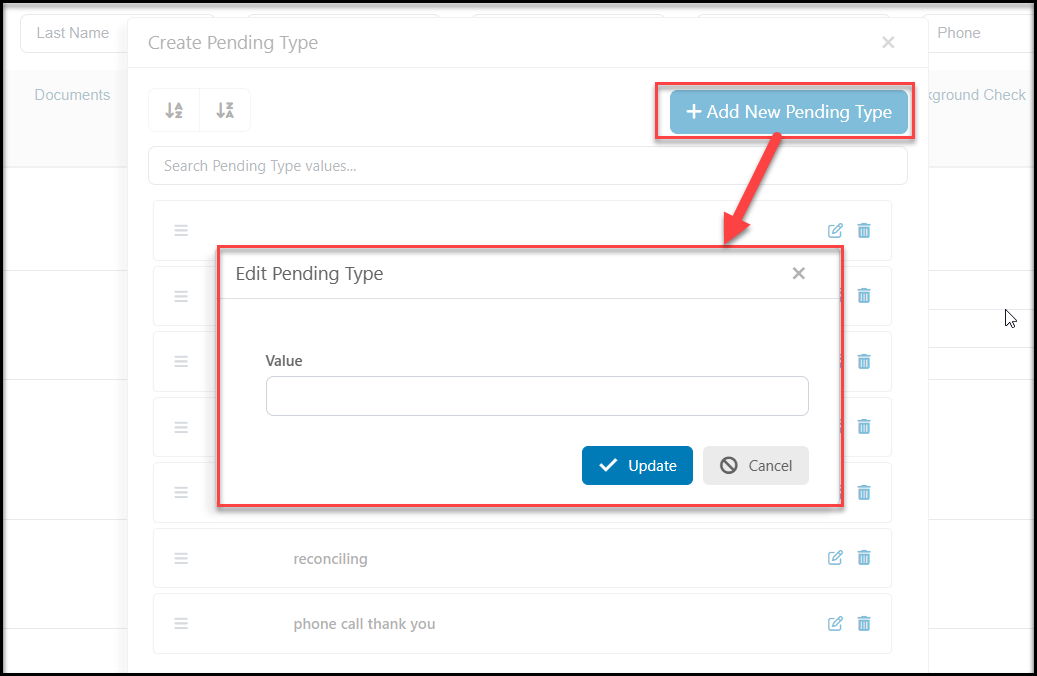
In the new dialog box, enter the new Value and click Update to add it to your list. Once the new items is added click Close to close the window and return to the previous screen.
Was this article helpful?