What are Pending transactions?
The Pending status is generally used for credit card transactions that come in through AssociationSphere pages, such as donation, event, or membership pages.
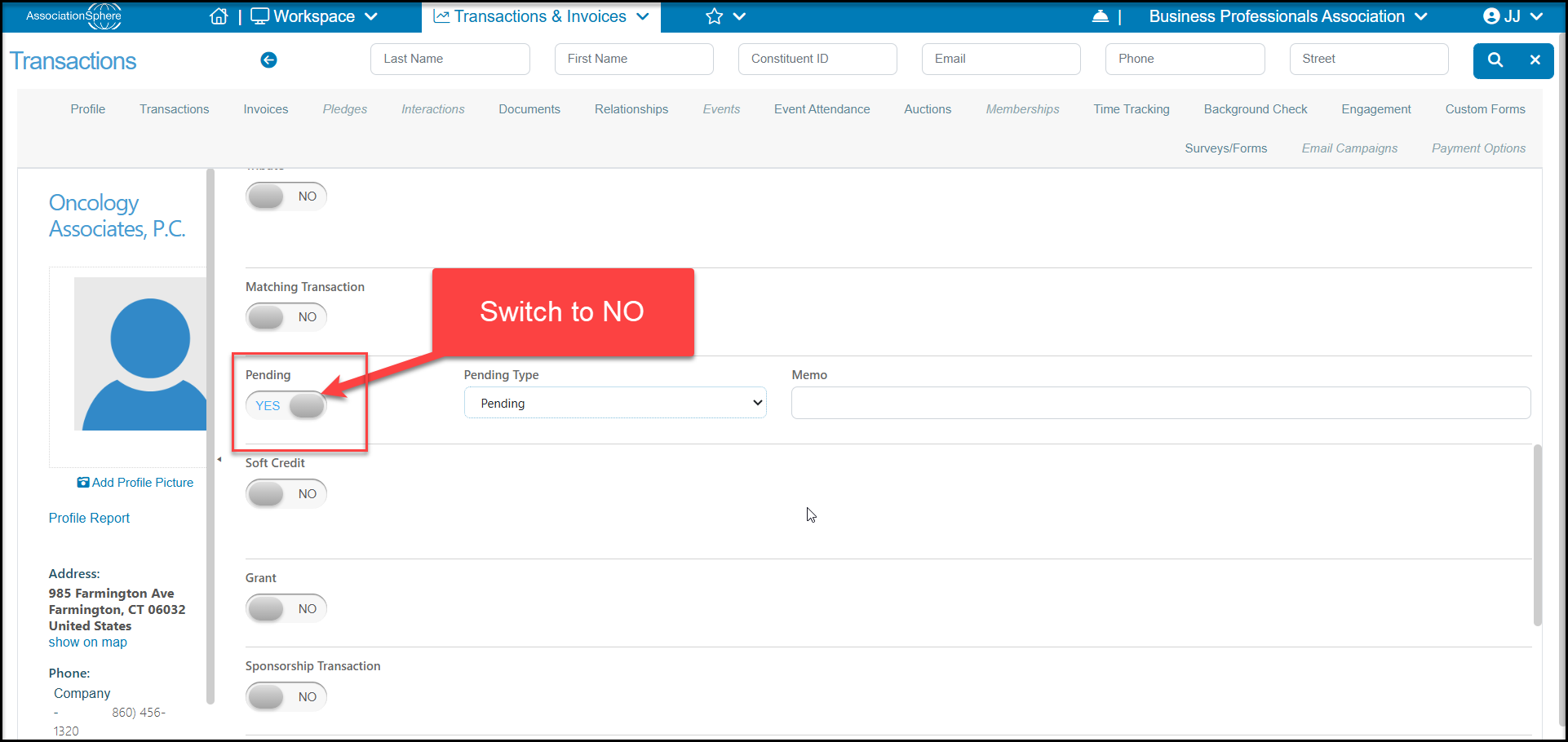
For constituents completing a transaction using a credit card, the transaction will show Pending with a status of "Processing" until the credit card has been charged and the funds have been deposited in your account. Then the software will automatically update the status to "NO" and the item will no longer be shown as Pending. If the credit card is declined, the Pending status would show Declined.
For those transactions processed as Pay Later, the transaction will show as pending until it is manually updated, usually after you have received and entered the payment.
Transactions will also show as Pending "YES" if they were processed internally using an AssociationSphere page. For example, entering an event transaction on an Event Page with a payment type of Check.
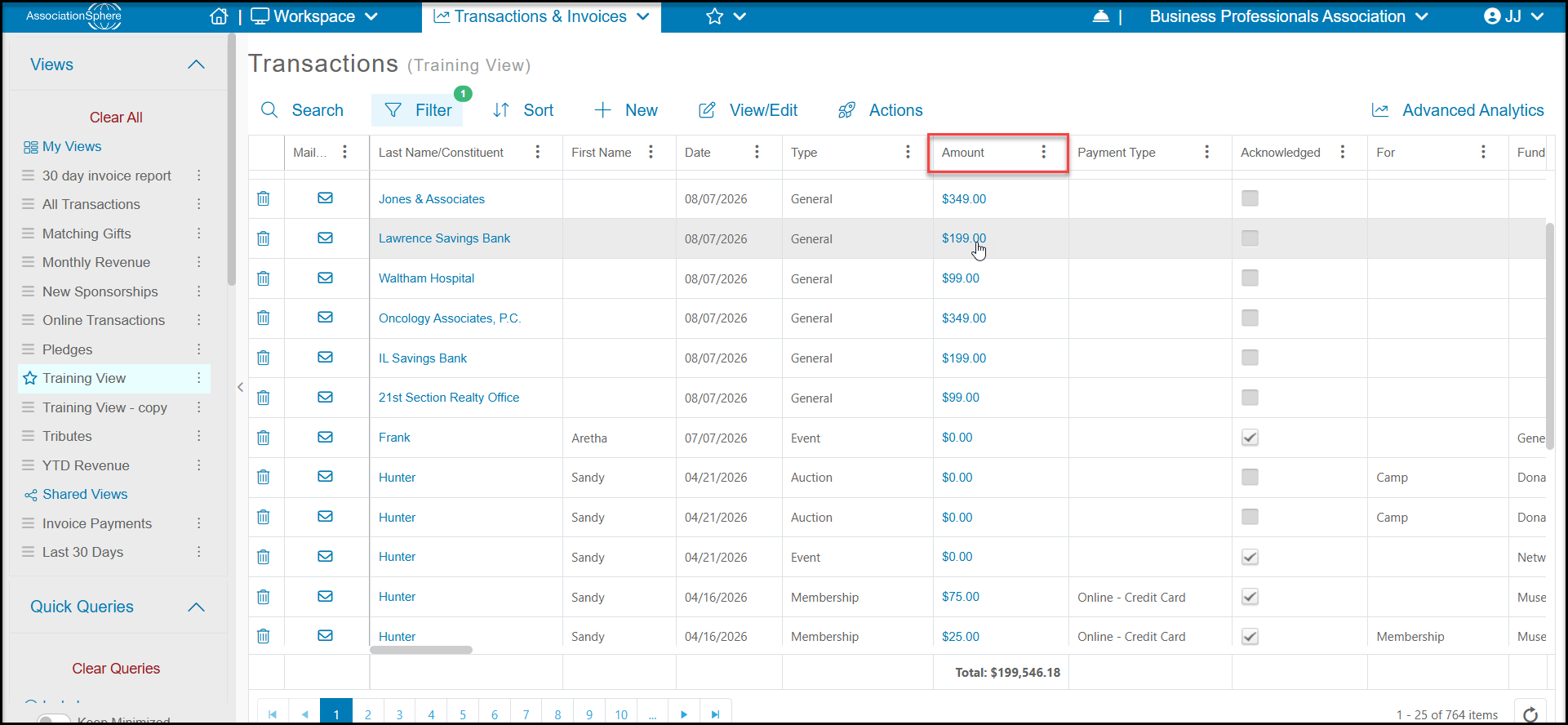
To update the status, go to Workspace > Transactions & Invoicing > Transactions or go to the Transactions Tab in the constituent's record. Select the transaction to be updated and click on the Amount to open the transaction.
On the transaction page, scroll down to the Pending section and change Pending from "YES" to "NO" by clicking on the button. Click on the green Save button at the top or bottom of the page to update the status.